

March 2026
In this release
Scrut’s March release showcases AI gap analysis on policy and evidence dashboards, deepens vulnerability triage, and adds the NEN 7510 framework for Dutch healthcare providers.
- NEN 7510 is now part of the frameworks module, fully translated and mapped, including healthcare-specific controls for patient data access, logging, and confidentiality.
- The Policy and Evidence dashboards now carry gap analysis charts, so you can quickly fix gaps before an auditor spots them.
- Cloud misconfigurations arrive with ready-to-apply fixes in Terraform, AWS CLI, or CloudFormation, each with a confidence score.
- Third-party scans gain standardized severity, a resources view that shows where risk concentrates, and a native Aikido Security integration.
- Trust Portal requests from whitelisted domains auto-approve, and questionnaire answers can be scoped to tagged Vault documents.
Key Features & Enhancements
Support for NEN 7510 framework
Teams selling into or operating within Dutch healthcare often need to show information security practices that go beyond a generic ISO/IEC 27001 program. Patient data access, logging, and confidentiality expectations are healthcare-specific, and translating those requirements into an operational control set is slow when the framework is not natively available inside the compliance workspace.
Scrut now supports NEN 7510 in the Frameworks module. Scrut has fully translated and mapped NEN 7510, including healthcare-specific controls for patient data access, logging, and confidentiality, so local and international teams can run Dutch healthcare compliance in the same workflow as their broader program. Centralized reporting helps demonstrate readiness to Dutch healthcare stakeholders and auditors.
Learn more: Supported Frameworks
Detect policy gaps before your auditor flags them
Most compliance teams still discover policy gaps during auditor sampling, not weeks earlier when the document was uploaded. By then, the auditor has raised a finding, and the team is rewriting clauses under deadline pressure.
Scrut solves these pain points with AI-powered policy gap analysis. Scrut Teammates analyzes uploaded policies, shows whether they have been reviewed, and flags detected gaps in the policy gap analysis chart in the Policy dashboard.
Learn more: Teammates policy gap analysis
Spot gaps in your compliance evidence proactively with AI
Incomplete evidence usually surfaces late, when an auditor samples an artifact and finds missing coverage, stale attachments, or unanswered control questions. Scrut Teammates can now analyze uploaded evidence and automatically identify gaps. The Evidence dashboard now includes an Evidence Gaps chart that shows:
- How many evidence items had no gaps
- How many have gaps detected
- How many have not been evaluated yet
If gaps are found, teams are directed to review them; if none are found, evidence can be bulk-published.
Learn more: Teammates evidence gap analysis
Remediate cloud misconfigurations with AI-assisted fixes
Cloud posture findings are easy to accumulate and hard to close when the next step is a vague recommendation. Engineers need a concrete fix in the language their tech stack uses, plus enough confidence signal to decide whether to apply it.
When you open a cloud misconfiguration in Scrut, Scrut Teammates offers fixes in different formats, such as:
- Terraform
- Amazon Web Services Command Line Interface (AWS CLI)
- CloudFormation
Teams can quickly apply the fix that matches their workflow. Each fix includes a confidence score so engineers can make informed decisions on whether to apply the AI-suggested fix. Furthermore, teams can copy the fix, create a Jira ticket in one click, ask Teammates follow-up questions, or regenerate the fix when something looks off.
Learn more: Remediate test findings with Scrut Teammates
Triage third-party vulnerability scans with richer remediation context
Third-party scanner exports are hard to act on when severity labels differ, remediation text is thin, and affected assets are buried in another console. Triage then becomes a spreadsheet merge instead of a prioritized queue.
Scrut's improved third-party scans attach richer remediation context, fuller visibility into affected resources, and standardized severity to findings inside the vulnerability workflow. It helps teams understand what needs attention faster without switching between multiple tools.
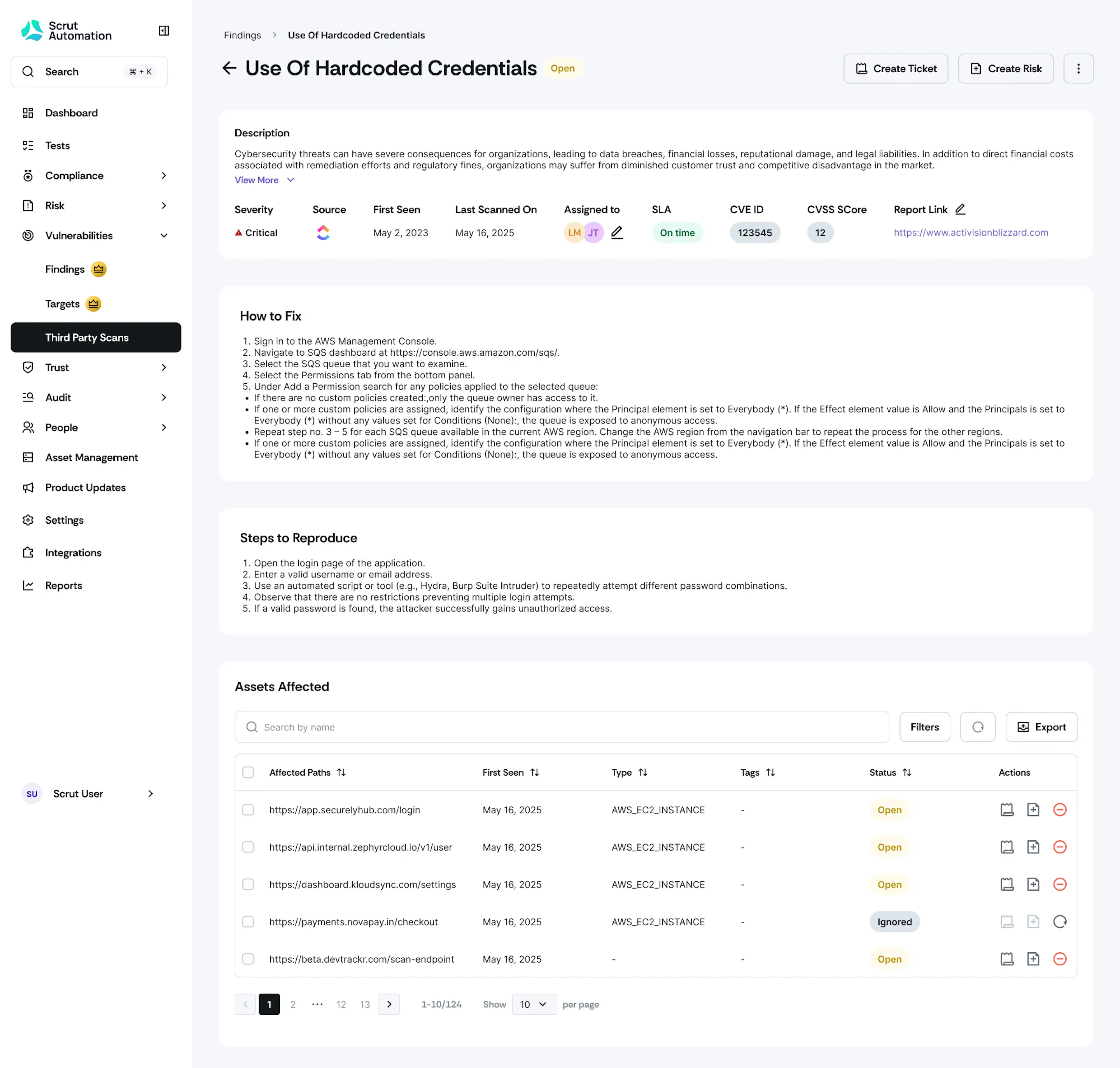
Learn more: Third-party scan details
Fetch Aikido Security findings into your compliance vulnerability queue
Teams that scan with Aikido Security often keep AppSec results in one system and compliance remediation tracking in another. Manual exports create lag, and SLA ownership becomes unclear when findings live in two queues.
Scrut now supports a native Aikido Security integration so that Aikido findings can flow into Scrut's vulnerability management workflow.
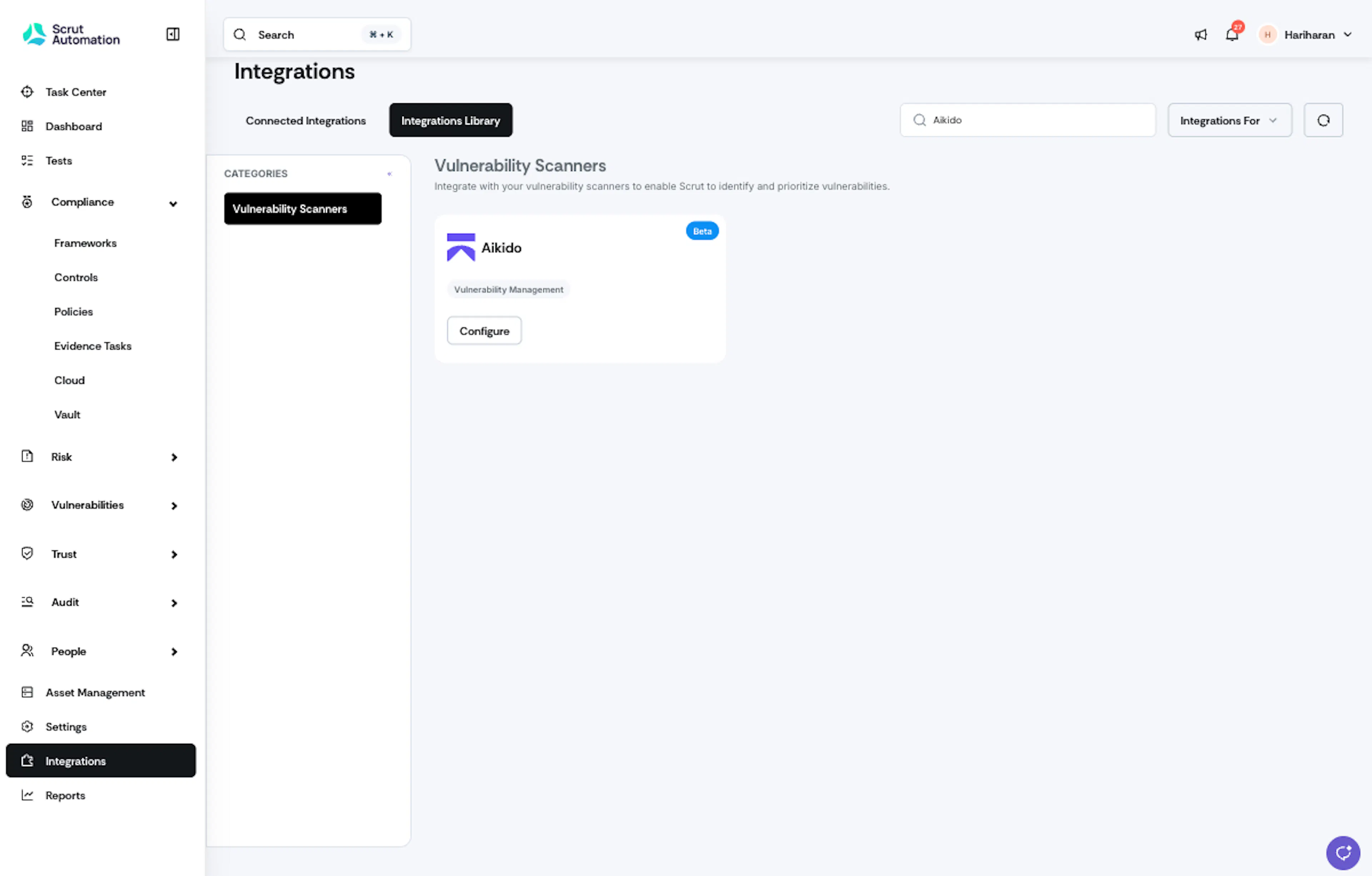
Learn more: Integrate Aikido
Prioritize vulnerabilities by affected resources
A CVE-first queue answers “what is broken” before “where is the blast radius.” Sorting only by finding severity can hide the assets that carry the most concentrated risk. A long list of medium findings on one critical system can matter more than a single high finding on a low-impact host, yet resource concentration is easy to miss.
Scrut adds a dedicated resources view for third-party scan findings so teams see impacted assets and prioritize remediation where risk concentrates, rather than reviewing every vulnerability in isolation.
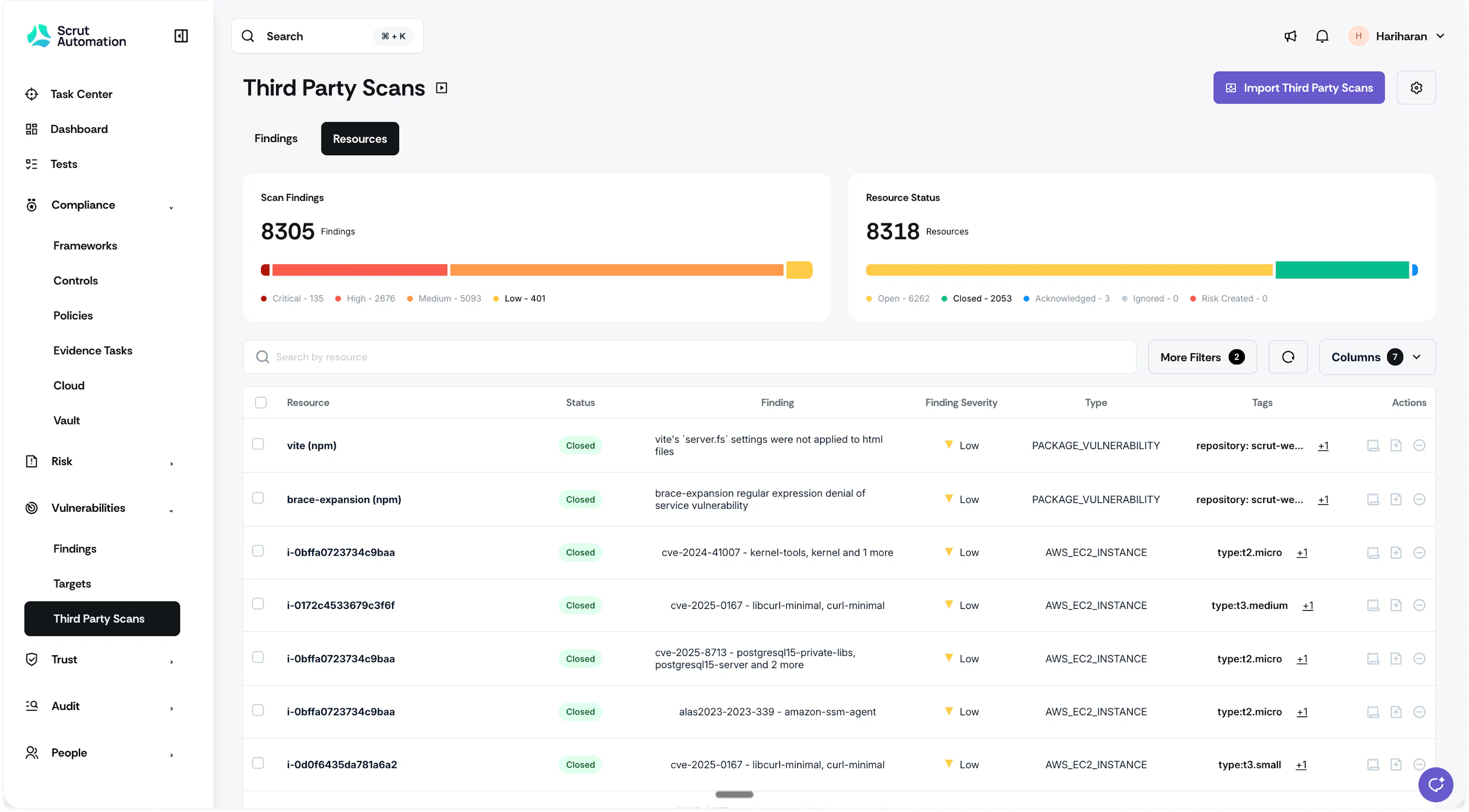
Learn more: Resources tab in Vulnerabilities
Auto-approve Trust Portal access requests from trusted domains
Manual approvals slow deal cycles when every request from a known customer or prospect domain waits in the same queue as unknown visitors. Response time becomes the bottleneck even when the documents and Non-Disclosure Agreement (NDA) rules are already decided.
Scrut now supports auto-approval via domain match for Trust Portal access requests. Requests from whitelisted domains are auto-approved with full document access.
Scope questionnaire answers to the right Vault documents
Questionnaire automation only helps when the right source documents power each answer set. A product capability questionnaire and a security questionnaire need different reference material. Shared folders make it easy to mix sources and produce answers that cite the wrong policies or trust documents.
Tags allow teams to organize Vault documents and folders by topic so each questionnaire pulls from the right sources. When creating or setting up a questionnaire, select one or more tags so any document carrying those tags is included as a source. This narrows source selection by topic, which improves the quality and relevance of questionnaire answers.
Learn more: Managing Tags in the Vault
Other Updates
- Updated NIS 2 Directive mapping: The Network and Information Security Directive 2 (NIS 2) mapping focuses more clearly on direct obligations that require organizational action, supporting more practical gap assessments.
- Updated ISO 22301:2019: Business Continuity Management System (BCMS) coverage expands from 56 to 73 distinct requirements, with refined control mappings, new Business Continuity and Disaster Recovery policy templates, and tighter evidence suggestions.
- Linked risks on controls: Control details pages now show linked risks in context, so teams can trace control execution to related risk workflows without switching modules.
- Automated Tests scan status: Automated Tests show last checked and next scan times, so outdated or failing tests surface earlier.
- Integration error visibility: Selected integrations (Microsoft Intune, Jamf Pro, JumpCloud, Fleet Mobile Device Manager (MDM), NinjaOne, SharePoint, Jira) show Sync Error while remaining connected, with audit logs of source error codes and failed API calls; impacted Automated Tests show sync error indicators.
- New HRIS, BGV, and other integrations: Darwinbox, AlexisHR, Breathe HR, HR Works, Sage HR, and Zinc Work support access review workflows.
- JSONL Test exports: JSON Lines (JSONL) exports add metadata and authenticity signals so auditors can verify pass/fail outcomes from integration and internal sources.
- Create GitHub issues from Scrut: Raise GitHub issues from evidence, tests, policies, audits, and vulnerabilities without leaving Scrut.
- API transparency in Scrut Monitor reports: Scrut Monitor reports include the exact API endpoints used to fetch data, plus documentation links for auditor verification.