Create a Vendor Mitigation Task
Who can use this feature
- Supported on Foundation, Growth, and Scale plans
In the context of vendor risk management, a mitigation task is a specific action or set of actions that an organization takes to address and reduce the risks associated with a particular vendor. Mitigation tasks are a key component of an organization's overall risk management strategy when working with vendors and suppliers.
Mitigation Tasks can be created in two ways.
- Method #1: From the Vendor Overview Page
- Method #2: From Submitted Questionnaires
Method 1: From the Vendor Overview Page
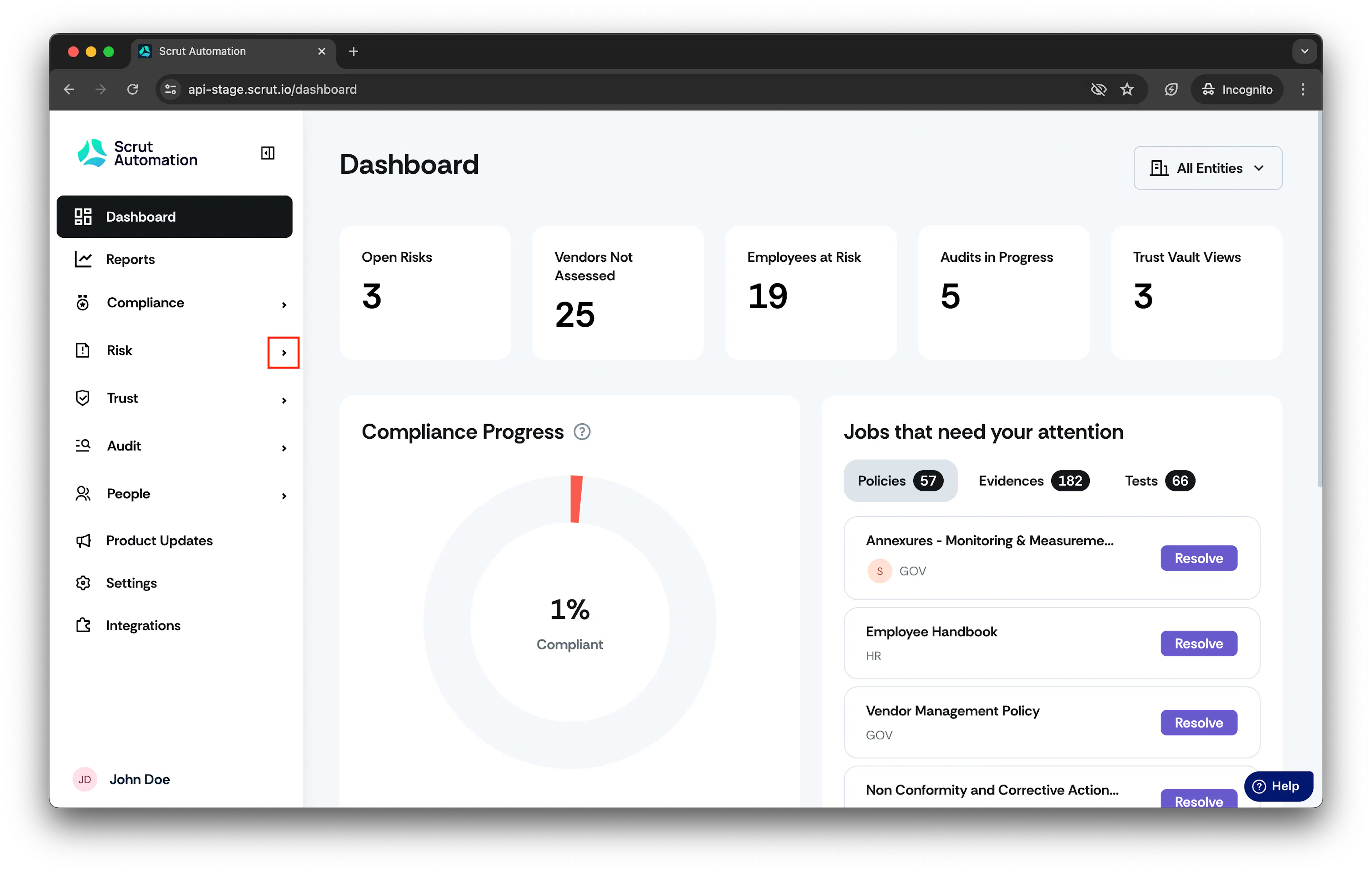
- From the left navigation panel, expand Risk menu.
-
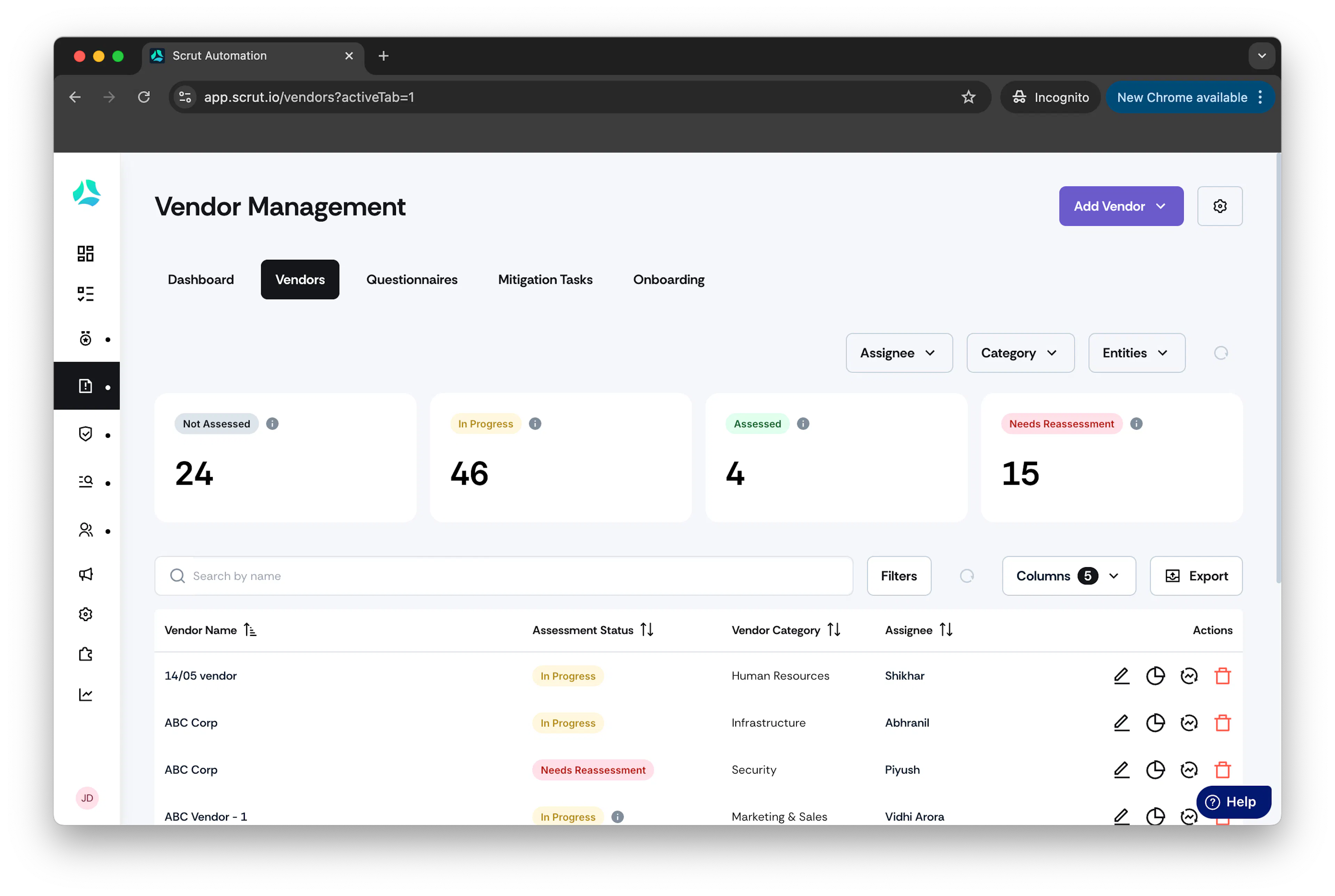
Click Vendors and go to Vendors tab.
-
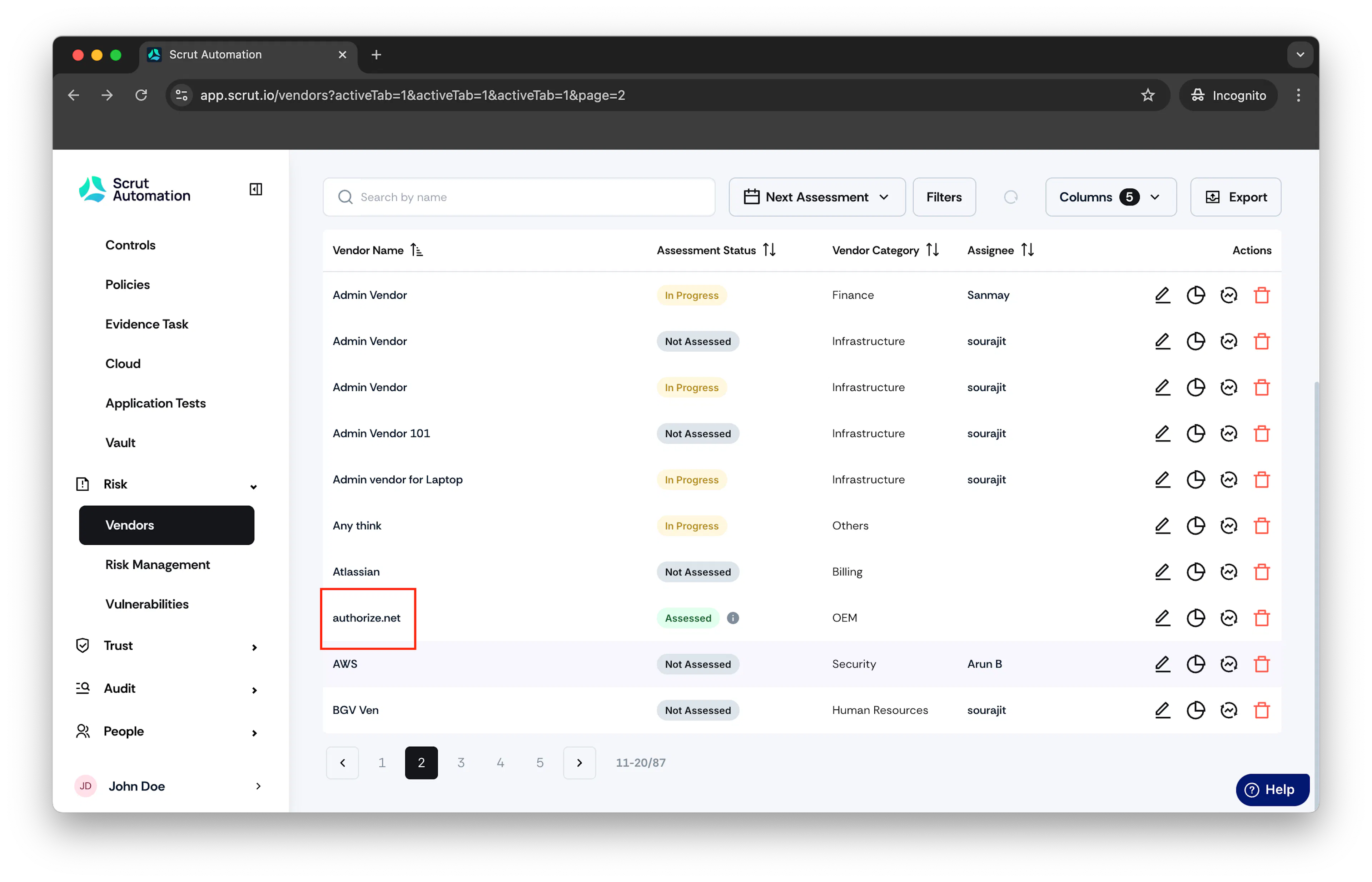
Click on the vendor you want to create mitigation task.
-
Click on the Mitigation Tasks tab.
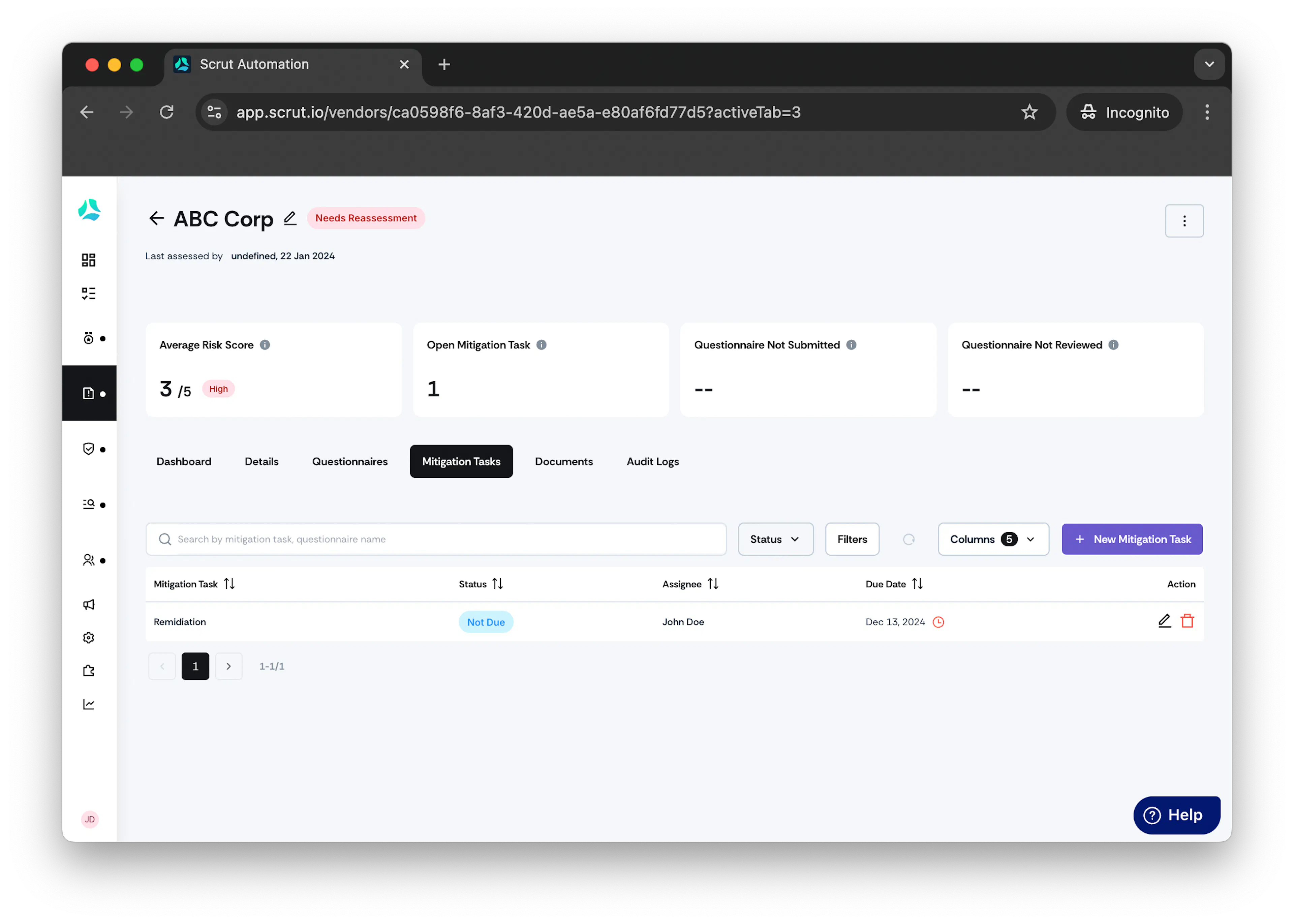
-
Click + Start Creating A New Mitigation Task.
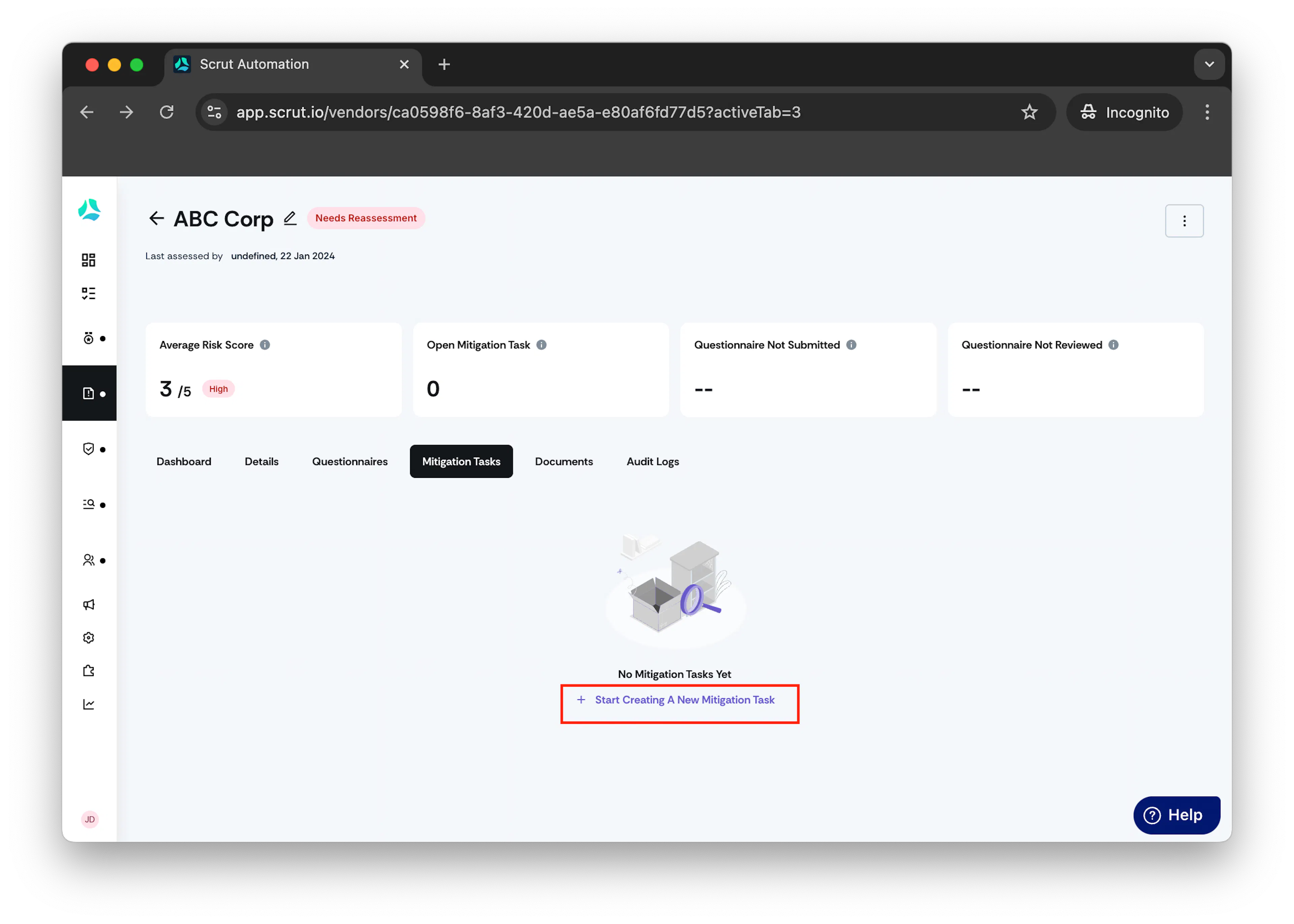
Create Mitigation Task window opens.
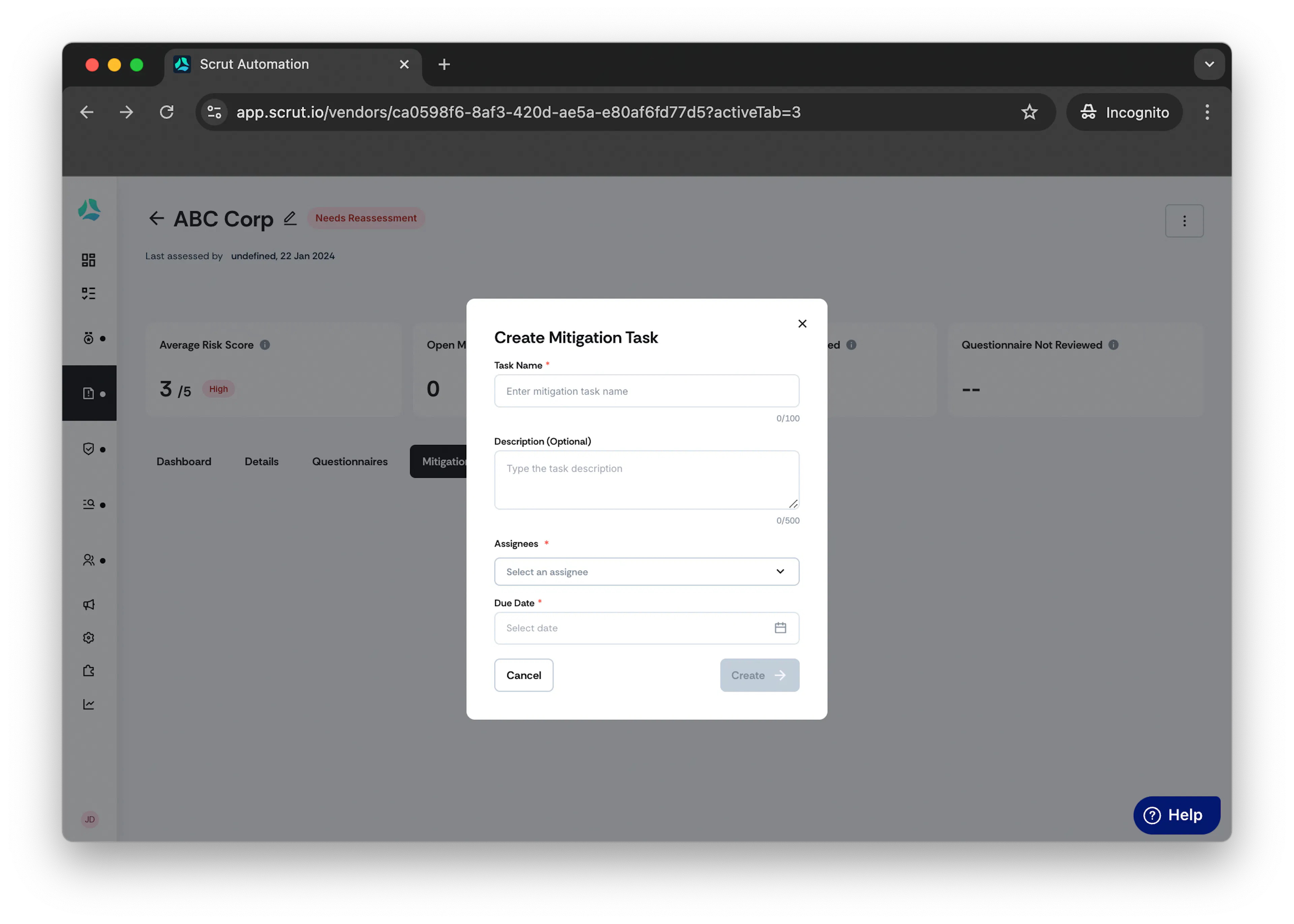
- In the Task Name field, provide a descriptive name for the mitigation task.
- Optionally, in Description, enter description of the mitigation task.
- From the Assignee drop-down menu, select a user who would work on the mitigation task.
Note: Assignee will be notified via email about the assigned task.
- select the due date for the task in the Due Date field.
- Click Create Mitigation Task.
Method 2: From Submitted Questionnaires
If there is a risk identified based on vendor's submitted answer, click Add Mitigation Task.
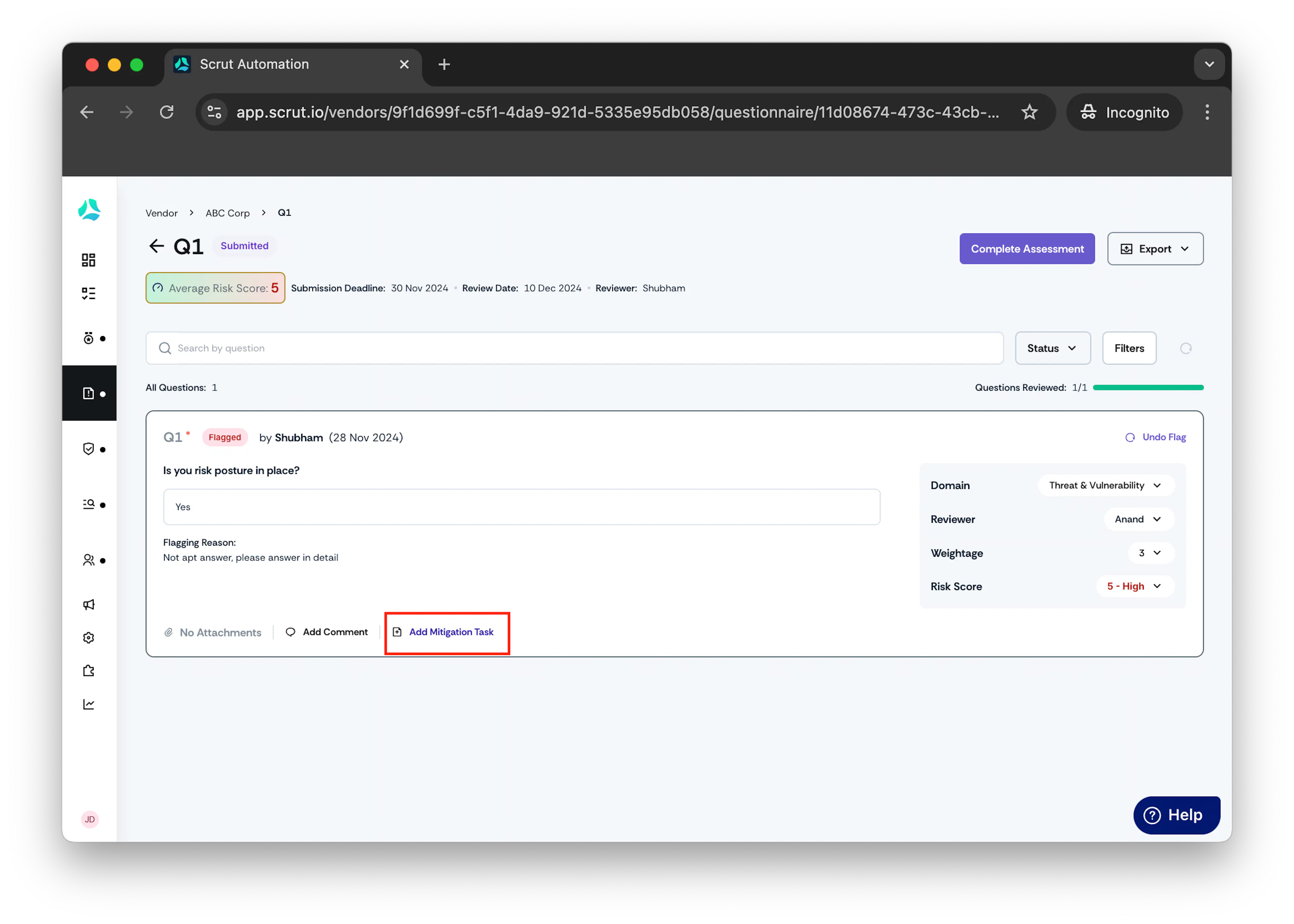
Create Mitigation Task window opens.
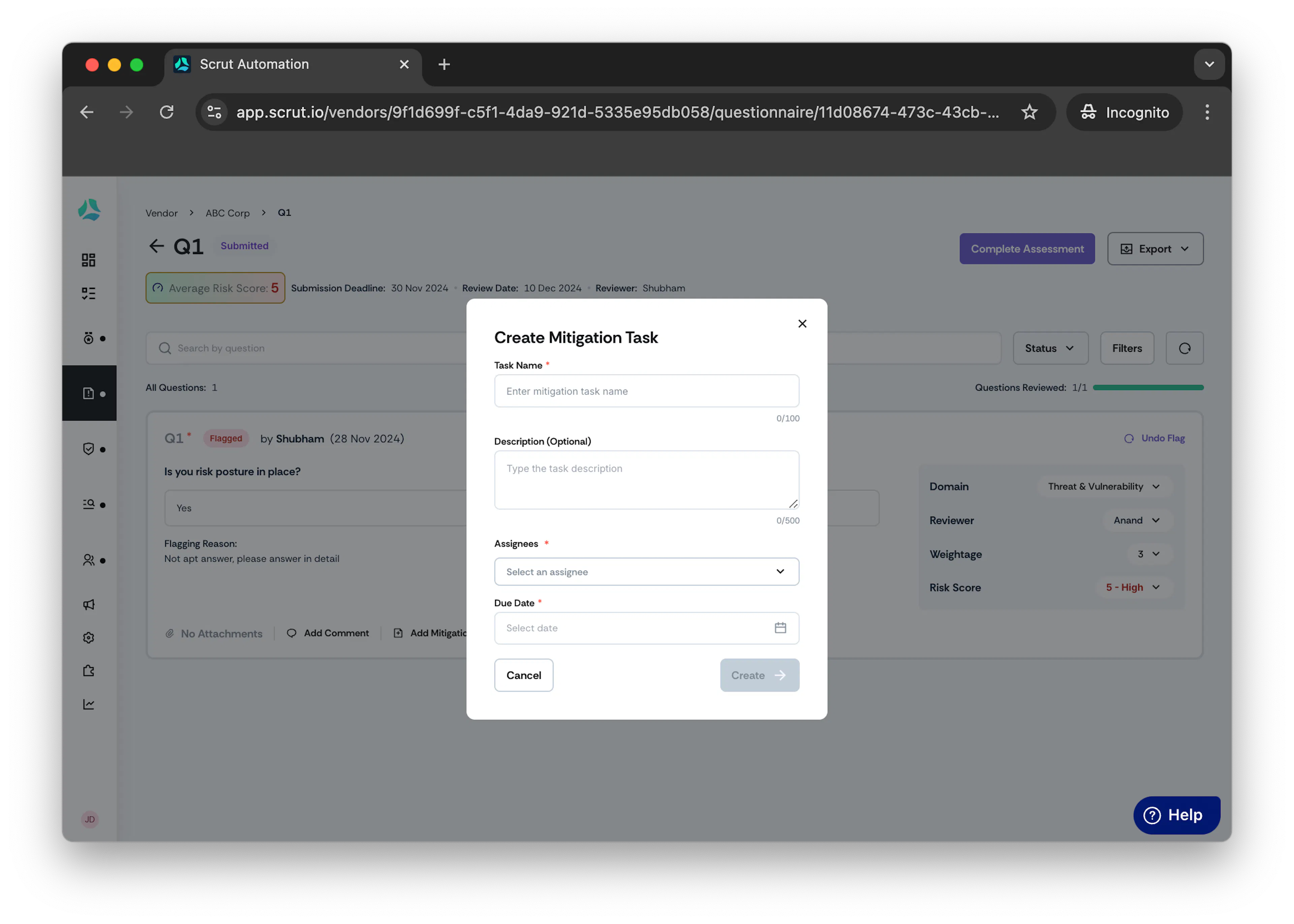
- In Task Name field, enter the title of the mitigation task.
- Optionally, in Description field, enter description of the task.
- From the Assignee drop-down menu, assign the task either directly to the vendor, or to someone within the internal team..
- Select the due date for the task in the Due Date field.
- Click Create Mitigation Task.
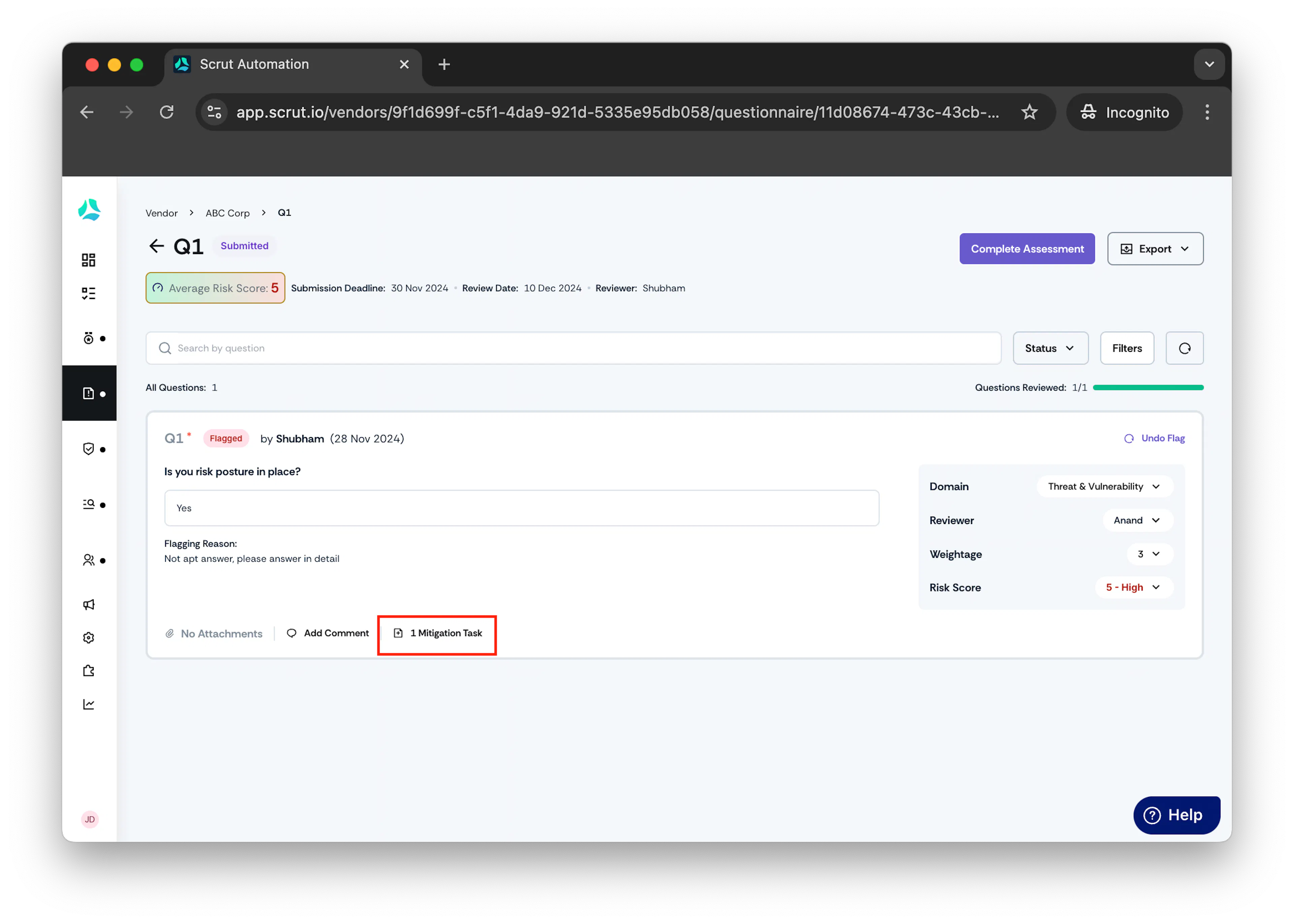
Once created you can view the Mitigation Task within the Question.
- Click on the mitigation task created.
Linked Mitigation Task window opens.
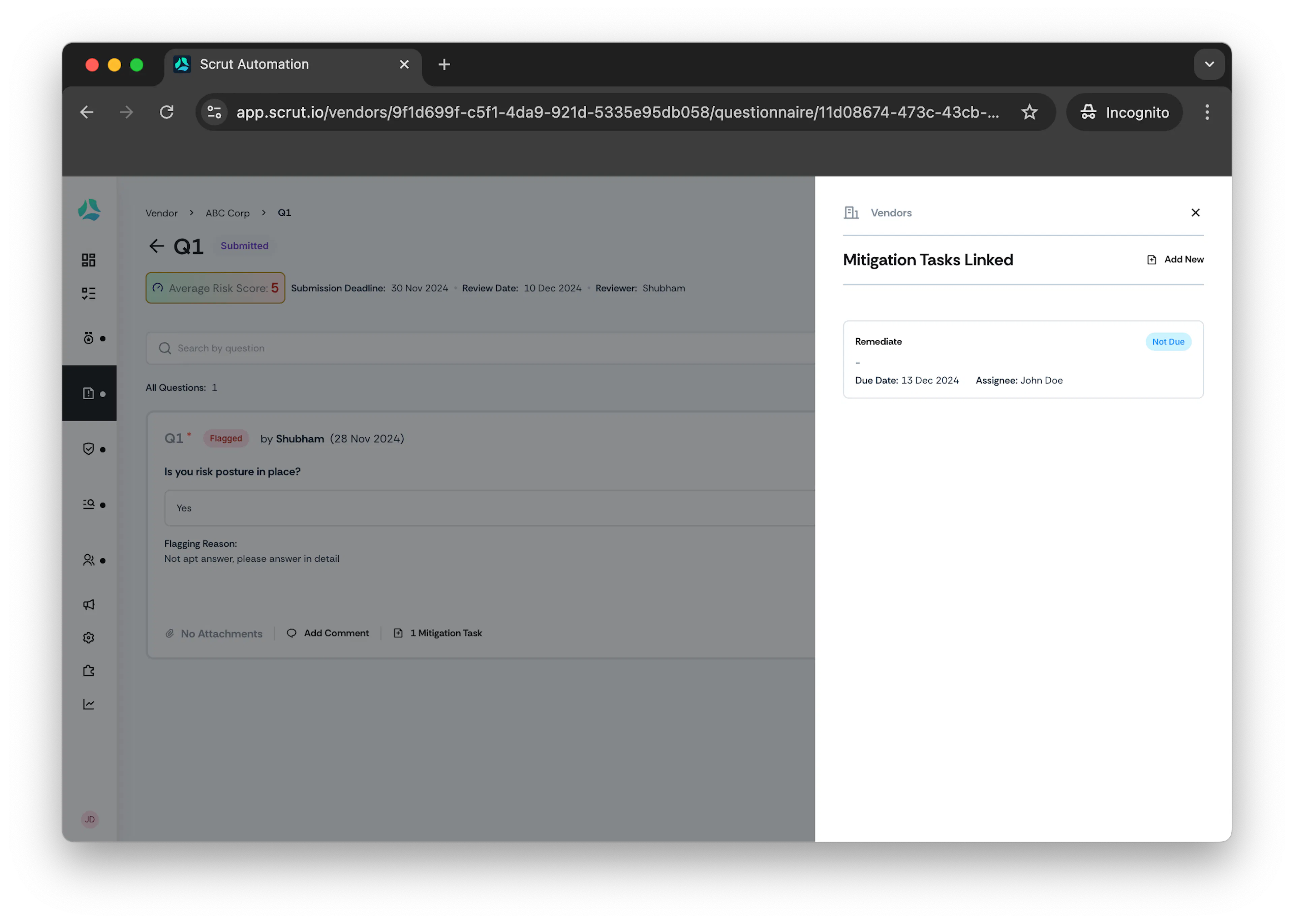
- Click on the Mitigation Task name to view the linked task.
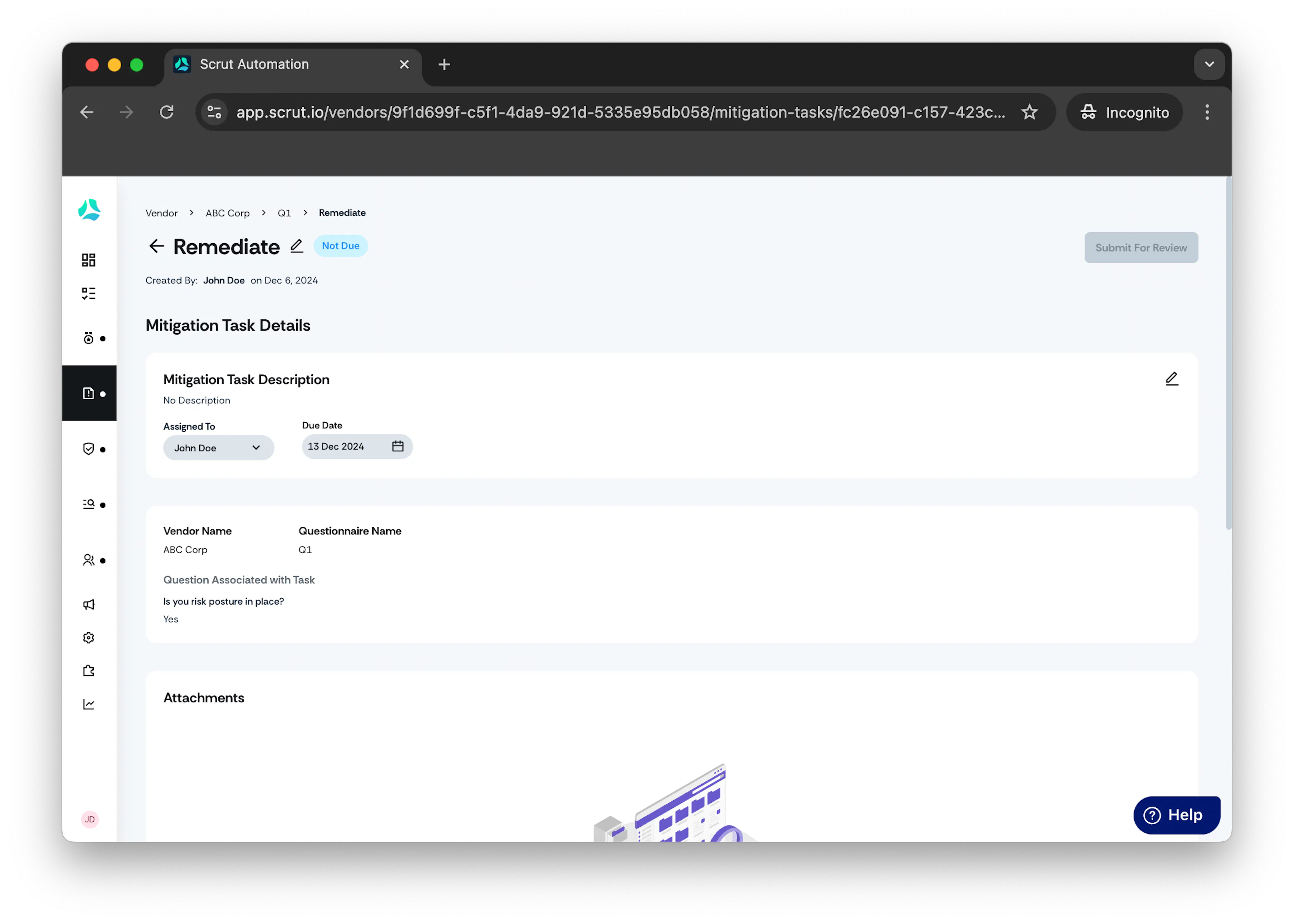
Note: After creating mitigation task, click Accept or Flag as Issue to finish reviewing the question.
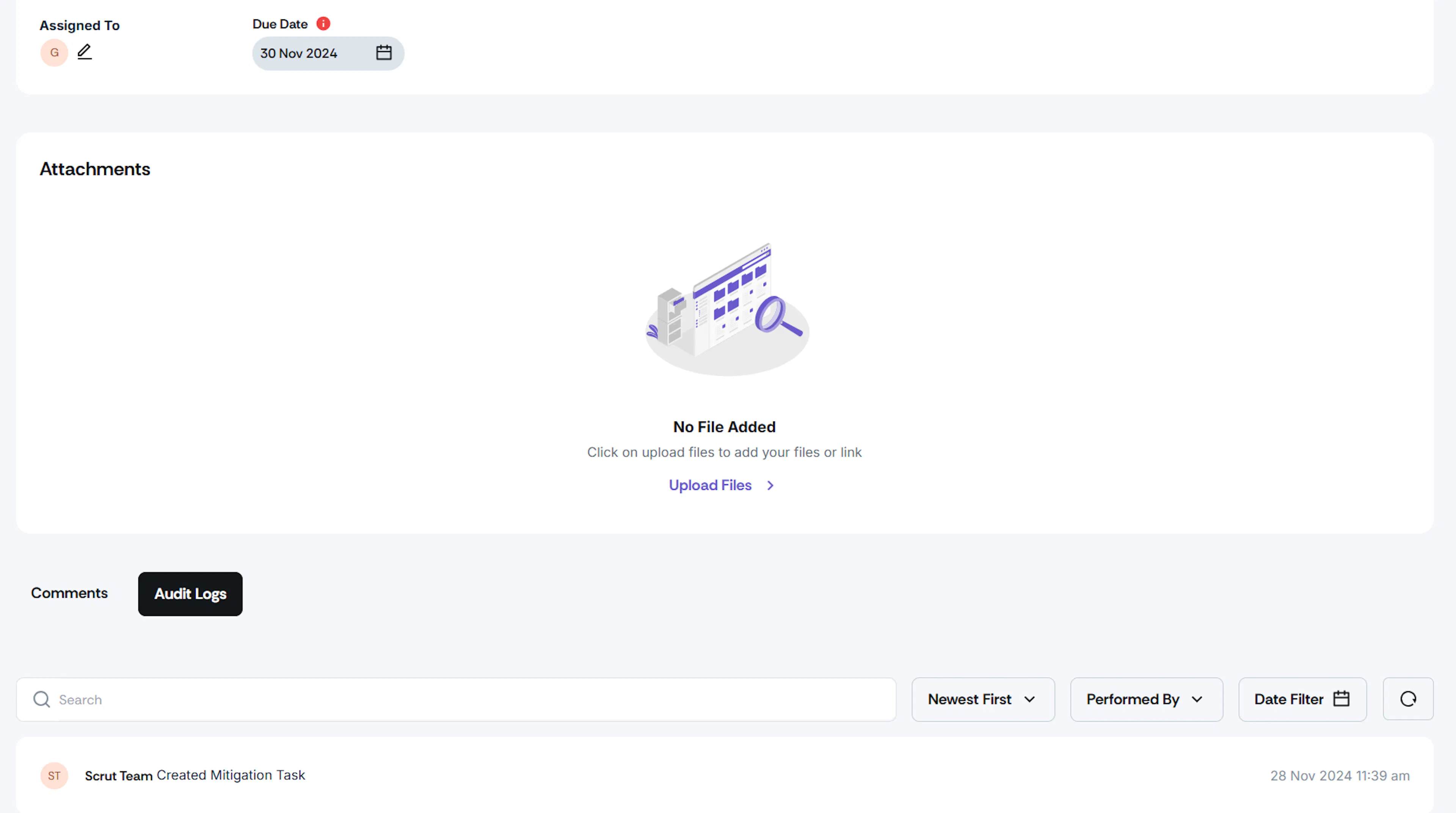
- Audit logs- Provides clear and accurate logging of vendor-level activities, minimizing confusion and enhancing usability.