

Task Center Replaces Setup Wizard
Who can use this feature
- Supported on Foundation, Growth, and Scale plans
Scrut is deprecating the Setup Wizard module and replacing it with the enhanced Task Center, a centralized hub to track, prioritize, and complete your compliance work across modules.
Unlike the earlier Setup Wizard, which guided you through the onboarding steps, the Task Center is built for the continuous nature of compliance. Tasks across policies, evidence, risk, vendors, audits, employee workflows, and other modules are surfaced in one place, so you don't have to open each module to see what's pending.
What This Means for You
- If you don't have the Setup Wizard enabled or have completed all your Setup Wizard steps, Task Center is already active in your workspace. No action needed.
- If you have incomplete steps in the Setup Wizard, you'll continue to have access to it for now. However, the Setup Wizard will be fully retired soon. Complete your pending steps before the migration, or reach out to your CSM if you'd like to transition to the Task Center sooner.
Transitioning from the Setup Wizard
Here’s a quick overview of what’s changing and what it means for you.
Why Task Center?
Previously, the Setup Wizard guided you through a fixed onboarding checklist, redirecting you to individual modules to complete each step. Task Center replaces that experience entirely. Instead of navigating across modules to track what's pending, everything you need to act on is surfaced in one place. Tasks from policies, evidence, risk, vendors, audits, and employee workflows are all visible from a single view, and you can complete them without leaving Task Center.
What’s in the Task Center?
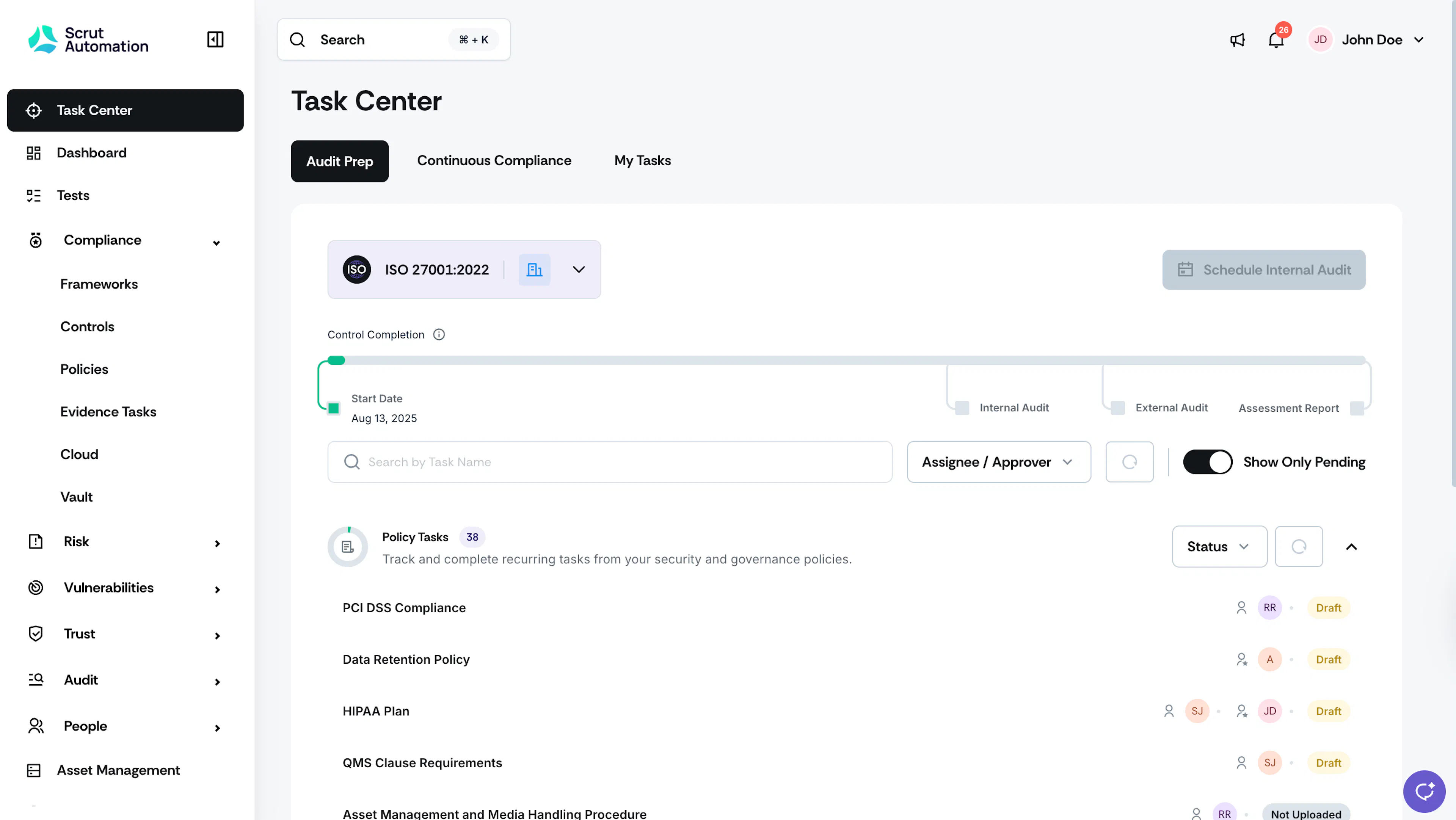
Every task you need to act on is organized across three tabs:
- My Tasks: Your personal compliance to-do list. Every task assigned to you across every module, with clear next actions and progress counters.
- Audit Prep: Track audit-related tasks, monitor team-wide progress, and follow up on open items. Select a framework (SOC 2, ISO 27001, GDPR, etc.) and see exactly what needs to be done before your next internal or external audit.
- Continuous Compliance: Provides a high-level overview of ongoing compliance work, such as recurring evidence collection, failing tests, risks to reassess, vendors to re-evaluate, and more across all active modules. Use it to monitor your compliance health, identify bottlenecks, and keep work moving between audits.
No Data Loss
If you have previously completed a step in the Setup Wizard, you don’t have to redo it in the Task Center. Your progress is automatically preserved, and Scrut migrates the required data from your completed steps to the respective modules.
If you have mandatory Setup Wizard steps still pending, those surface as tasks in My Tasks until you complete them. Click the task to go directly to the relevant page and complete it.
Who sees what
- Admins get the complete picture. They can view all tasks, including assignee and status, across all modules.
- Contributors see a focused view scoped to their assigned tasks only.
What moved where
Here’s a quick mapping of the different Setup Wizard steps and where you can find them:
| Setup Wizard step | Where it lives now |
|---|---|
| Add Organization Details | Settings → Organization Info (surfaces as a My Tasks item if incomplete) |
| Connect Identity Provider | Settings → Administration → SSO. Additionally, you’ll see the recommended integration banner in the People module. |
| Assign Department Owners | Settings → Manage Departments (surfaces as a My Tasks item if incomplete) |
| Connect Cloud Providers | Integrations → Integrations Library → Cloud Providers. Additionally, you’ll see the recommended integration banner in the People module. |
| Schedule Internal Audits | When your compliance percentage reaches 90%, you can schedule an internal audit directly from the Audit Prep tab. Alternatively, you can also schedule one from the Audit Center module. |
| Configure Policy Variables | Compliance → Policies → Policy Settings → Policy Variables |
| Configure MDM Tool | Integrations → Integrations Library → Mobile Device Management Tools. Additionally, you’ll see the recommended integration banner in the People module. |
| Configure BGV Tool | Integrations → Integrations Library → Background Check. Additionally, you’ll see the recommended integration banner in the People module. |
| Select Training Modules | People → Training Campaigns |
| Select Required Employee Policies | People → Checklists |
| Tool Integrations (14 categories) | Integrations → Integration Library. Additionally, you’ll also see recommended integration banners surfaced wherever relevant. |
Task Center not yet available for your organization?
Reach out to your CSM or contact support@scrut.io to enable the Task Center.