

View Risks Linked to a Control
Who can use this feature
- Supported on Foundation, Growth, and Scale plans
The Controls detail page includes a Risks tab that shows all risks mapped to a control, giving you visibility into risk context without leaving the Controls module. This tab lists every risk linked to the control.
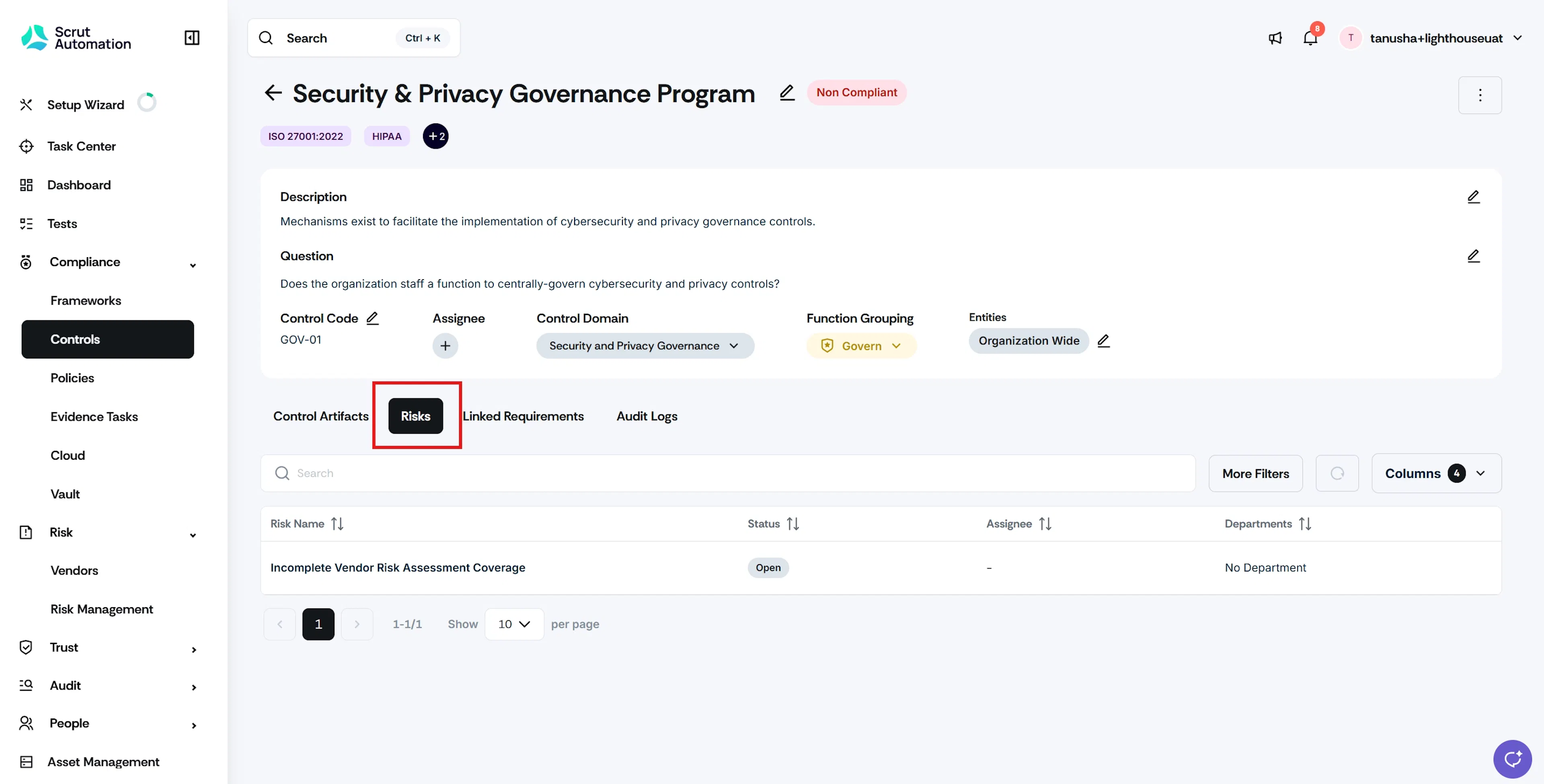
How to View Risks Linked to a Control
- Navigate to Compliance → Controls.
- Click the control you want to review.
- Click the Risks tab on the control detail page.
- To filter the list, use the Framework or Entities filters.
- Click a risk name to open its detail page.
Points to note
- You can open a risk’s detail page only if you have access to the Risk module. If you don’t have access, the risk name is visible but not clickable.
- The Risks tab is a read-only view of linked risks. You cannot create new risks or link and unlink risks from here.
Was this page helpful?