

Enable AI Readability for Vault Files
Activate AI Readability
Scrut Teammates is your intelligent, AI-powered GRC assistant integrated directly within the Scrut platform. This powerful feature helps streamline your compliance workflows with AI. You can activate AI readability to grant Scrut Teammates permission to access and analyze specific folders and files in your Vault.
-
When AI readability is enabled, Scrut Teammates can read the documents in the Vault, extracting relevant information to provide accurate, context-aware responses to your compliance queries and assist with security questionnaire responses.
-
When AI readability is turned off, Scrut Teammates cannot access or reference documents within specific folders, helping you retain control over sensitive information.
-
AI readability is scoped to entity-matched documents. This means that if a document is marked as accessible only to Entity A, the Scrut Teammates will use it only when referencing Entity A's questionnaires.
Warning shown when no matching entity documents are available.
For Folders
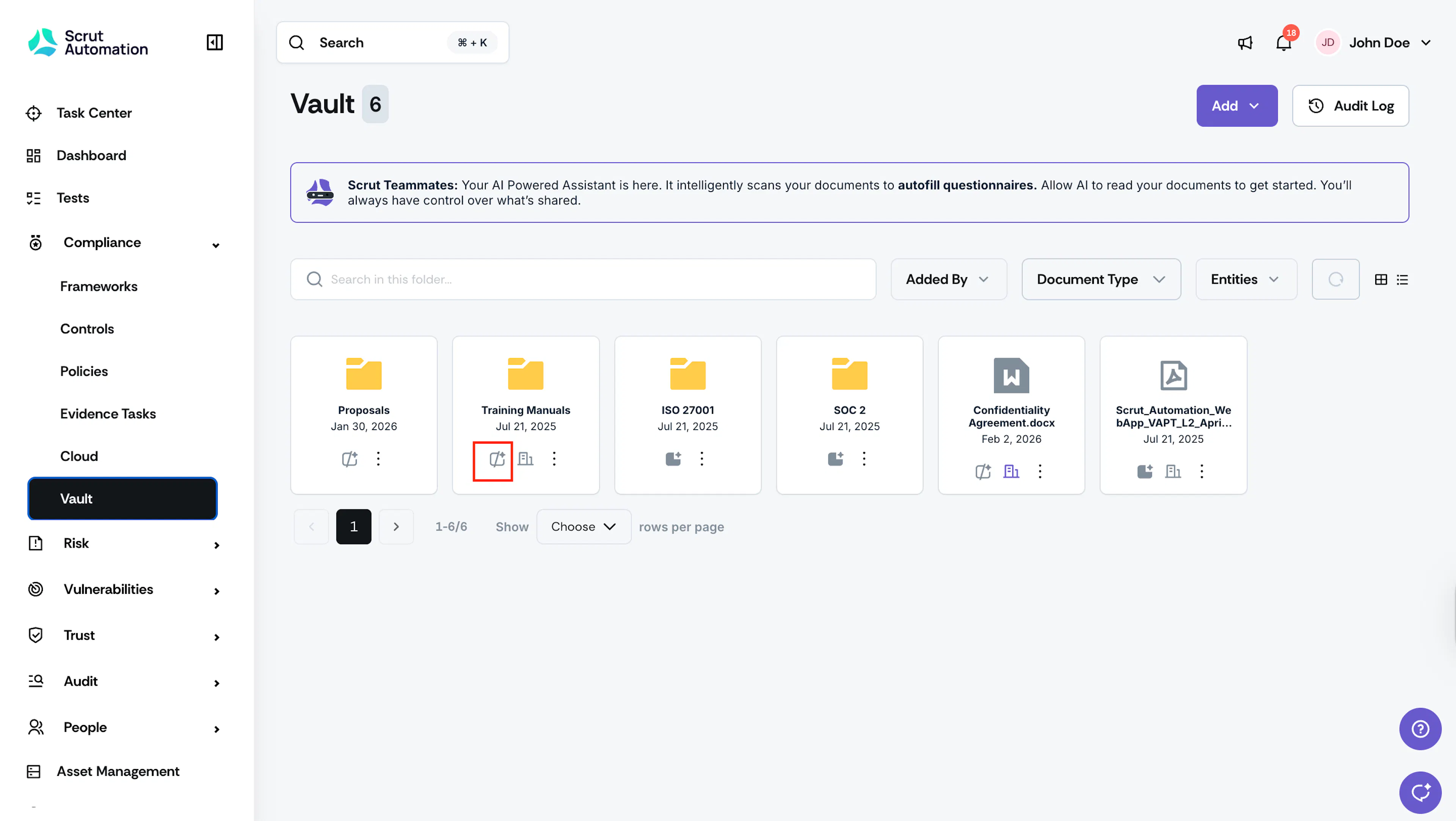
To enable AI readability for a folder, navigate to the Vault module and click the AI Readability icon. Click the icon again to revoke AI access to the folder.
For Files
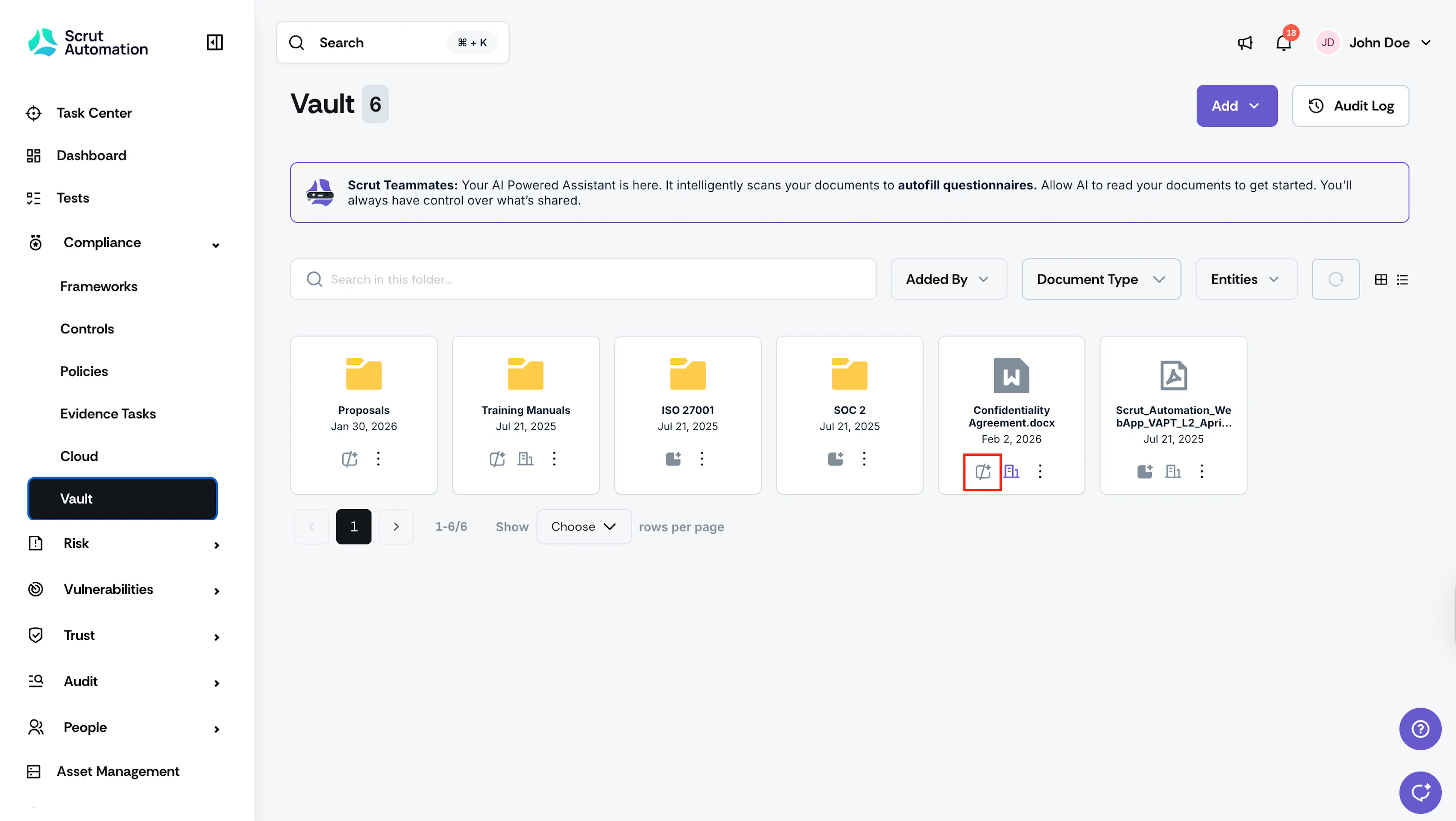
In addition to granting AI access to folders, you can also permit or restrict AI access to individual files within those folders. To grant AI access, open your desired folder in Vault and click the AI access icon. Click the icon again to revoke access to sensitive information.
Heads Up!
Scrut Teammates can access files in the formats: .txt, .png, .md, .yaml, .yml, .doc, .docx, .pdf, .html, .csv, and .xlsx. Other file formats can be uploaded to the Vault but will not be accessible to Scrut Teammates.