

Search for Files in the Vault
Use the search bar at the top of the Vault module to quickly locate files and folders across your entire document repository.
How To Search in the Vault
- Navigate to Compliance → Vault to access the Vault module.
- Type your desired search term or phrase into the search bar at the top of the page.
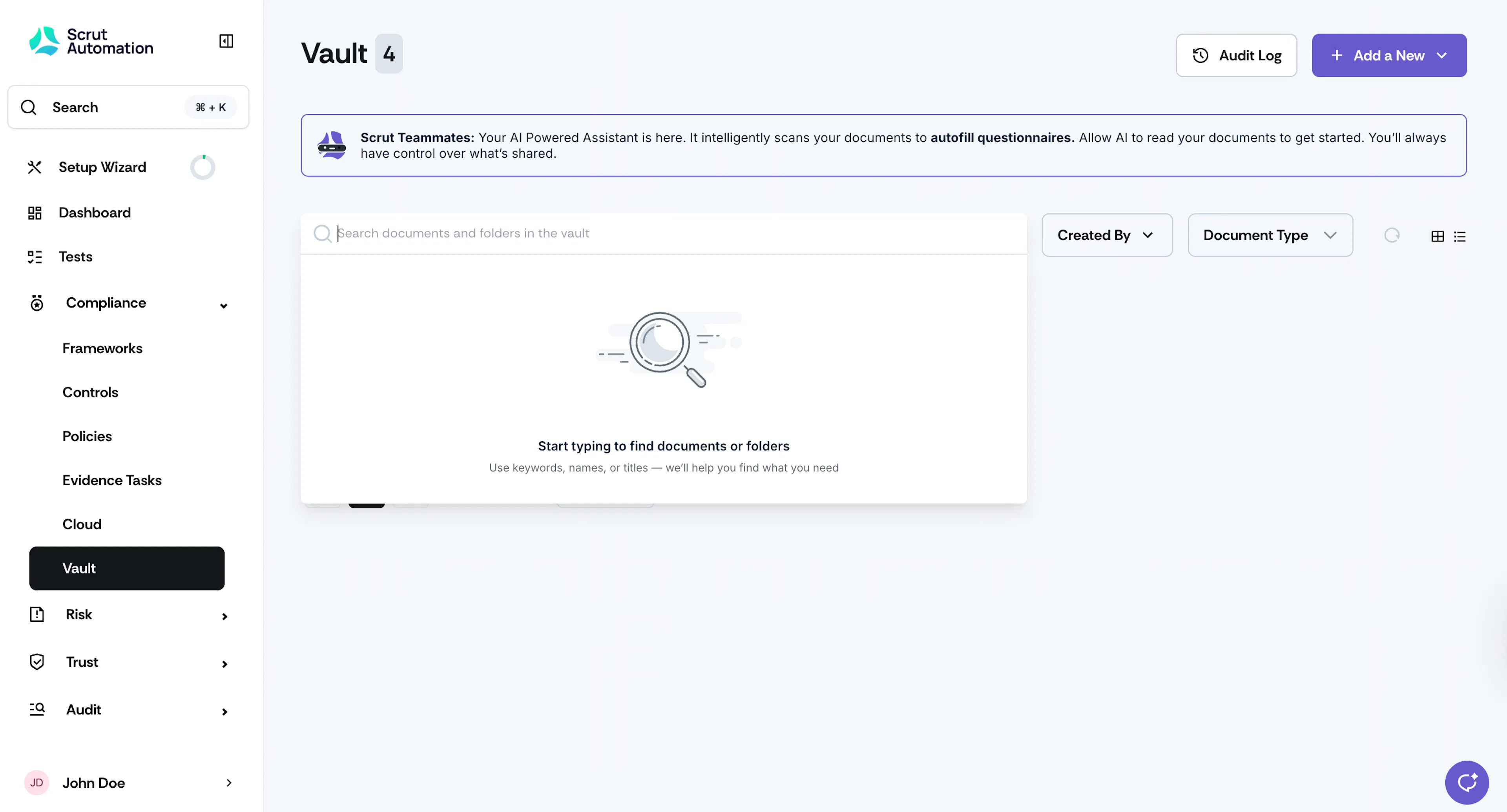
- Scrut performs a comprehensive scan across all folders and nested subfolders, displaying matching files and folders.
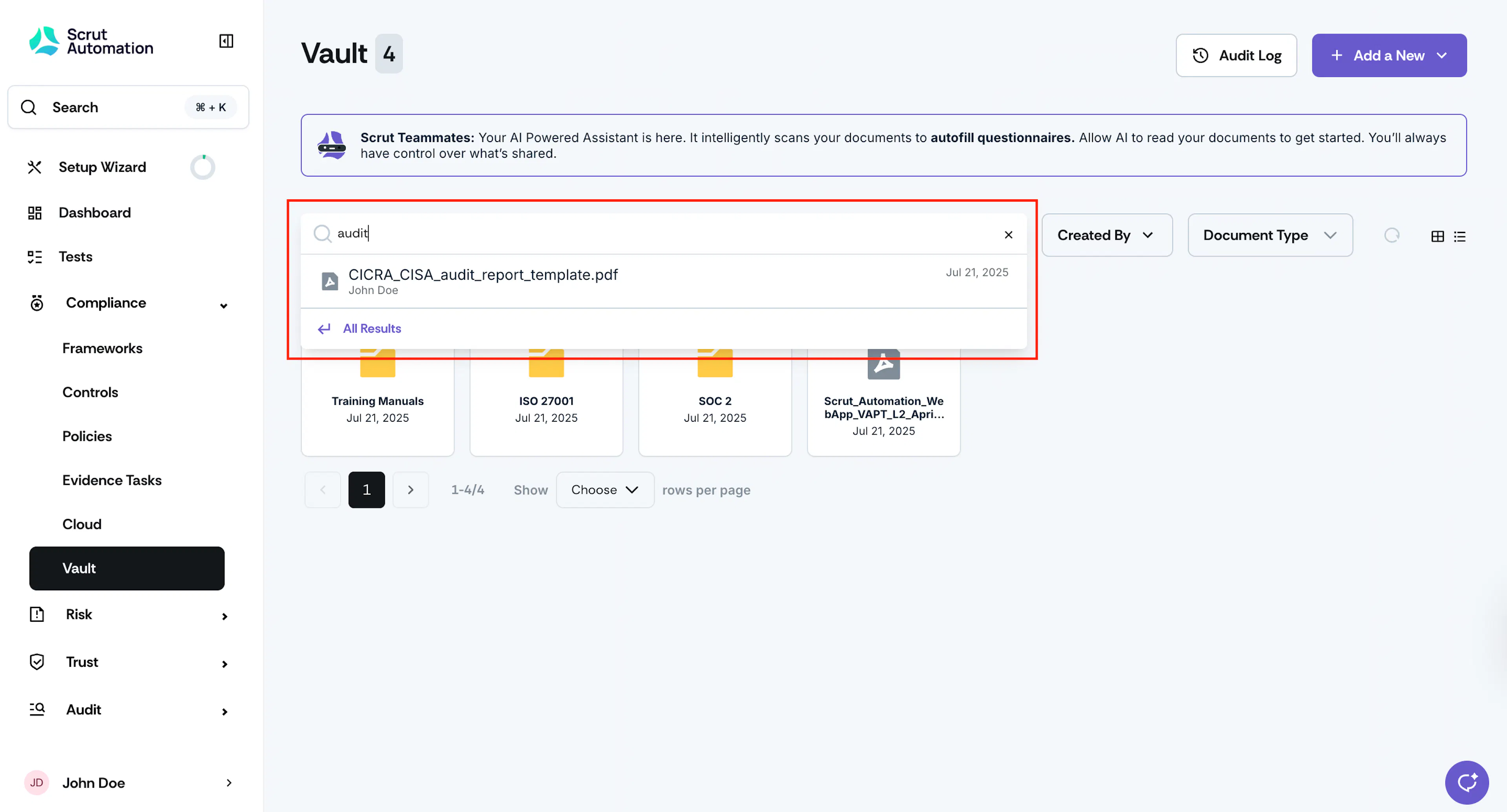
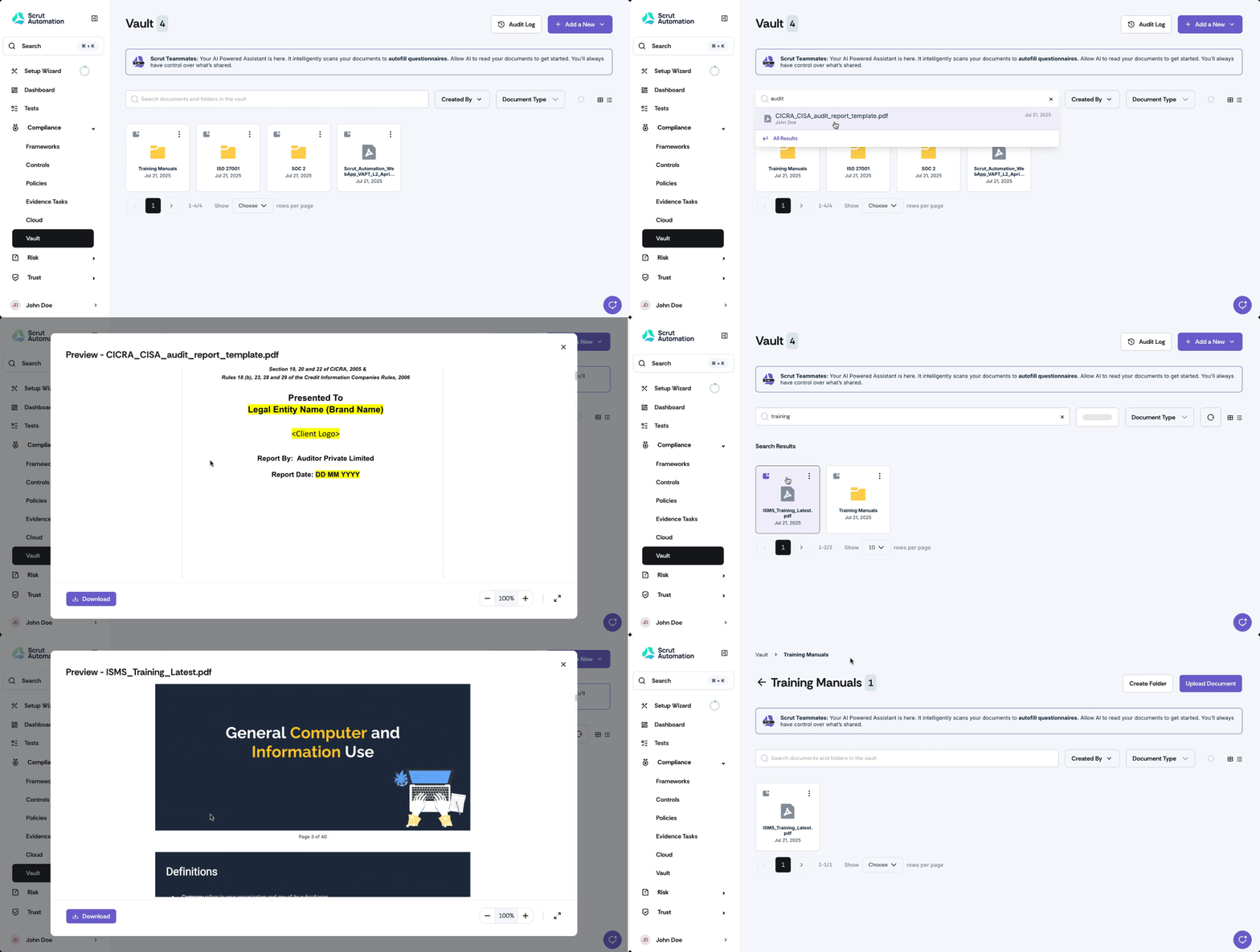
- When you find the item you’re looking for, clicking on the result takes you directly to the exact folder location.
- Alternatively, click All Results to view all the search results for a specific keyword.
- For documents, clicking on a search result shows the Preview. You can click the Download button to download the file quickly.
Using Filters
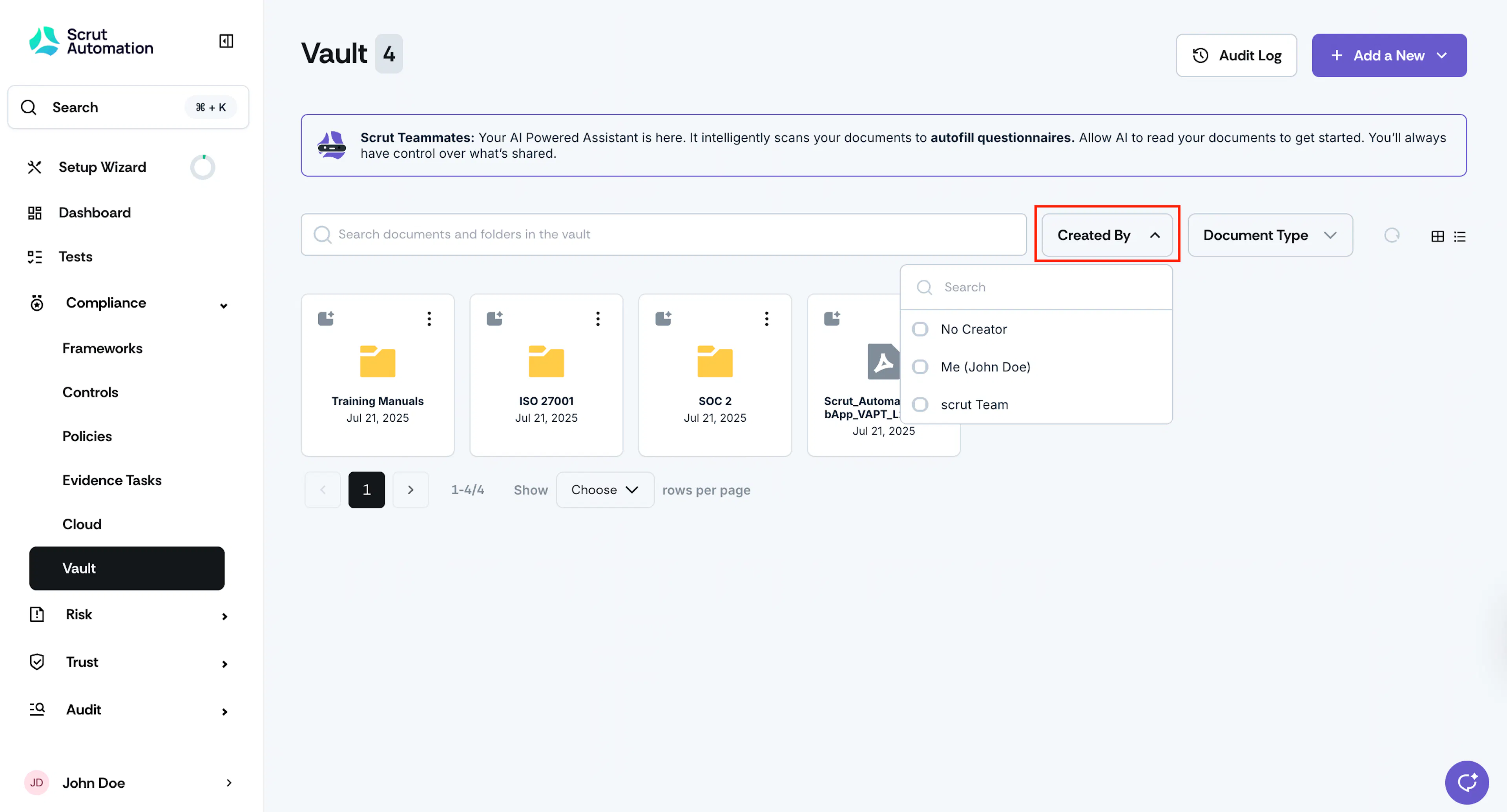
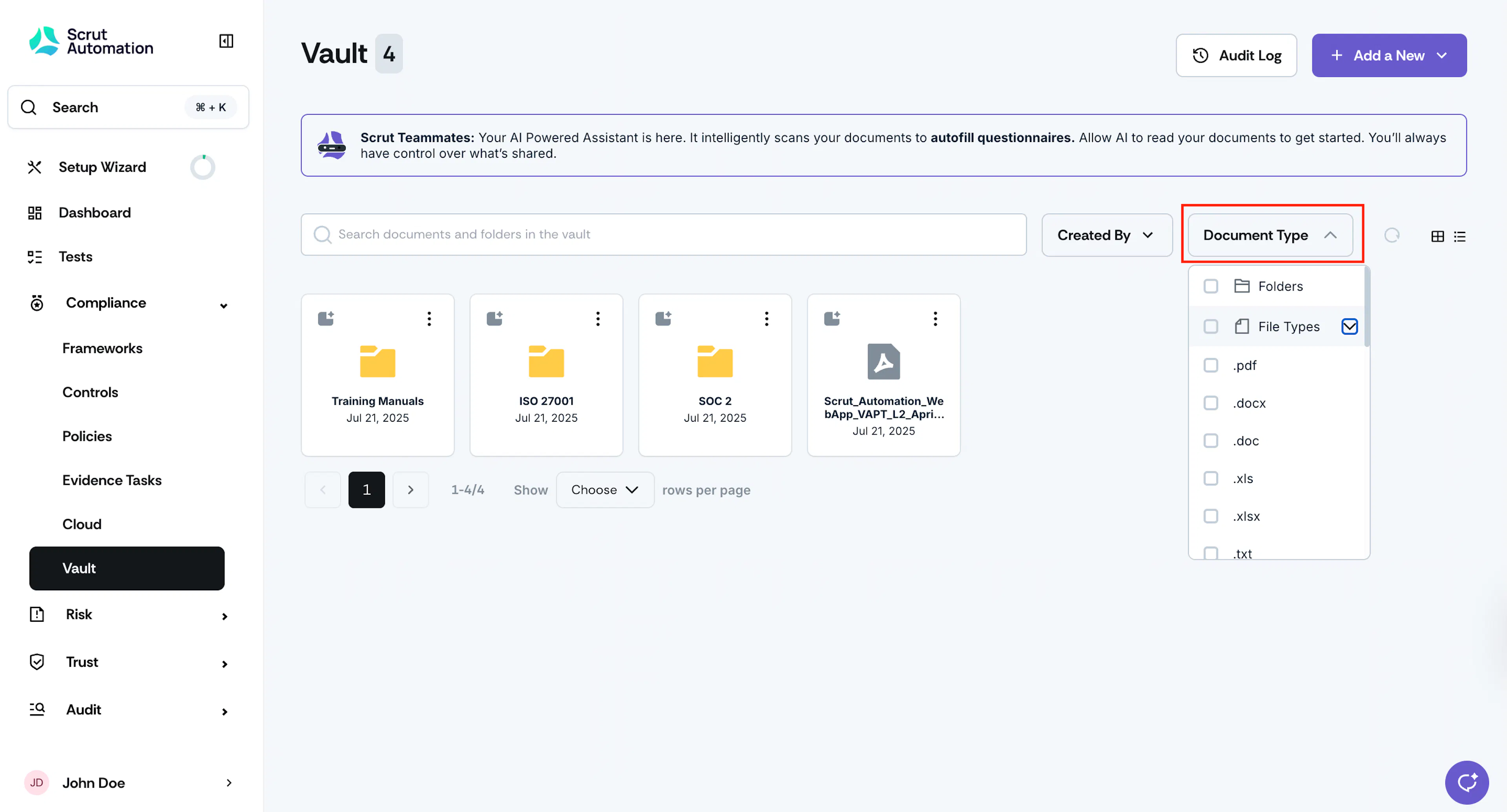
Additionally, you can use the Created By and Document Type filters in the Vault to quickly locate specific files and folders.
Was this page helpful?