

Uninstall Scrut Agent for MAC OS
How to Uninstall Scrut Agent for MAC OS
Below are detailed instructions on how to uninstall Scrut Agent for a MAC operating system:
- Open the Scrut Agent on your device.
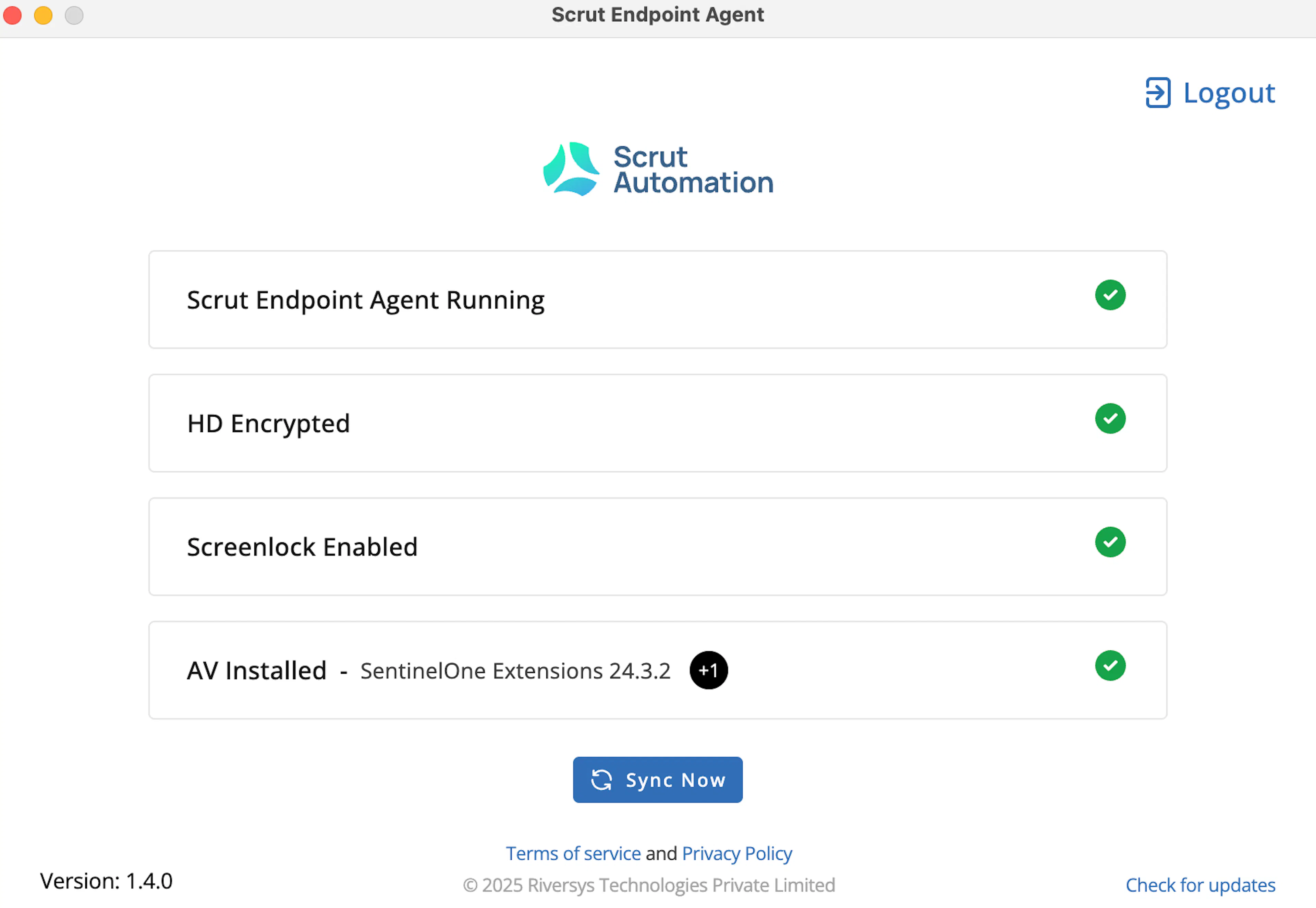
- Press Command + Shift + 9 to quit the agent.
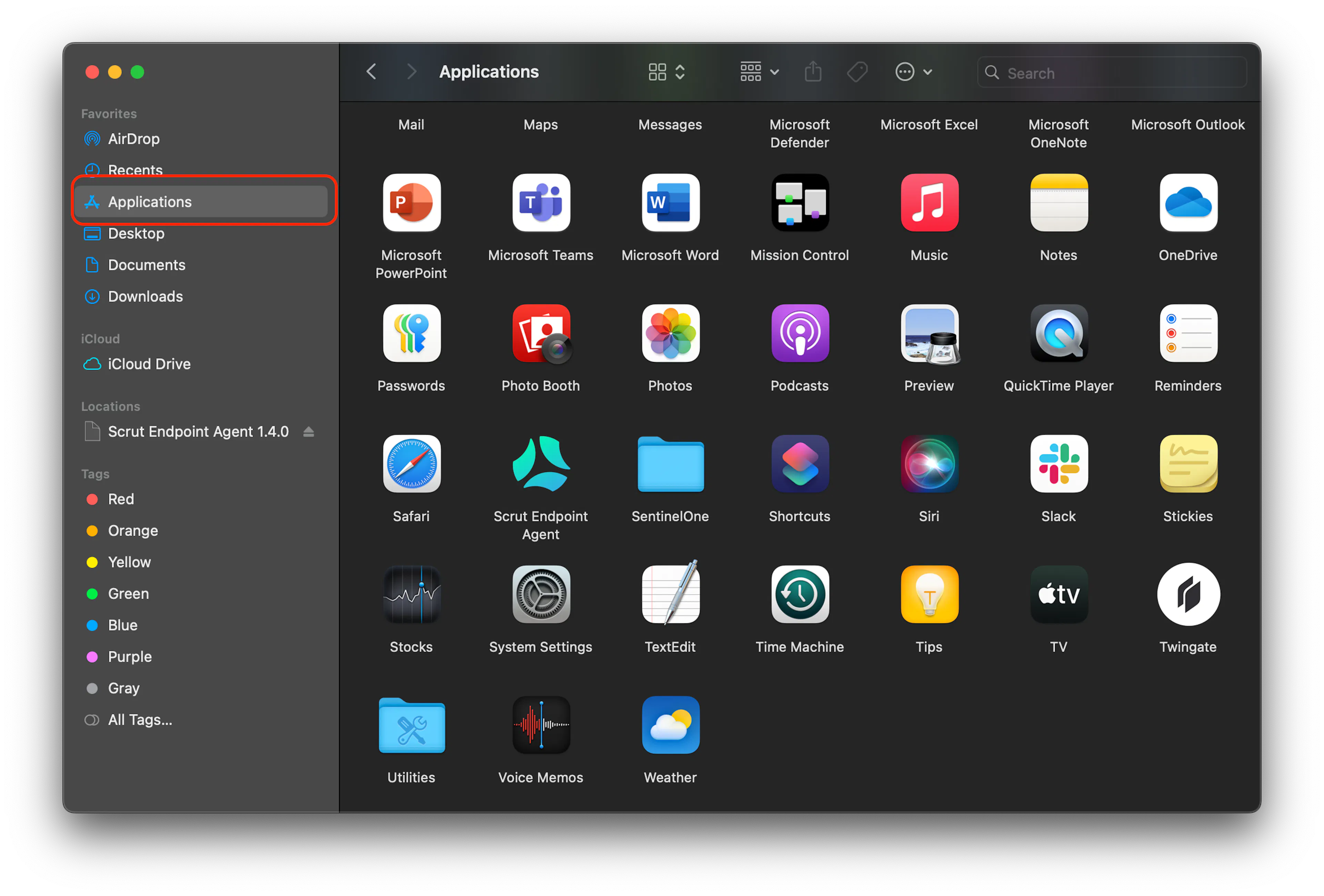
- Go to Finder, then go to Applications.
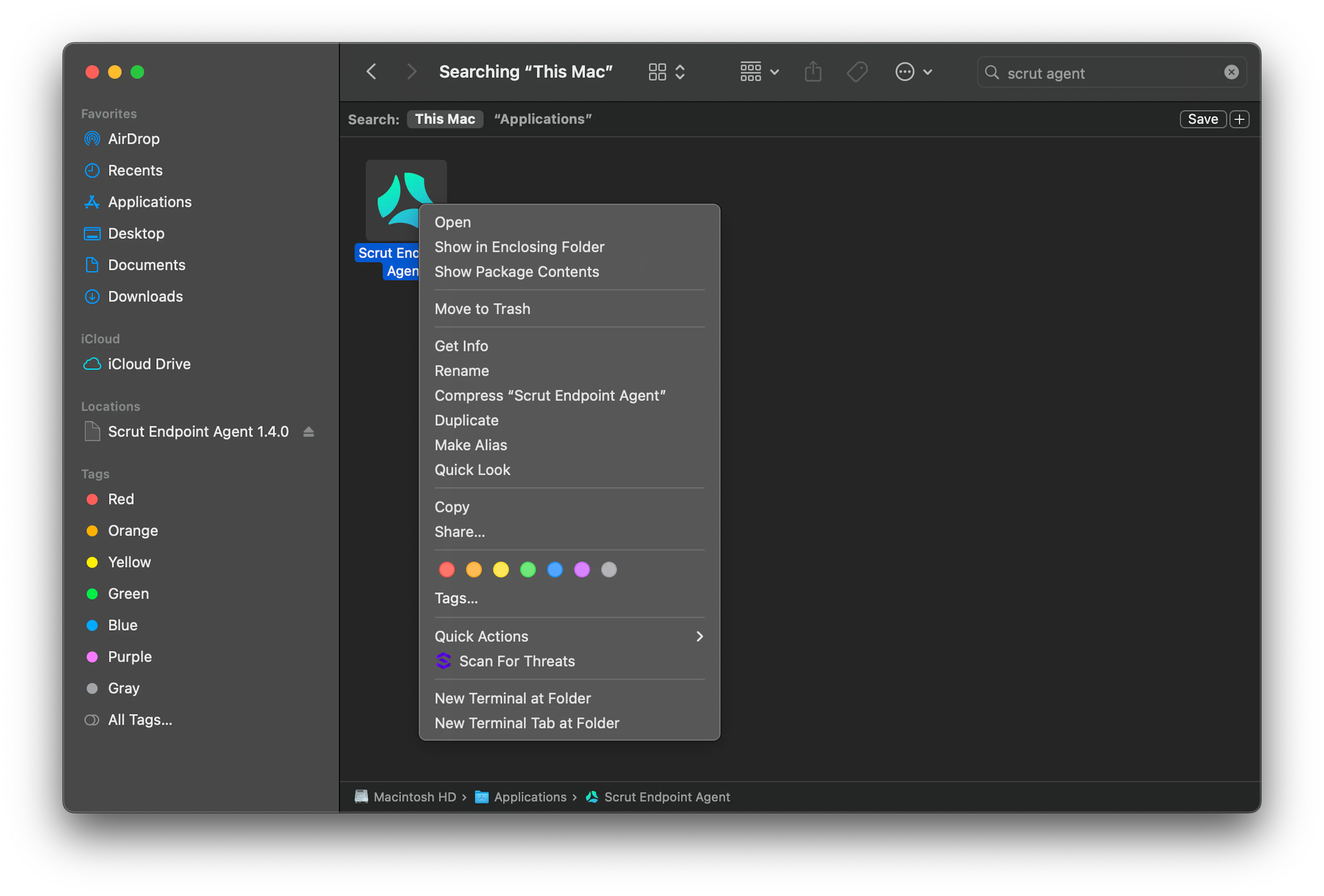
- Search for Scrut Endpoint Agent, right-click the app, and click Move to Bin to complete the uninstallation process.
Note:
Once the Scrut Agent is uninstalled the data sync will stop, but the system details collected before the uninstallation will still show in the "Technical Details" section under the Employees Profile.
Was this page helpful?