

View Data Collected by Scrut Agent
Who can use this feature
- Supported on Foundation, Growth, and Scale plans
Once the Scrut Agent is installed and running on employee devices, it continuously collects security and system information. You can view this data in Scrut to monitor device compliance and identify potential security risks.
How to View Agent Data
To view the data collected from an employee's Scrut Agent:
- Sign in to Scrut and click People → Employees on the left navigation panel.
- Click the All Employees tab and select an employee from the list.
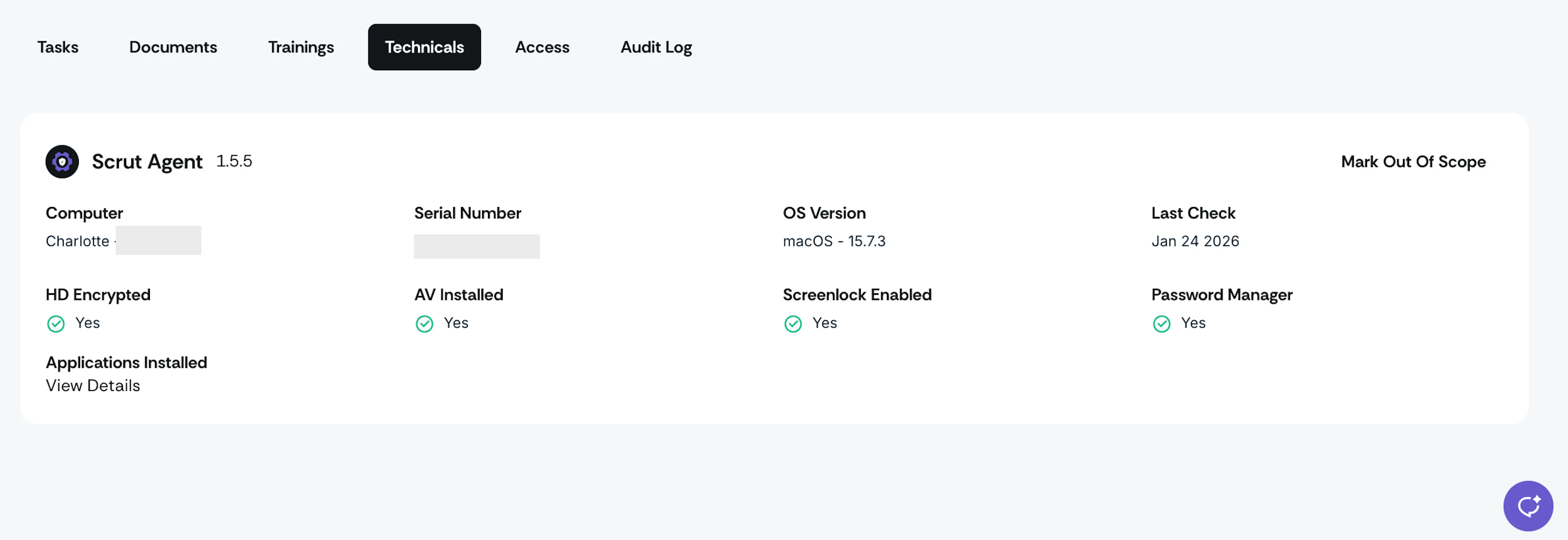
- Go to the Technicals tab. This tab displays all data collected from that employee's Scrut Agent, including:
- System details: Device name, serial number, OS version
- Last check: The last time the agent performed these checks
- Device security checks:
- Hard drive encryption status
- Antivirus installation status
- Screen lock configuration
- Password manager status (system or browser extension)
- List of all applications installed on the device
Was this page helpful?