

May 2026
In this release
Scrut’s May release adds India’s DPDP framework, makes recurring audits and vendor reviews easier to run, and allows you to import policies directly from Google Drive and edit them in Scrut.
- DPDPA 2023 with DPDP Rules 2025 joins the Frameworks module, with cross-framework mapping auto-populating requirements from existing ISO/IEC 27001 and GDPR evidence.
- Vendor assessments now run on a guided timeline from discovery to completion, with Scrut Teammates surfacing the next step.
- Audits can be cloned from the Audit Center, carrying framework, team, entities, and controls into the next cycle.
- Policies import directly from Google Drive, and Freshservice tickets become monitored, exportable evidence.
- Answer Library matching is more accurate during autofill, and Trust Portal sections can be reordered.
Key Features & Enhancements
Support for DPDPA 2023 framework with DPDP Rules 2025
Compliance and privacy teams that sell into India find it challenging to operationalize India's Digital Personal Data Protection Act (DPDPA), 2023, plus the Digital Personal Data Protection Rules, 2025, as a control set with owners, evidence, and timelines. Notice and consent expectations, breach-intimation mechanics, data principal rights handling, and Significant Data Fiduciary (SDF) duties are treated as separate workstreams, while ISO/IEC 27001 and EU General Data Protection Regulation (GDPR) evidence sit in another system.
Scrut now supports an integrated India DPDPA framework that incorporates the 2023 Act and the 2025 Rules right within the Compliance → Frameworks module. Cross-framework mapping matches existing evidence from frameworks such as ISO/IEC 27001:2022 and the EU GDPR to corresponding DPDPA controls, auto-populating up to 65% of requirements, so teams don’t start from a blank set of controls.
Learn more: Supported frameworks
Manage vendor assessments without losing context
Most third-party risk reviews stall because discovery, document collection, questionnaires, risk review, and sign-off live in separate tabs and statuses. Reviewers waste time trying to figure out the current assessment status instead of focusing on completing the remaining work.
Scrut now presents vendor assessment progress as an intuitive timeline that covers every step of the process from discovery to assessment completion in a single guided path. Scrut Teammates surfaces step-by-step help along that path so teams can see what is done and what still needs attention.

Learn more: Track vendor assessment progress
Reuse approved answers for security questionnaire autofill
Security questionnaires recycle the same control topics across customers, yet teams still retype answers when saved responses fail to surface during autofill. Missed matches create avoidable rework and inconsistent language across submissions.
Scrut has updated the Answer Library matching algorithm to make answer suggestions more accurate. Scrut Teammates now surfaces usable saved answers more consistently from the Answer Library.
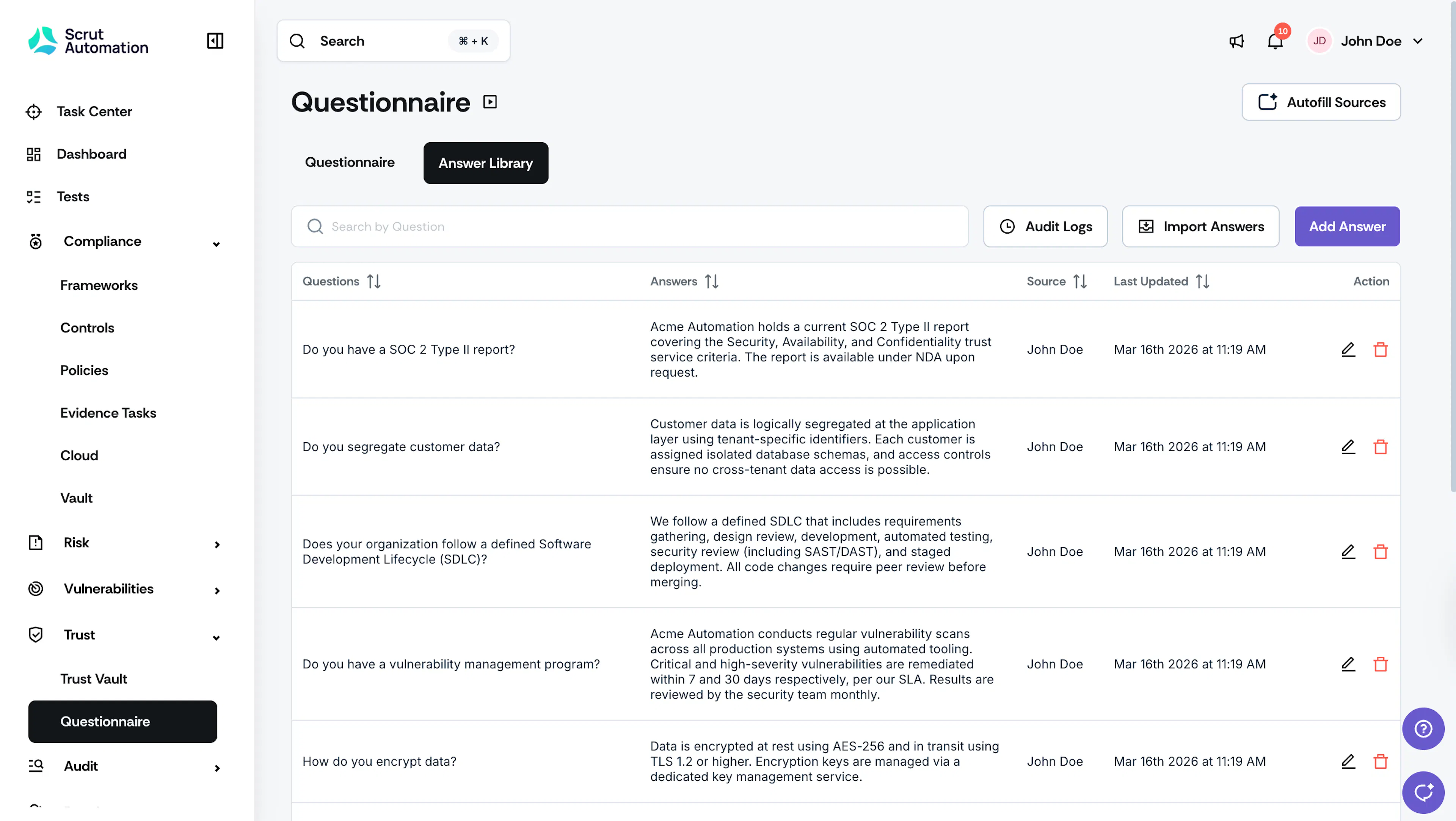
Learn more: Using Scrut Teammates to autofill questionnaires
Clone audits for recurring cycles
Recurring control-based audits usually reuse the same framework, team, entities, and control selections. Rebuilding that scope every quarter or year burns hours and invites small selection mistakes, even when only dates should change.
Scrut now lets teams clone a completed or in-progress audit from the Audit Center. Framework, team, audit type, entities, and controls carry forward from the original audit. You can update the name, dates, and cycle-specific details for the cloned audit.
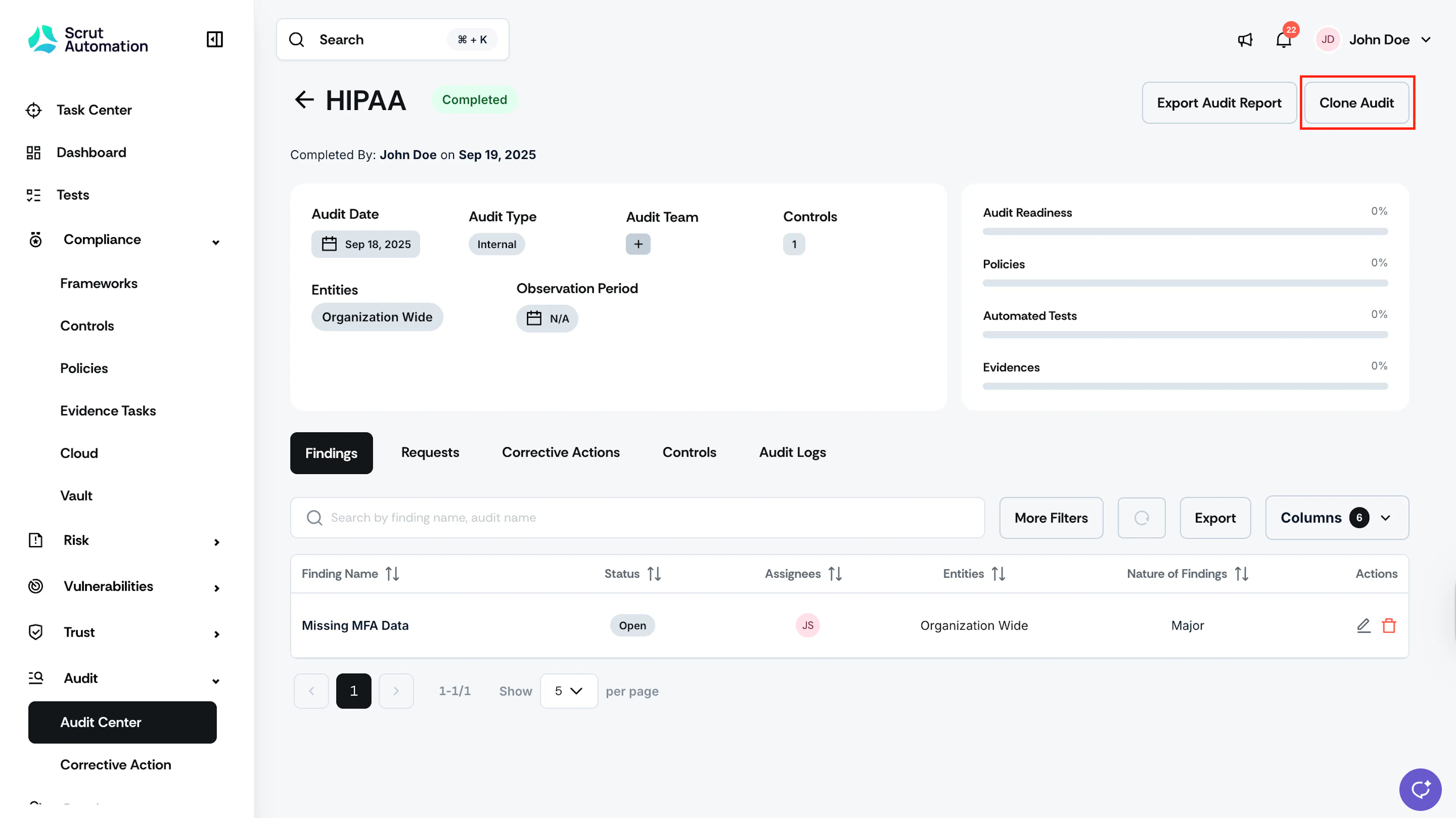
Learn more: Cloning an audit
Customize Trust Portal section order
Prospects and customers form a first impression of security readiness from the order and clarity of your trust content. Fixed portal layouts force every audience through the same sequence, even when your strongest proof sits three scrolls down.
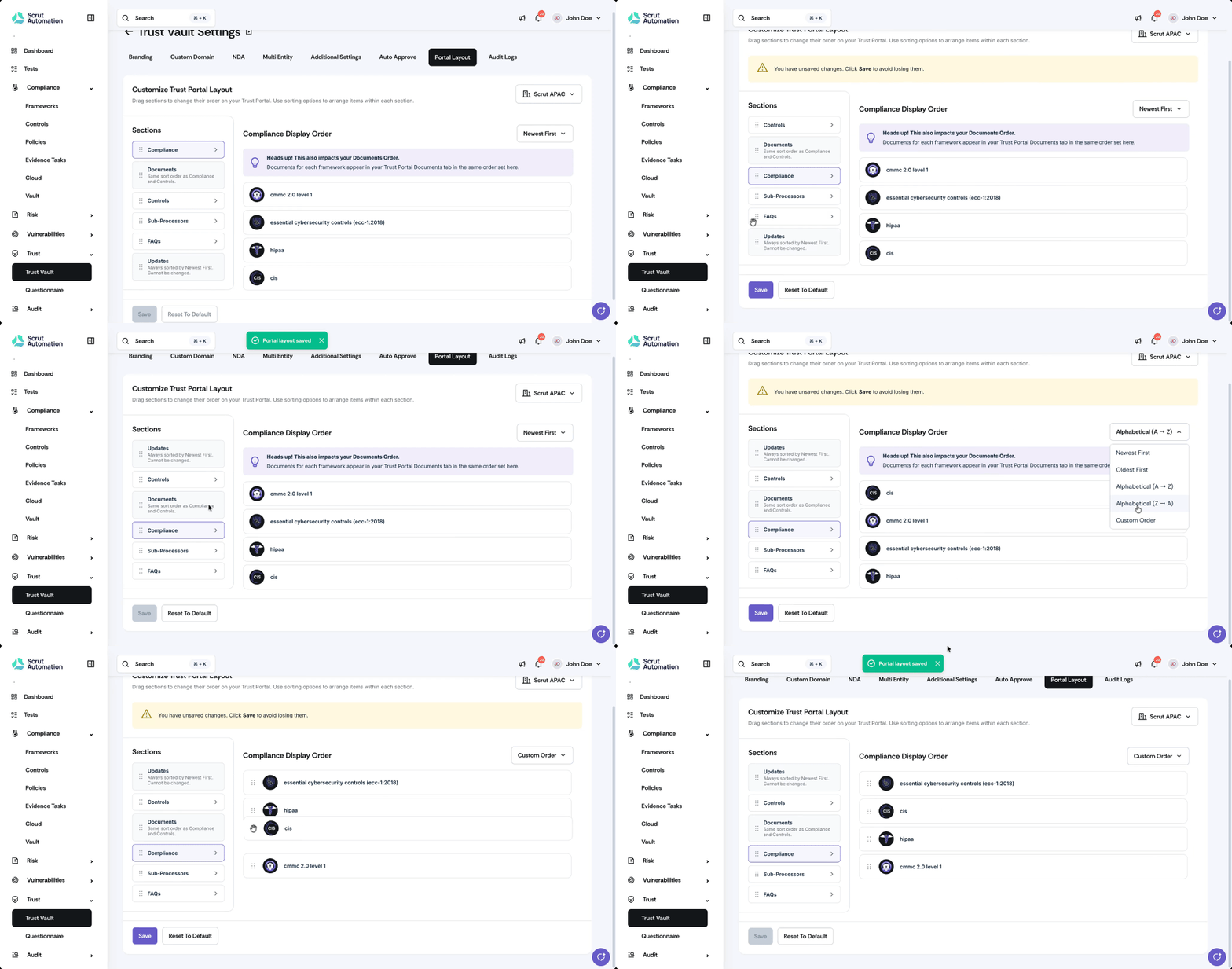
Scrut now lets teams reorder public Trust Portal sections so visitors see the most relevant proof first. Teams can reorder public sections and apply section-specific sorting.
Import policy documents from Google Drive
Google Workspace-centric teams already draft and store policies in Drive. Moving those files into a GRC platform usually requires downloading them locally, re-uploading them, or retyping content before editing or control mapping can start. That friction keeps Drive as the unofficial source of truth and delays compliance progress.
Scrut now allows you to import supported policy files from Google Drive, including .doc, .docx, and .pdf, into the policy editor or as attachments. Spreadsheets, decks, and images can be added as non-editable policy files.
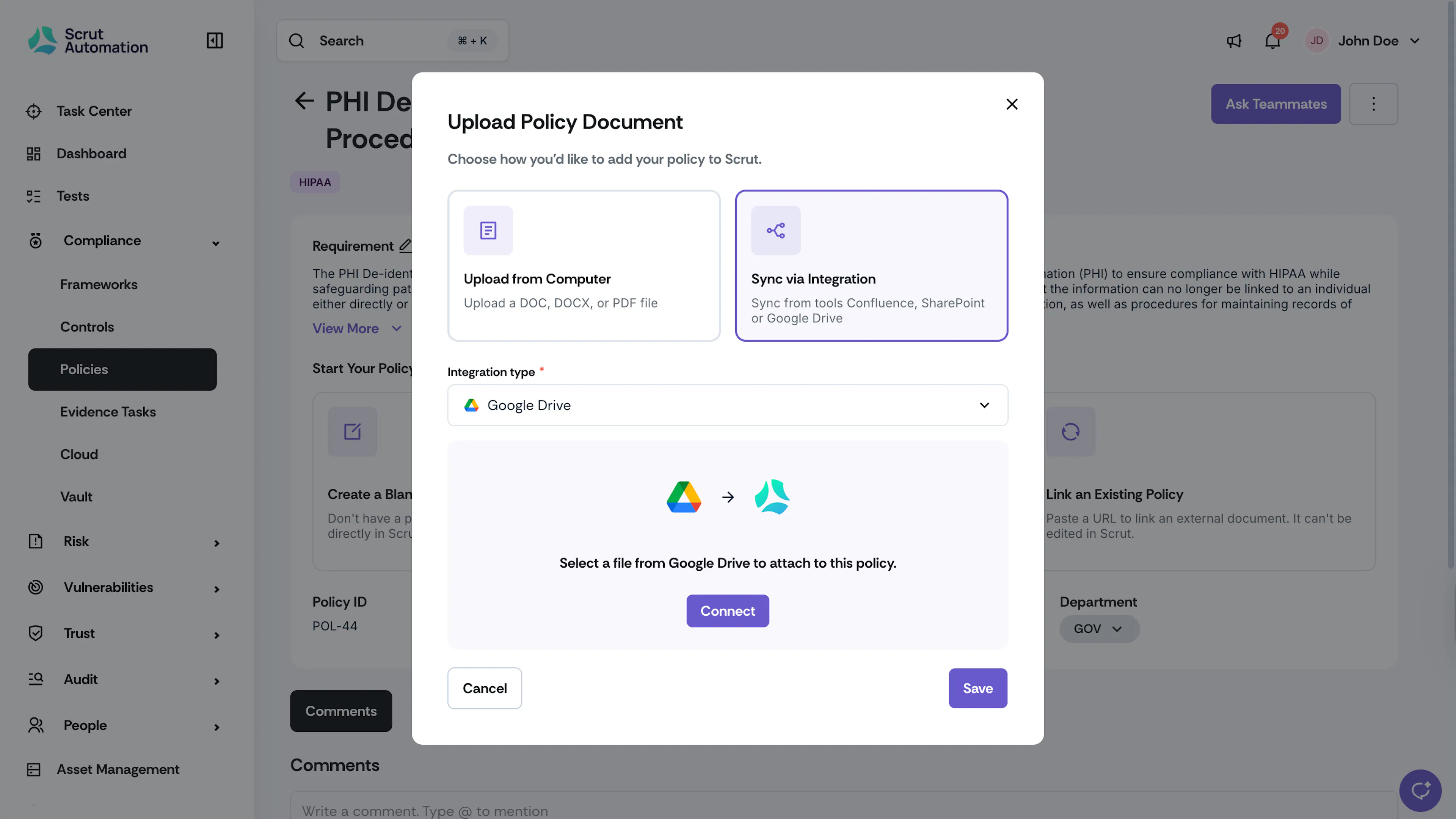
Learn more: Importing a policy from Google Drive
Turn Freshservice tickets into monitored compliance evidence
IT and security teams often need ticket history from Freshservice as evidence for incident response, change, or service processes. Manual exports lose metadata consistency and ongoing monitoring between audit cycles.
Scrut Monitor now supports Freshservice. Teams can fetch and monitor Freshservice tickets in Scrut, filter tickets by tag, and export ticket data to a consolidated CSV evidence report with metadata such as subject, category, requester ID, responder ID, priority, status, and timestamps.
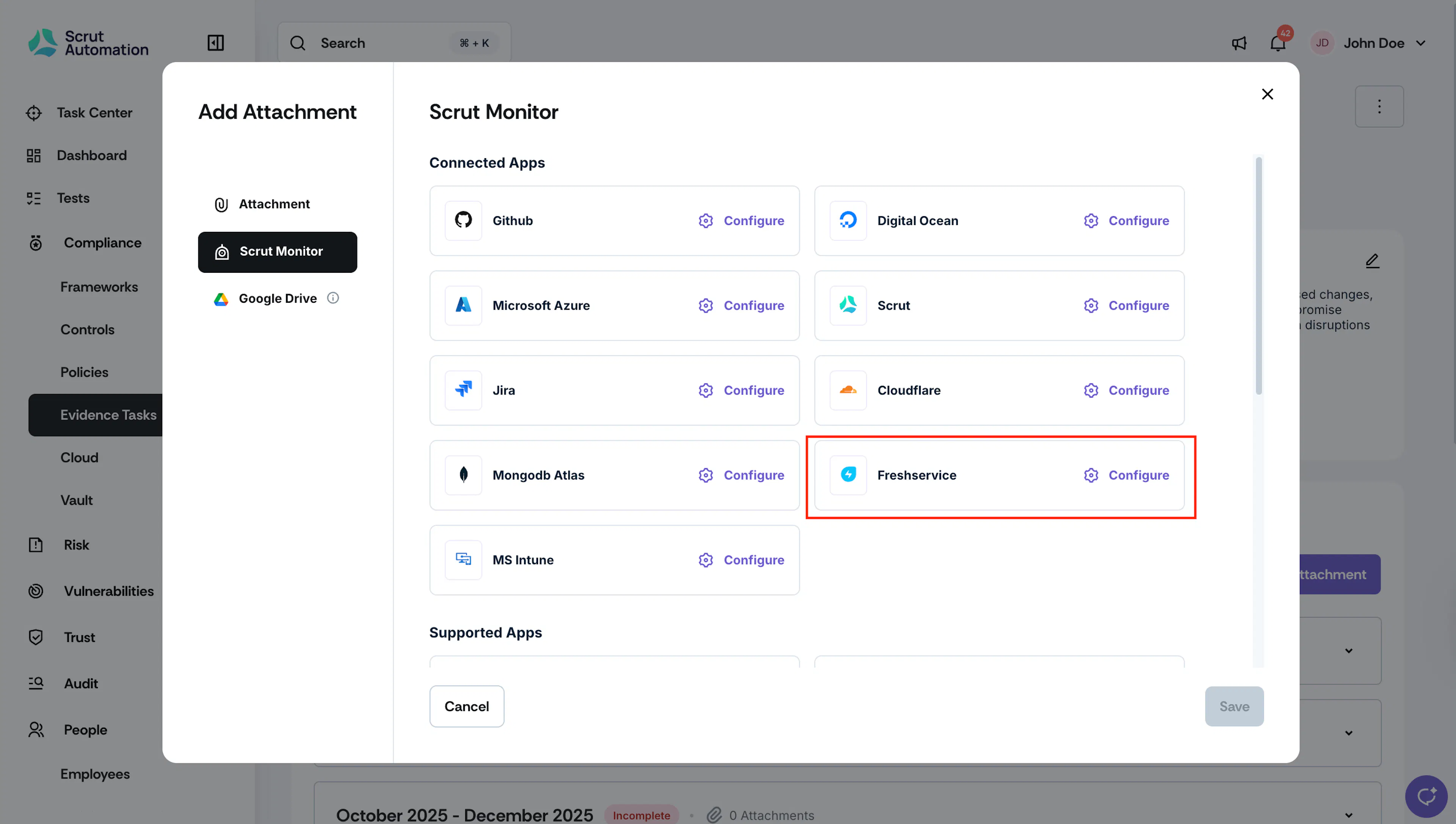
Learn more: Create Freshservice tickets from Scrut
Other Updates
- Exported policy PDFs support configurable headers and footers.
- Short-lived cloud resources are automatically ignored in the asset registry to reduce ephemeral clutter.
- Custom fields are availablefor vulnerability findings and resources to support local triage metadata.
- Automated tests can be linked or unlinked to evidence tasks when mappings need correction.
- Setup Wizard work items appear alongside Task Center, so onboarding and ongoing work share one surface.
- Access reviews support bulk assignment of non-personnel or external contractors.
- Organization name accepts common legal punctuation, including dots, commas, apostrophes, ampersands, parentheses, slashes, hyphens, and underscores.
- The aggregated audit log in the audit center captures relevant activity across findings, requests, and corrective actions, while module-specific logs record module-level activity.