

What is a Multi-Entity Trust Portal?
Who can use this feature
- Supported on the Scale plan
For organizations with multiple products, services, subsidiaries, or that operate in multiple geographies, Scrut offers a Multi-Entity Trust Portal to showcase compliance across entities within a single, publicly facing portal. With this feature, you can:
- Publish entity-specific trust content (e.g., frameworks, controls, sub-processors) with unique URLs for each entity. For example, trust.acme.com?entity=US and trust.acme.com?entity=India
- Publish organization-wide information that is common to all entities
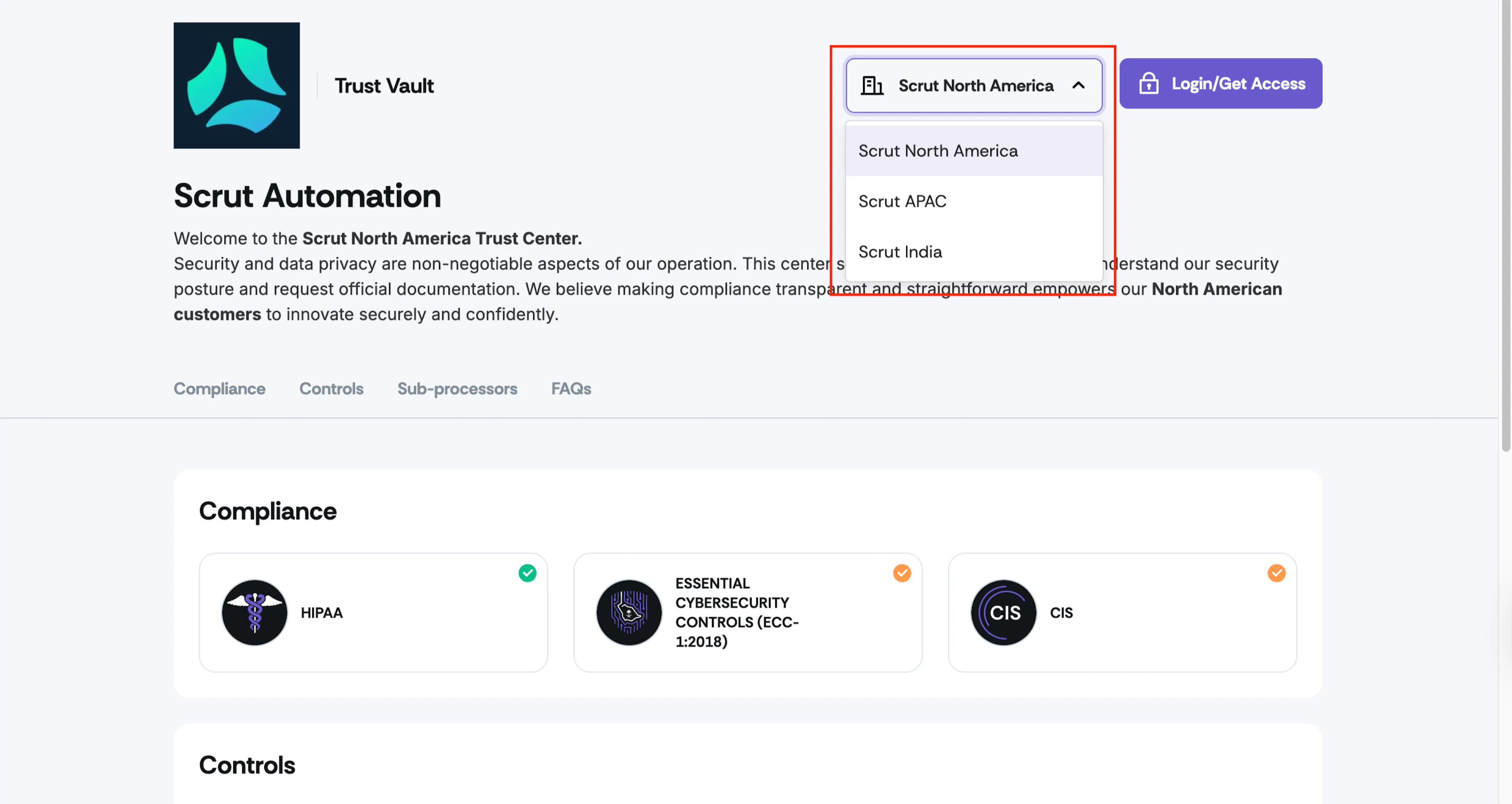
- Portal viewers can switch between entities using a dropdown at the top of the page
- Control which entities appear publicly on your Trust Portal
- Grant entity-specific access to customers, partners, prospects, and other stakeholders
If you operate in multiple geographies or have multiple product lines, this feature helps keep each entity’s information distinct and compliant while providing a unified, consistent experience for all visitors.
What Visitors See
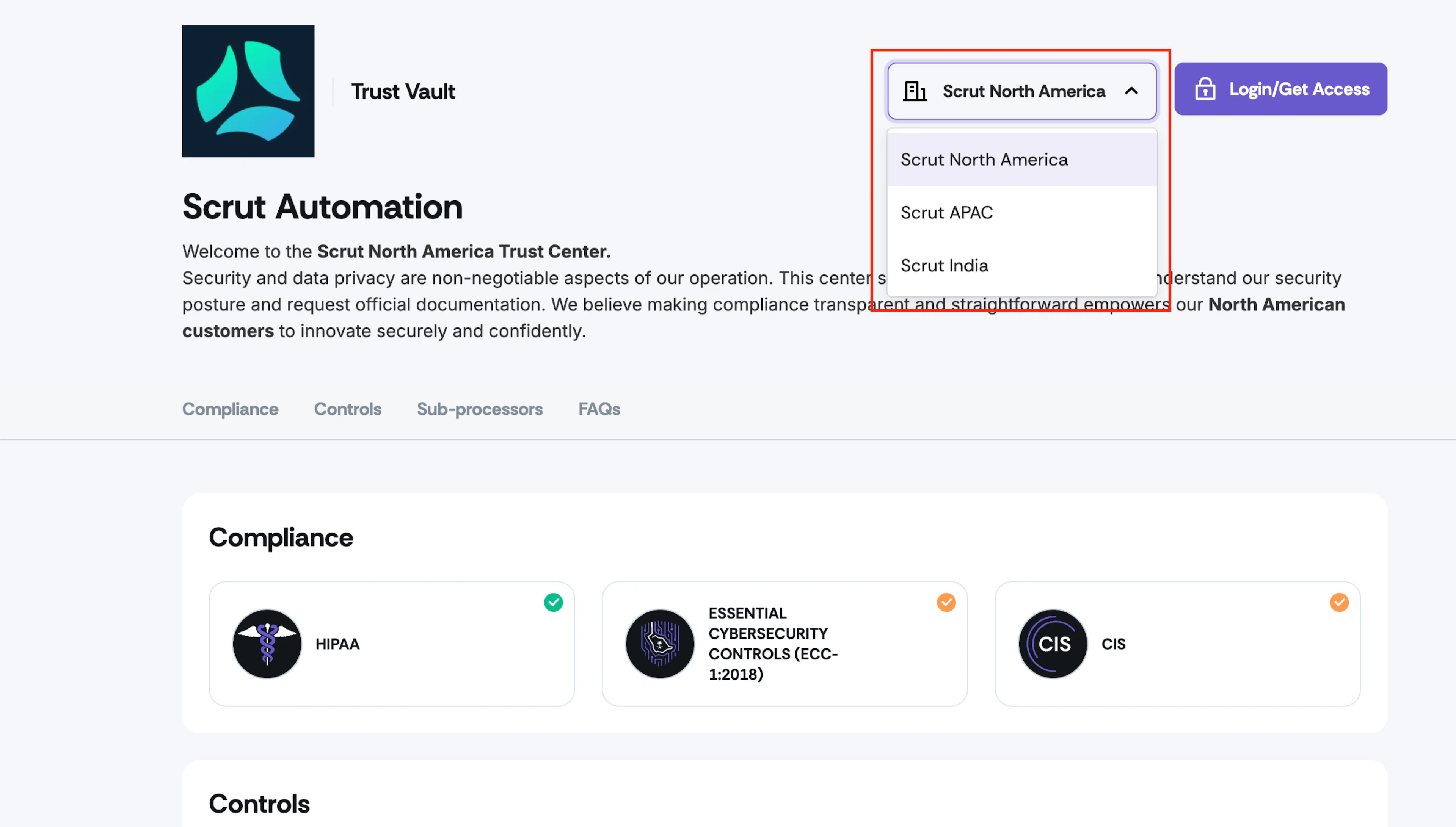
- Visitors to your Trust Portal (both anonymous and logged-in) users will see a dropdown in the top-right corner listing the different entities you have enabled in the Trust Vault settings.
- The default entity loads automatically on the first visit, and users can switch between different entities via the dropdown.
- Org-Wide content merges seamlessly into each entity view (visitors don't see it as separate)
Multi-Entity Trust Portal Navigation
Once you enable multiple entities, your Trust Portal will display a dropdown in the top-right corner listing the entities (products, subsidiaries, geographies, etc.) you have enabled. Customers can easily switch between entities to view each entity's content and select a specific entity when requesting access.
Limitations
While Multi-Entity Trust Vault provides powerful capabilities for managing entity-specific content, the following features are not currently available:
- Per-entity branding or domain: All entities share the same Trust Portal branding and the core domain URL. However, different entities have different slugs, like:
- trust.acme.com?entity=US
- trust.acme.com?entity=India
- Per-entity NDA templates: Clickwrap NDA templates apply across all entities and cannot be customized per entity
- Per-entity edit restrictions: Role-based access for contributors applies organization-wide, not at the entity level
- Multi-select entity filter in Trust Vault Dashboard & Overview: You can only filter by one entity at a time in the Dashboard, Overview, and Customer Activity tabs
- Audit Logs filtering by entity: The Audit Log displays all activity across all entities without entity-specific filtering