

Tag Content to Entities
Who can use this feature
- Supported on Scale plan
When setting up your Trust Portal, via the Trust → Trust Vault module in Scrut, you have the flexibility to:
- Tag specific content to specific entities
- Or make it organization-wide
Which Content is Unique for Each Entity?
With a multi-entity Trust Portal, you can tag the following content to specific entities:
- About information: This is a summary that appears at the top of your Trust Portal. Each entity can have its own unique "About" section that introduces visitors to that particular business unit, product line, or geography. This allows you to customize the first impression and key messaging for each entity while maintaining a consistent portal structure.
- Frameworks: Compliance frameworks and certifications specific to each entity
- Controls: Security and compliance controls implemented by each entity
- Sub-processors: Third-party vendors and service providers used by each entity
- FAQs: Frequently asked questions relevant to each entity
- Updates: News, changes, and announcements specific to each entity
How Does Tagging Content Work?
- Content tagged to Entity A appears only in Entity A’s view.
- Content tagged to Entity A and B appears in both Entity A’s and Entity B’s views.
- Content tagged to Organization-wide automatically appears in every entity’s view.
How To Tag Content
- Sign in to Scrut, and navigate to Trust → Trust Portal → Overview.
- Click Add or Edit in your preferred content section.
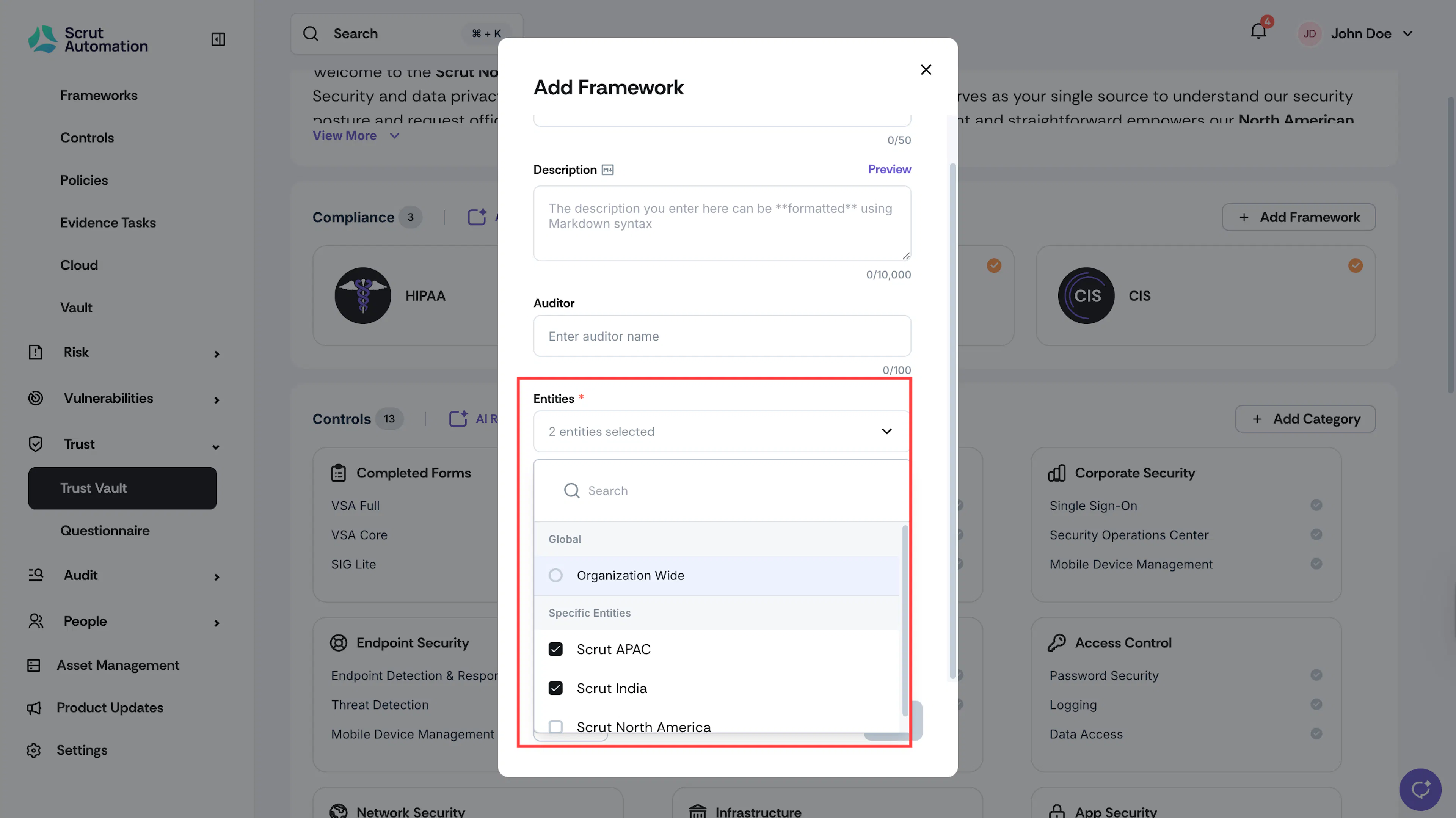
- In the Entities dropdown, select the entity that should have access to this content. You can choose one or more entities, as required.
- Alternatively, select Organization-wide in the Entities dropdown to make the content viewable across all entities.
- Click Save.
Repeat the steps above for all content, tagging them to specific entities or making them organization-wide as required.
Heads Up!
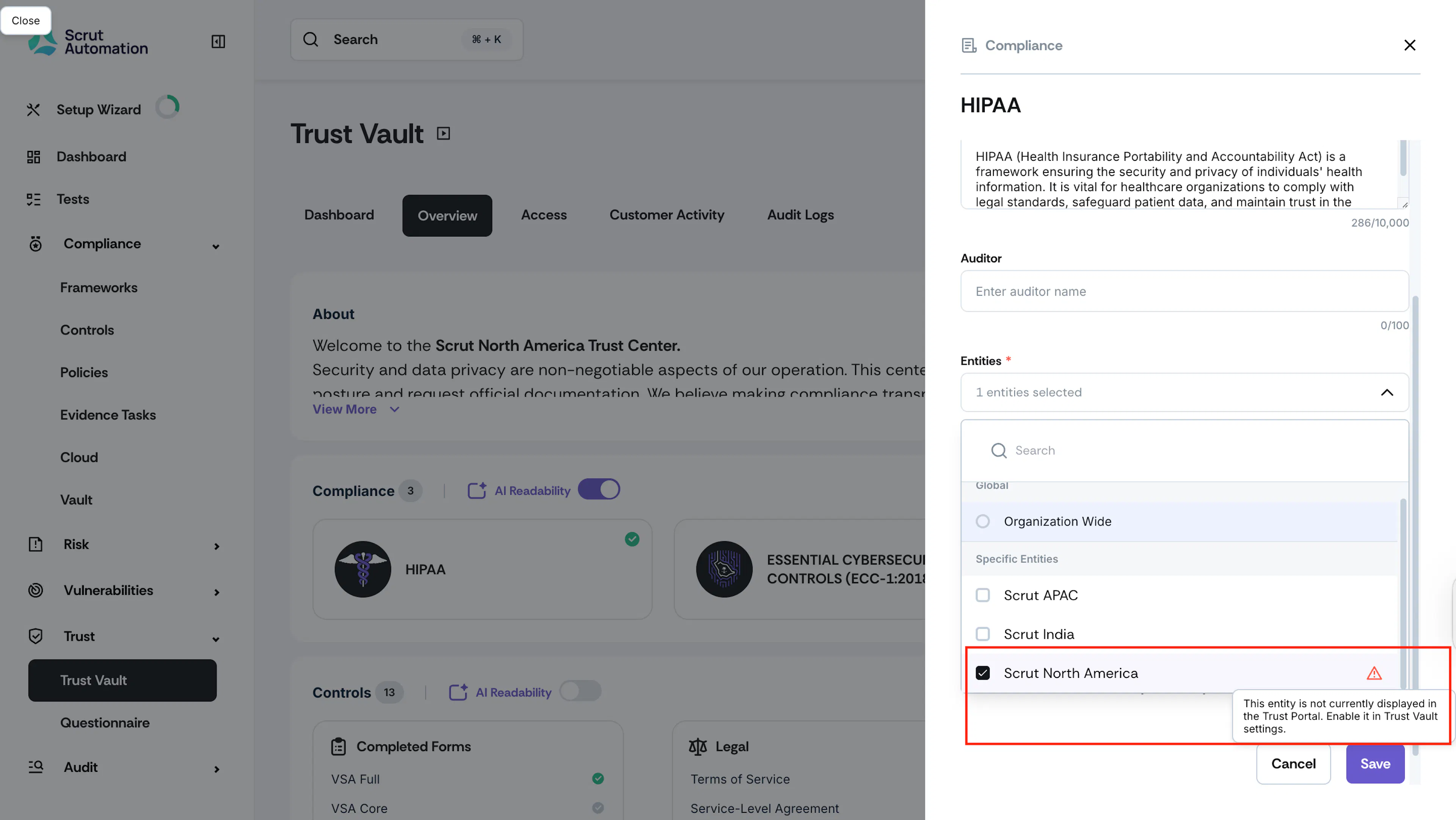
If you tag content to an entity that is currently disabled in Trust Vault settings, you’ll see a warning icon like shown below. This helps to prevent accidentaly publishing content to entities that aren’t visible.
Was this page helpful?