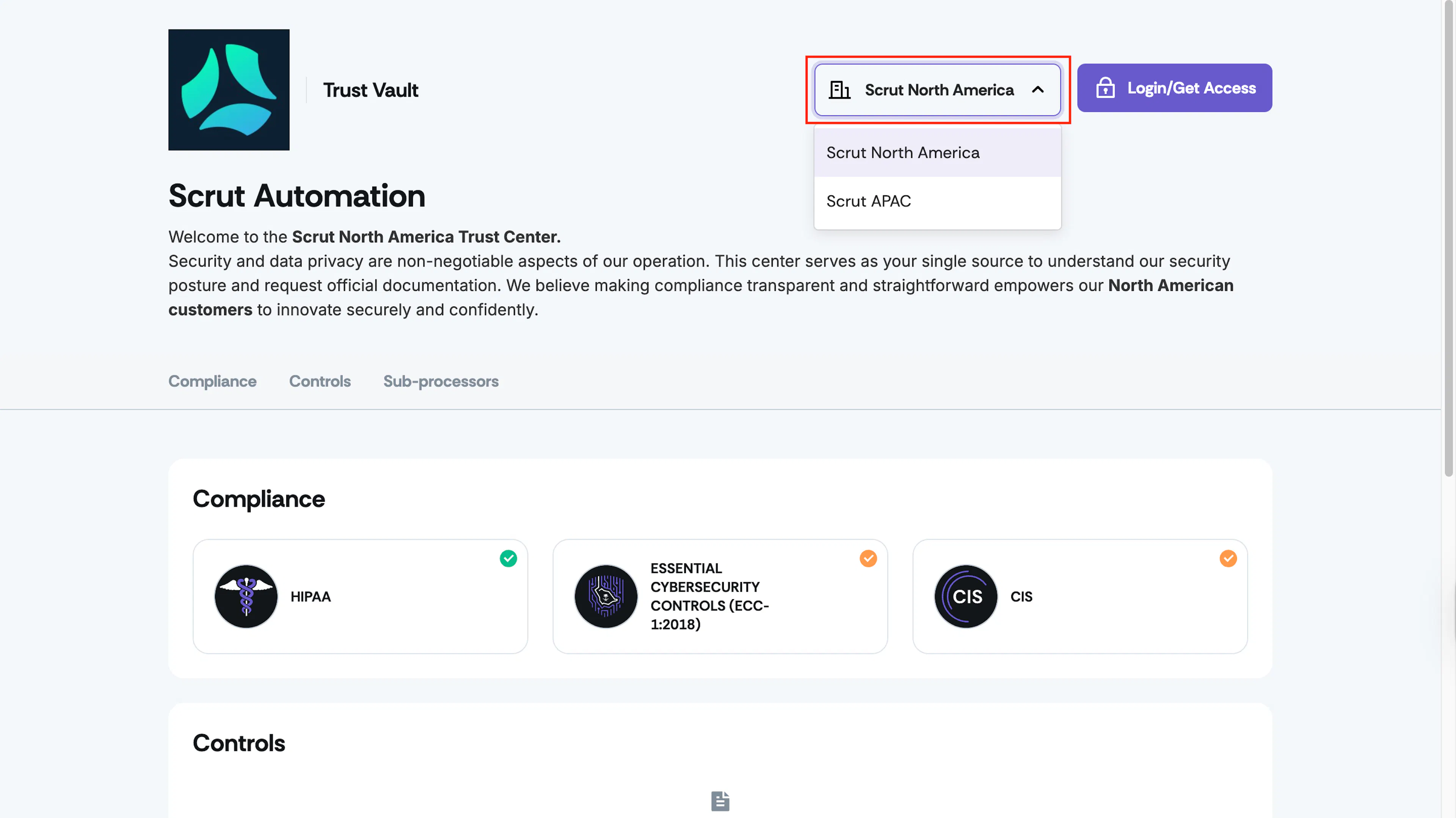
Enable Multiple Entities on Your Trust Portal
Who can use this feature
- Supported on Scale plan
Prerequisites
- You must be a Scrut Admin
- You must have one or more entities configured in your Scrut organization (Refer to this guide)
How to Enable Multi-Entity in Trust Vault
-
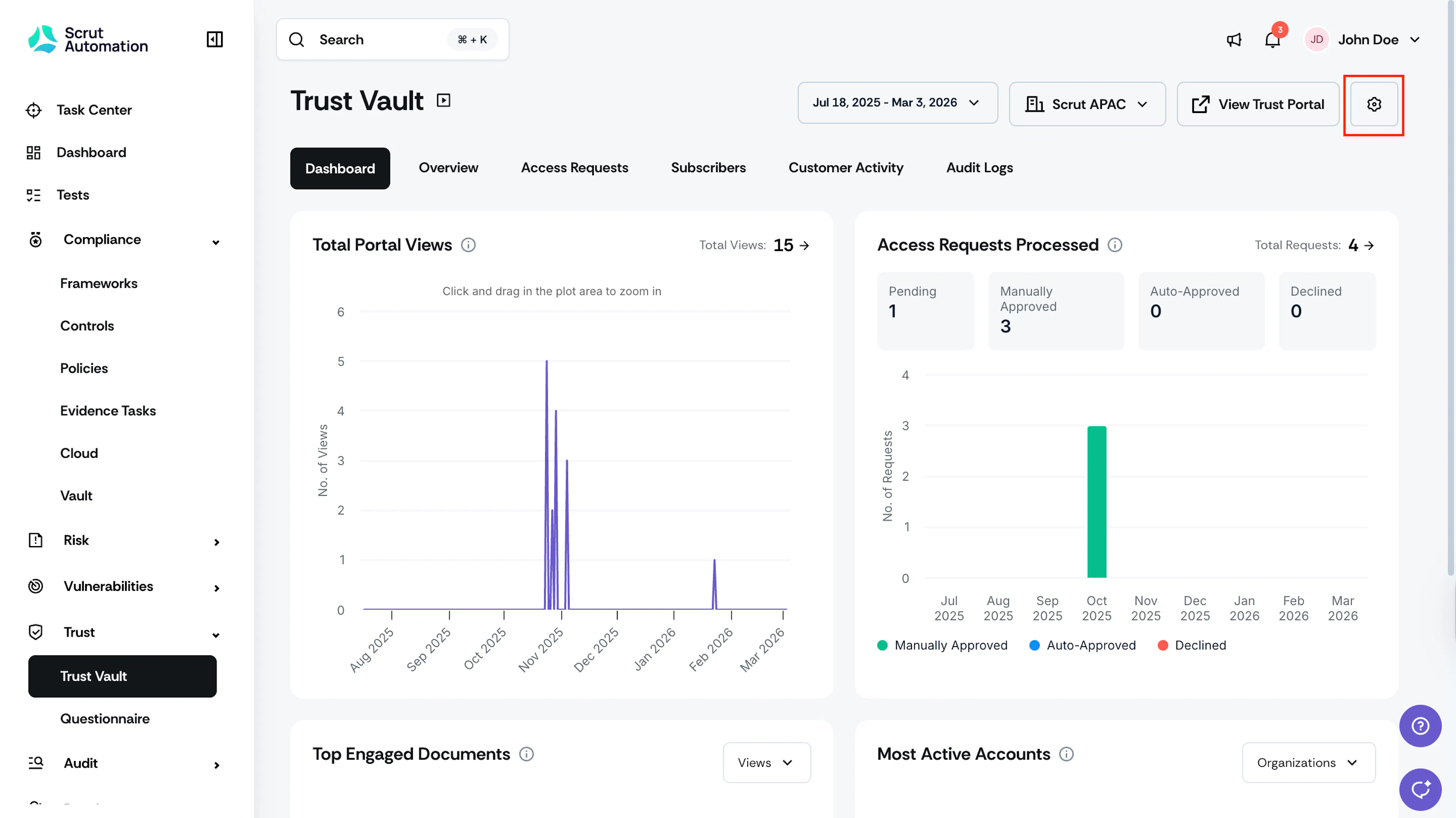
Sign in to Scrut, and click Trust → Trust Vault on the left navigation panel.
-
Click the Settings icon at the top right.
-
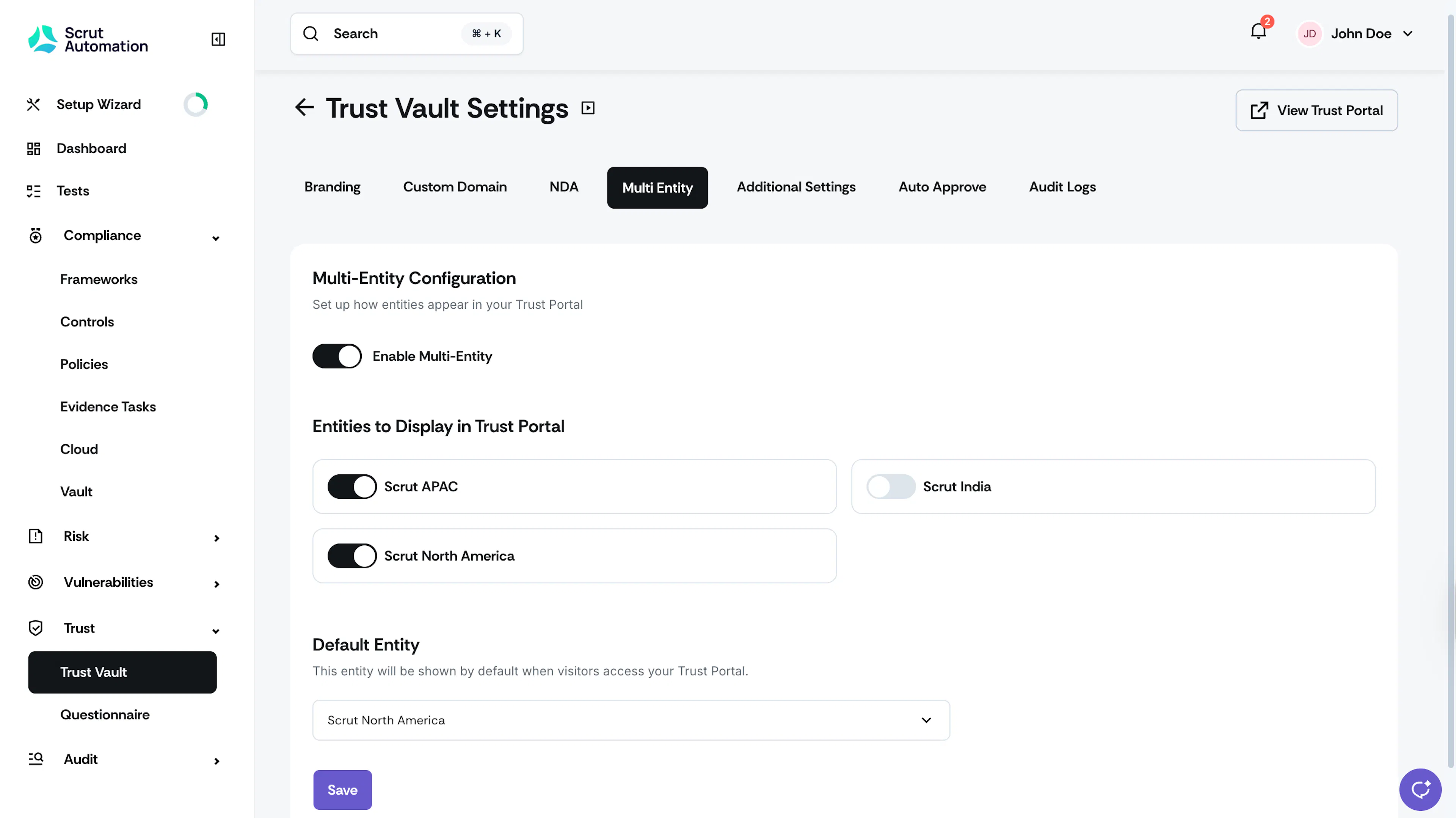
Navigate to the Multi-Entity tab and toggle Enable Multi-Entity to On.
-
Select the entities to display in the Trust Portal.
-
Choose the Default Entity that loads when visitors first access the portal.
-
Click Save.
Heads Up!
At least one entity must be enabled to use multi-entity view. If you try to disable all entities, you’ll need to turn off Multi-Entity mode entirely or re-enable at least one entity.
Preview and Verify Your Configuration
Click View Trust Portal to preview how your Trust Portal will look for each enabled entity.
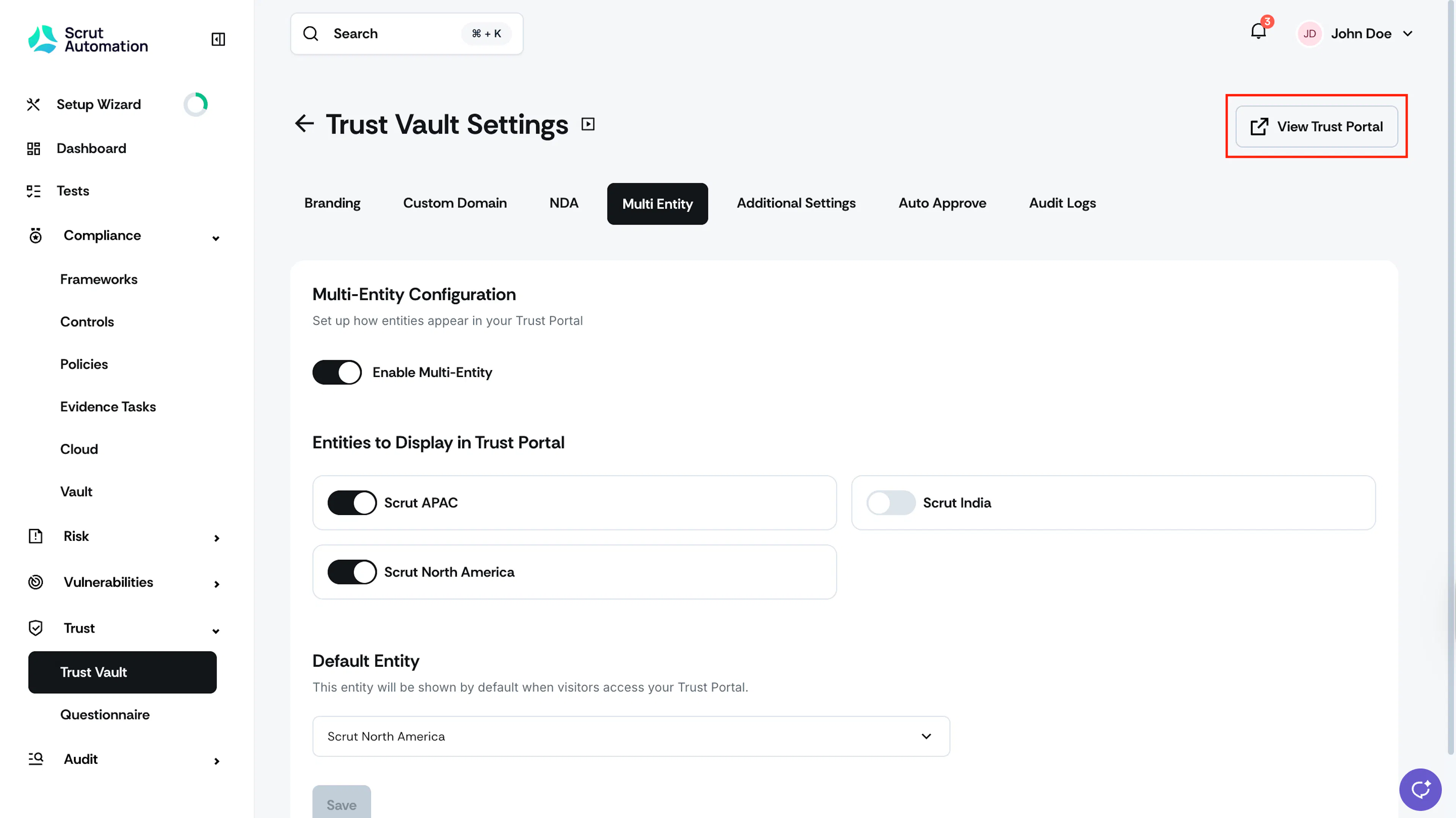
By default, portal visitors will land on the page of your selected default entity. They can then switch to other entities by using the dropdown at the top right.