

Integrate Auth0
Scrut uses an inbuilt Auth0 Management API to connect with Auth0. To use this API, you must create an authorized machine-to-machine Application in Auth0 before integrating with Scrut.
Creating Auth0 Application
- In your Auth0 Dashboard, click Create Application.
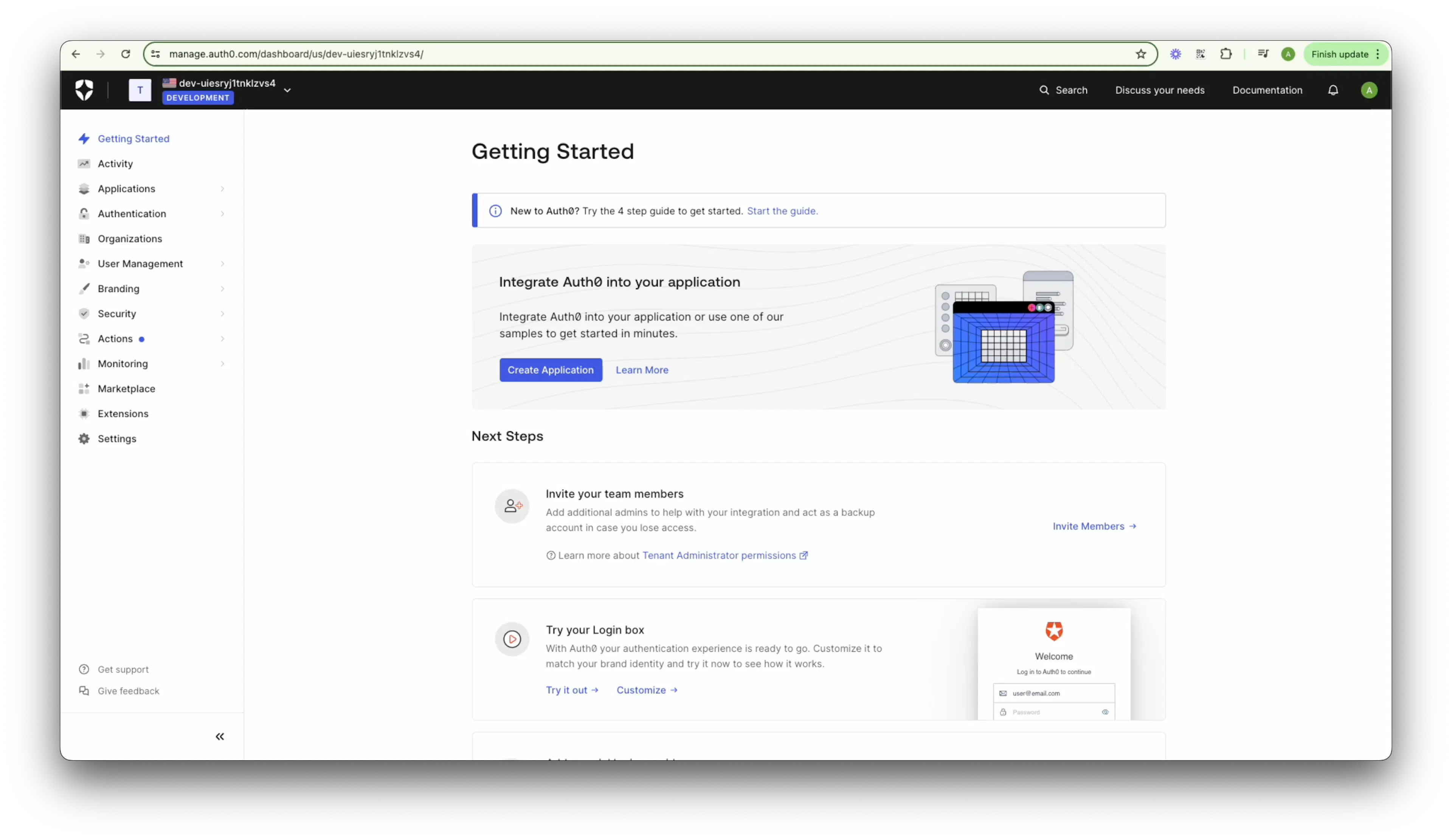
- Name your new application, choose the Machine To Machine Applications click Create.
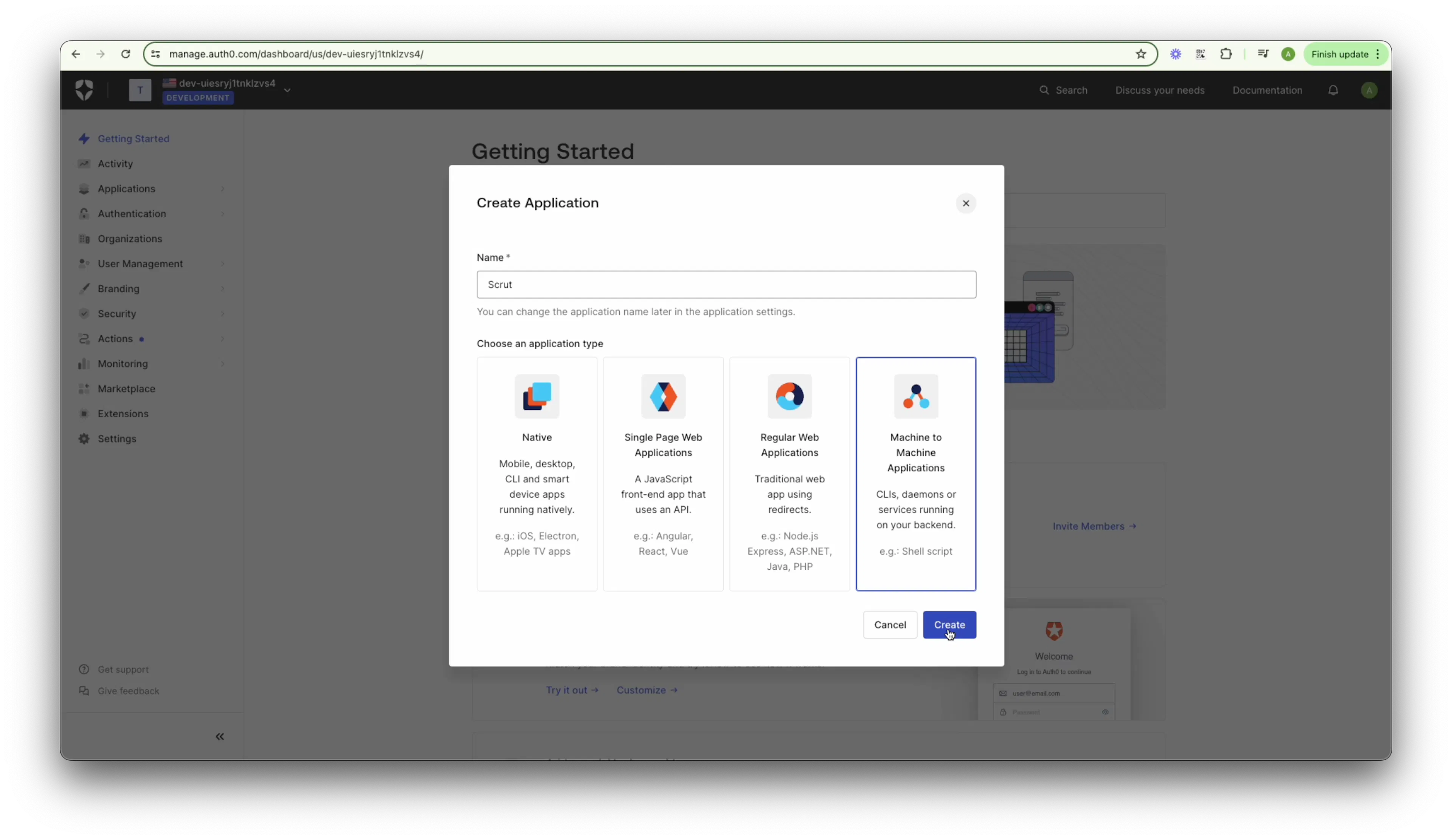
- A dropdown with Authorized APIs should appear. Choose the Auth0 Management API option.
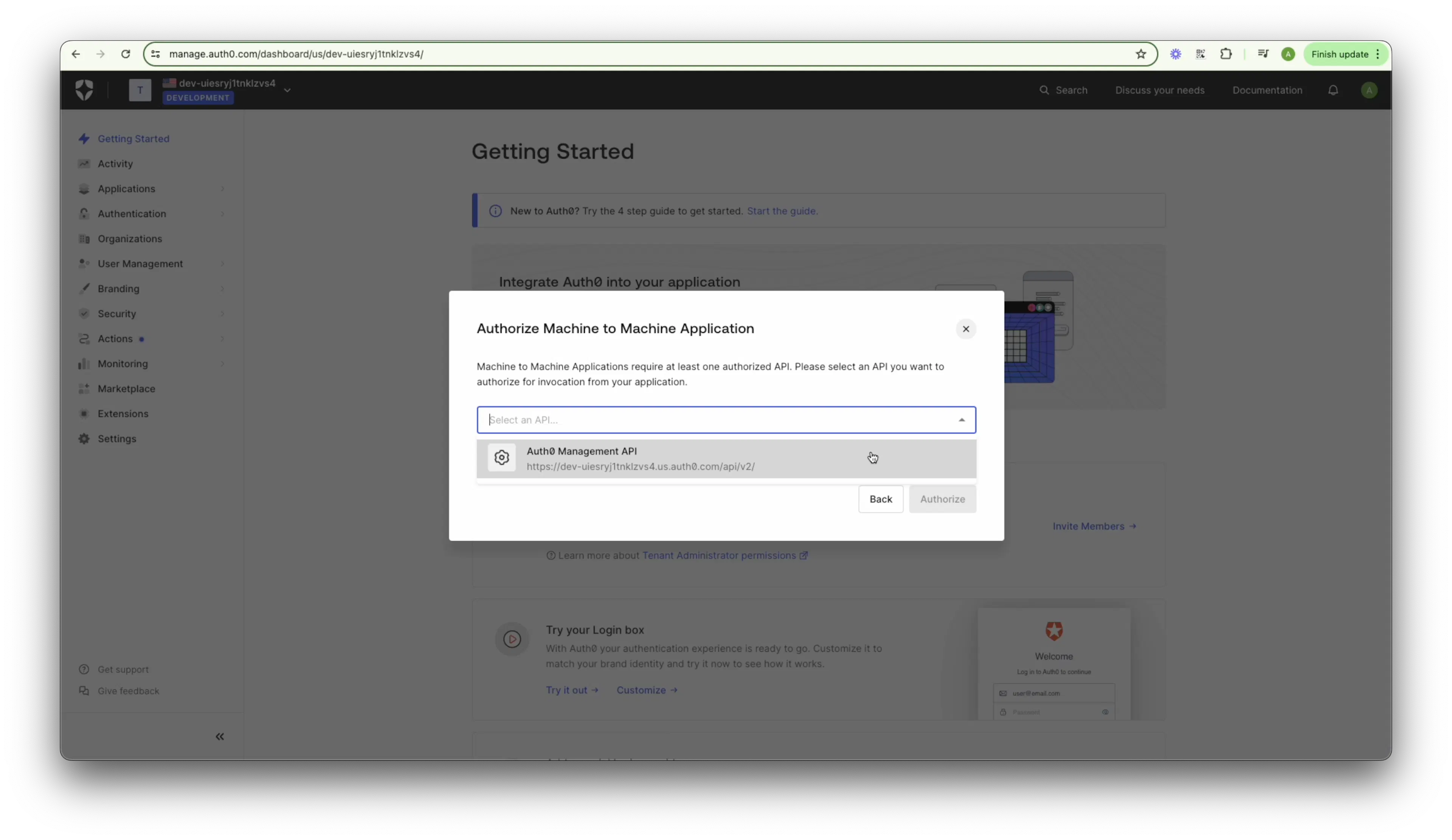
- Enable the following permissions for your application by clicking on the checkboxes under the Permissions section:
- read:client_grants
- read:organizations
- read:organization_members
- read:users
- read:roles
- read:role_members
- To create the new application linked to the Auth0 Management API, click Authorize.
- Once done, Auth0 will redirect you to the Quick Start tab from your newly created application.
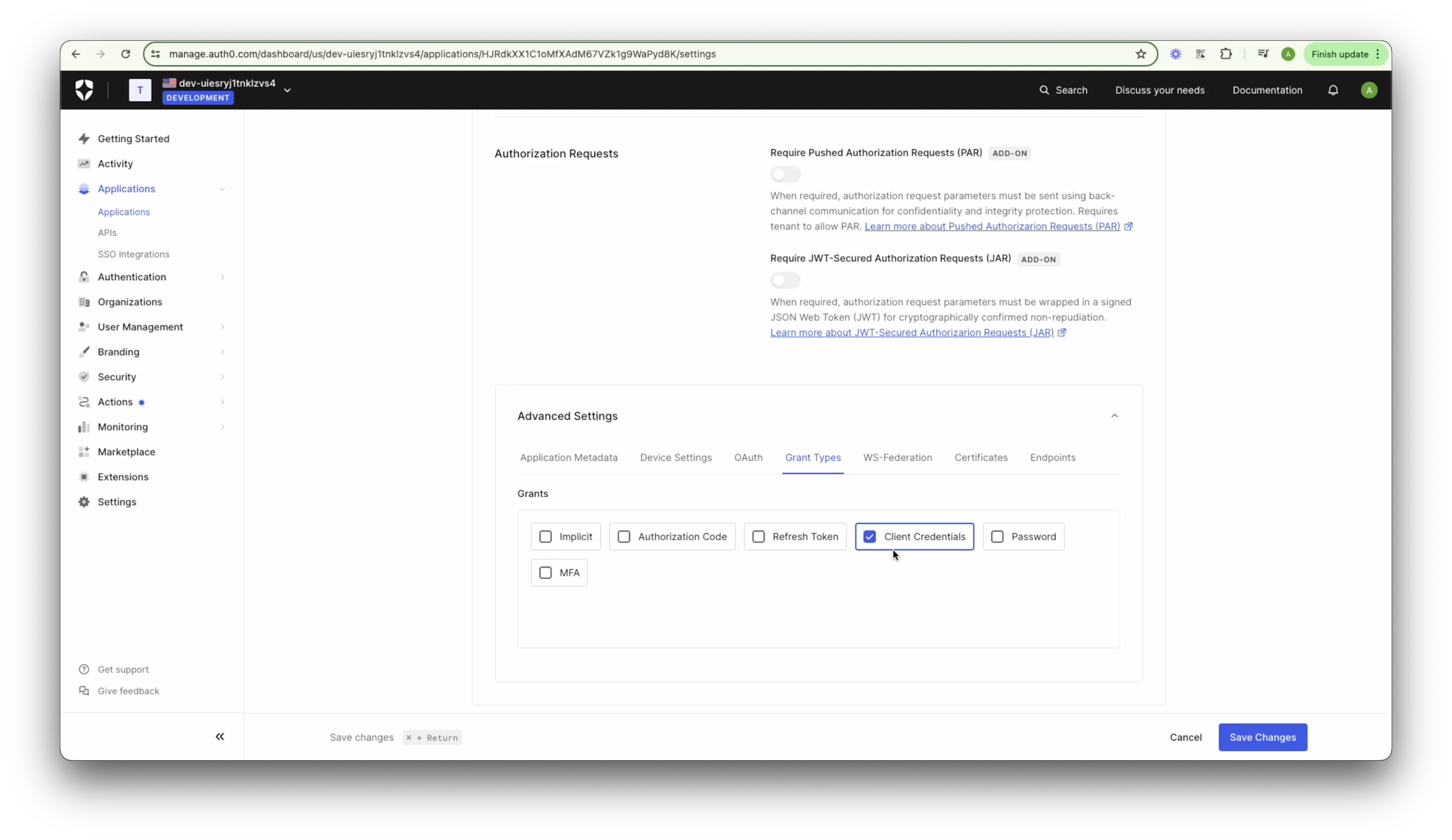
- Go to Advanced Settings by navigating to the bottom of the Settings tab.
- Check if the Client Credentials grant type is enabled under the Grant types tab where the Client Credentials grant should be enabled.
- Navigate to the top of the Settings tab in your recently created application.
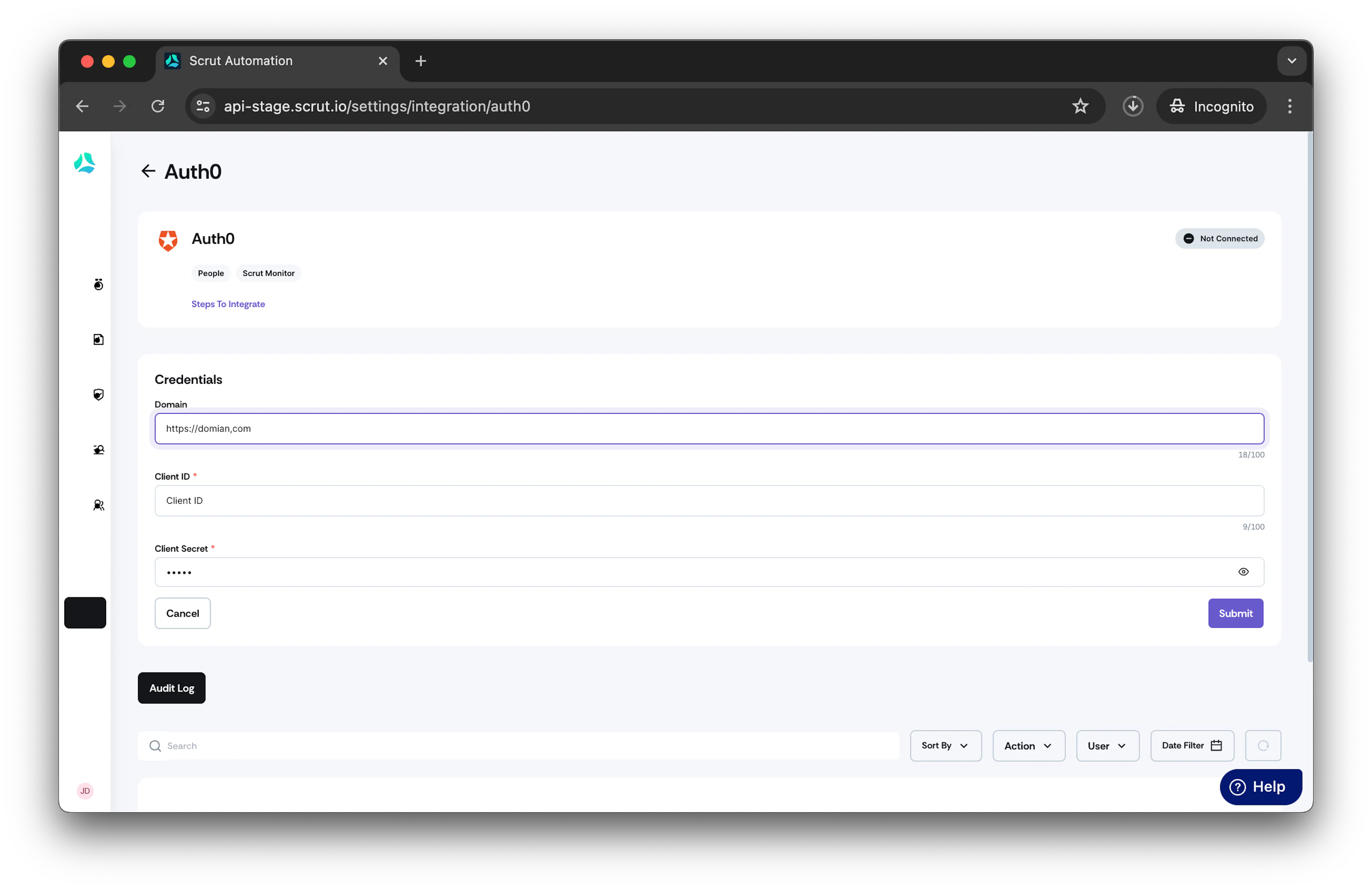
- Copy the Domain, Client ID, and Client Secret values from your application.
Integrating Auth0 with Scrut
- From the left navigation panel, select Integrations.
- Click on Available.
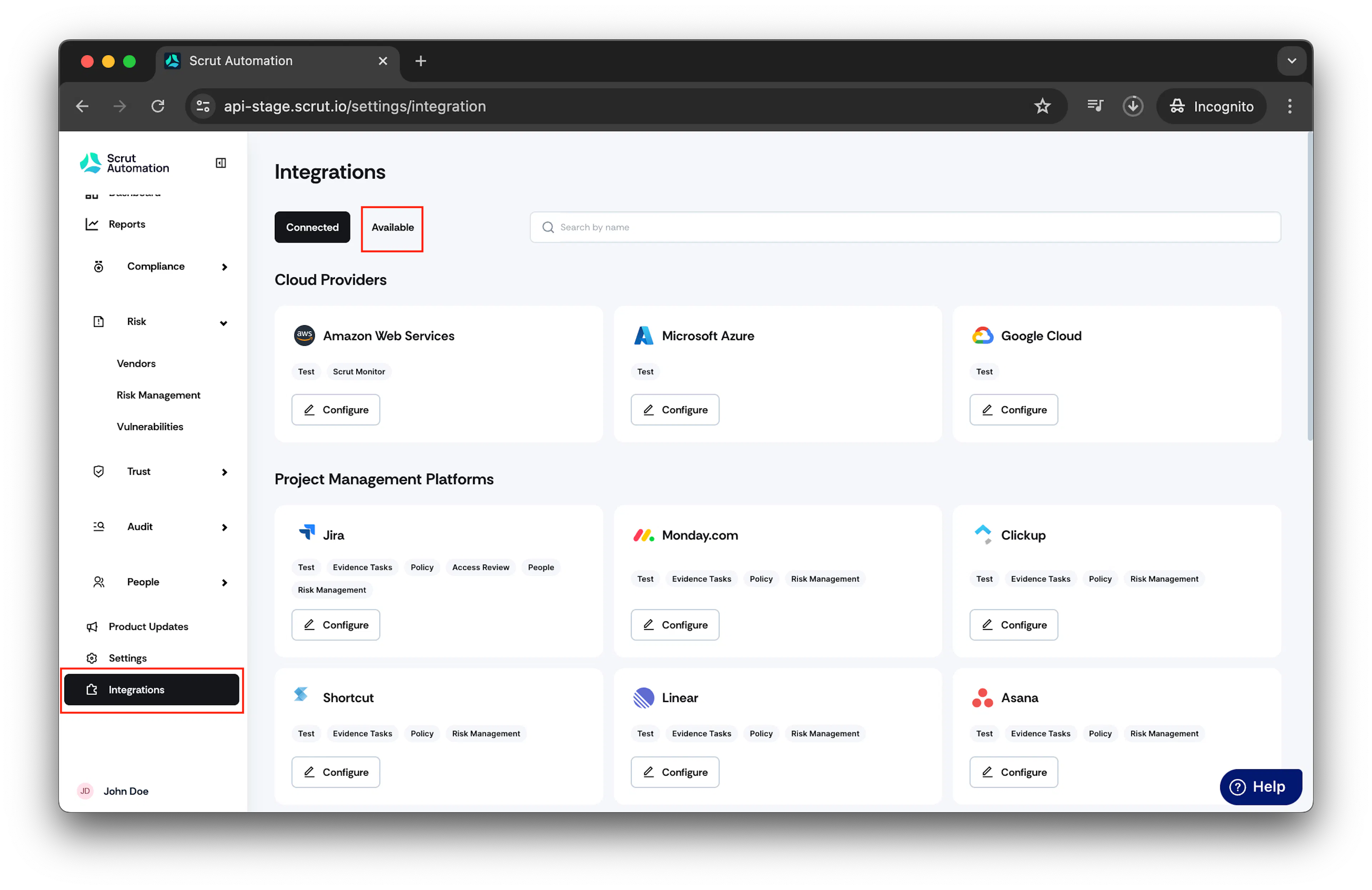
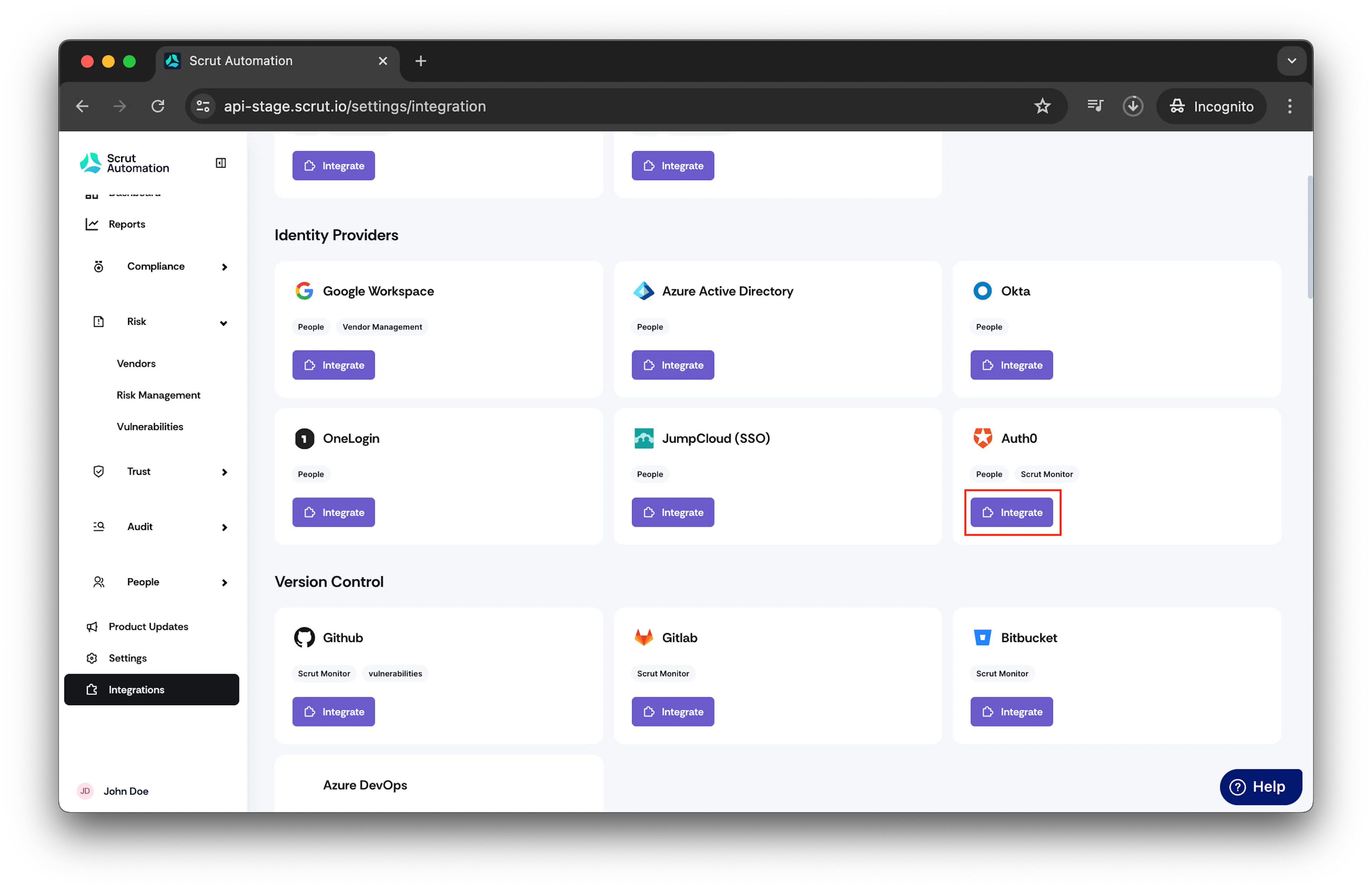
- Scroll to the Identity Providers section and find Auth0. Click Integrate.
- Paste the Domain, Client ID, and Client Secret values from your application. Click Submit.
Was this page helpful?