

Integrate Okta (IDP)
The Scrut - Okta (IDP) integration enables you to sync users and user group data from your Okta account to Scrut. In this guide, we walk you through the process of connecting your organization’s Okta account with Scrut as an Identity Provider.
Heads Up!
If you’re looking to connect Okta as an SSO provider, see here.
Prerequisites
Before starting the integration, ensure you have the following access and permissions:
Access
- You must be a Scrut Admin (or Contributor with access to the Integrations module)
- You need Admin access to your organization’s Okta account
Permissions
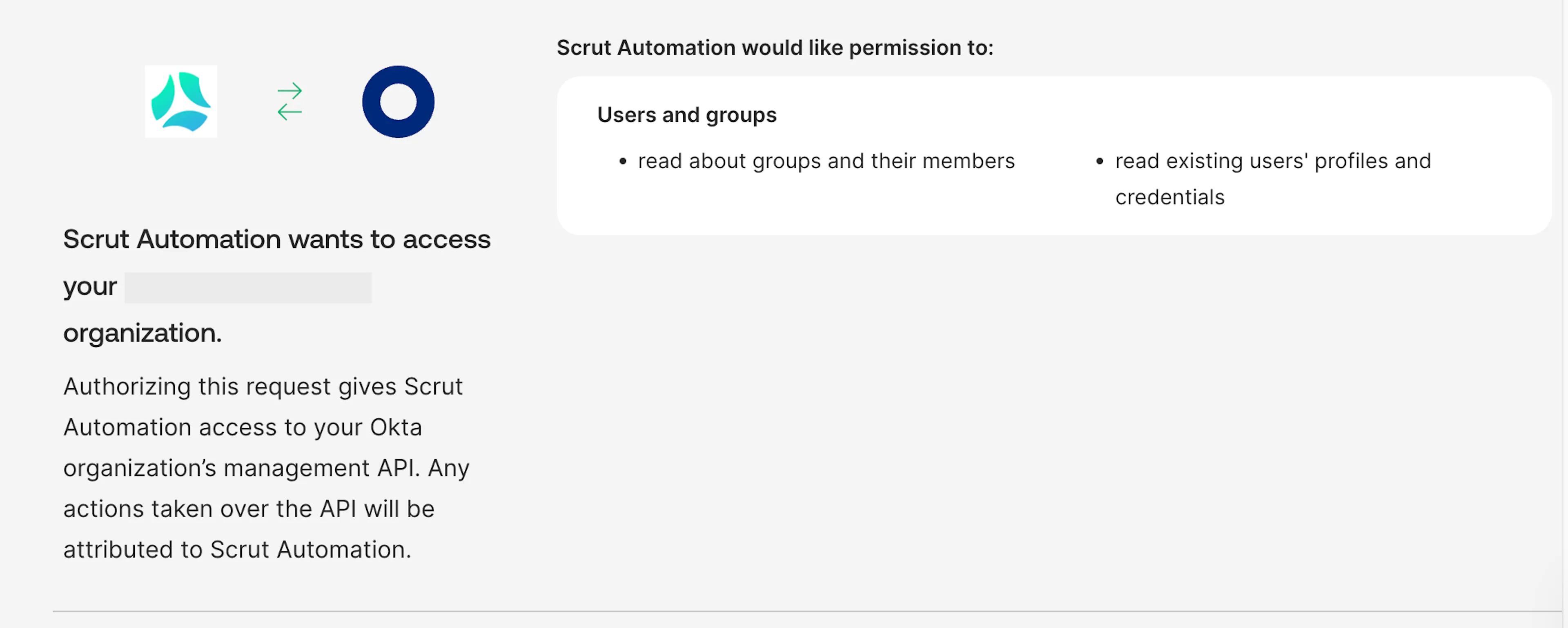
Scrut requires the following read-only permissions:
- okta.users.read: Allows Scrut to read existing users’ profiles and credentials
- okta.groups.read: Allows Scrut to read information about groups and their members in your Okta organization
- okta.roles.read: Allows Scrut to read administrative role assignments for users in your Okta organization
To learn more about Okta permissions, see here.
How To Integrate Okta IDP With Scrut
Step 1: Fetch Client ID, Client Secret and Domain from Your Okta Account
-
Log in to your Okta Admin Console.
-
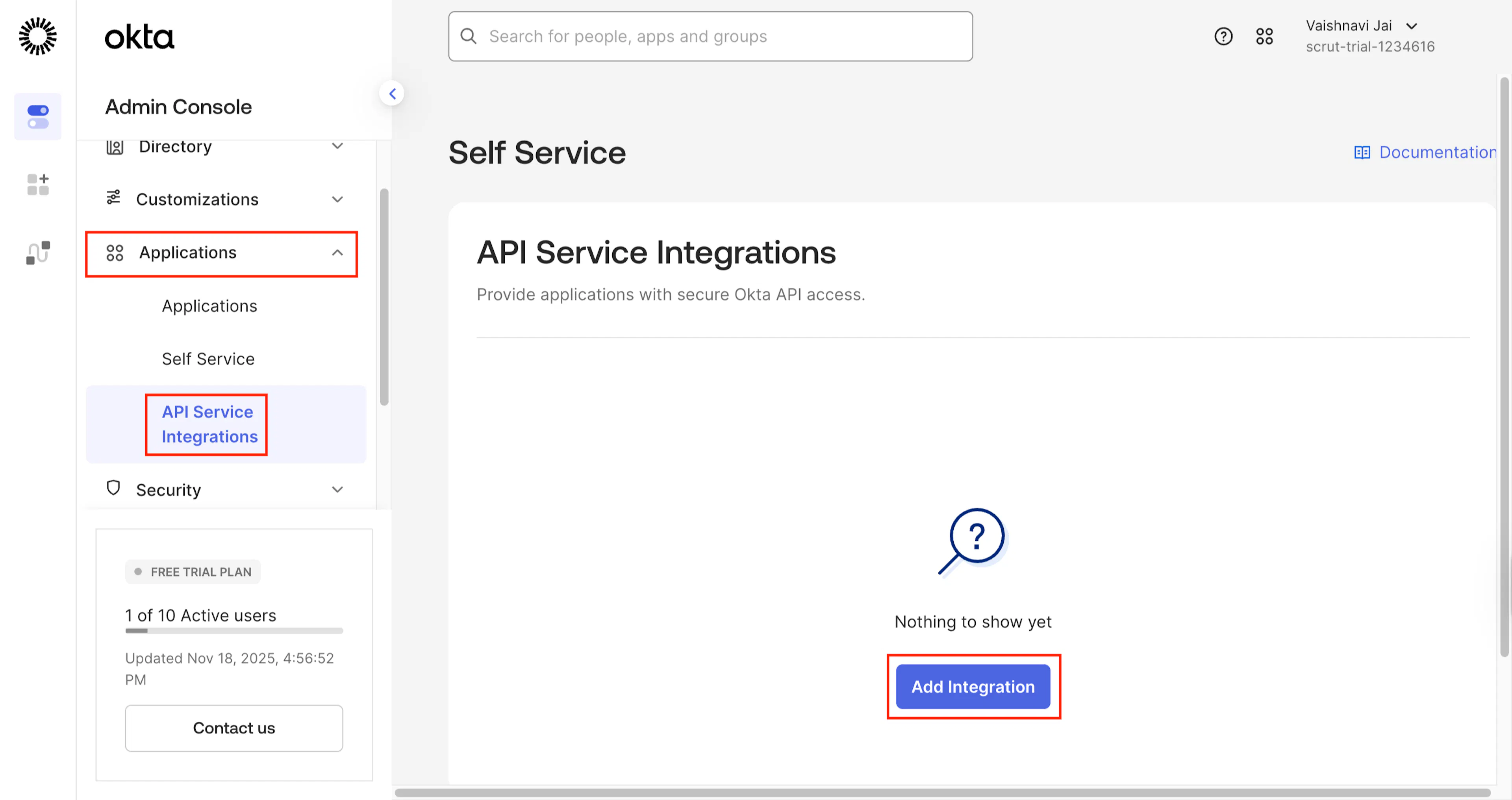
Navigate to Applications → API Service Integration → Add Integration.
-
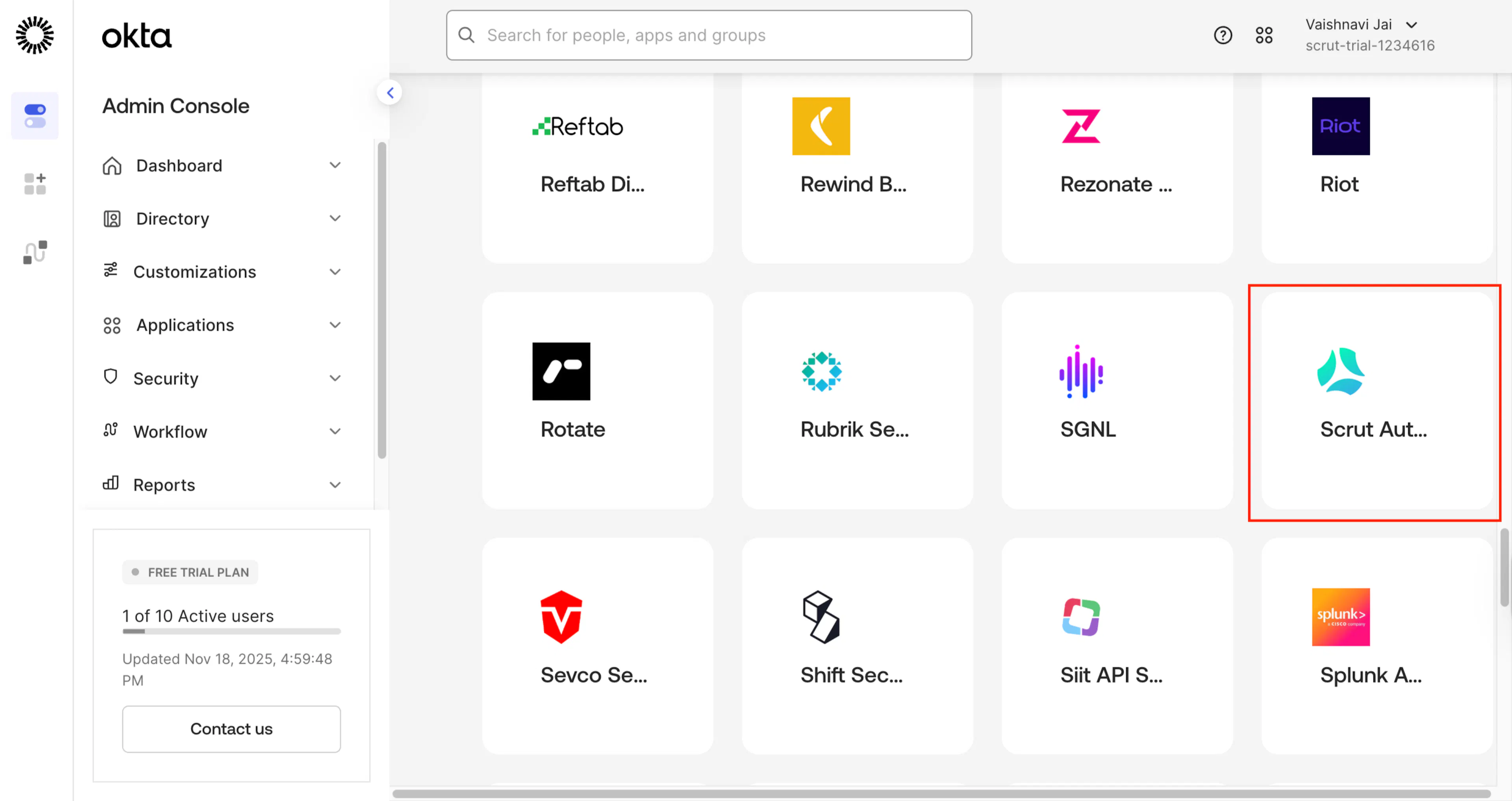
Search for and choose Scrut Automation. Click Next.
-
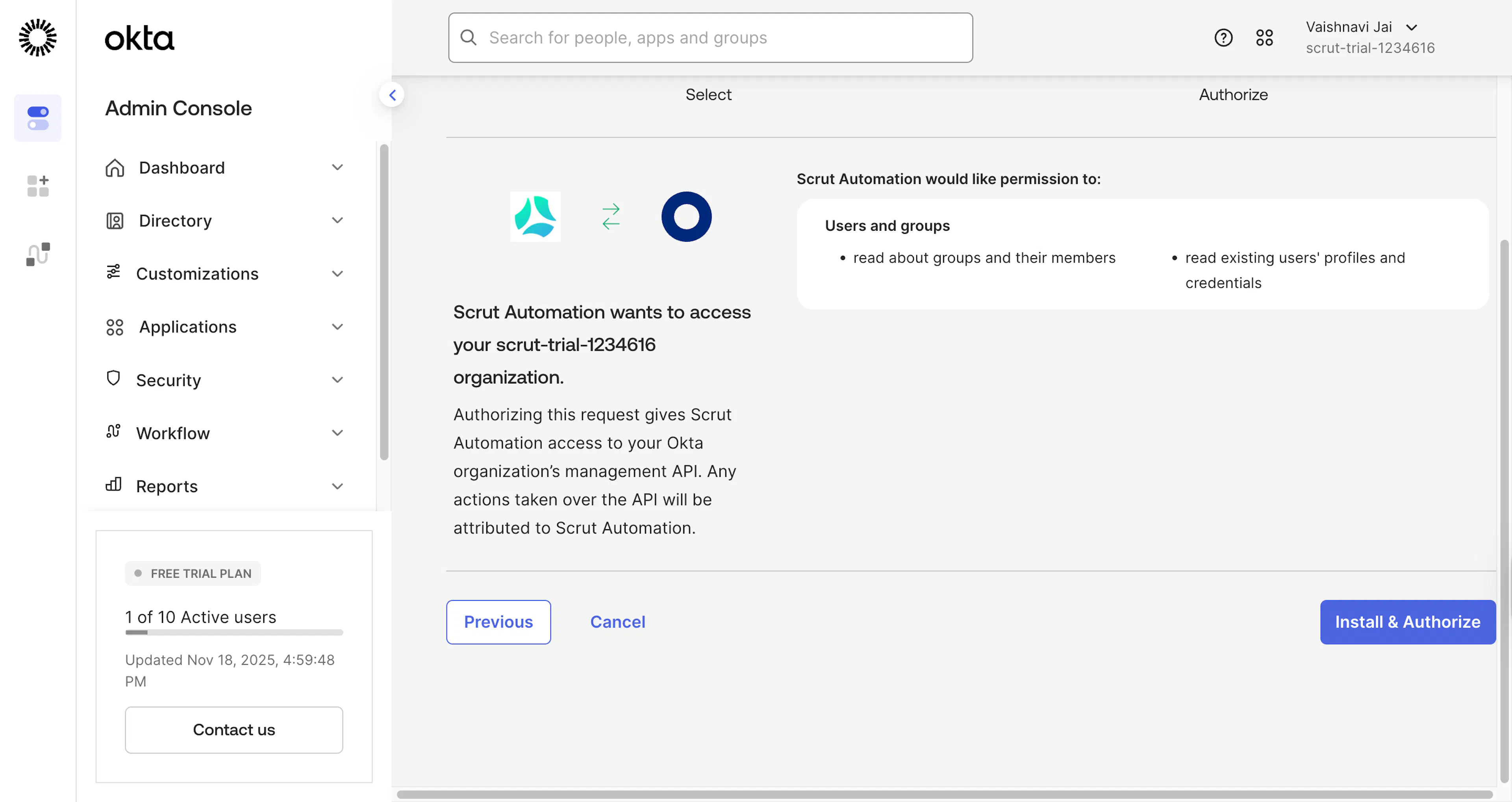
Click Install & Authorize.
-
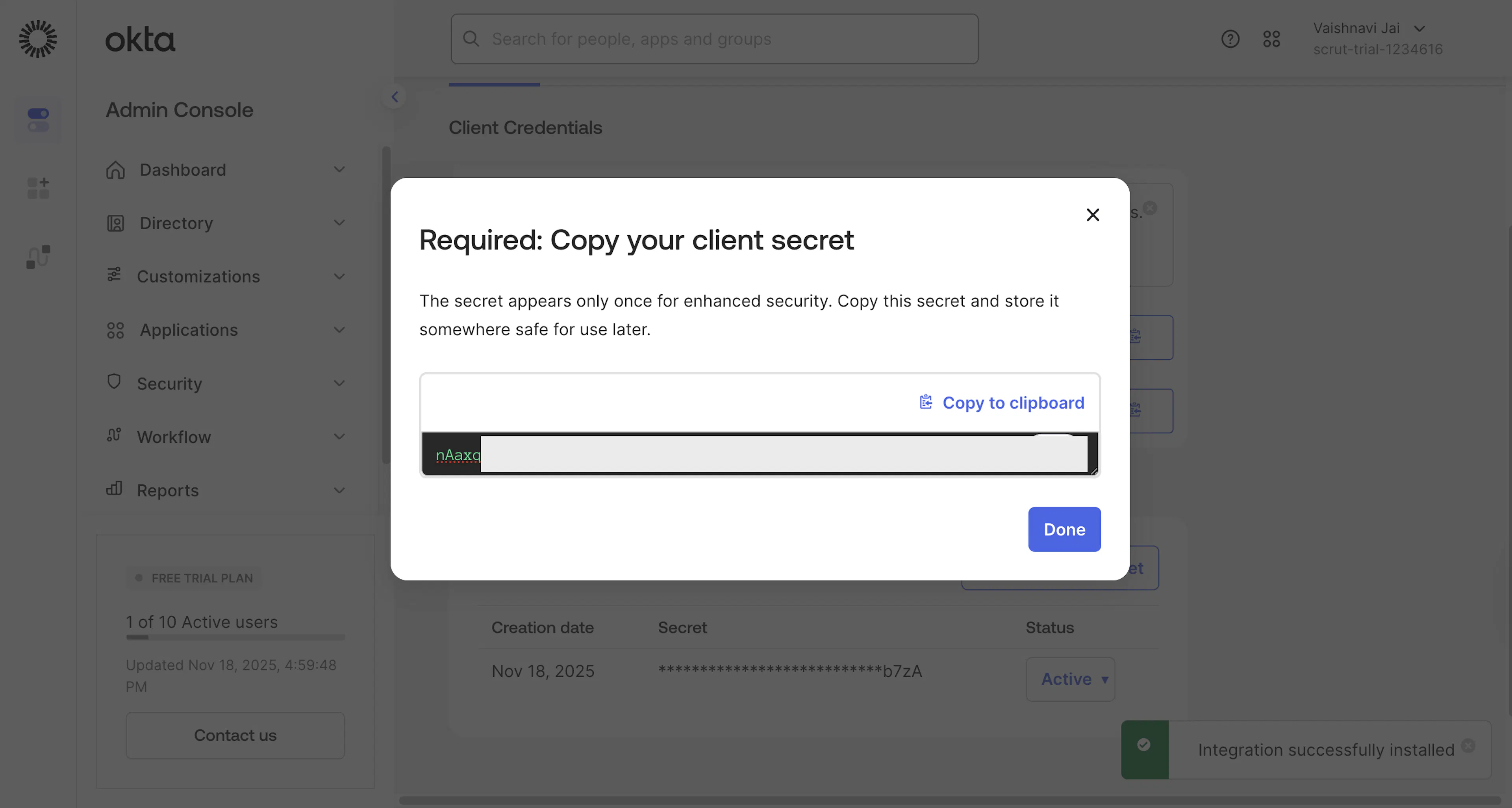
Copy the Client Secret to a safe location. It will not be displayed again.
-
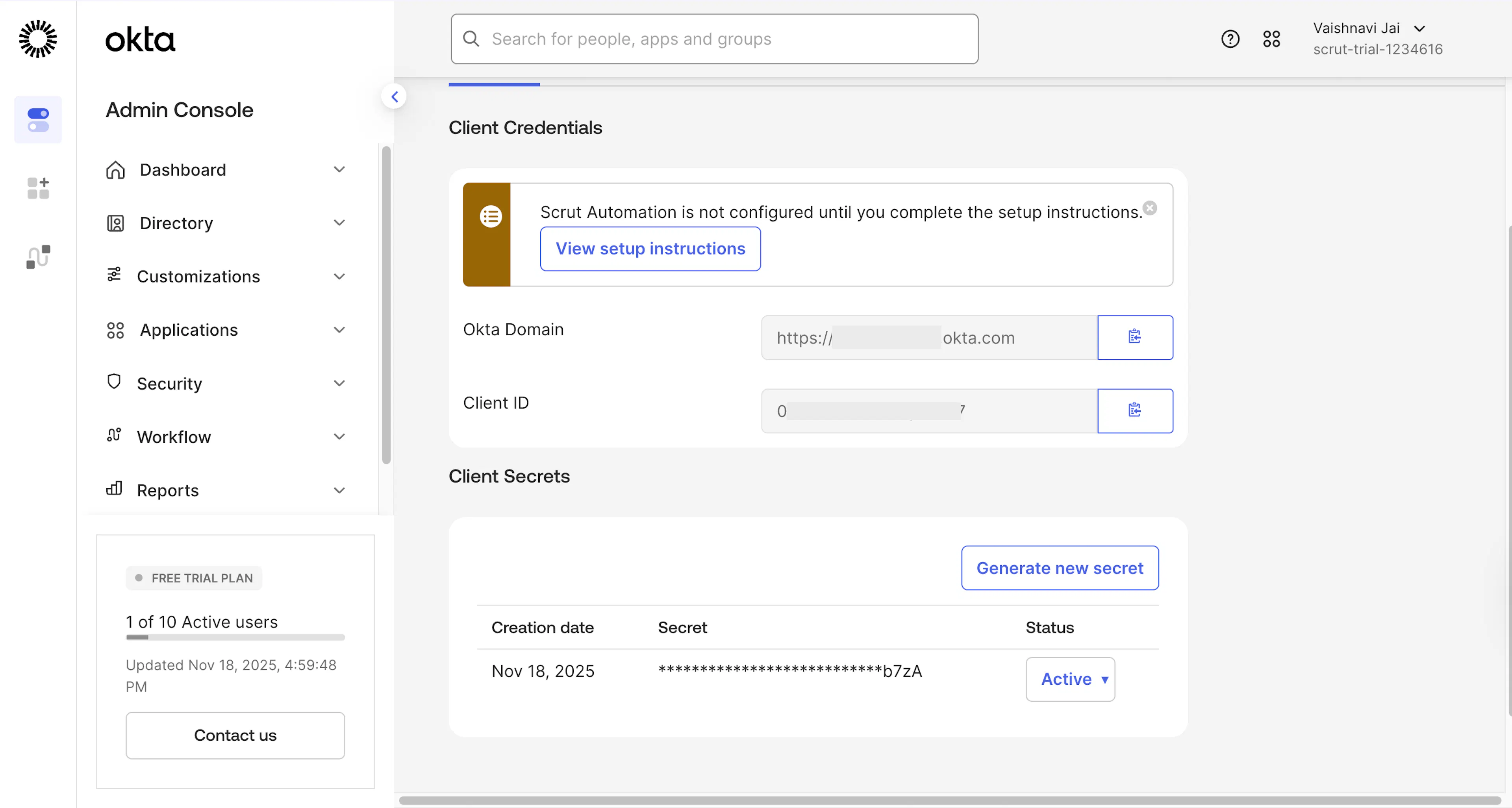
Copy the Client ID and Okta Domain.
Step 2: Go to Integrations in Scrut
-
Sign in to Scrut and click Integrations on the left navigation panel.
-
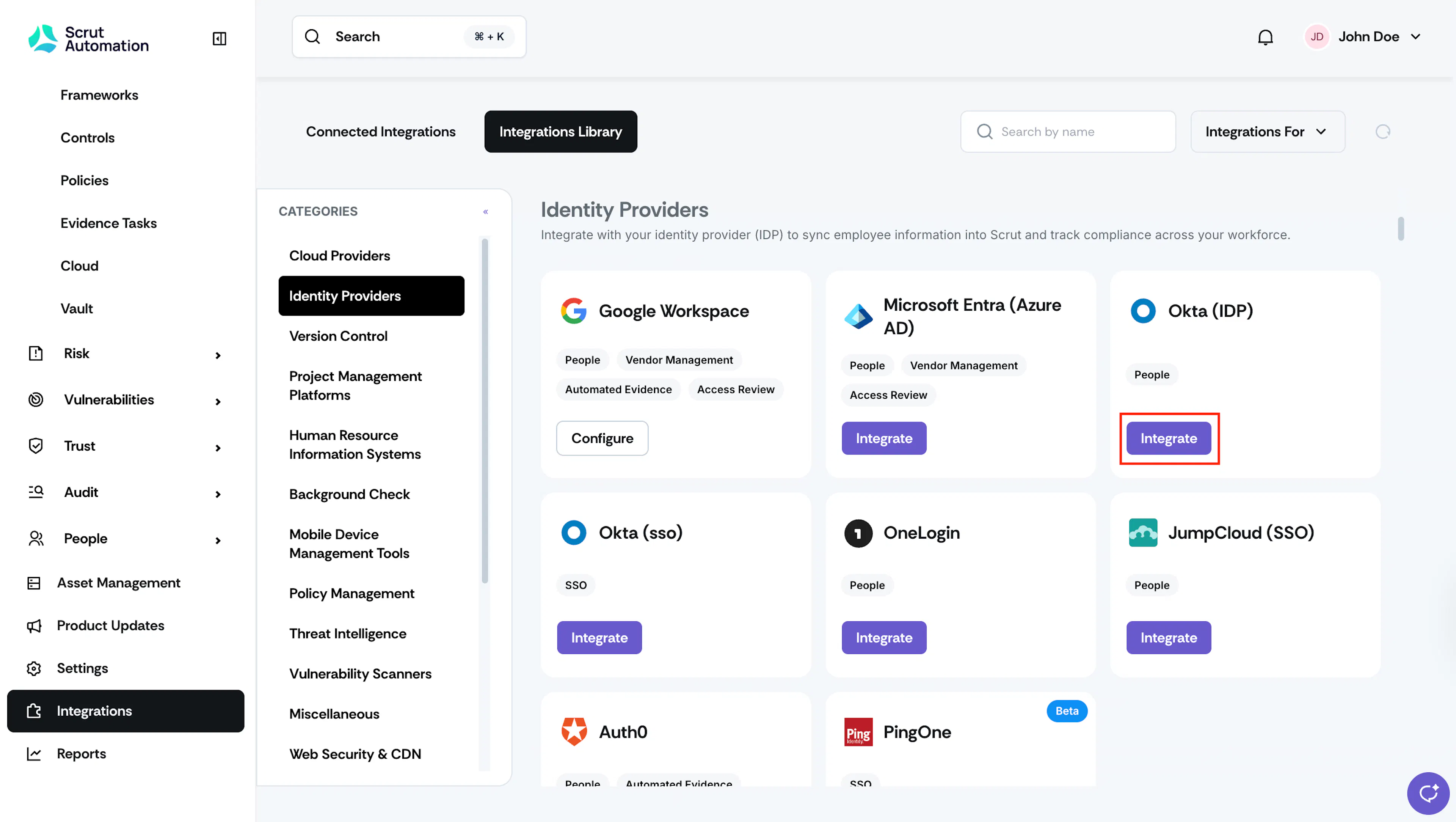
Navigate to the Integrations Library tab, choose Identity Providers in the Categories section.
-
Scroll to the Okta (IDP) tile and click Integrate.
-
Enter the details you fetched in the previous step:
- Client ID
- Client Secret
- Okta Domain
-
Click Submit.
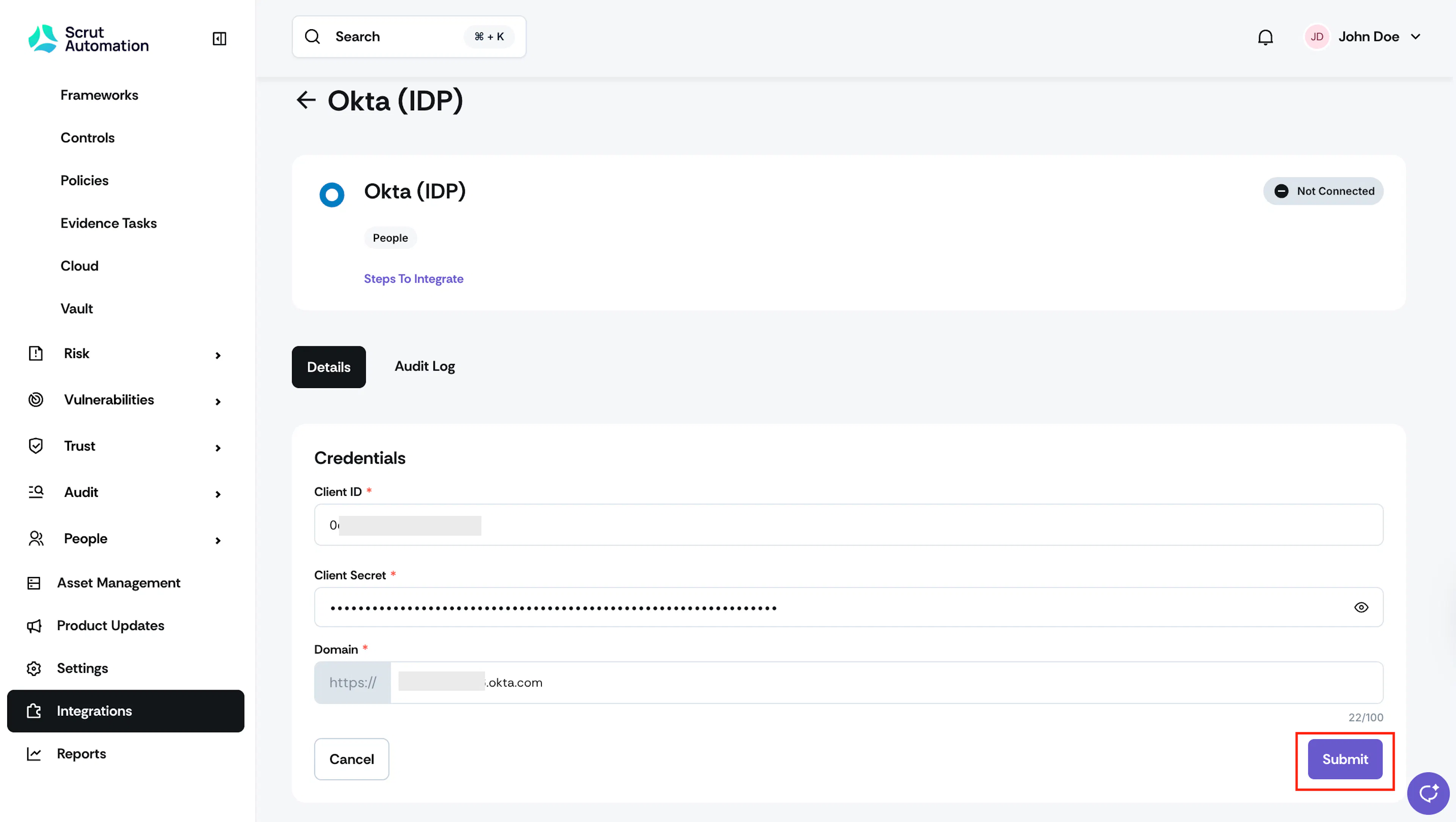
Watch for the success toast message and the Connected status flag indicator.