

Reassess a Vendor
Who can use this feature
- Supported on Foundation, Growth, and Scale plans
Once you have assessed a vendor, you can schedule recurring assessments to keep their risk profile current. You set the recurrence and next assessment date on the vendor's profile, and Scrut handles the rest: notifying the assignee, updating the vendor's status, and surfacing overdue vendors on the dashboard.
Set Up Recurrence
-
Navigate to Risk → Vendors on the left navigation panel.
-
Go to the Vendors tab and click the vendor you want to configure.
-
Locate the Recurrence and Next Assessment Date fields in the Vendor Details tab.
-
Select a recurrence frequency from the Recurrence dropdown. Select Custom to set a frequency that isn't covered by the standard options.
-
Set the Next Assessment Date to the date when the next assessment is due.
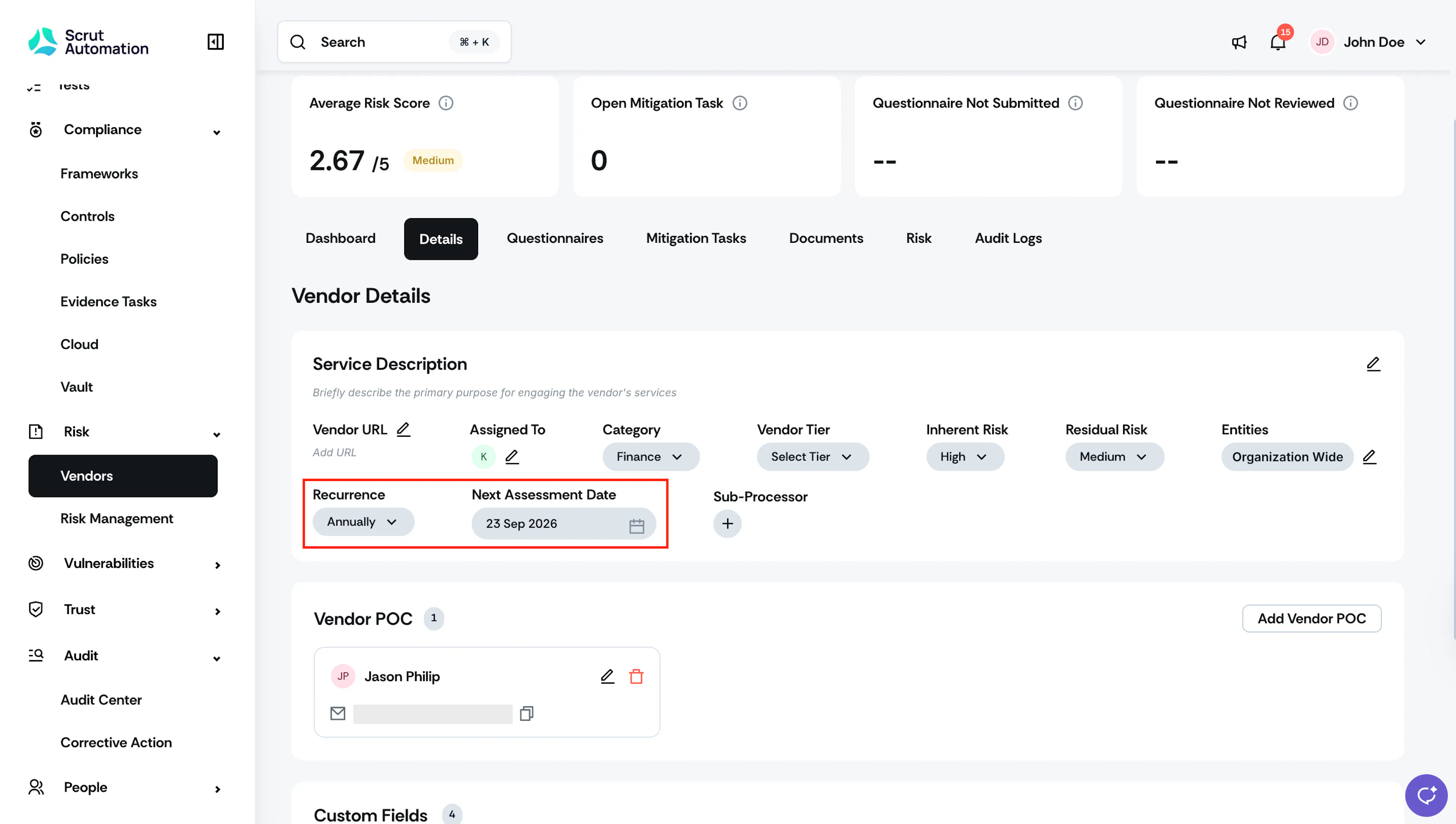
Your recurrence schedule is saved immediately. Scrut uses this date to automatically trigger status changes and notifications.
What Happens on the Assessment Date
When the next assessment date arrives, Scrut changes the vendor's status from Completed to Needs Attention.
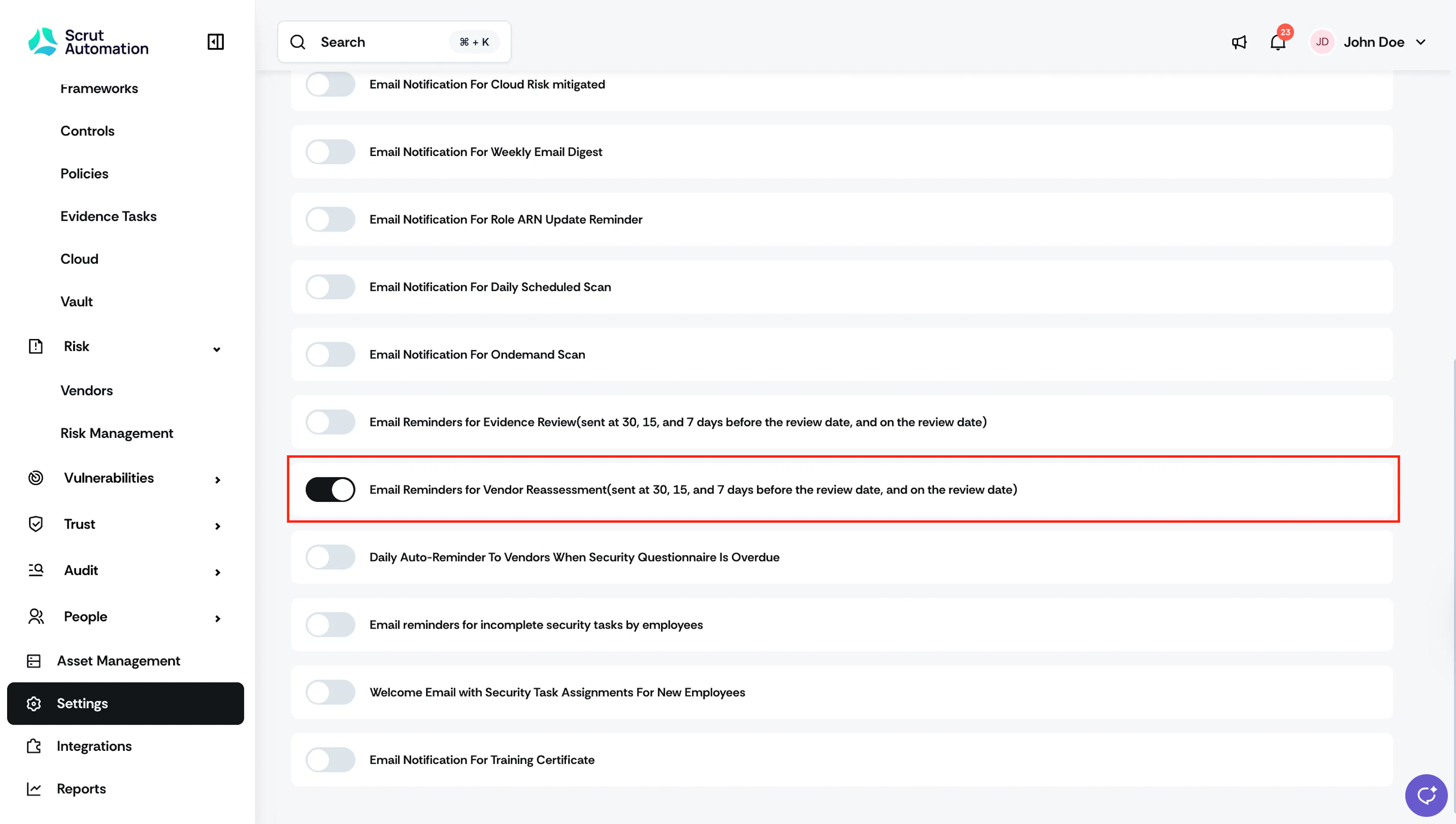
Note: Before the next assessment date, Scrut sends an email notification to the vendor's assignee as a reminder to re-evaluate the vendor. To turn this notification on or off, navigate to Settings → Notifications and look for Email Reminders For Vendor Reassessment (30, 15, and 7 days before the next assessment date).
What Happens to the Assessment Timeline
When the next assessment cycle begins, the Vendor Assessment Progress timeline resets on the vendor's detail page. The previous cycle collapses into a Past Assessment node, with a Summary link to review the prior cycle's findings and a Revise Date link to adjust the next assessment date directly from the timeline.

The remaining steps, Collect Documents, Send Questionnaire, Review Risk, and Final Assessment, reset to their initial state for the new cycle. Review Risk and Final Assessment stay locked until you complete or skip Collect Documents or Send Questionnaire, the same as in a first-time assessment.
See Track Vendor Assessment Progress for a full breakdown of each step.
Start the Reassessment
-
Navigate to Risk → Vendors, then open the vendor in the Needs Attention status.
-
On the vendor's detail page, use the Vendor Assessment Progress timeline to pick up the new cycle:
- Click Collect Now or Skip on the Collect Documents step
- Create or Skip on the Send Questionnaire step. See Sending Questionnaires to Vendors for step-by-step instructions on sending a questionnaire.
The vendor's status changes to In Progress once the questionnaire is sent.
Track Vendors that Need Reassessment
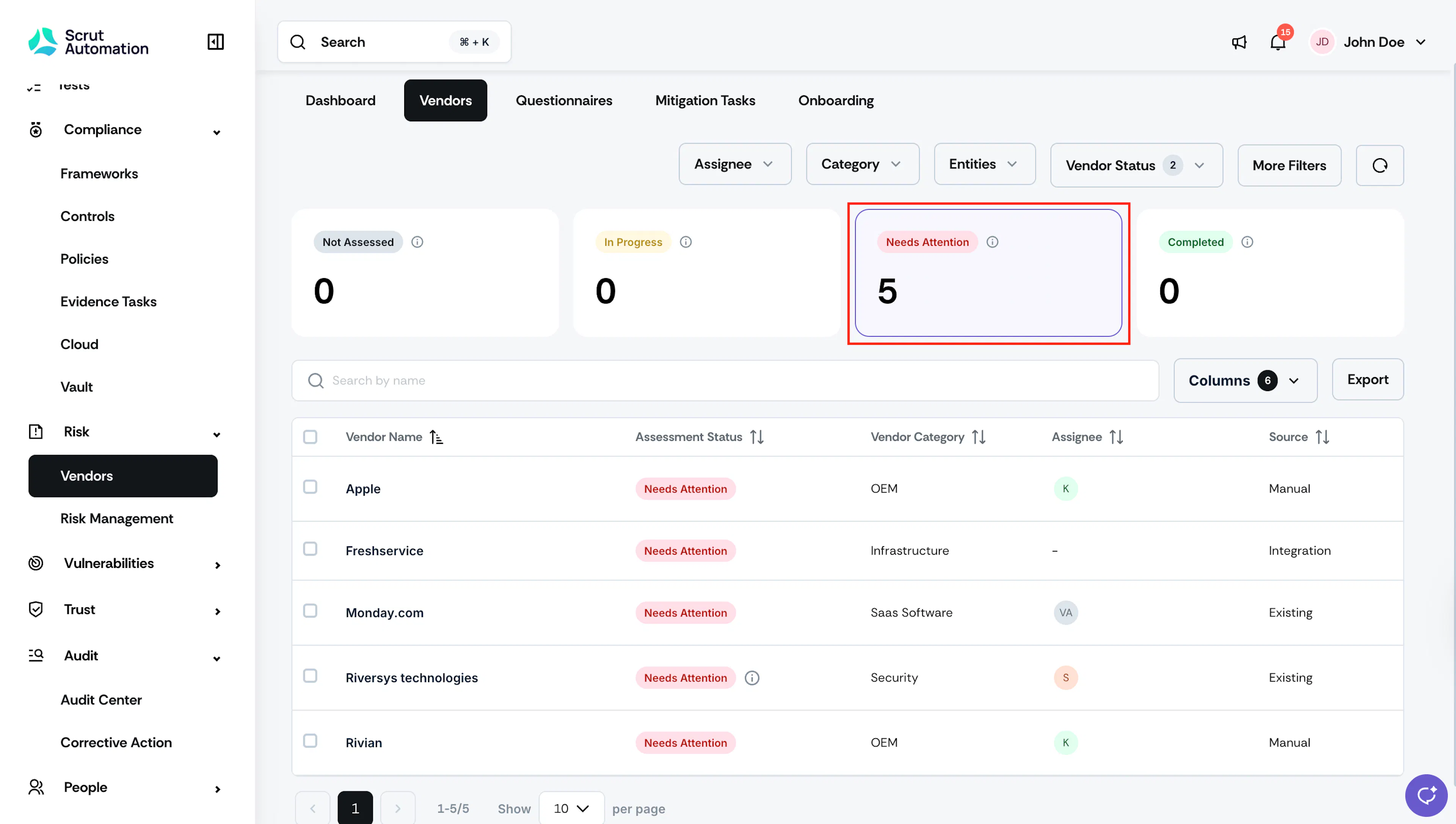
The Vendor Dashboard includes a Needs Attention metric that shows the count of all vendors currently in that status. Click the metric to filter the vendor list to only those vendors.
Pro Tip!
The Needs Attention metric on the dashboard is the fastest way to spot vendors you may have missed. Check it regularly as part of your vendor review routine.
Reach out to support@scrut.io or contact your CSM for further assistance.