

Add Policy Assignees
Who can use this feature
- Supported on Foundation, Growth, and Scale plans
You can add policy assignees in two ways:
Add Assignees to a Single Policy
-
Sign in to Scrut and click Compliance → Policies on the left navigation panel.
-
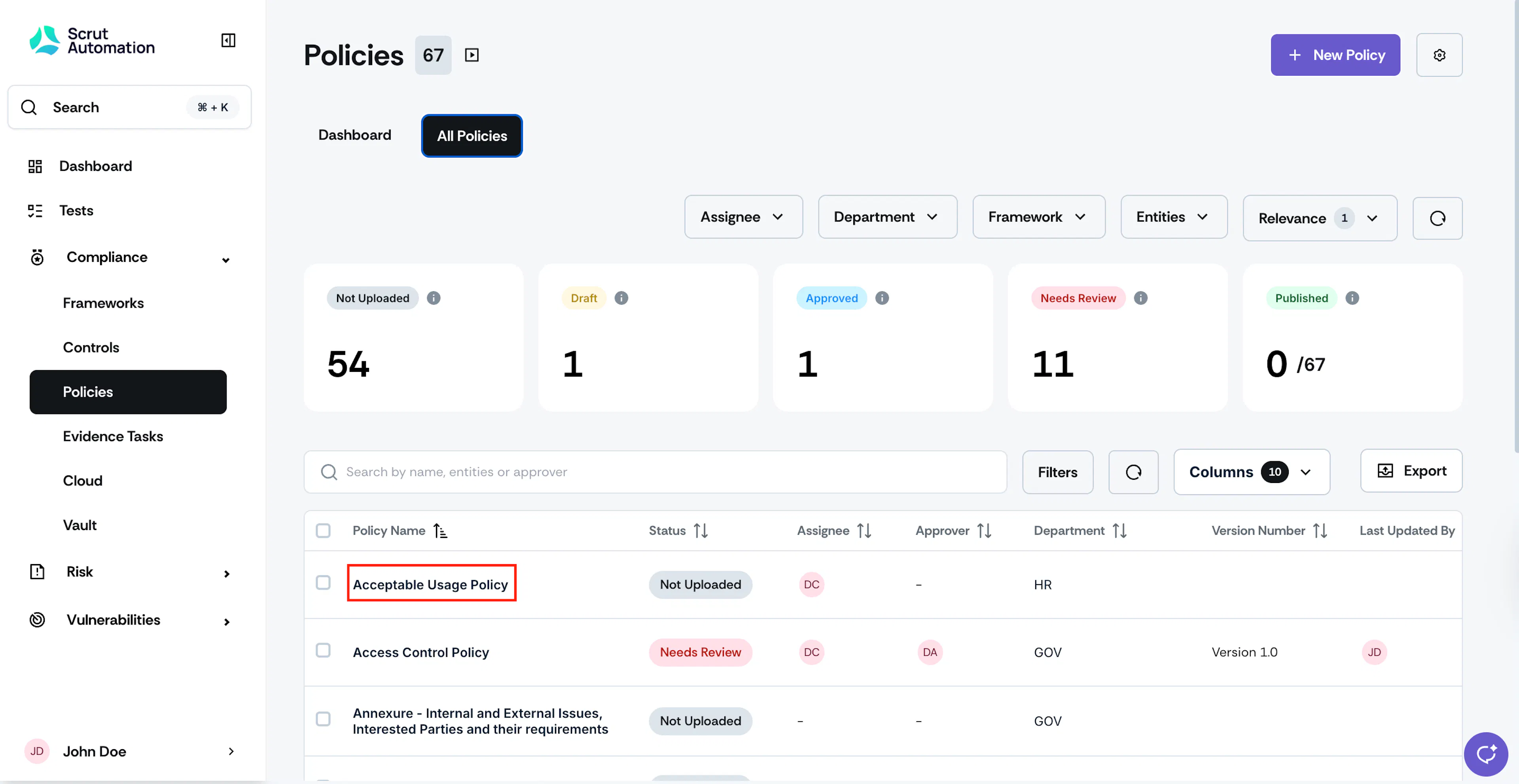
Go to the All Policies tab and select the policy to which you want to add an assignee.
-
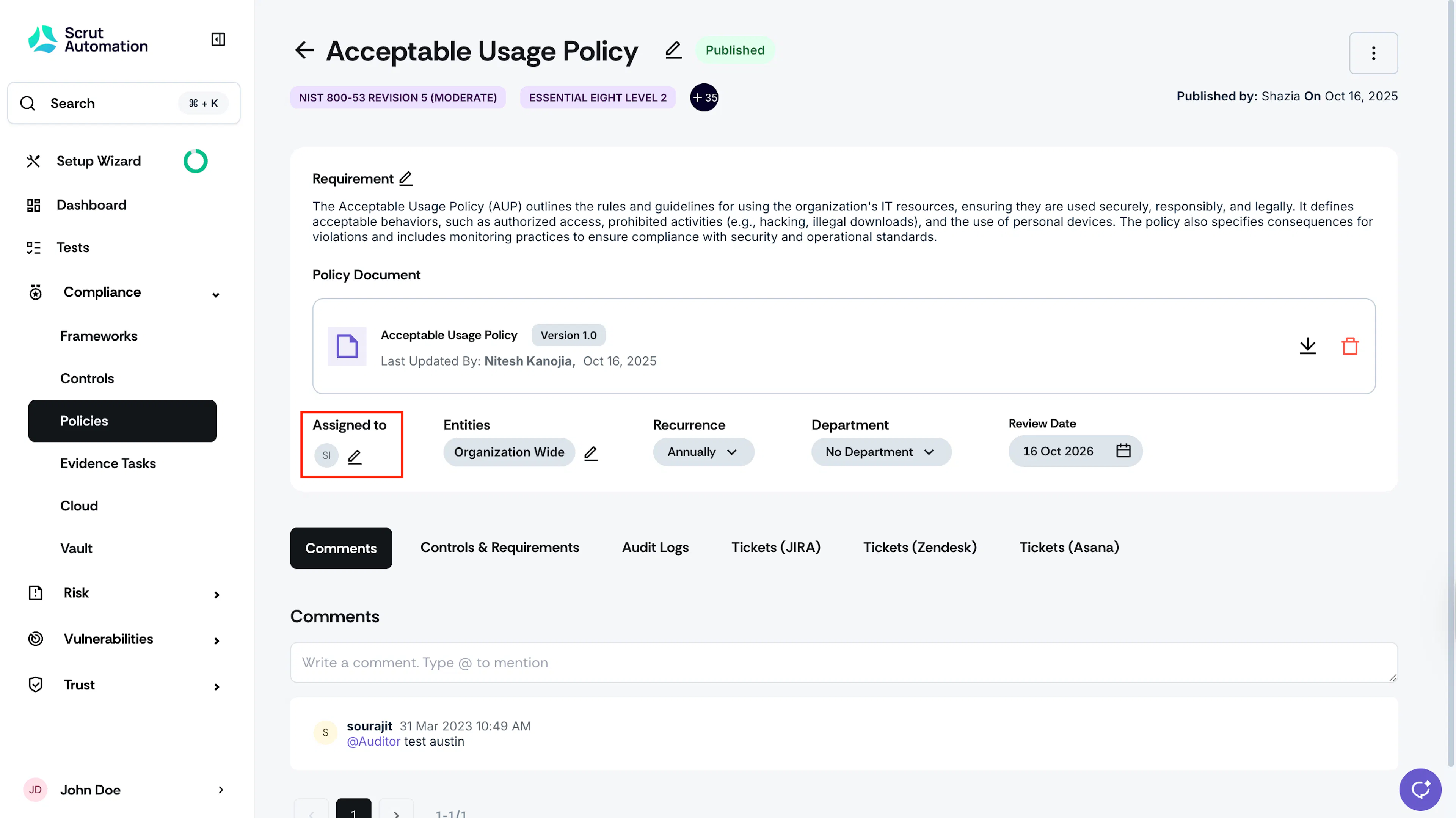
Click the + icon under the Assigned to section.
-
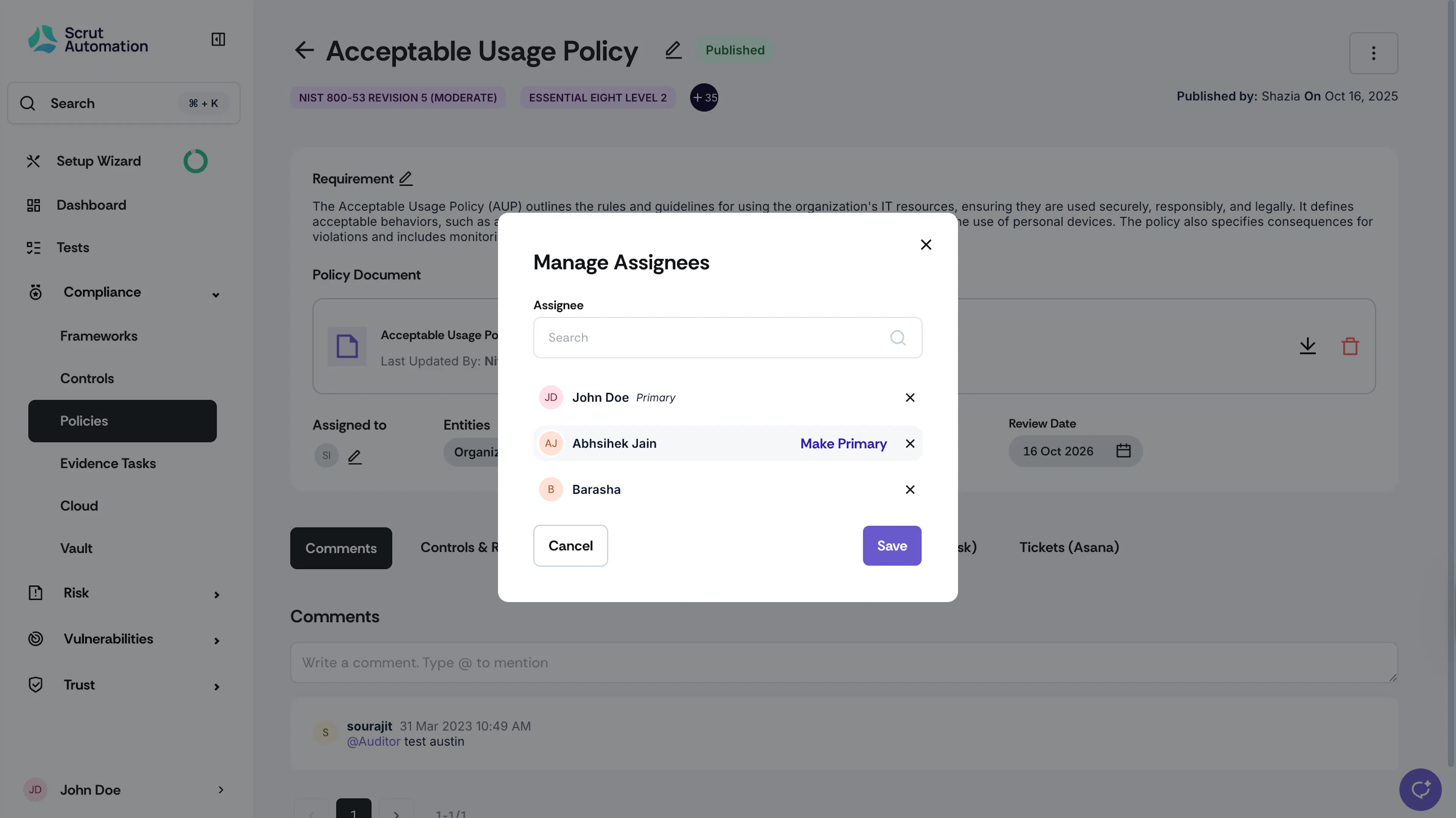
Choose the required assignees from the dropdown.
-
To designate a primary assignee, click the Make Primary option next to the desired name.
-
Add as many assignees as required.
-
Click Save to finalize the assignments.
Heads Up!
Once added, Scrut will notify all assignees via email regarding their new policy assignment.
Add Assignees for Multiple Policies
Scrut also gives you the flexibility to add assignees to several policies at once:
-
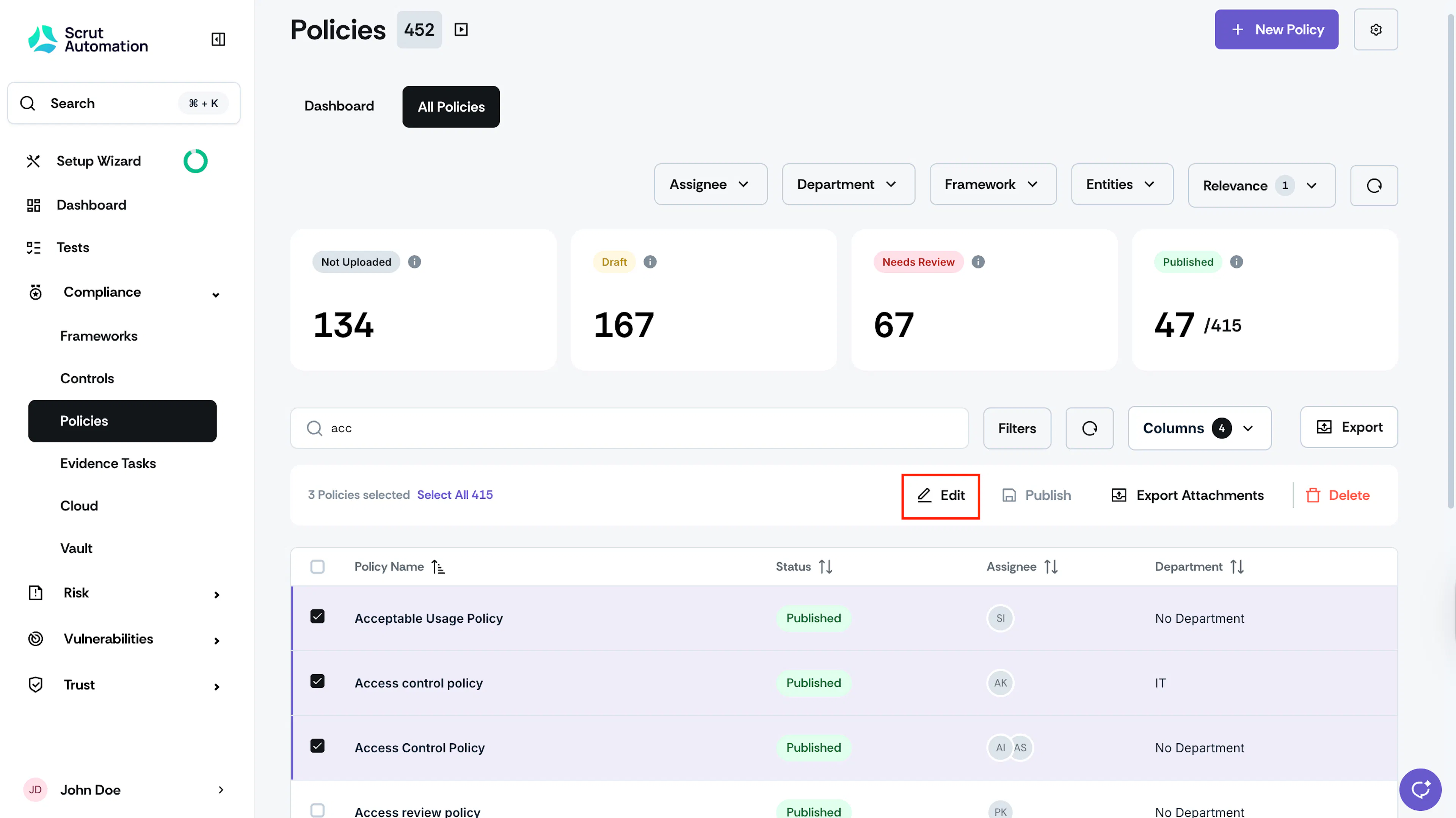
Go to the All Policies tab and select the policies that require assignees.
-
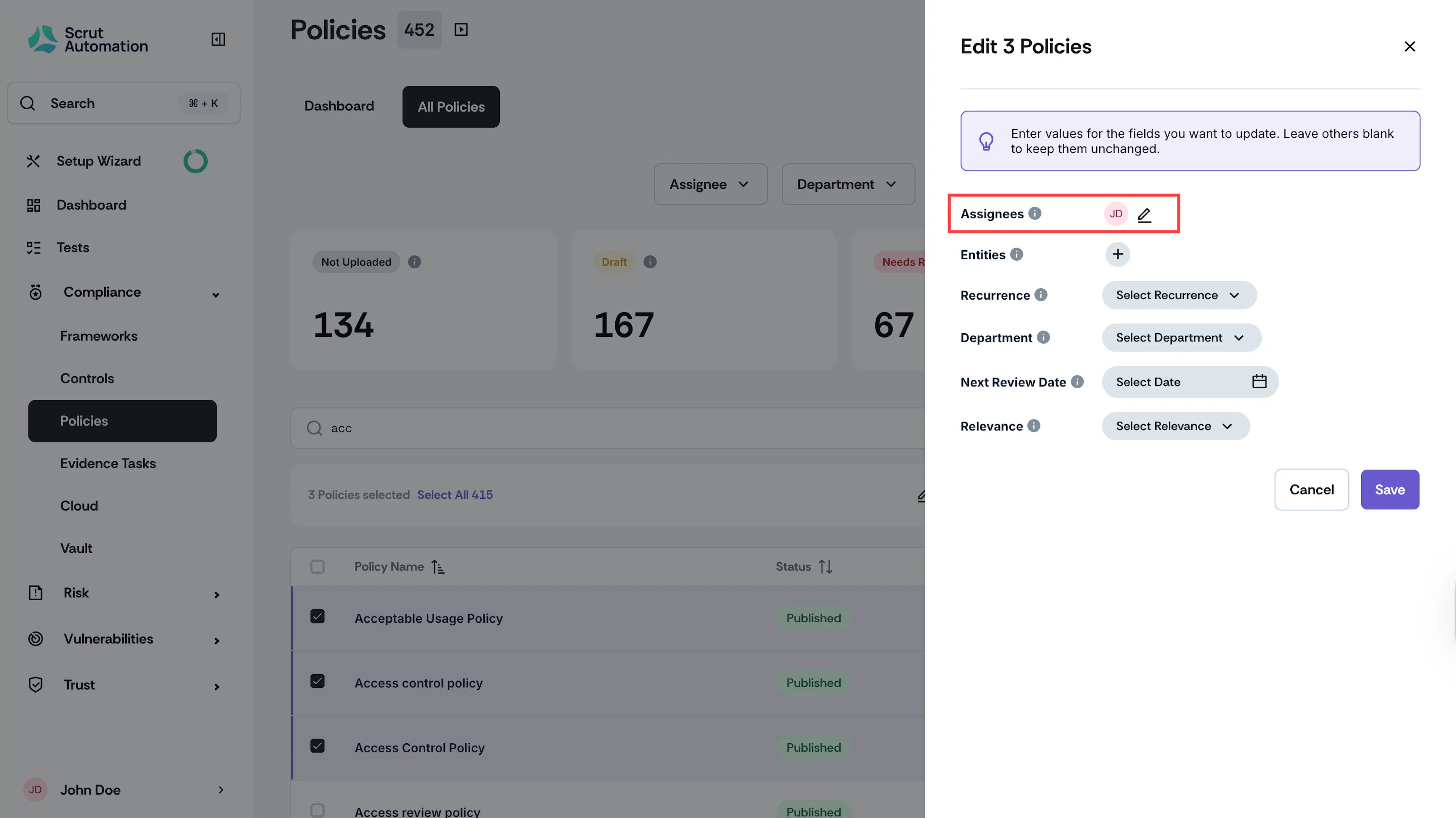
Click the Edit button at the top of the Policies table.
-
Click the + icon next to the Assignees field.
-
Choose the required assignees from the dropdown.
-
To designate a primary assignee, click the Make Primary option next to the desired name.
-
Add as many assignees as required.
-
Click Save to complete the bulk assignments.
Note:
If you wish to retain the existing values for fields like Department, Recurrence, Entities, and Relevance, simply leave them unchanged. Scrut will only update the fields you've modified in this window, ensuring that the other values remain intact.