Set a Policy Review Cycle
Who can use this feature
- Supported on Foundation, Growth, and Scale plans
Scrut allows you to establish systematic and timely reviews of your organization's policies, ensuring they remain up-to-date and aligned with evolving industry standards.
Understanding the Policy Review workflow
- Admin Sets the Policy Review Cycle: After the policy is published, the admin creates a specific review cycle. This cycle defines when and how often the policy should be examined for accuracy and compliance.
- On the Day of Policy Review: When the scheduled review date arrives, the status of the policy changes from "Published" to "Needs Review." An email notification is then sent to the designated assignee, reminding them to take action.
- Assignee Reuploads the Policy: The assignee, responsible for the review, uploads the updated policy. This initiates the policy approval workflow.
Important:
A policy must be published before setting up a review cycle.
You can set the review cycle in two ways:
Set the Review Cycle for a Single Policy
-
Sign in to Scrut, and go to Compliance → Policies using the left navigation menu.
-
Go to the All Policies tab.
-
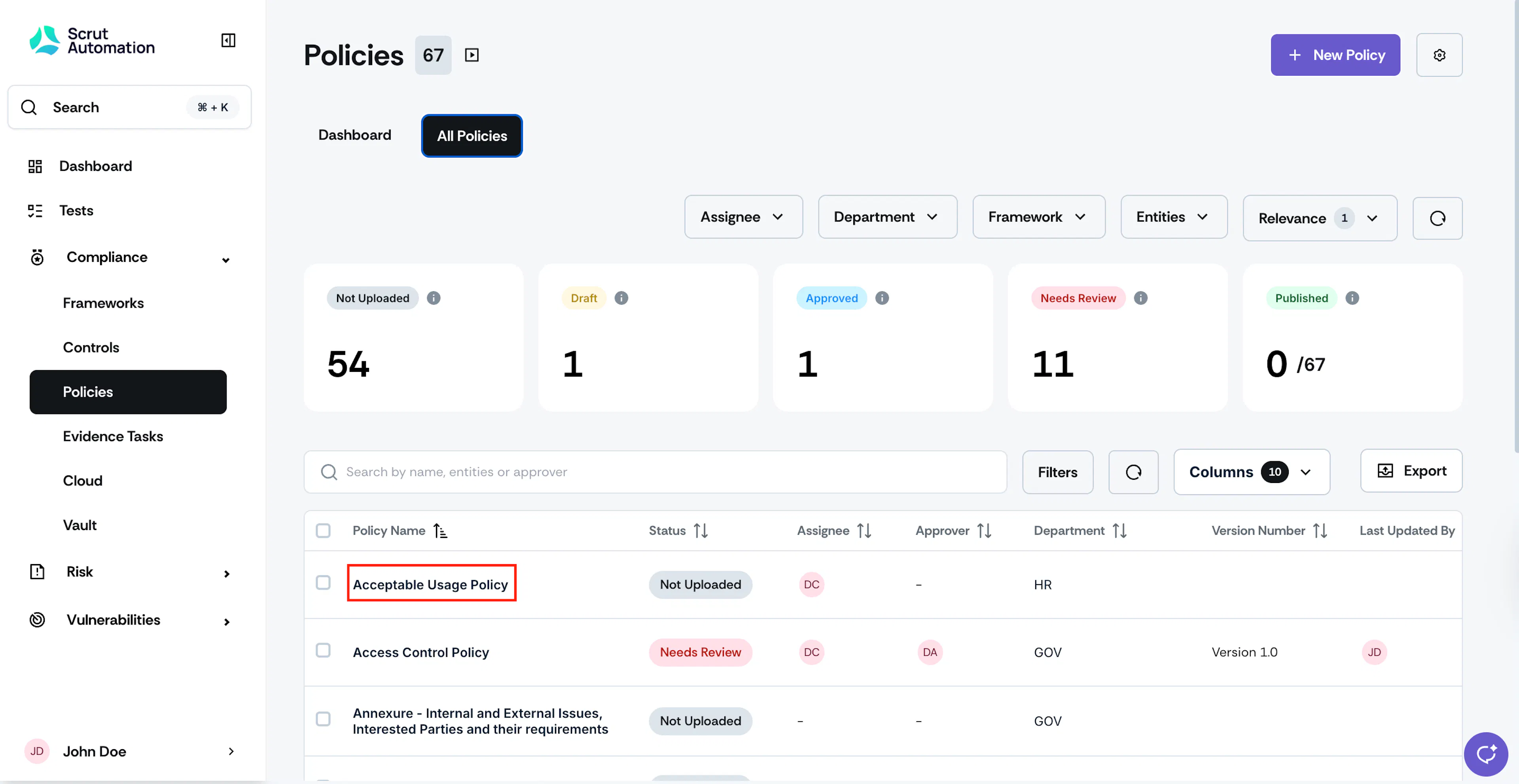
Click the policy for which you want to set up a review cycle.
-
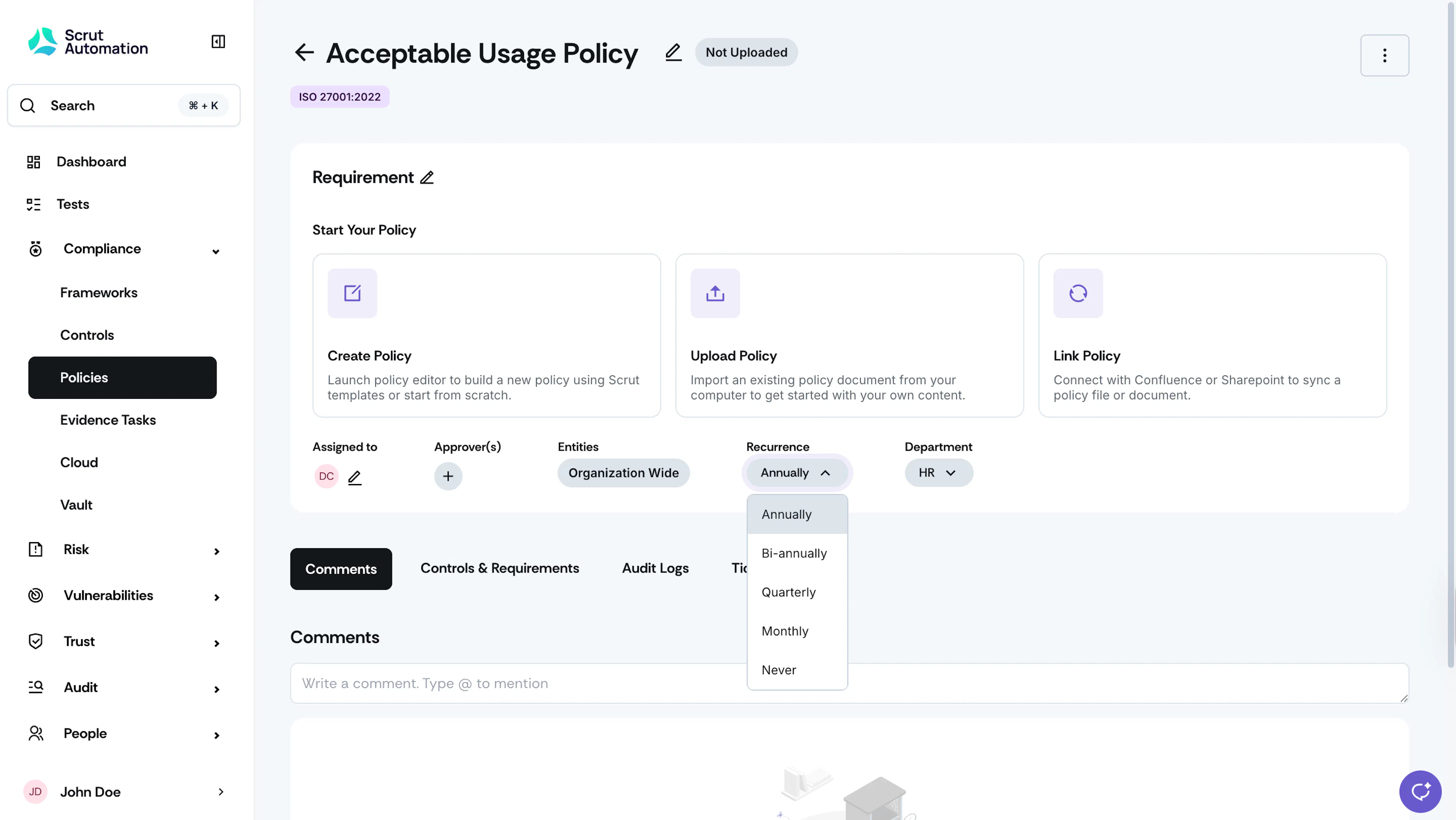
From the Recurrence dropdown menu, select the recurrence.
Note:
Policy Review Date = Date of publication of the policy + selected recurrence interval.
Review Date Calculation
The Policy Review Date is calculated based on the recurrence period, not the policy upload date.
- At the start of each new recurrence period (Monthly, Quarterly, Bi-Annually, or Annually), the policy automatically transitions to Needs Review status.
Example:
If a policy has a quarterly recurrence and was published on January 20, the subsequent review dates would be:
- April 1
- July 1
- October 1
Set the Review Cycle for Multiple Policies
-
Sign in to Scrut, and go to Compliance → Policies using the left navigation menu.
-
Go to the All Policies tab.
-
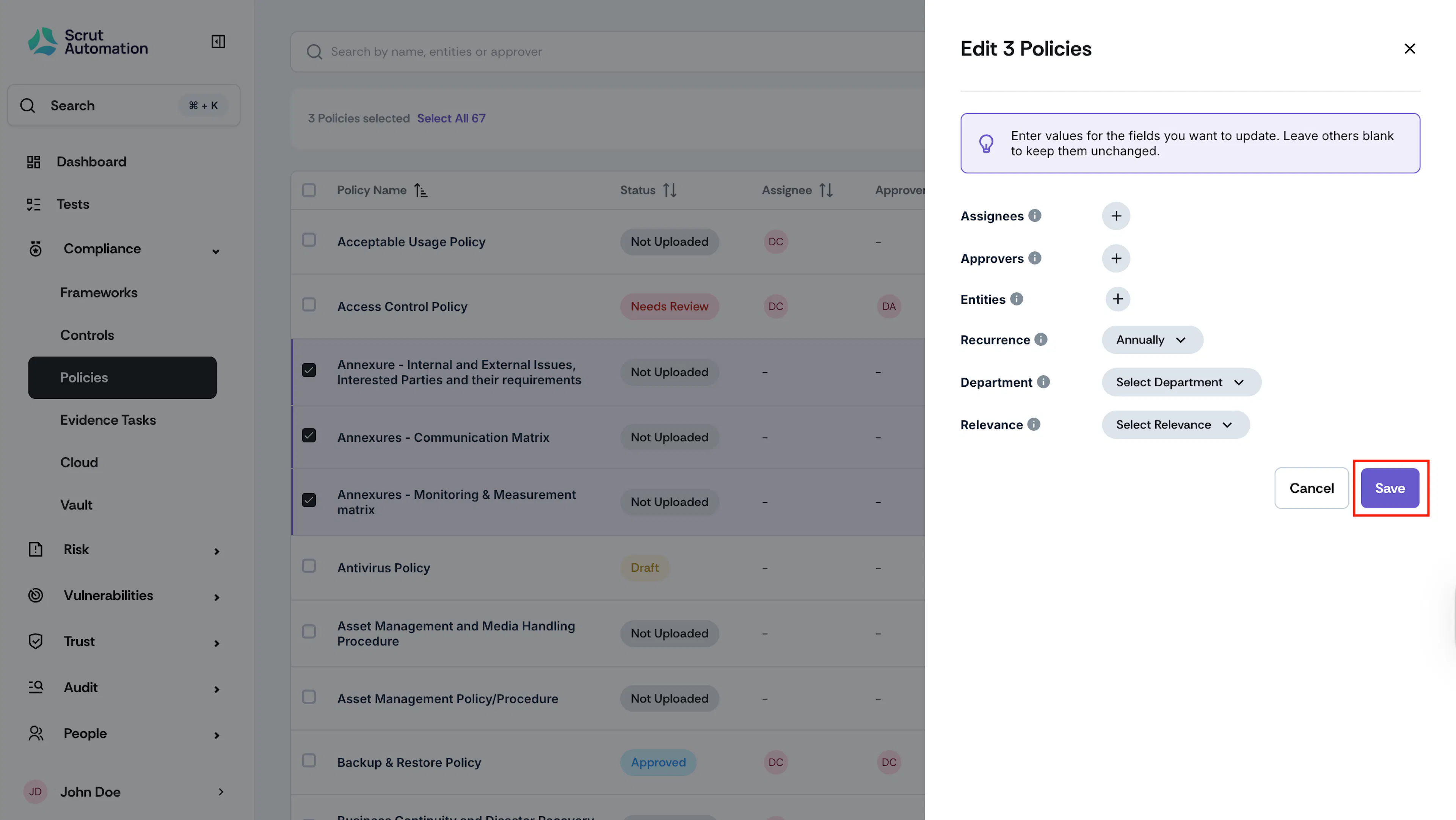
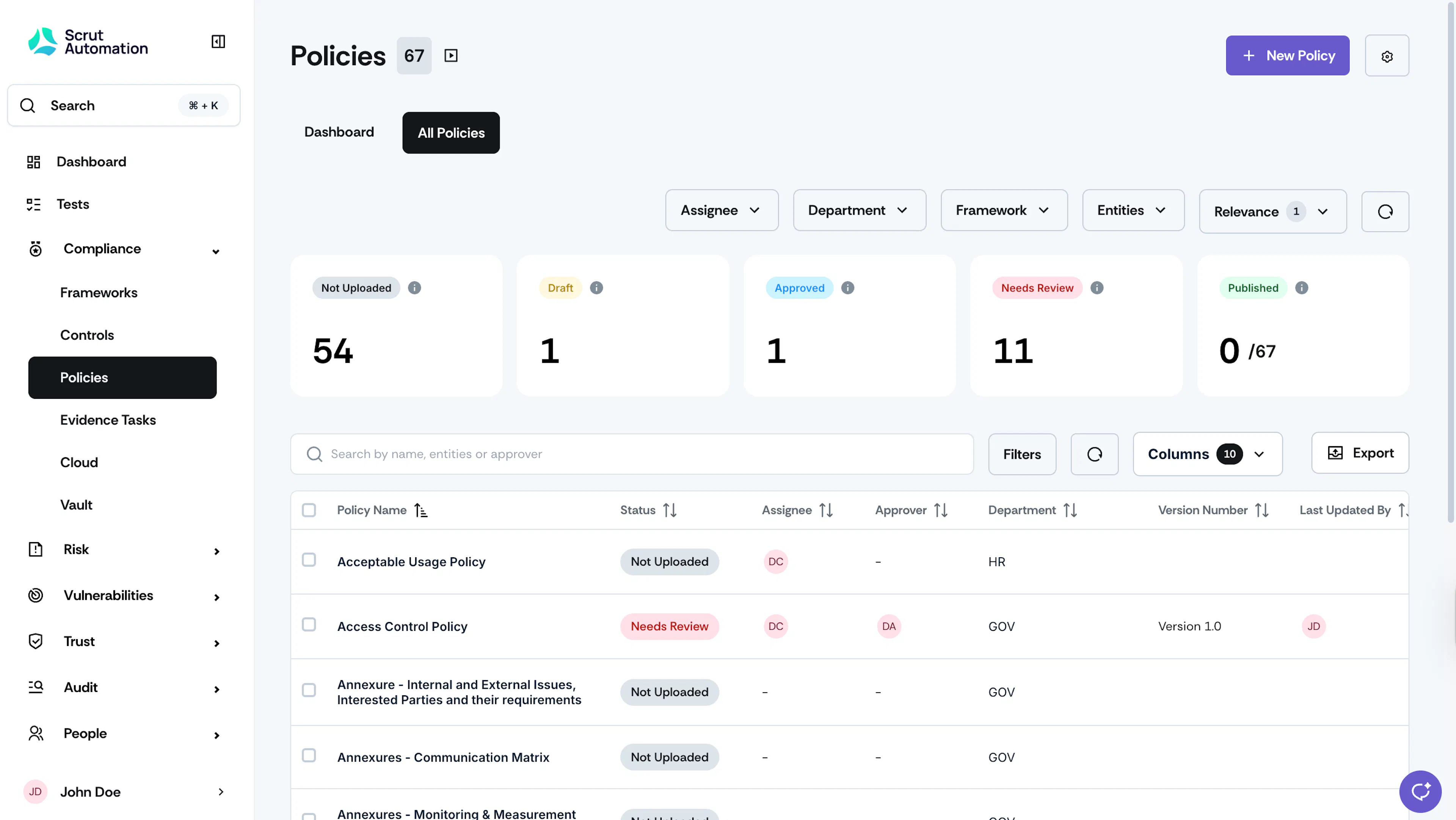
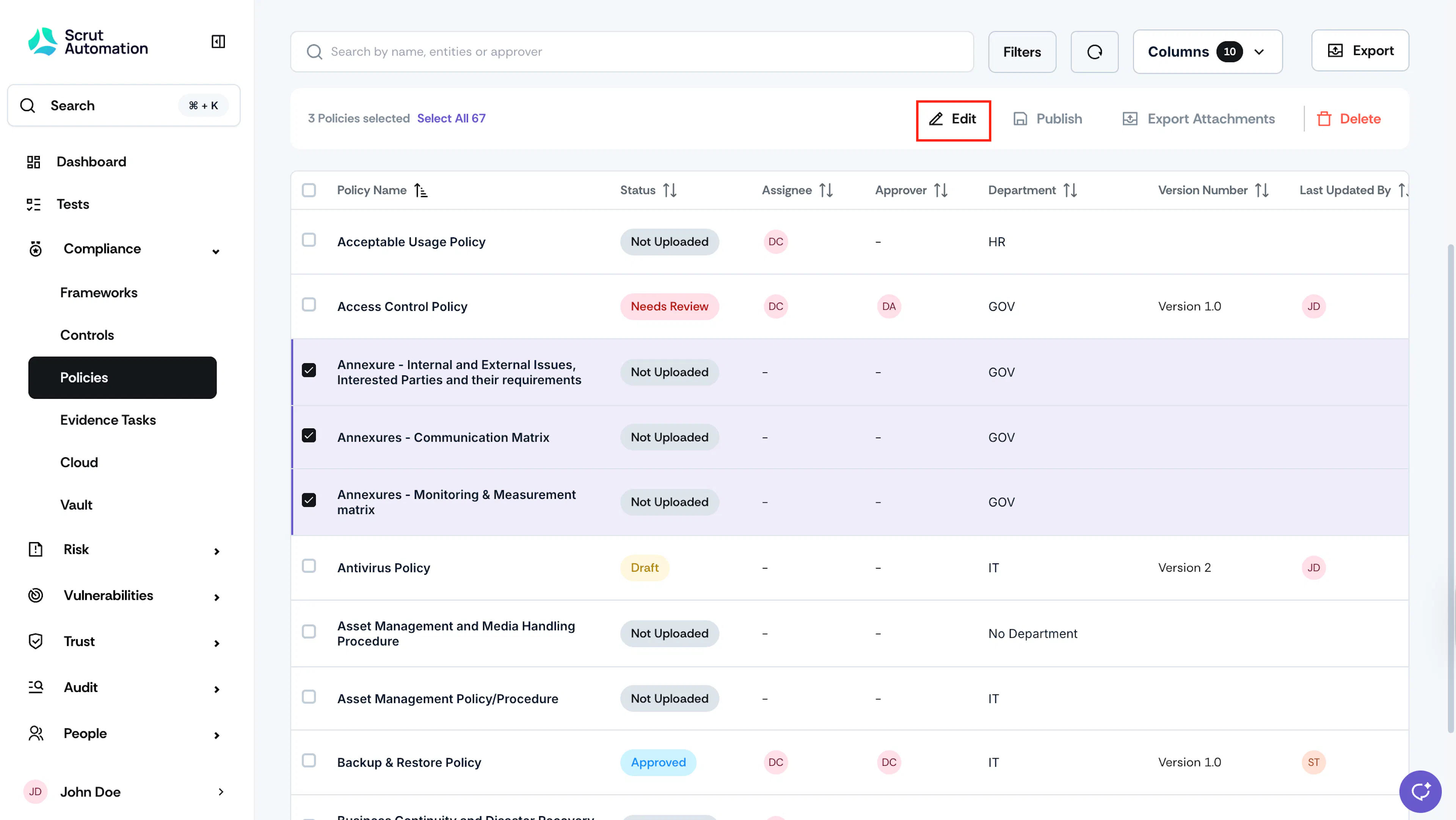
Select the policies for which you want to set up a review cycle and click Edit.
-
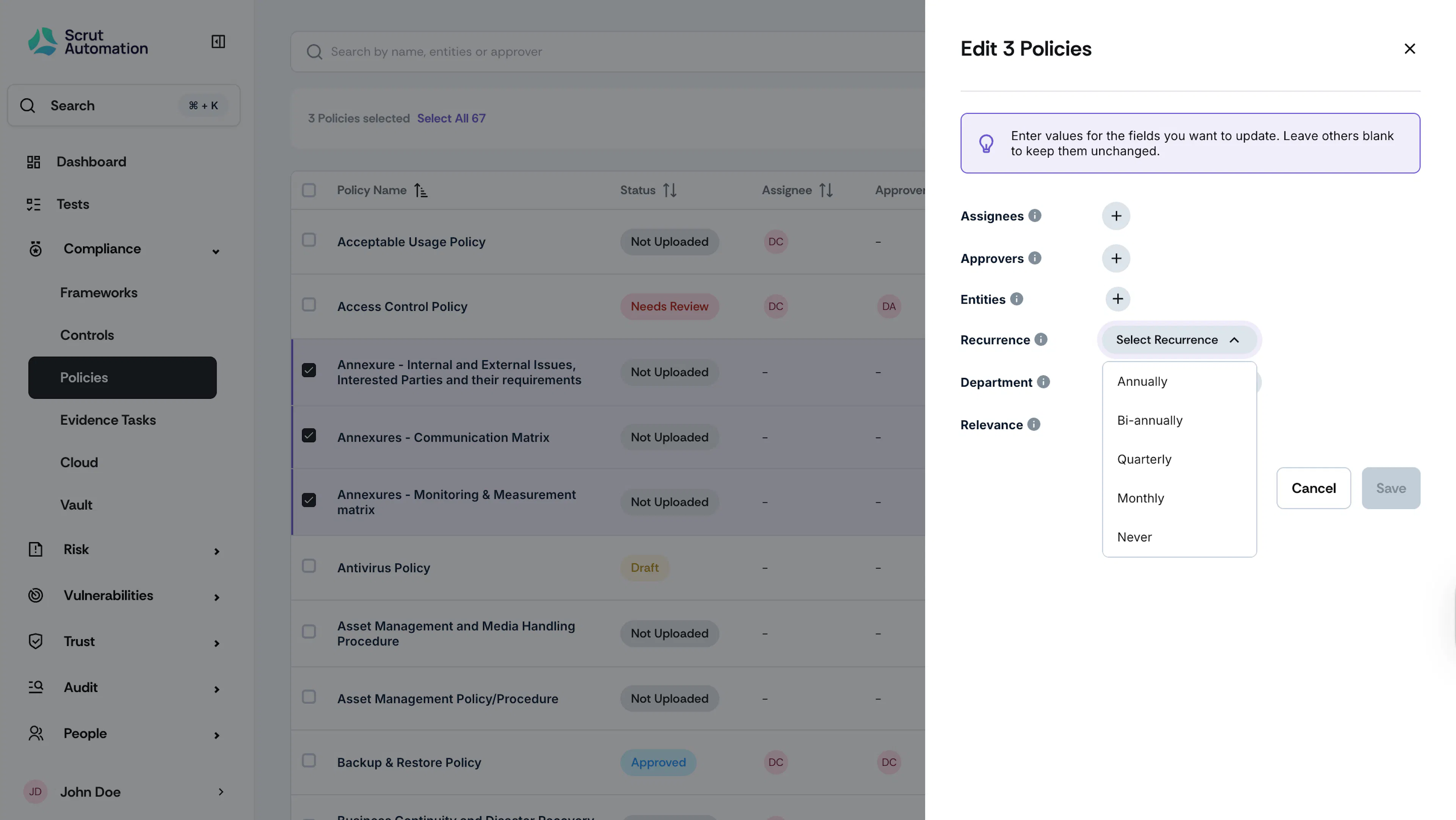
From the Recurrence dropdown menu, select the recurrence.
-
Click Save.