

Tests: Walkthrough
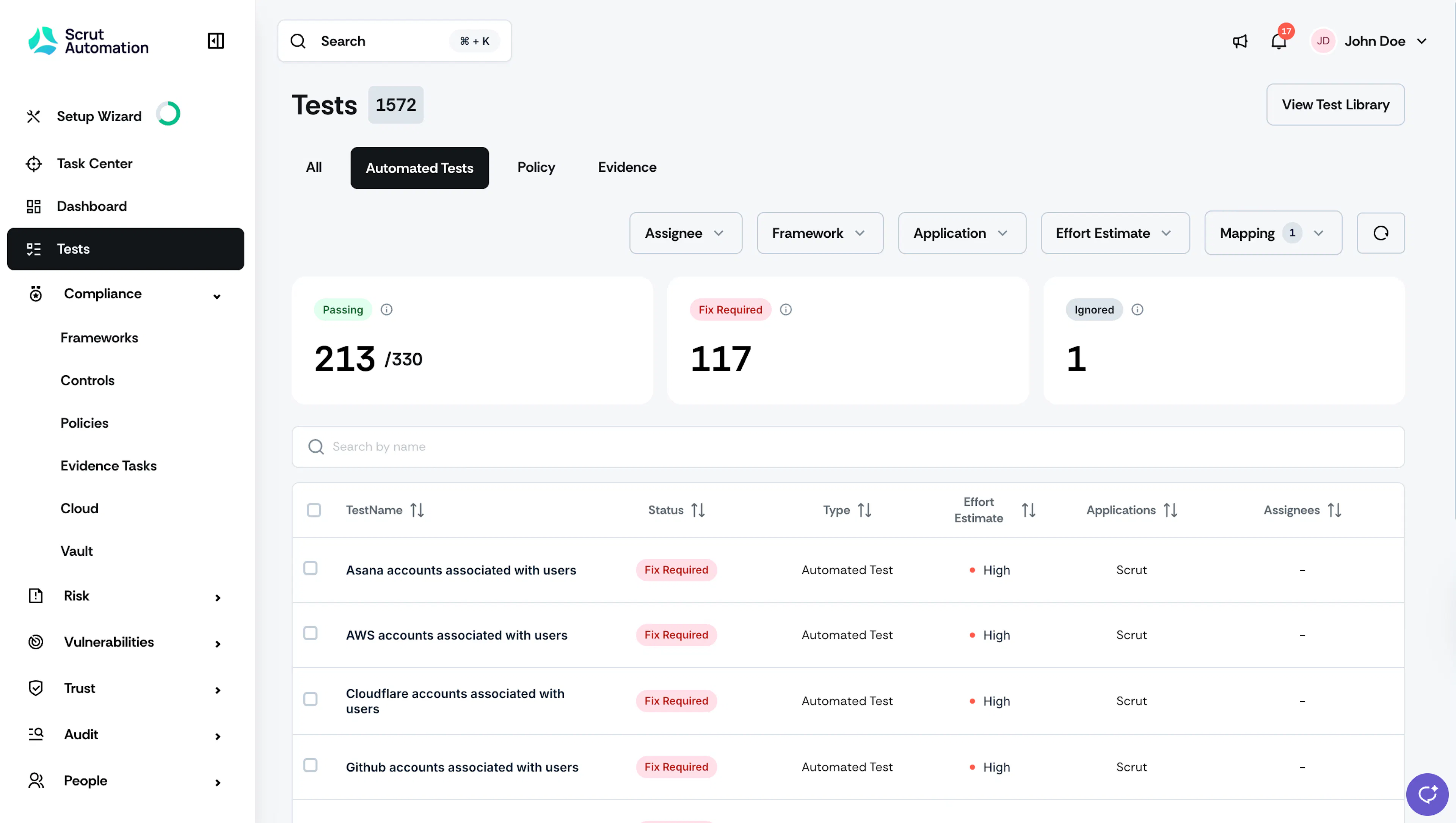
The Tests module offers a centralized dashboard for monitoring and managing all action items and automated tests related to the frameworks you’re working towards. It consolidates policies, evidence tasks, and automated tests into a single dashboard, providing comprehensive real-time insights into your security posture.
This module automatically generates tests based on your chosen frameworks, connected integrations, and policies. This automation saves time and reduces the manual effort required to perform these tests and checks. Additionally, this module also provides you with actionable steps to remediate open issues and progress towards compliance.
Key Benefits
Here are a few ways in which the Tests module adds value to your workflow:
- Consolidated View: Get real-time insights into security vulnerabilities and compliance status from a single dashboard.
- Actionable: Access action items across all frameworks, identify items that require your attention, and quickly resolve them using Scrut’s step-by-step remedial actions.
- Simplified evidence collection: Automate evidence collection for your audits. With automated tests running 24/7 across your connected integrations, you no longer need to manually gather most evidence—reducing effort, saving time, and ensuring accuracy.
- Powerful filters: Filter tests based on frameworks, categories, assignees, etc.
- Efficient workflow: Take action directly from the Tests dashboard instead of navigating to multiple dashboards.
- Tests Library: Use Scrut’s extensive test library to address security and compliance issues proactively.
Overview of the Tests Module
Log in to your Scrut account and click the Tests tab in the left navigation panel. The All Tests tab lists all automated tests, policies, and evidence tasks. The cards at the top indicate the number of items under each status.
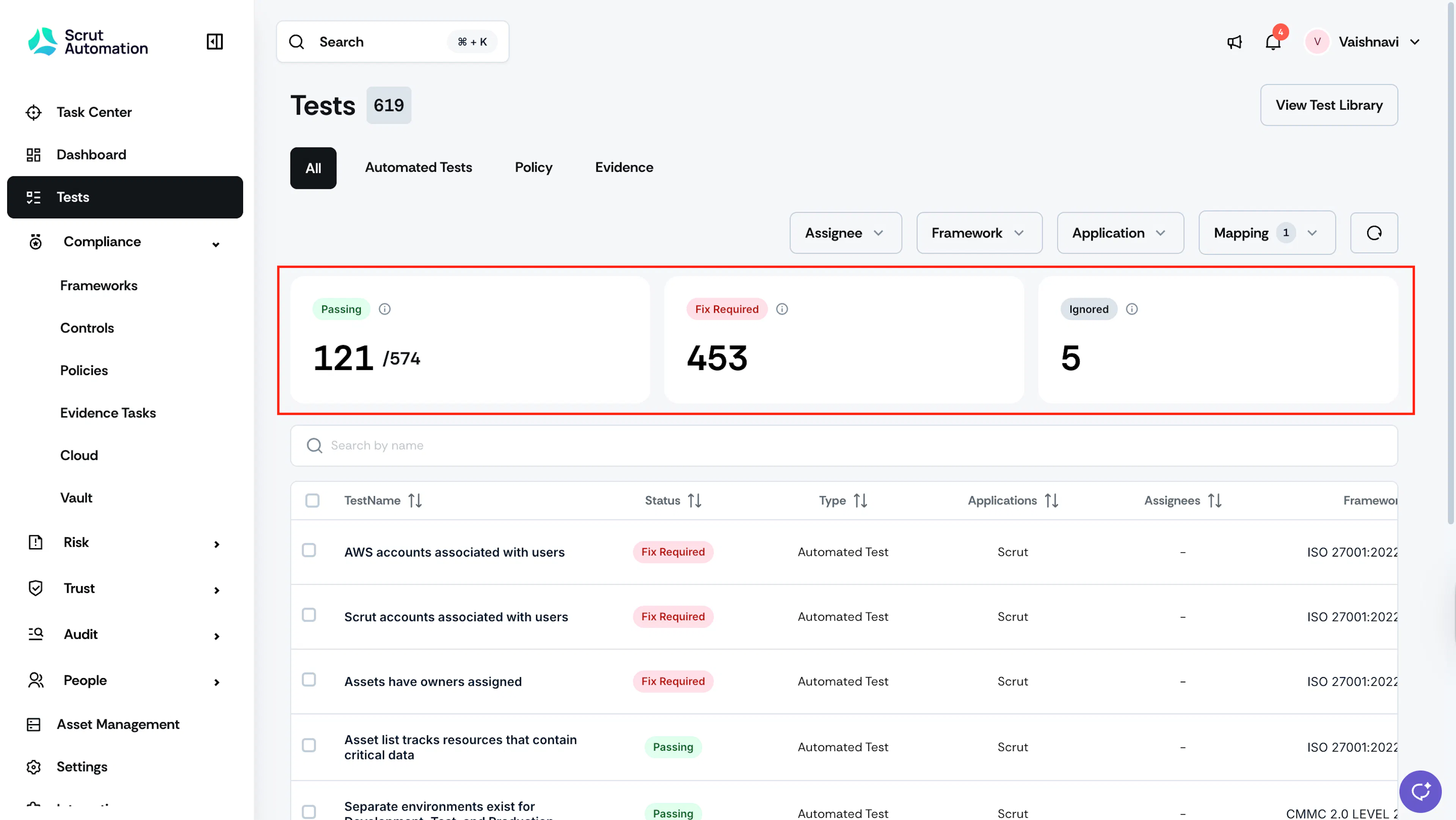
The test status cards are categorized based on the following statuses:
- Passing: Tests that are passing and compliant
- Fix Required: Tests that are failing and require remediation
- Ignored: Tests that you have marked out of scope based on your organization’s security posture
Pro Tips!
- Use the filters and sorting tools to refine and rearrange the data in this table, per your preferences.
- Using the Mapping filter to view unmapped tests, policies, or evidences, not linked to any compliance control. This helps to distinguish between items that directly impact compliance and those meant for general security posture.
The Tests module includes three primary tabs:
Automated Tests Tab
Scrut runs several automated checks on your cloud providers and integrated systems, including vulnerability scans, penetration tests, code reviews and social engineering tests.
The primary goal of these tests is to identify and alert you to potential security weaknesses. By uncovering these vulnerabilities, you can take proactive steps to enhance your security posture. The best part is that Scrut not only alerts you but also provides actionable insights on how to remediate failing tests.
These automated tests come from two primary sources:
- Integrations: Scrut scans the metadata of connected cloud providers (AWS, Azure, GCP) and other integrations to generate tests.
- Scrut: Scrut's recommended tests are based on compliance best practices and CIS benchmarks.
Filtering Tests
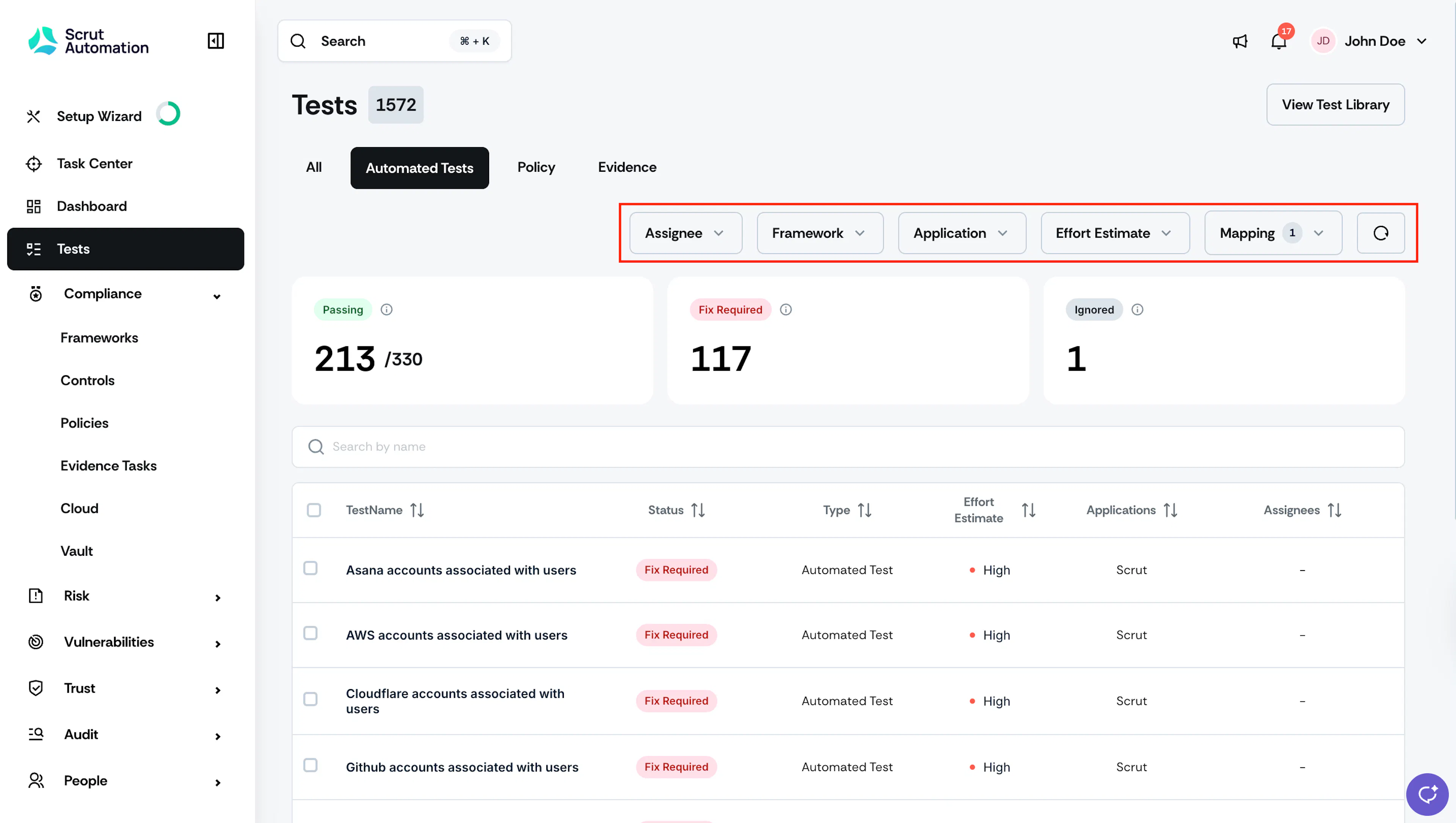
Use the filters on this page to refine your search based on specific criteria such as:
- Assignee: Use this filter to narrow down the tests assigned to specific team members. This is useful to track individual contributions and responsibilities.
- Framework: Use this filter to view tests relevant to specific framework(s) that you're working towards.
- Application: Select the integration that corresponds to the tests you want to view. This helps you focus on tests relevant to a particular application, such as AWS, GitHub or GCP.
- Effort Estimate: Filter tests based on the approximate effort required to make it compliant.
- Mapping: Use this filter to view tests that are not mapped to any specific framework. By default, all mapped tests are shown in the table.
Policy Tab in Tests
The Policy tab in the Tests module shows all policy items required for compliance and security audits, along with their current status. It’s similar to the Policy dashboard under the Compliance section.
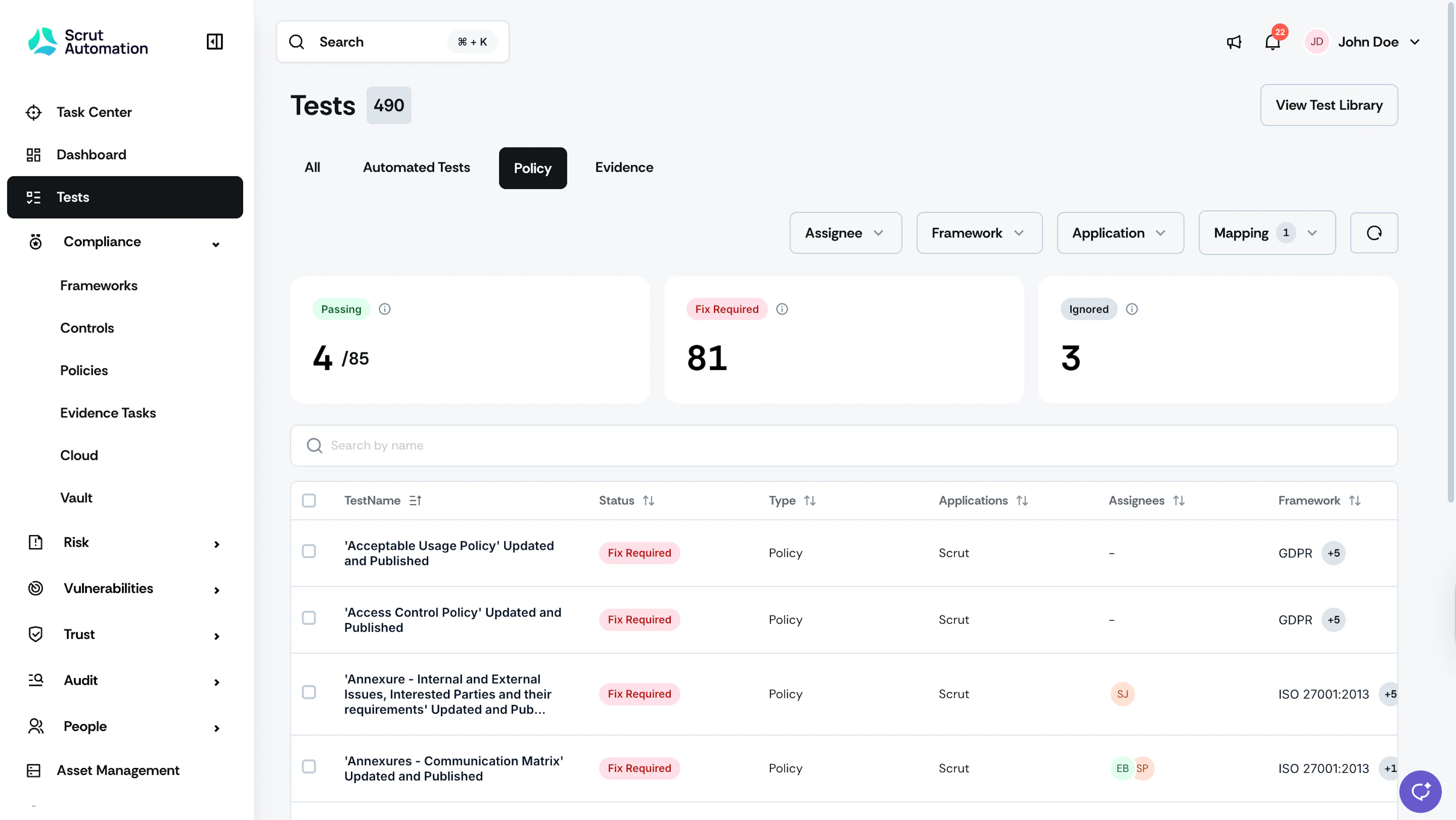
Click on any policy in the list to view its requirements, attachments, recurrence schedule, assignee(s), approver(s), entities, and department.
The Tests module lists all policies with open action items with the Fix Required status. Once you upload, approve, and publish the policy, the Tests module will list it with the Passing status. If a Policy task is not relevant to your organization’s security regulations, you can ignore it by clicking the three-dot icon on the top-right and selecting Mark as Not Relevant.

Evidence Tab in Tests
The Evidence tab in the Tests module is similar to that under the Compliance → Evidence Tasks section. In this tab, you can find the complete list of evidence tasks required for compliance and security audits, along with their current status.
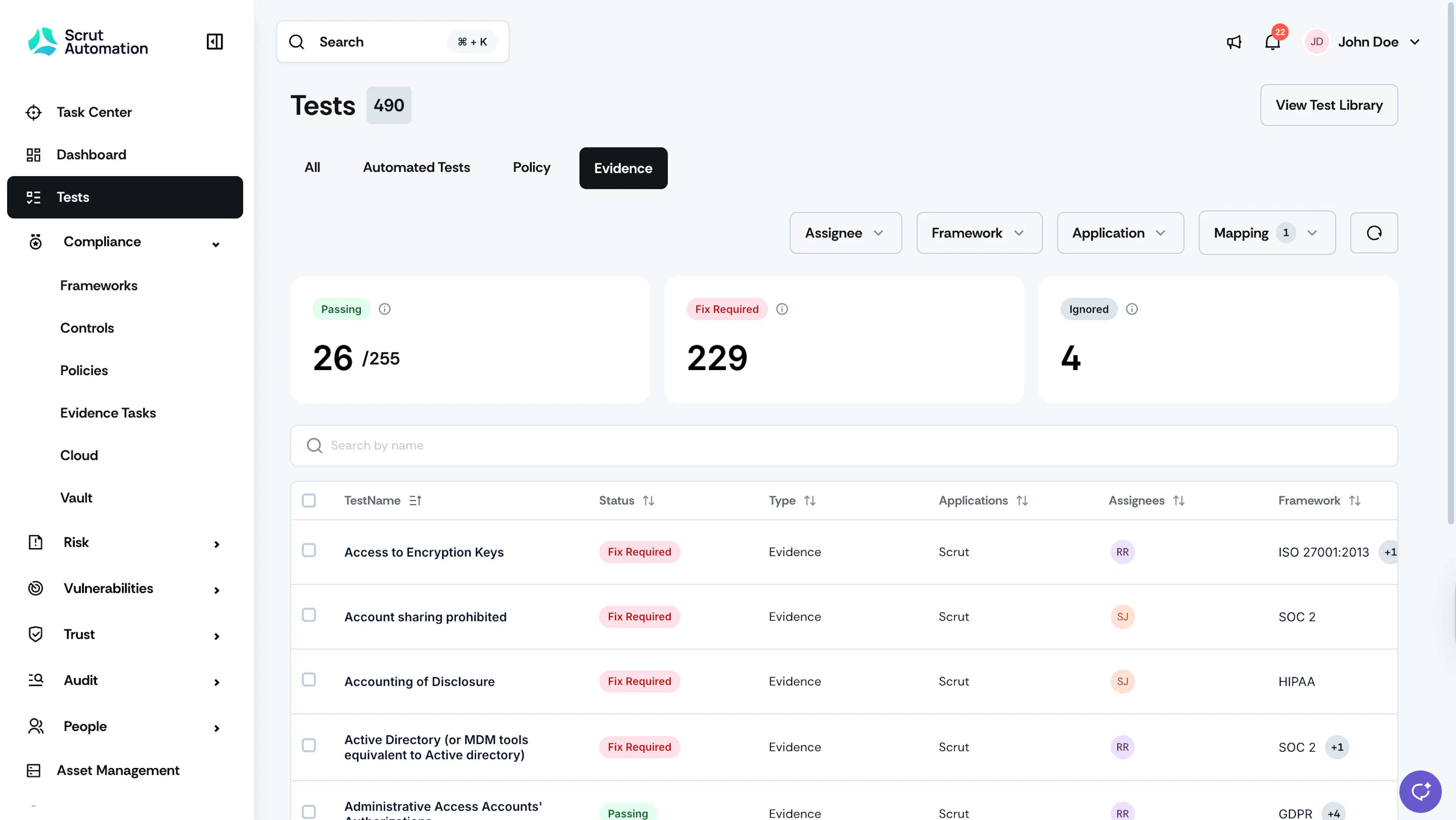
Click any task in the list to view its requirements, attachments, recurrence schedule, assignee(s), entities, and department.
Evidence tasks without attachments are categorized as Fix Required in the Tests module. Uploading an attachment to the evidence task moves it to the Passing status in the Test module. If an Evidence Task is not relevant to your organization’s security regulations, you can ignore it by clicking the three-dot icon on the top right and selecting Mark as Not Relevant.