

Edit or Delete a Framework Requirement
Who can use this feature
- Supported on Foundation, Growth, and Scale plans
Scrut makes it easy to modify and remove requirements.
Editing a Requirement
-
Sign in to Scrut and go to Compliance → Framework using the left side panel.
-
Click the My Frameworks tab, and select the framework for which you want to modify a requirement.
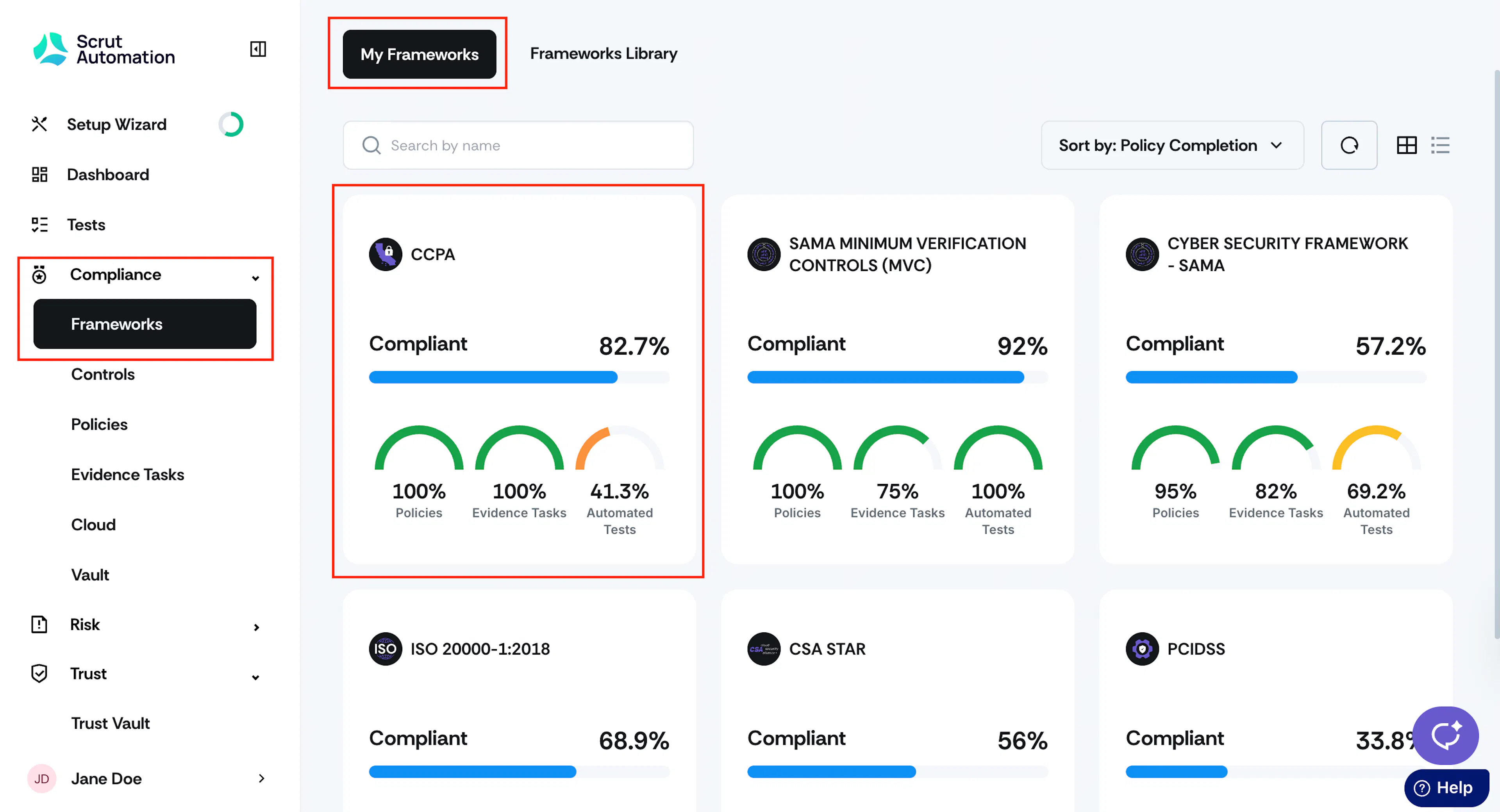
-
Click on the requirement page and then click the three-dot icon next to the requirement name.
-
Optionally, use the search bar at the top to find a specific requirement. You can search by requirement name, code, or category.
-
Click the three-dot icon next to the requirement and choose Edit Requirement.

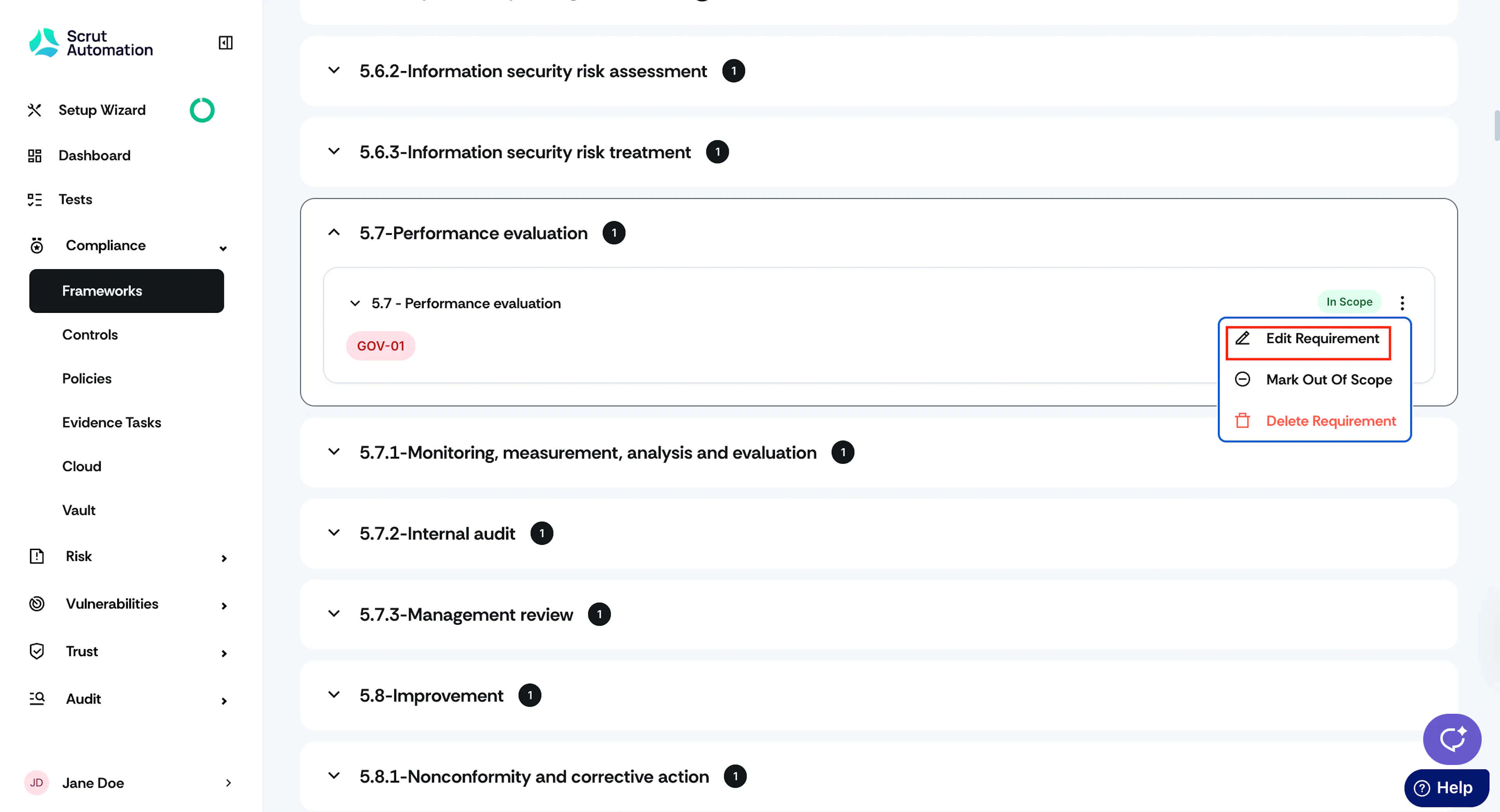
-
You can modify the following requirement details:
- Category
- Code
- Name
- Description
-
Click Update Requirement.
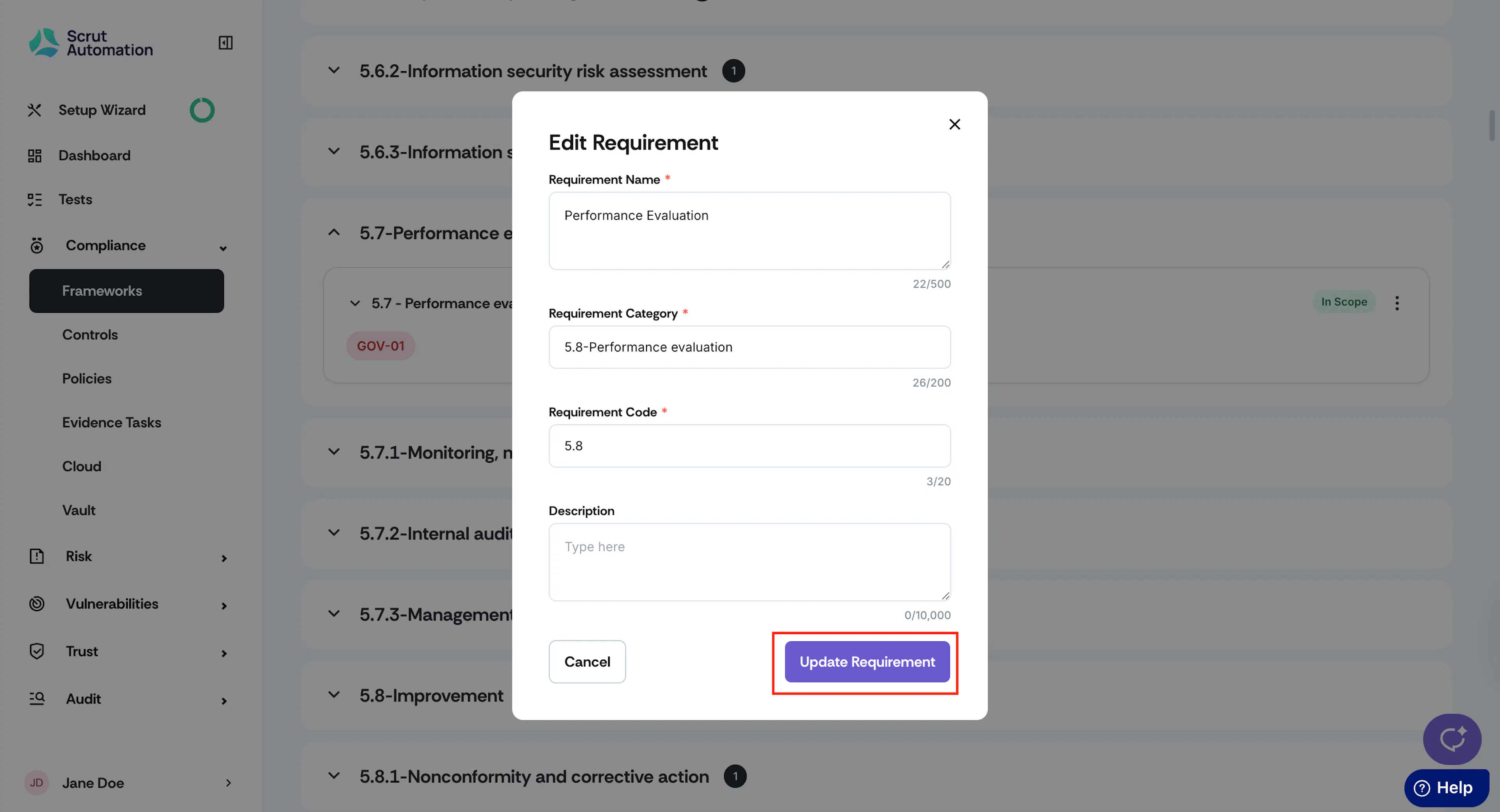
-
Watch out for the “Requirement updated successfully!” notification message.
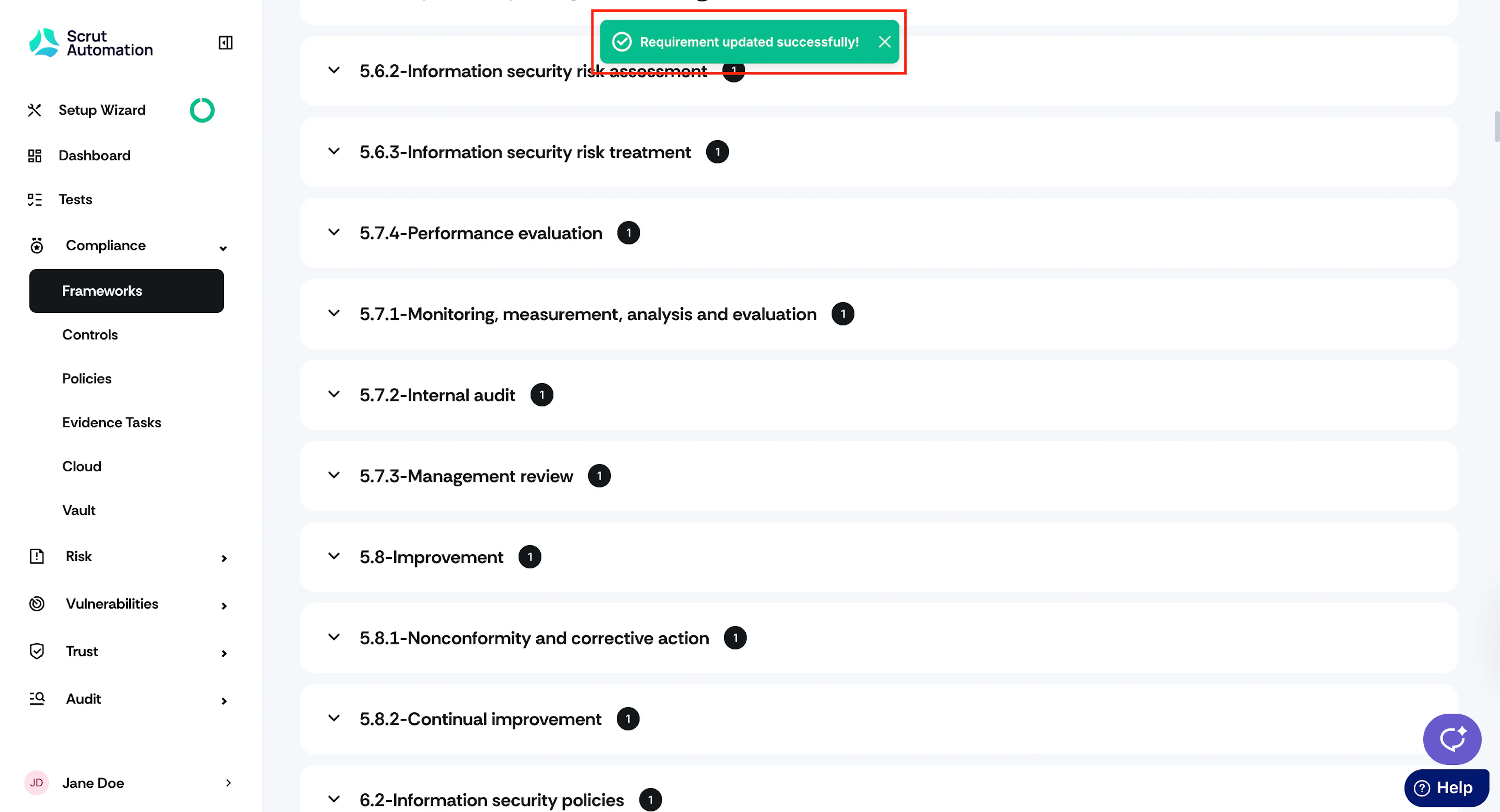
Deleting a Requirement
-
Sign in to Scrut and go to Compliance → Framework using the left side panel.
-
Click the My Frameworks tab, and select the framework for which you want to delete a requirement.
-
Click on the requirement category and click the three-dot icon next to the requirement name you want to delete.
Heads Up!
You cannot delete a mandatory requirement.
-
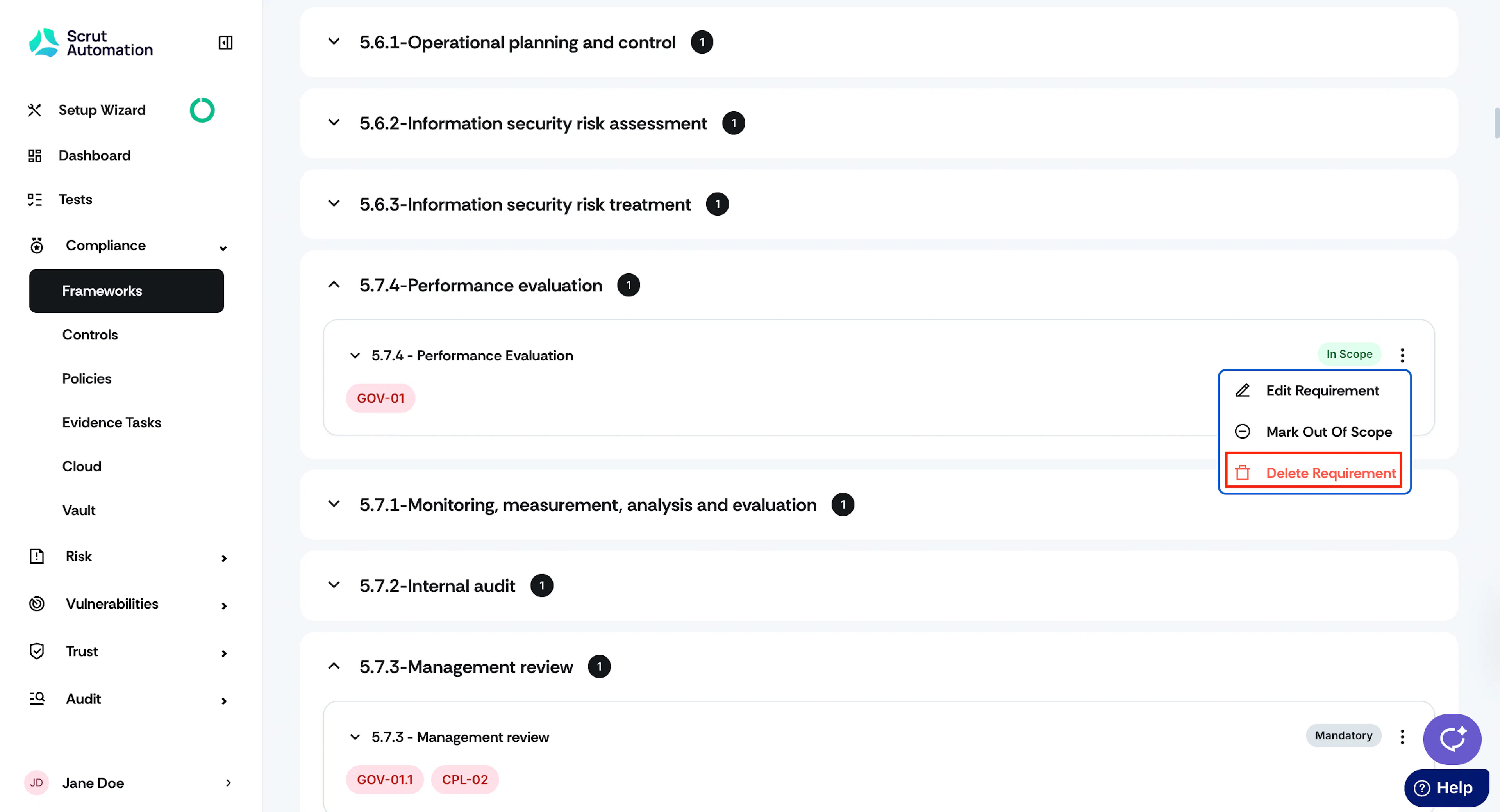
Click the three-dot icon next to the requirement and choose Delete Requirement.
-
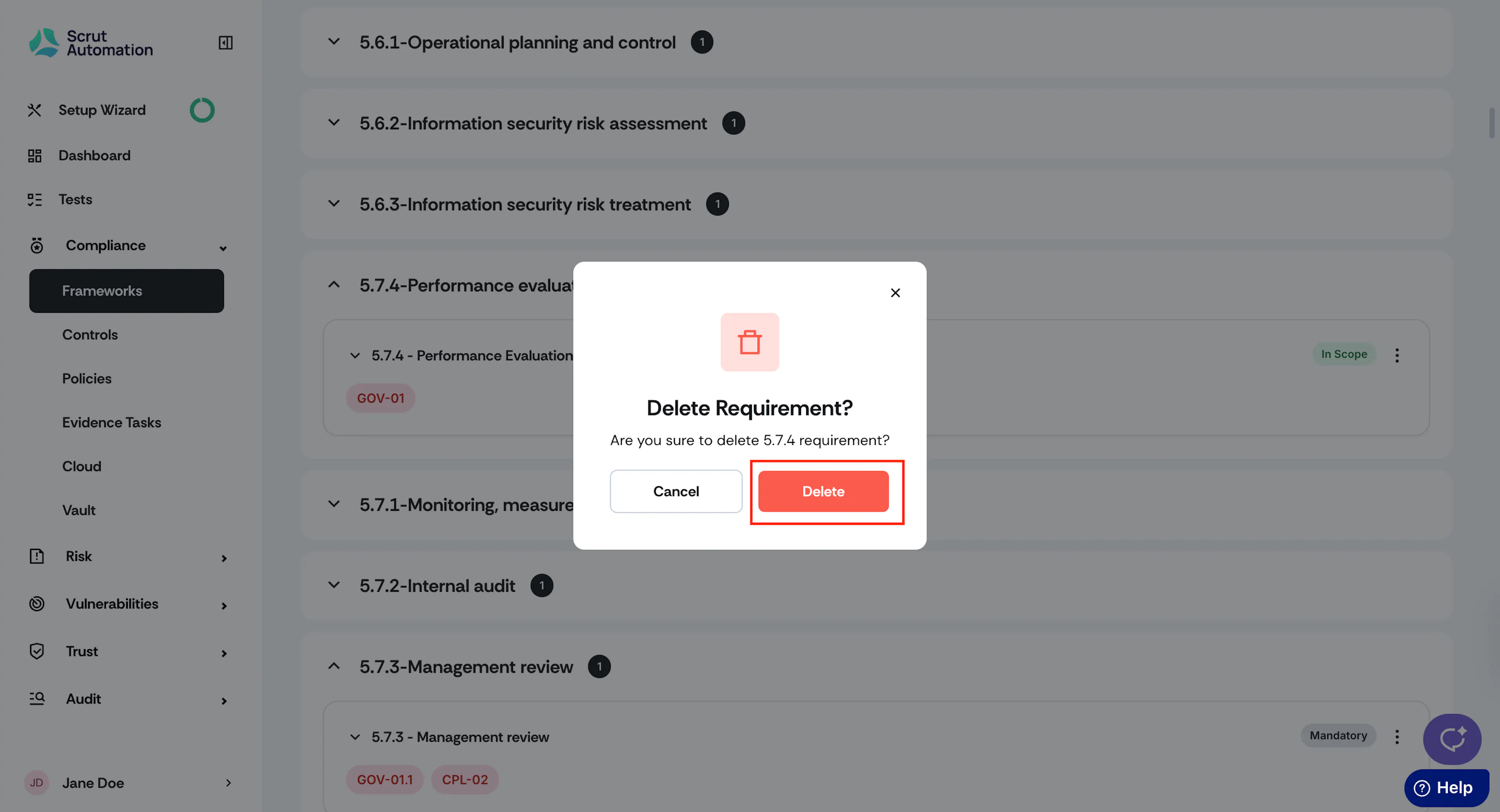
A confirmation window appears. Click Delete.
Warning
Deleting a requirement is permanent. So, proceed with caution.