Mark a Framework Requirement as Out of Scope
Who can use this feature
- Supported on Foundation, Growth, and Scale plans
Empower your organization to efficiently identify and categorize compliance framework requirements that aren't applicable, allowing you to sharpen your focus on the essentials.
How To Mark a Requirement as Out of Scope
-
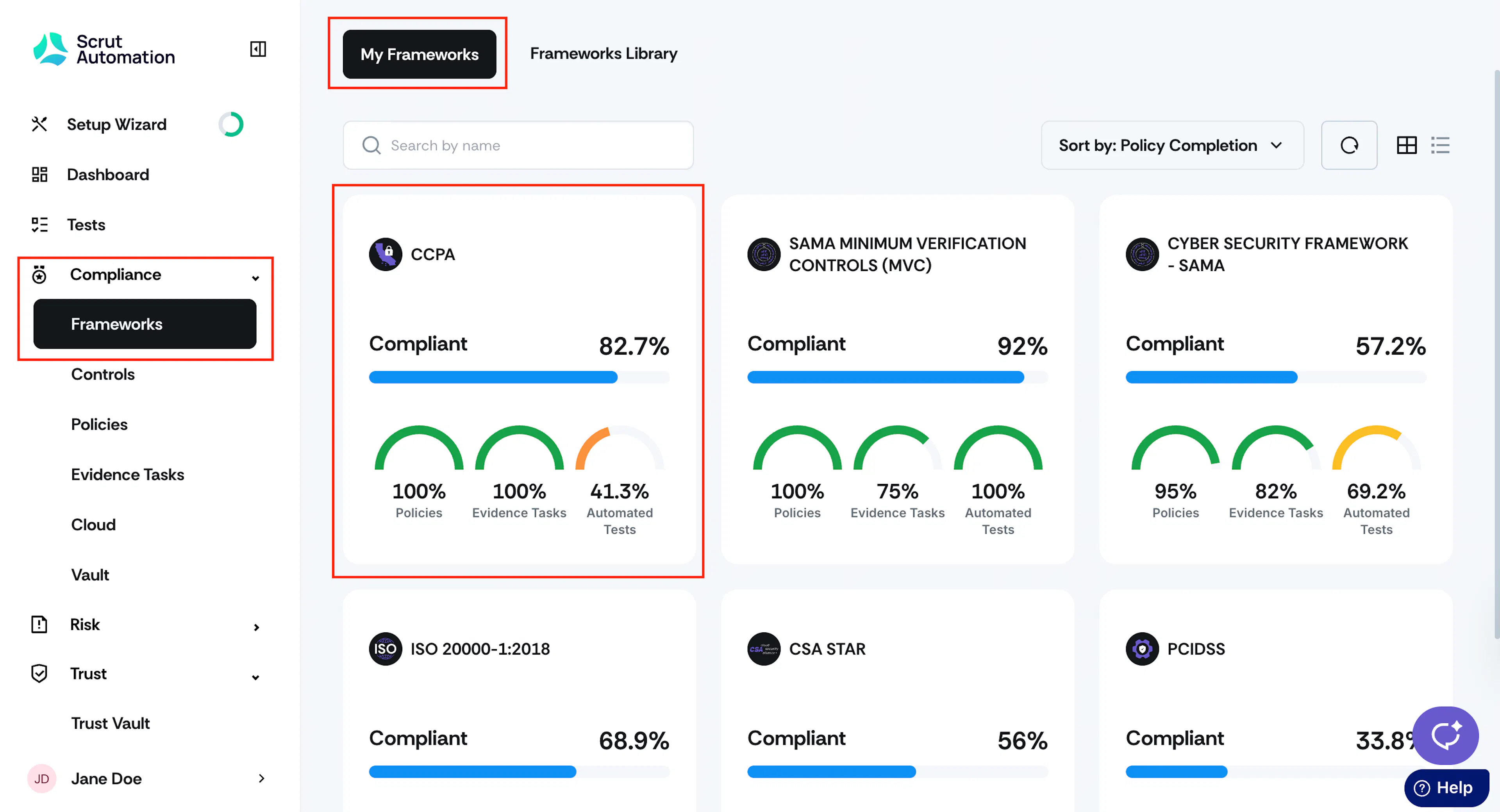
Sign in to Scrut and go to Compliance → Framework using the left side panel.
-
Click the My Frameworks tab, and select the framework for which you want to mark a requirement as “Out of Scope.”
-
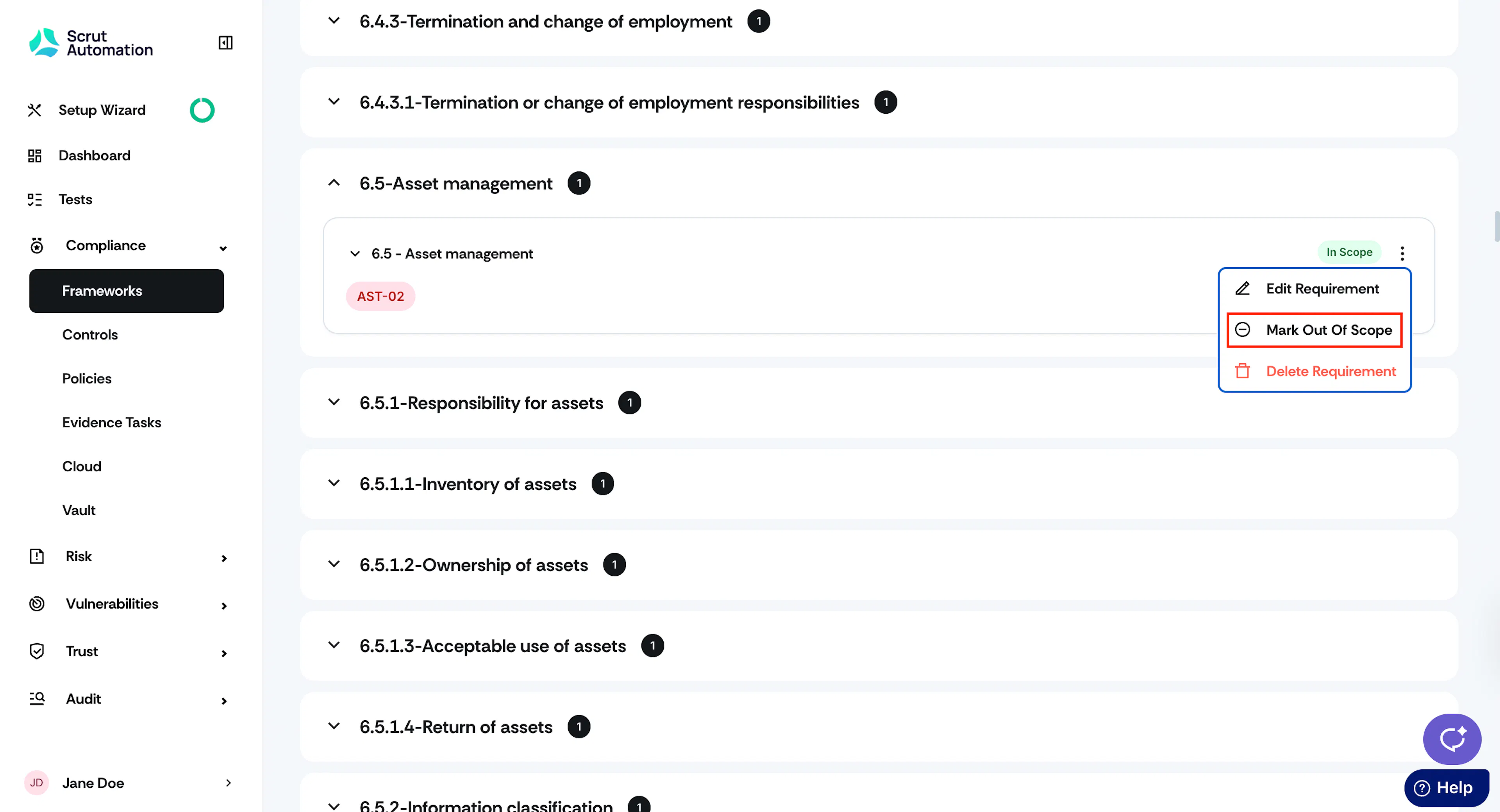
Click on the requirement category and click the three-dot icon next to the requirement name.
Heads Up!
You cannot mark a mandatory requirement as Out of Scope.
-
Click Mark Out Of Scope.
-
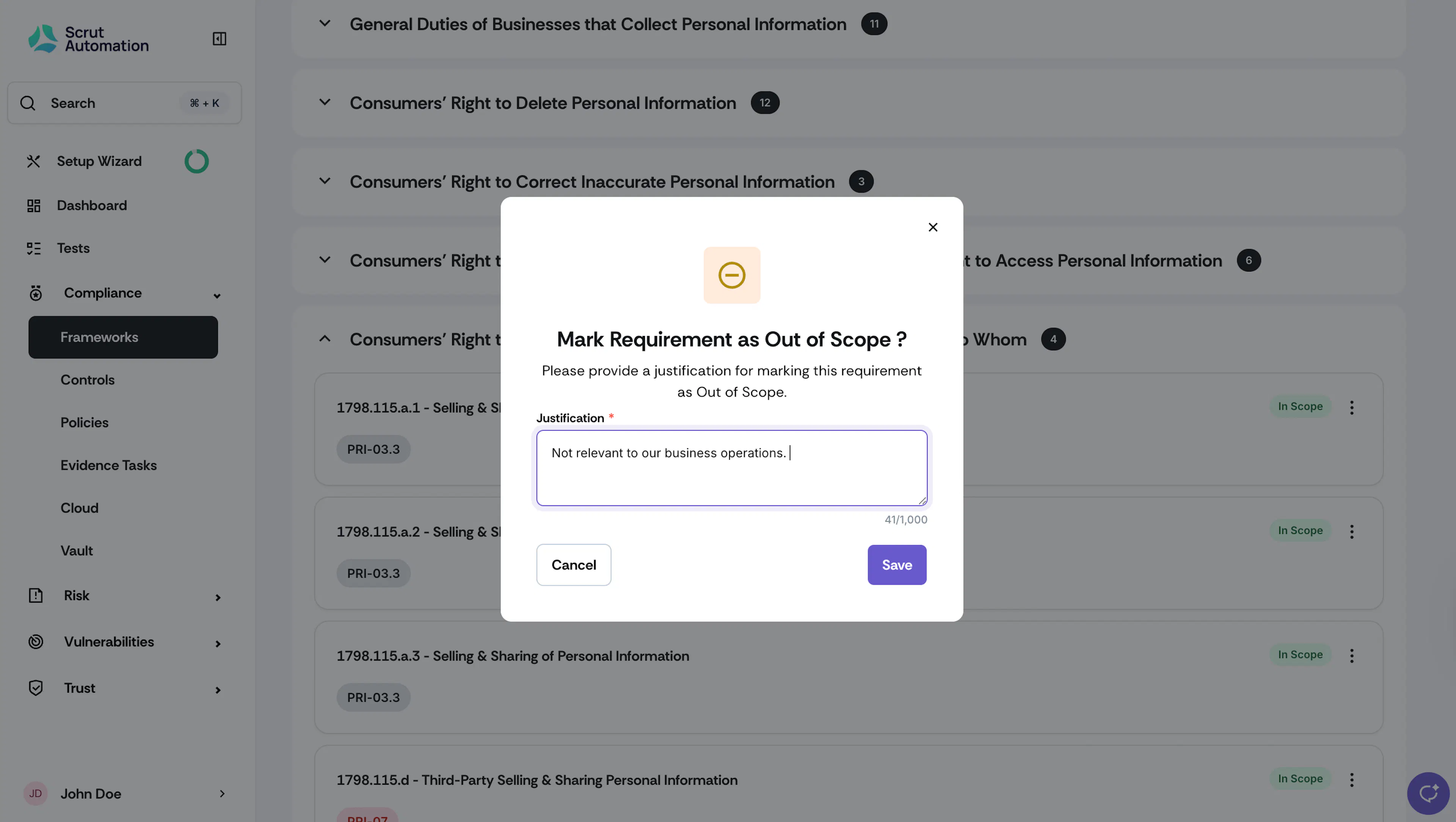
Provide a valid justification for marking the requirement as out of scope and click Save.
-
Watch out for the confirmation message.
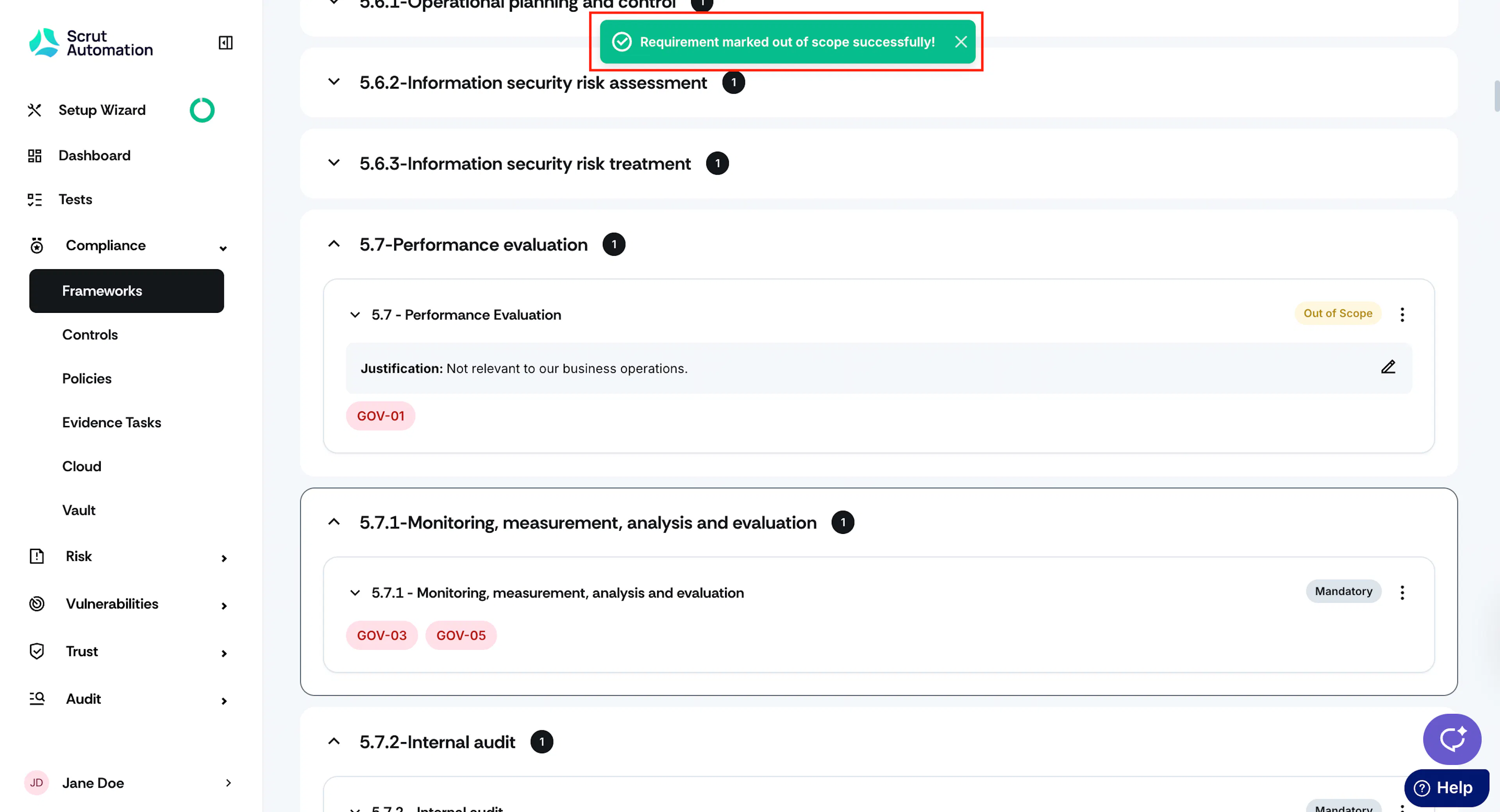
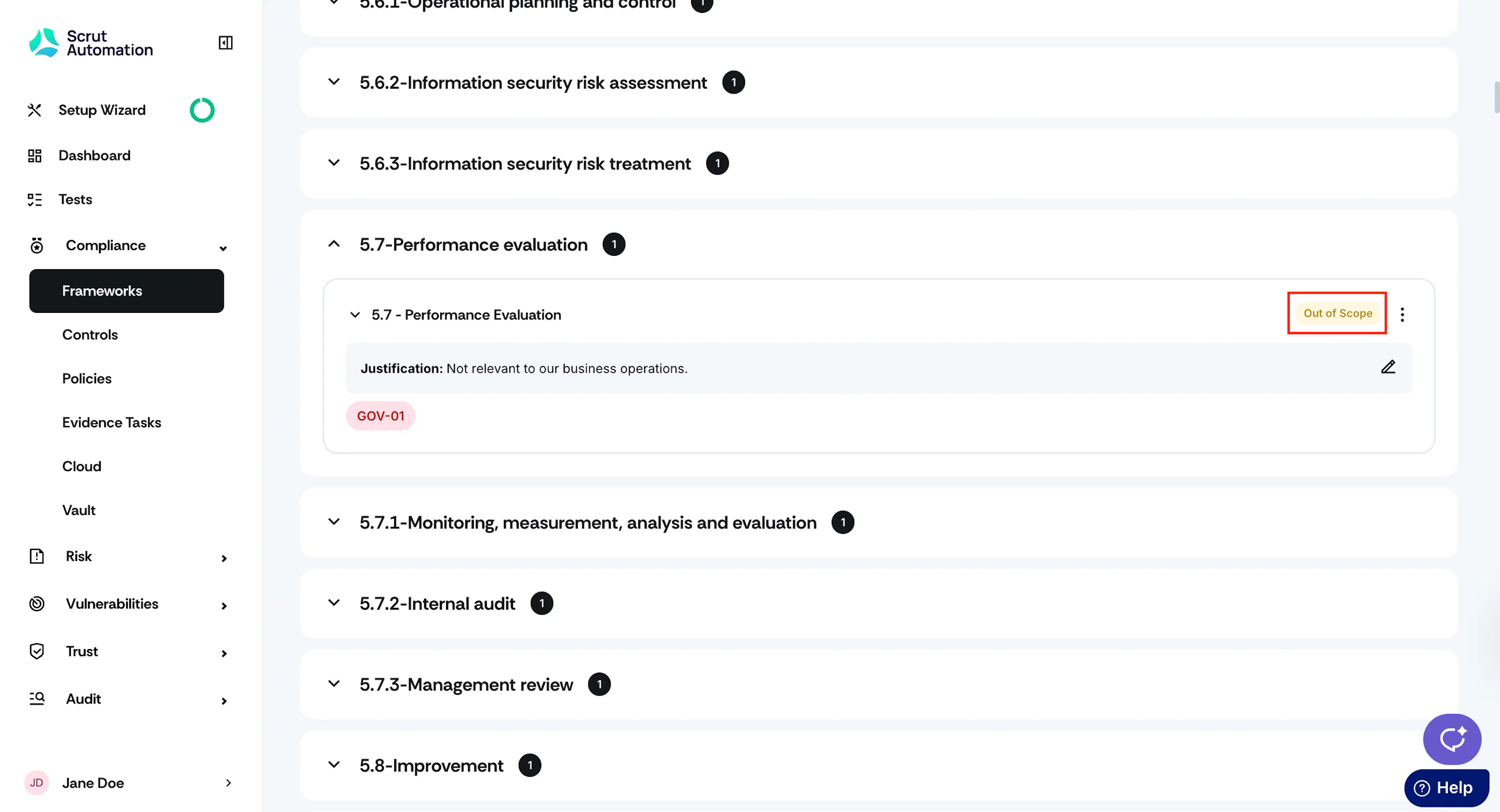
Requirements marked out of scope are displayed as shown in the image below.