

Link and Unlink Framework Requirements to a Control
Who can use this feature
- Supported on Foundation, Growth, and Scale plans
Scrut makes it easy to link multiple requirements across one or more frameworks to a single control.
Linking Requirements to a Control
To link one or more requirements to a control, follow these steps:
-
Sign in to Scrut, and click Compliance → Controls on the left navigation panel.
-
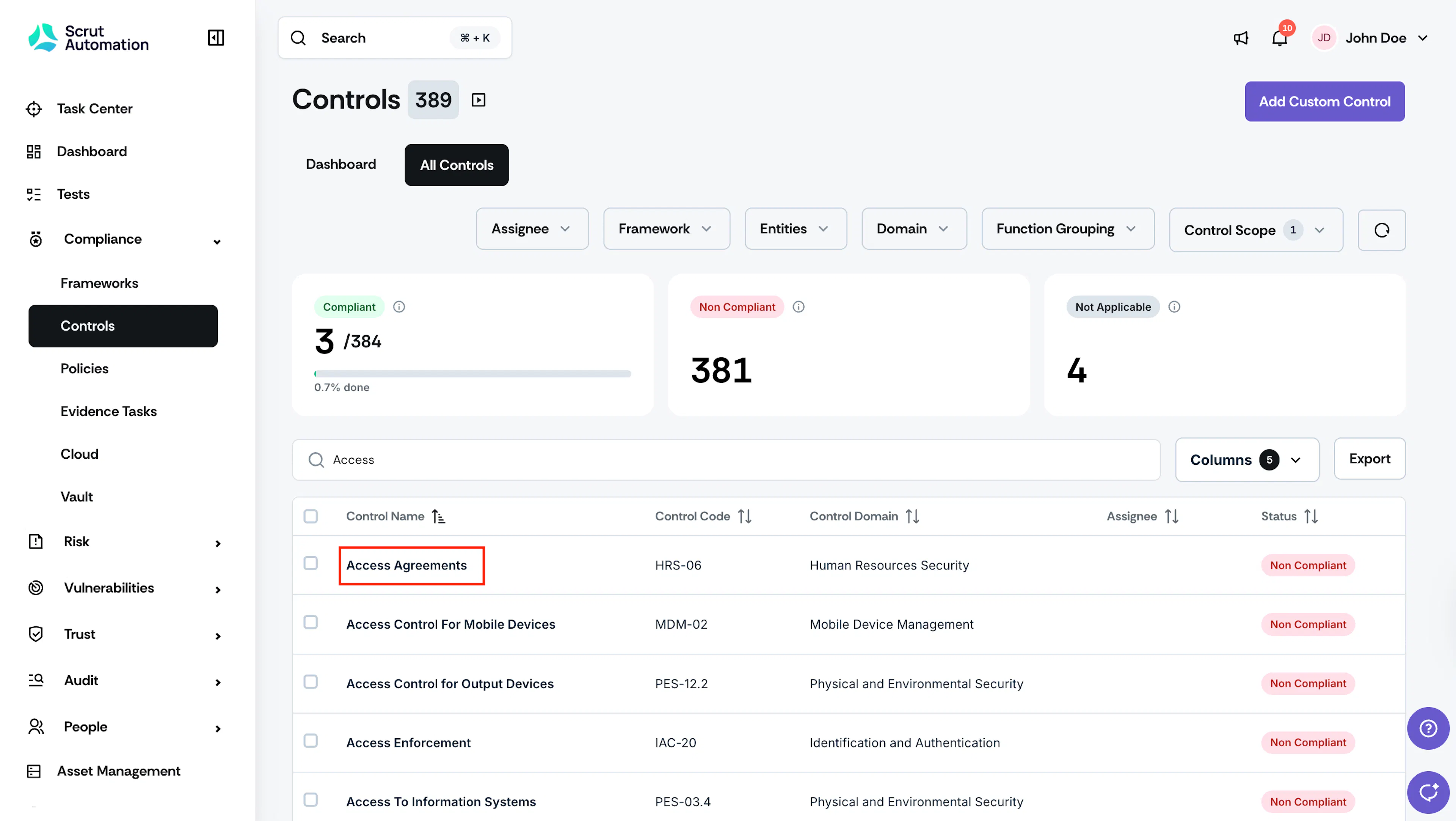
Go to the All Controls tab and select the control you want to link requirements to.
-
Optionally, use the search bar at the top to quickly locate a specific control by name or code.
-
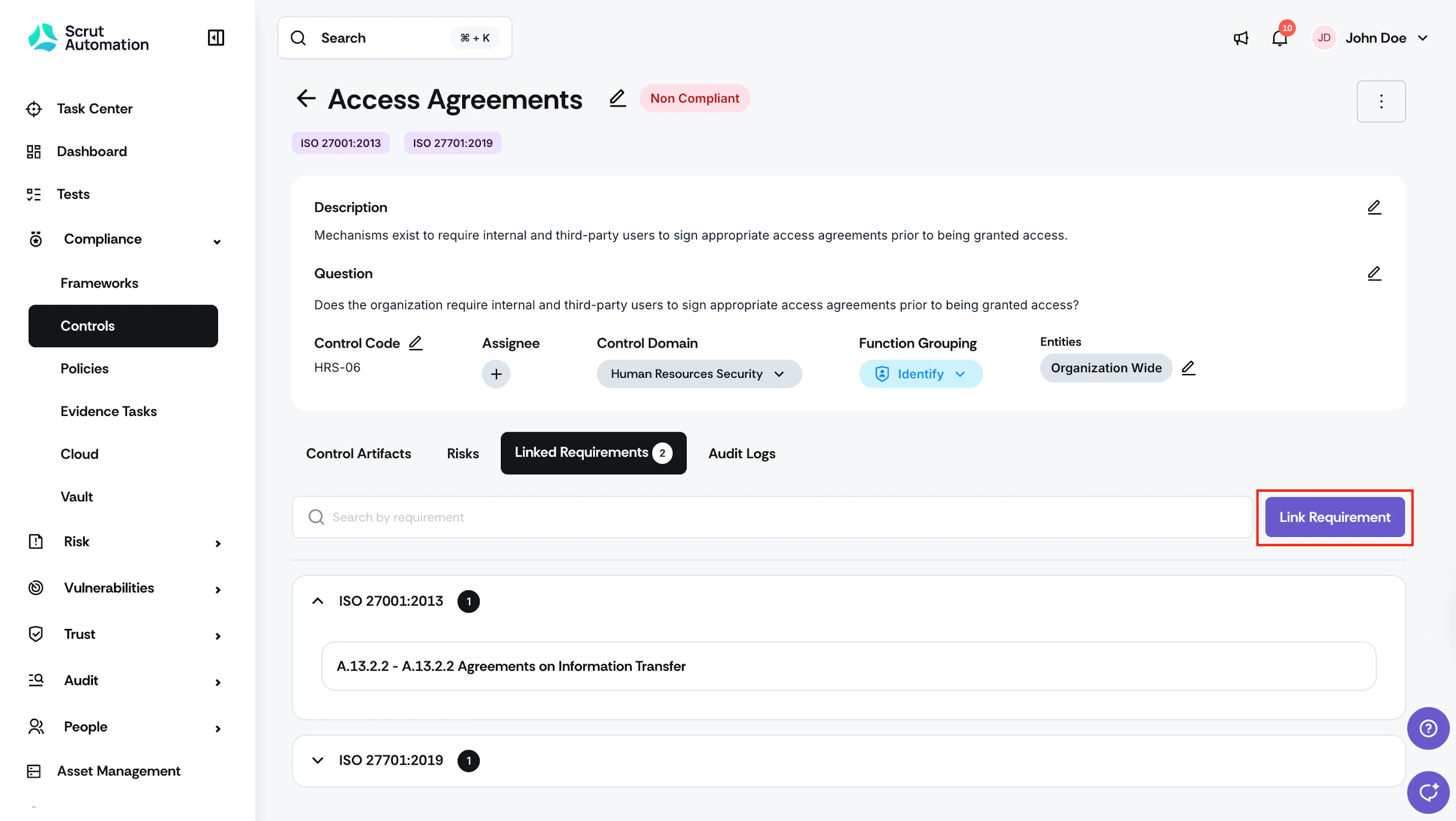
Scroll to the Linked Requirements tab and click the Link Requirement button.
-
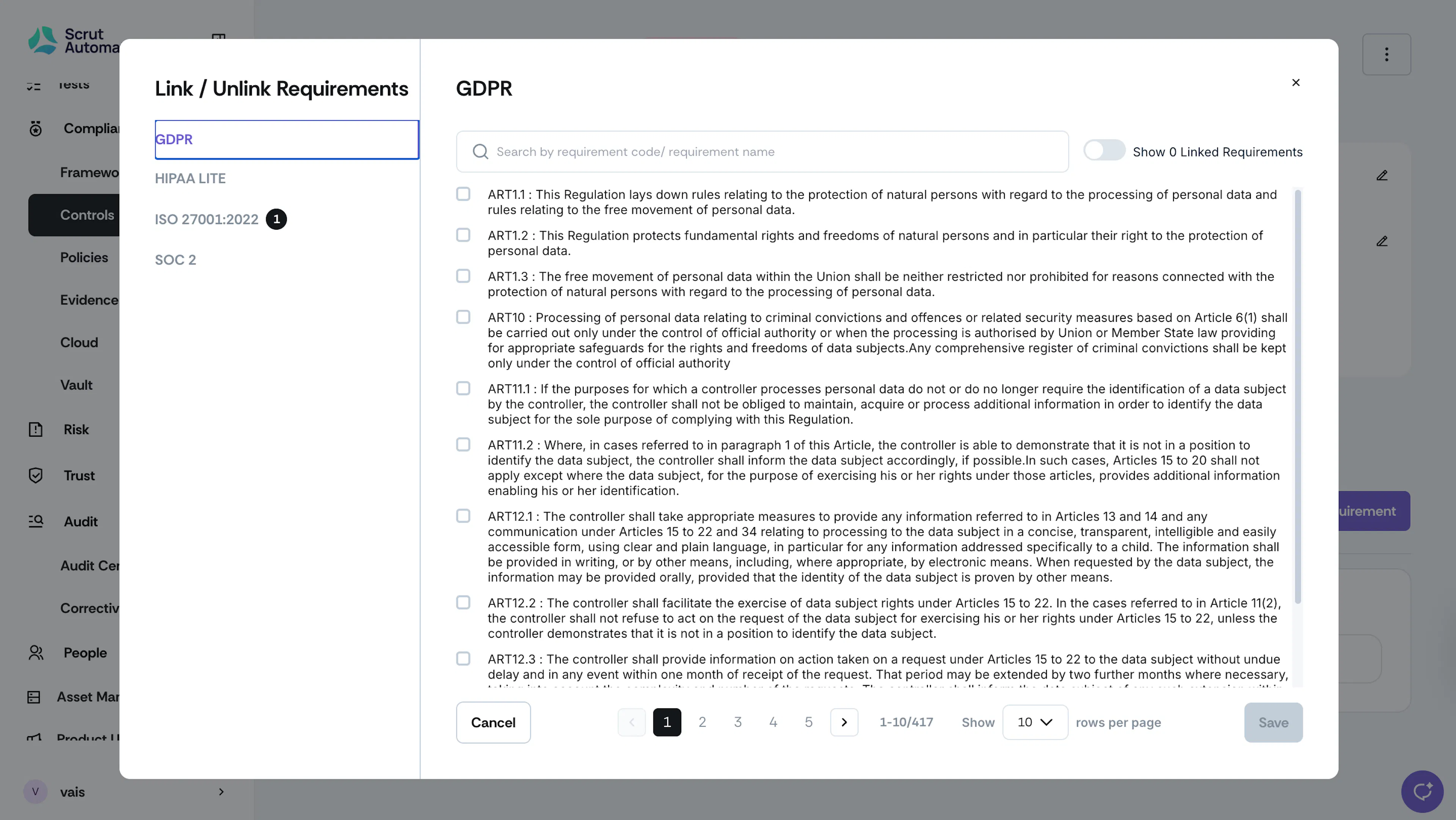
Use the Frameworks panel to view the requirements for a particular framework.
-
Optionally, use the search bar at the top to quickly locate a specific requirement by its name or code.
-
Select the checkbox or checkboxes that correspond to the requirements you want to link.
-
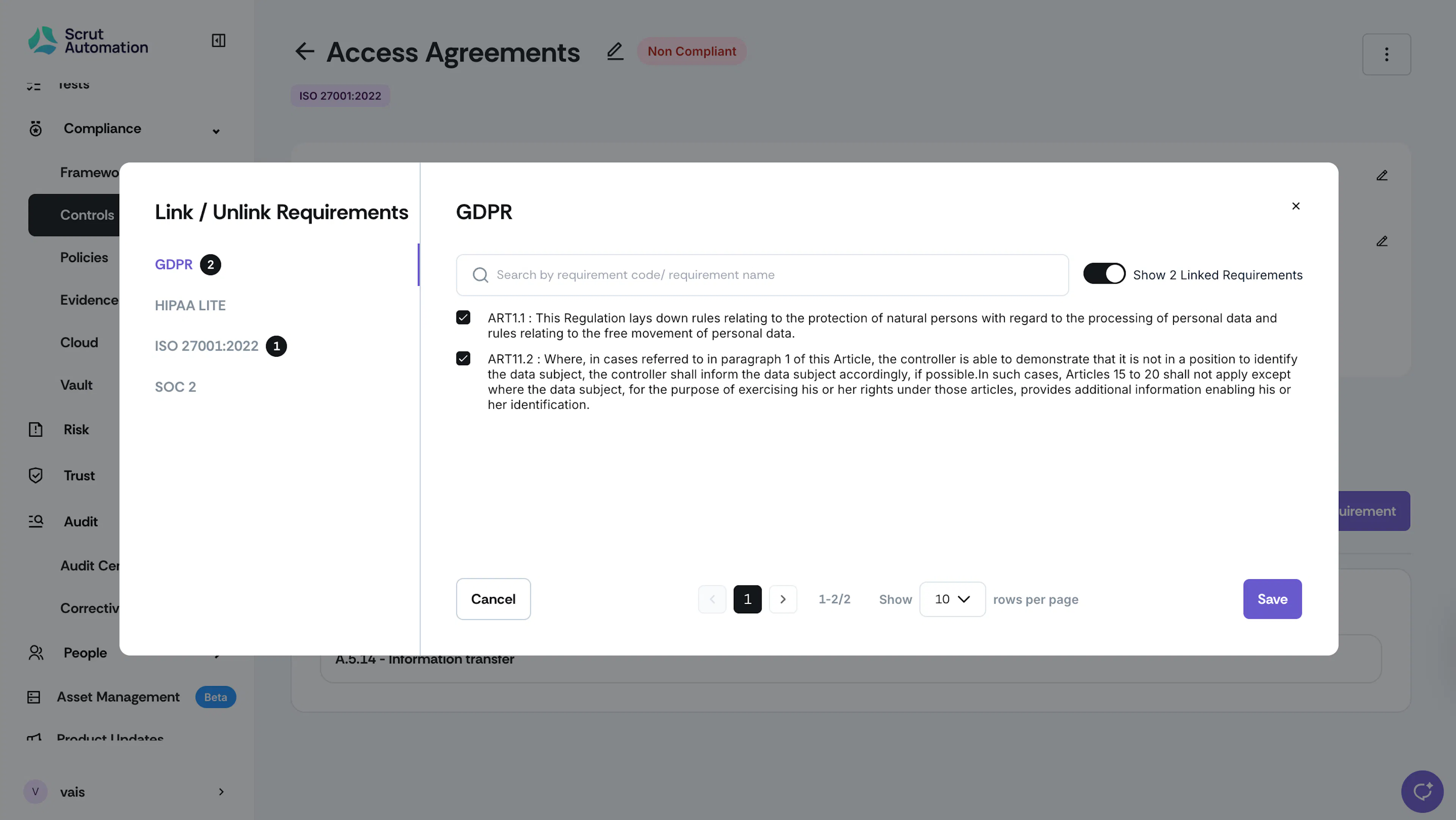
Use the Show Linked Requirements toggle to review and verify your selections.
-
Click Save.
Unlinking Requirements to a Control
To unlink a requirement from a control, follow these steps:
-
Sign in to Scrut, and click Compliance → Controls on the left navigation panel.
-
Go to the All Controls tab and select the specific control from which you want to unlink requirements.
-
Optionally, use the search bar at the top to quickly locate a specific control by name or code.
-
Scroll to the Linked Requirements tab and click the Link Requirement button.
-
Use the Frameworks panel to view requirements for a particular framework.
-
Optionally, use the search bar at the top to quickly locate a specific requirement by its name or code.
-
Deselect the checkbox or checkboxes corresponding to the requirements you want to unlink.
-
Use the Show Linked Requirements toggle to review and verify your selections.
-
Click Save.