

Turn on Risk IDs
Who can use this feature
- Supported on Growth and Scale plans
The Risk ID adds a unique identifier for each risk. When you enable the Risk ID feature, Scrut will add your chosen custom Risk ID prefix to all risks. This makes it easier to find and manage risk-related information. It also helps keep risks organized and easy to identify. Users can quickly locate specific risks using their assigned Risk ID, creating a smoother risk management experience.
How To Enable Risk ID
-
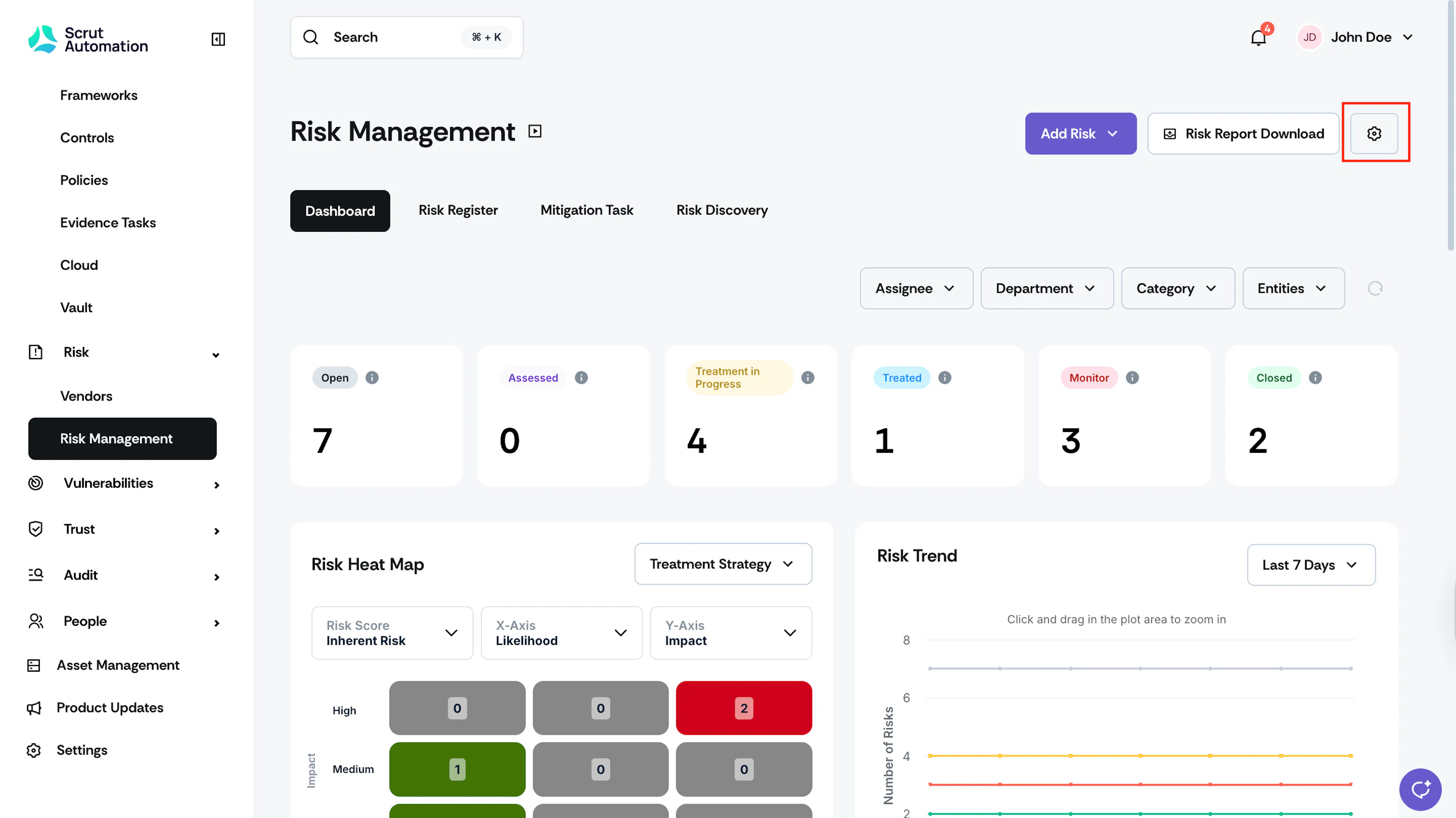
Sign in to Scrut and click Risk → Risk Management on the left navigation panel.
-
Click the Settings button in the top right corner.
-
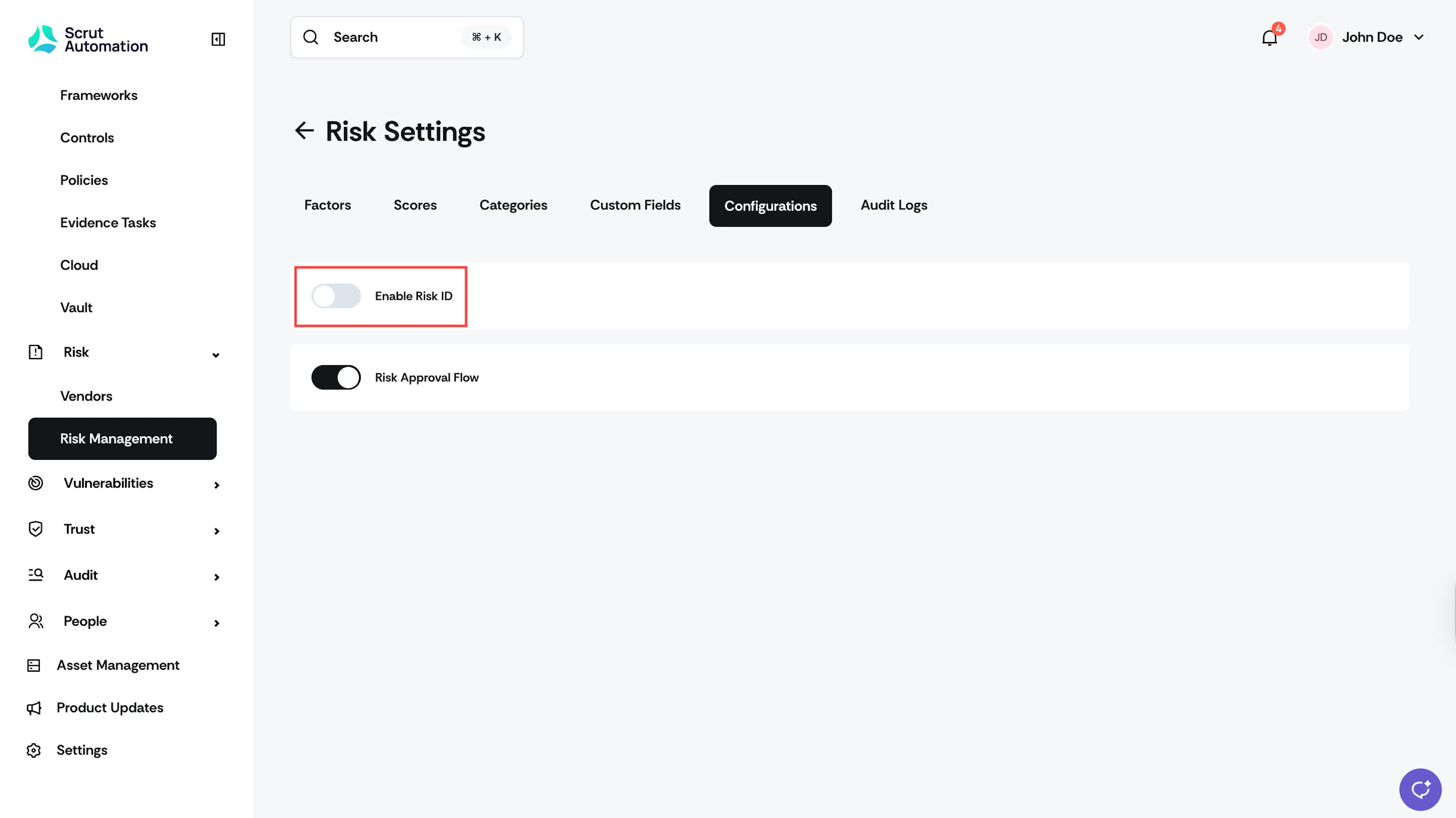
Go to the Configurations tab and turn on the Enable Risk ID toggle.
-
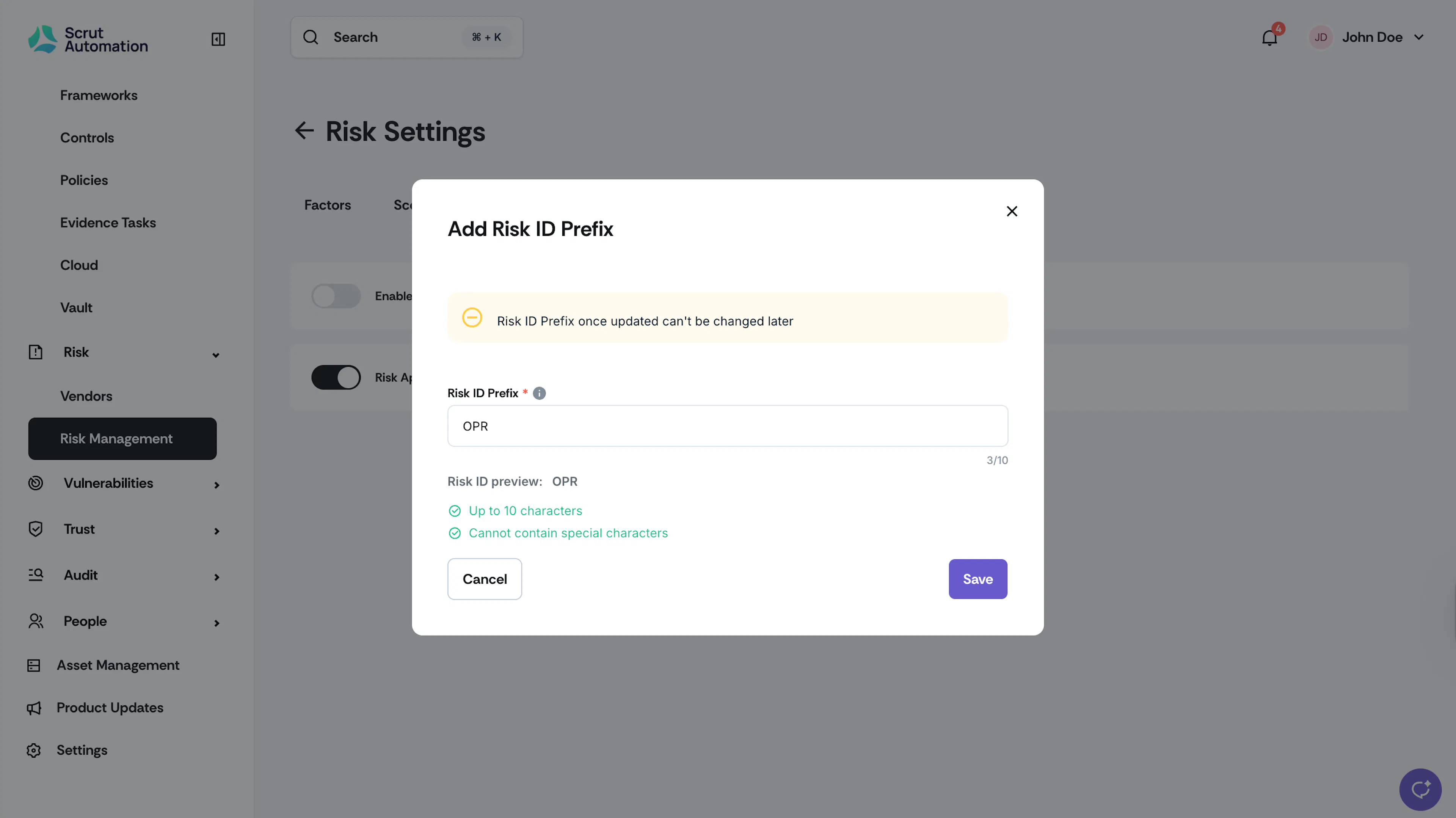
In the Risk ID prefix field, enter your custom Risk ID.
Note: Risk ID is a mandatory column in Table Layout. It always appears first in the Risk Register table and can't be reordered or hidden.
Note:
- You can use both letters and numbers in the prefix.
- Maximum allowed length is 10 characters.
- Special characters aren’t permitted.
-
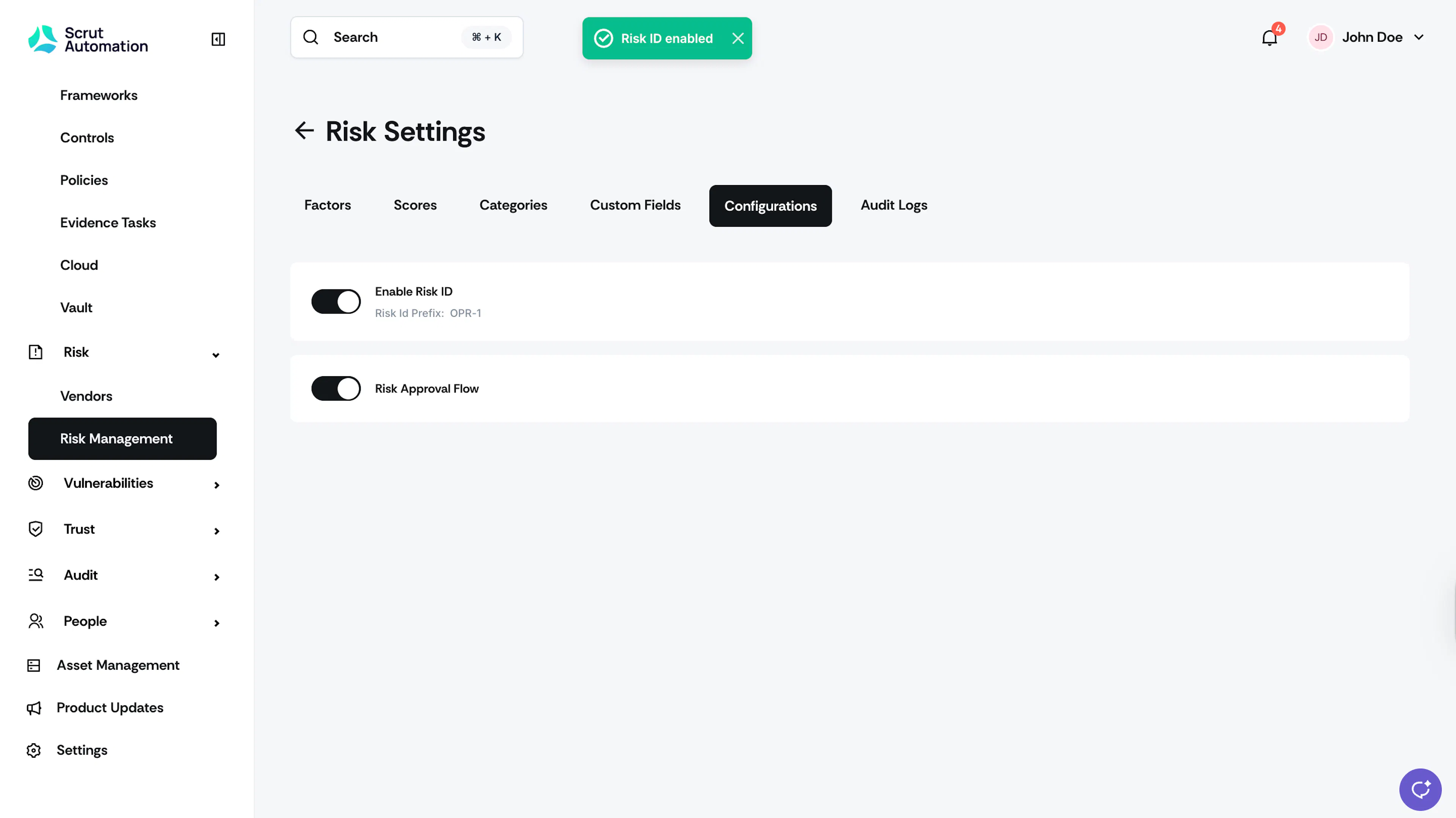
Click Save.
-
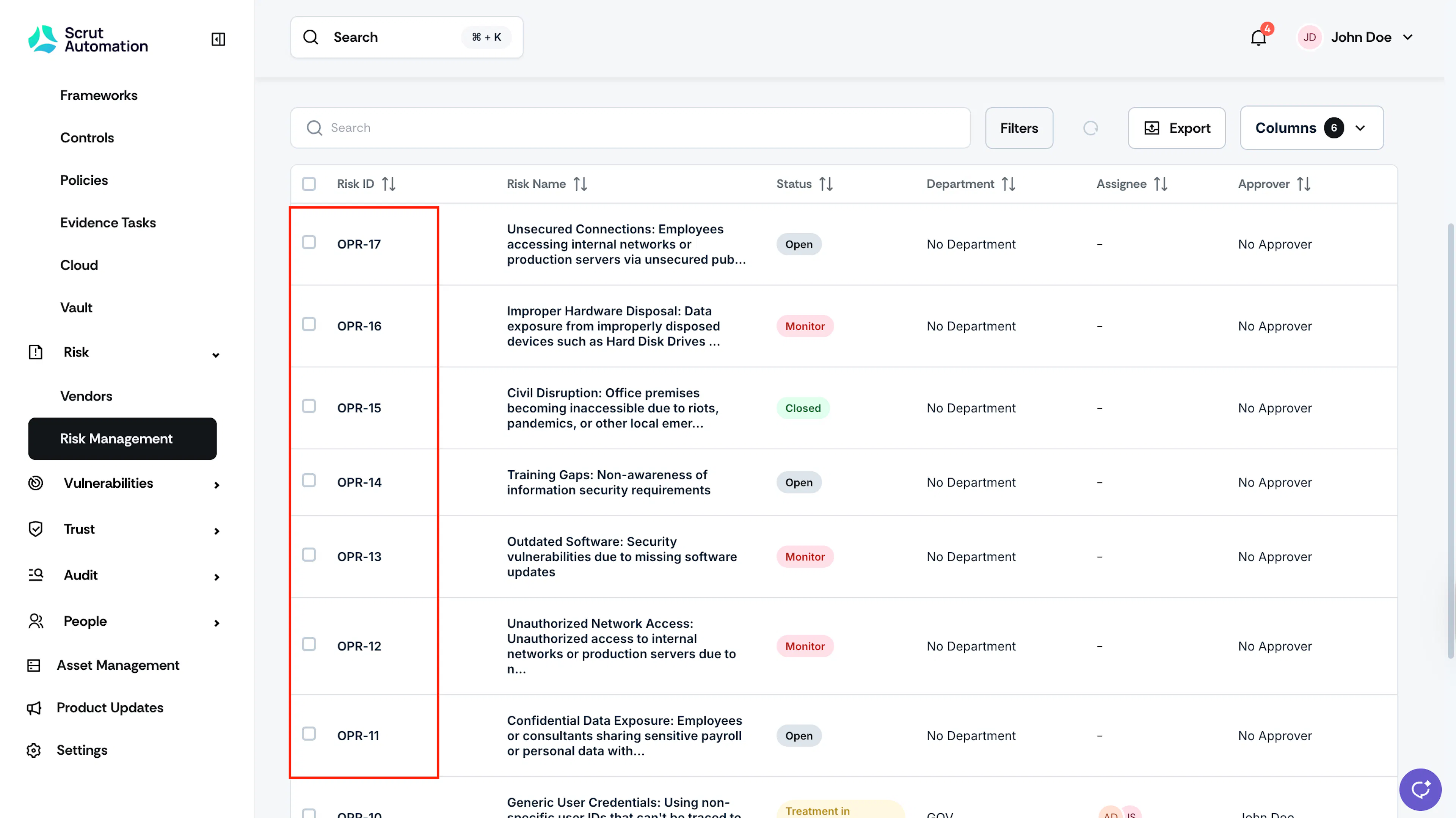
Once enabled, the Risk ID becomes the first column in the risk table.
Note:
Risk ID is automatically generated for all existing and new risks in chronological order of risk creation.
Pro Tip!
If you want to change the Risk ID prefix in the future, you can do so by disabling and re-enabling the Risk ID toggle in settings.