

Rename System Risk Fields
Who can use this feature
- Supported on Foundation, Growth, and Scale plans
What are System Risk Fields?
System fields are the default fields Scrut provides out of the box for every risk, such as Risk ID, Risk Name, Status, Department, Assignees, Approvers, Entities, etc. These fields power core risk management functionality, so you can't add or delete them, but you can rename them to match your organization's terminology across your account.
List of System Risk Fields in Scrut
- Risk ID
- Risk Name
- Status
- Department
- Assignee
- Approver
- Entities
- Category
- Application Name
- Linked Assets (if Asset Management is enabled)
- Created On
- Last Modified
- Recurrence
- Source
- Source Type
- Treatment Strategy
- Controls
- Inherent Factors
- Inherent Score
- Residual Factors
- Residual Score
Rename a System Field
Heads Up!
Renaming a field applies across all areas in Risk Management, including the Risk Register, Forms, Exports, and Reports.
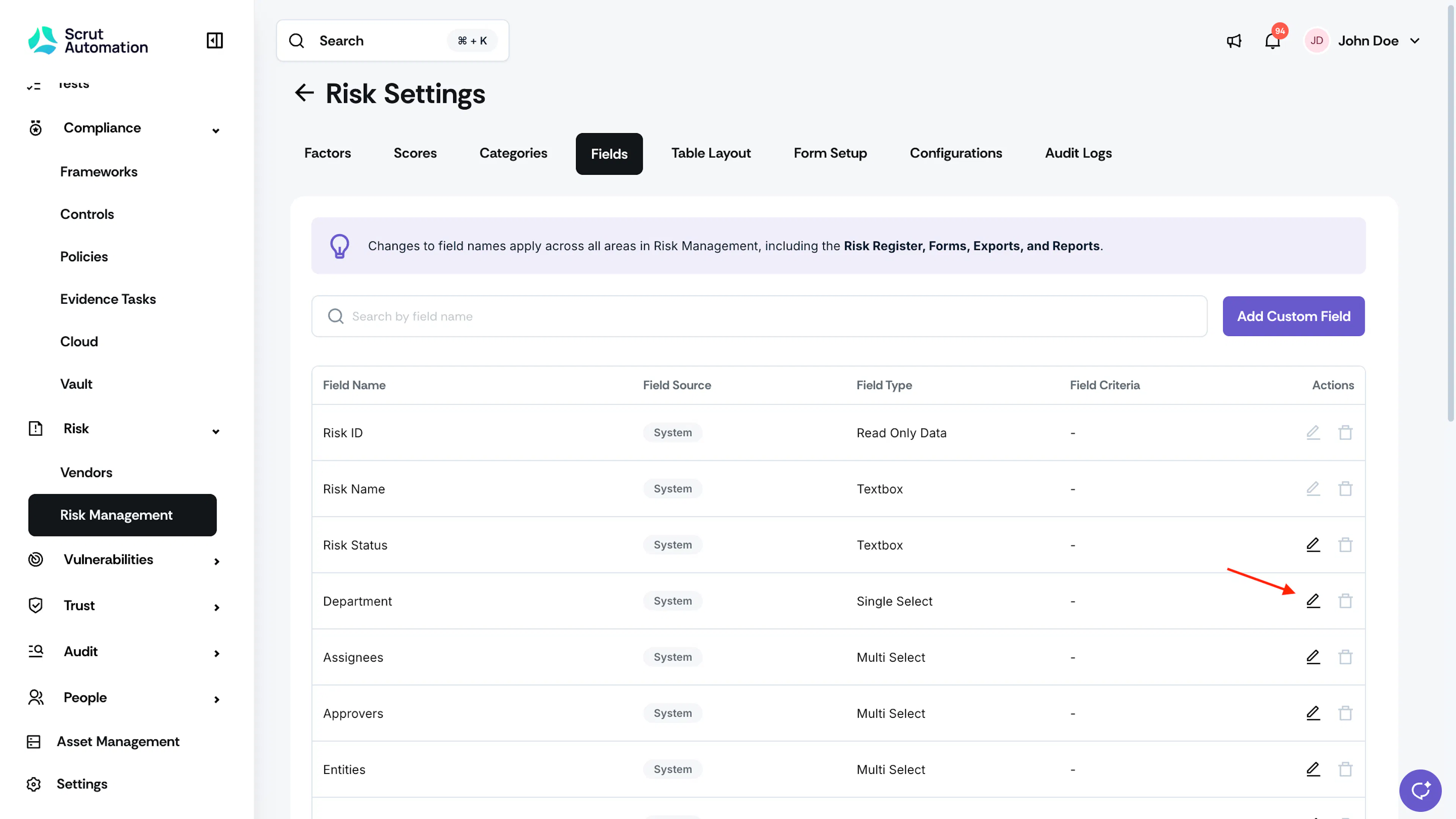
- From the left navigation panel, navigate to Risk → Risk Management and go to Settings.
- Select the Fields tab.
- Click the pencil icon next to the system field you want to rename.
- In the Edit Field window, review the Current Name and System Name for reference.
- In the Field Name field, enter the new display name. The name can be up to 50 characters.
- Click Save.
Note: System fields can be renamed but not deleted, since they're required by Scrut's risk workflow.
Reach out to support@scrut.io or contact your CSM for further assistance.
Was this page helpful?