

Create Custom Risk Fields
Who can use this feature
- Supported on Growth and Scale plans
Custom fields let you capture additional information about your risks beyond Scrut's default set. Use them to track details specific to your organization, such as asset types, geographic regions, compliance requirements, or any other risk details you want to record and report on. You manage them from the Fields tab in Risk Settings, alongside Scrut's system fields.
Add a Custom Field
-
From the left navigation panel, navigate to Risk → Risk Management and go to Settings.
-
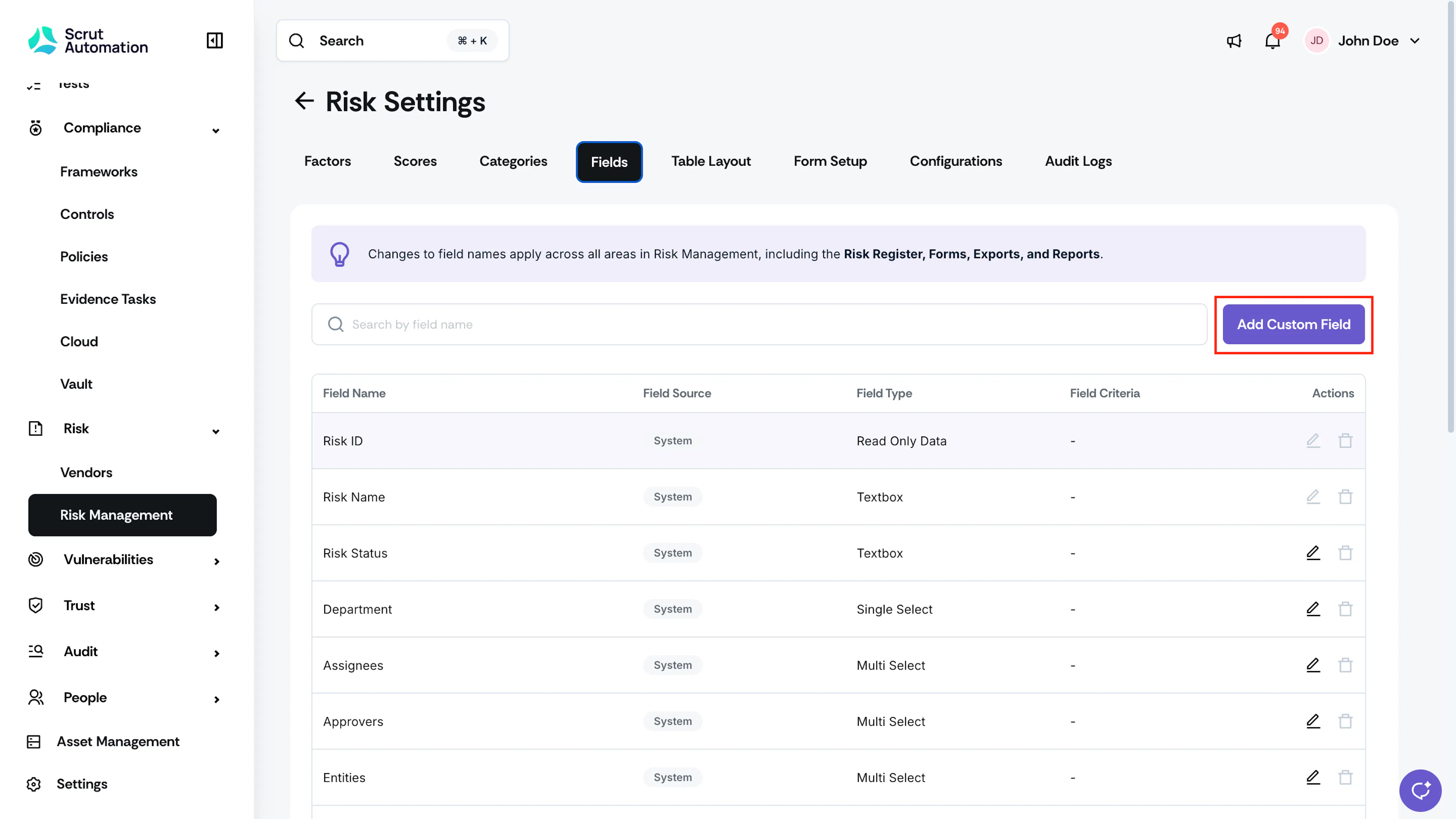
Select the Fields tab.
-
Click Add Custom Field.
-
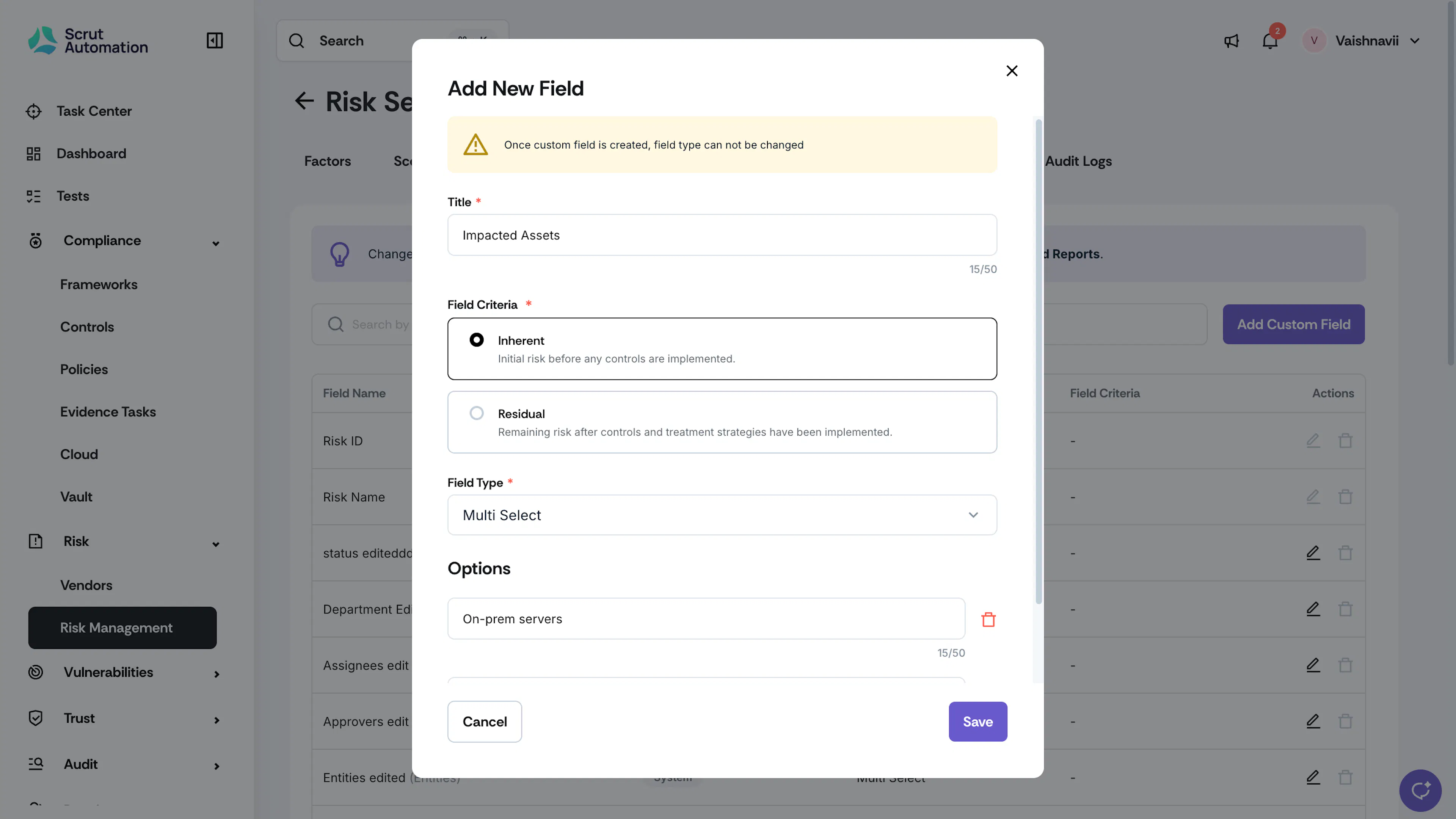
In the Title field, enter a name for the custom field. The name can be up to 50 characters.
-
Under Field Criteria, select Inherent or Residual.
- Inherent: Initial risk before any controls are implemented.
- Residual: Remaining risk after controls and treatment strategies have been implemented.
-
From the Field Type dropdown, select the field type you want to create, such as textbox, textarea, currency, single-select, or multi-select.
-
Click Save.
Important:
Once you save a custom field, you can't change its Field Type. Confirm your selection before saving.
Edit a Custom Field
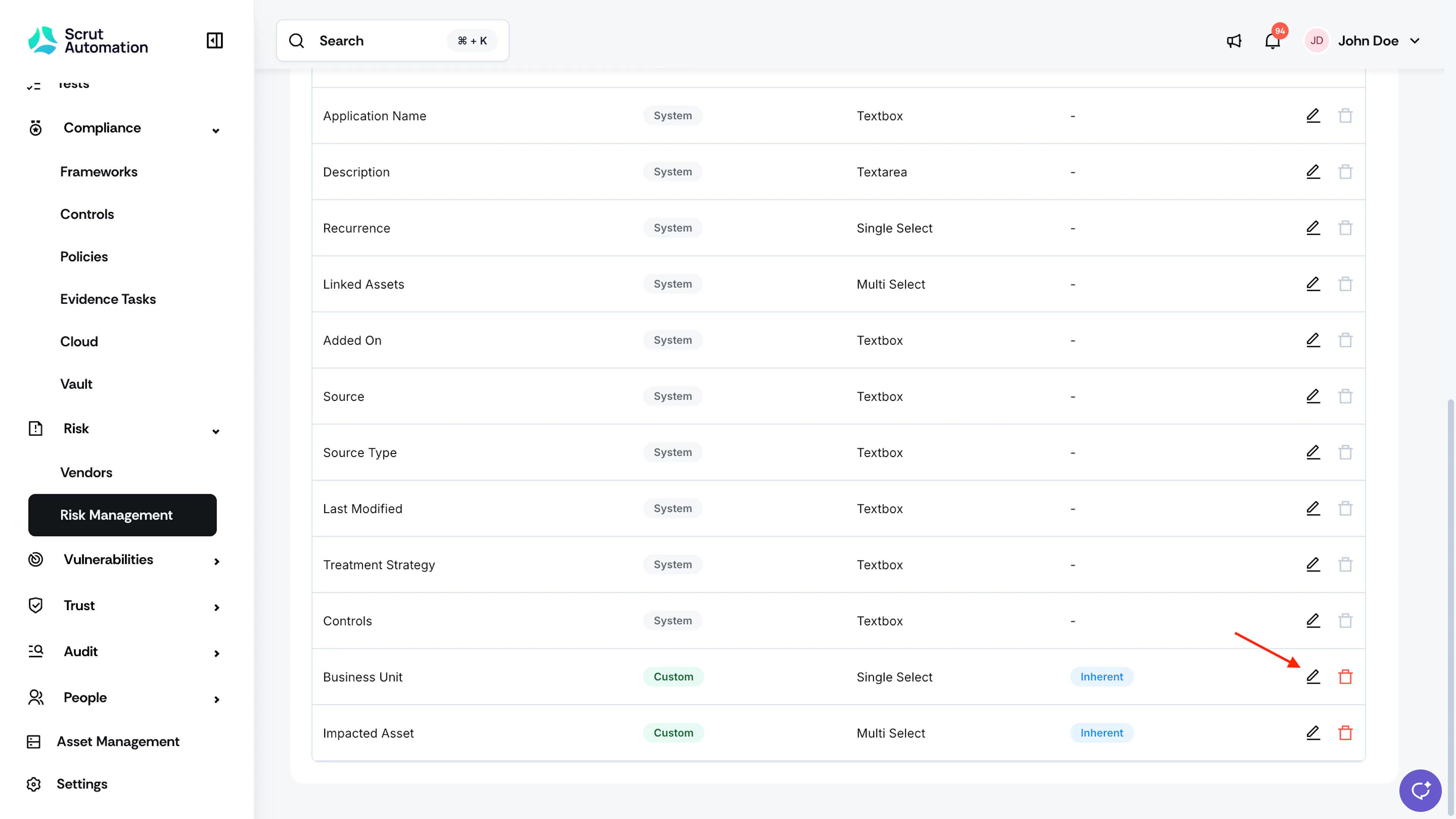
- Select the Fields tab.
- Click the pencil icon next to the custom field you want to edit.
- For Textbox and Textarea fields, you can update the Field Name or Field Criteria.
- For Single Select and Multi Select fields, update the Field Name or Field Criteria. You can also add, remove, or edit the options.
- For Currency fields, update the Field Name, Field Criteria, or the selected currency.
- Click Save.
Delete a Custom Field
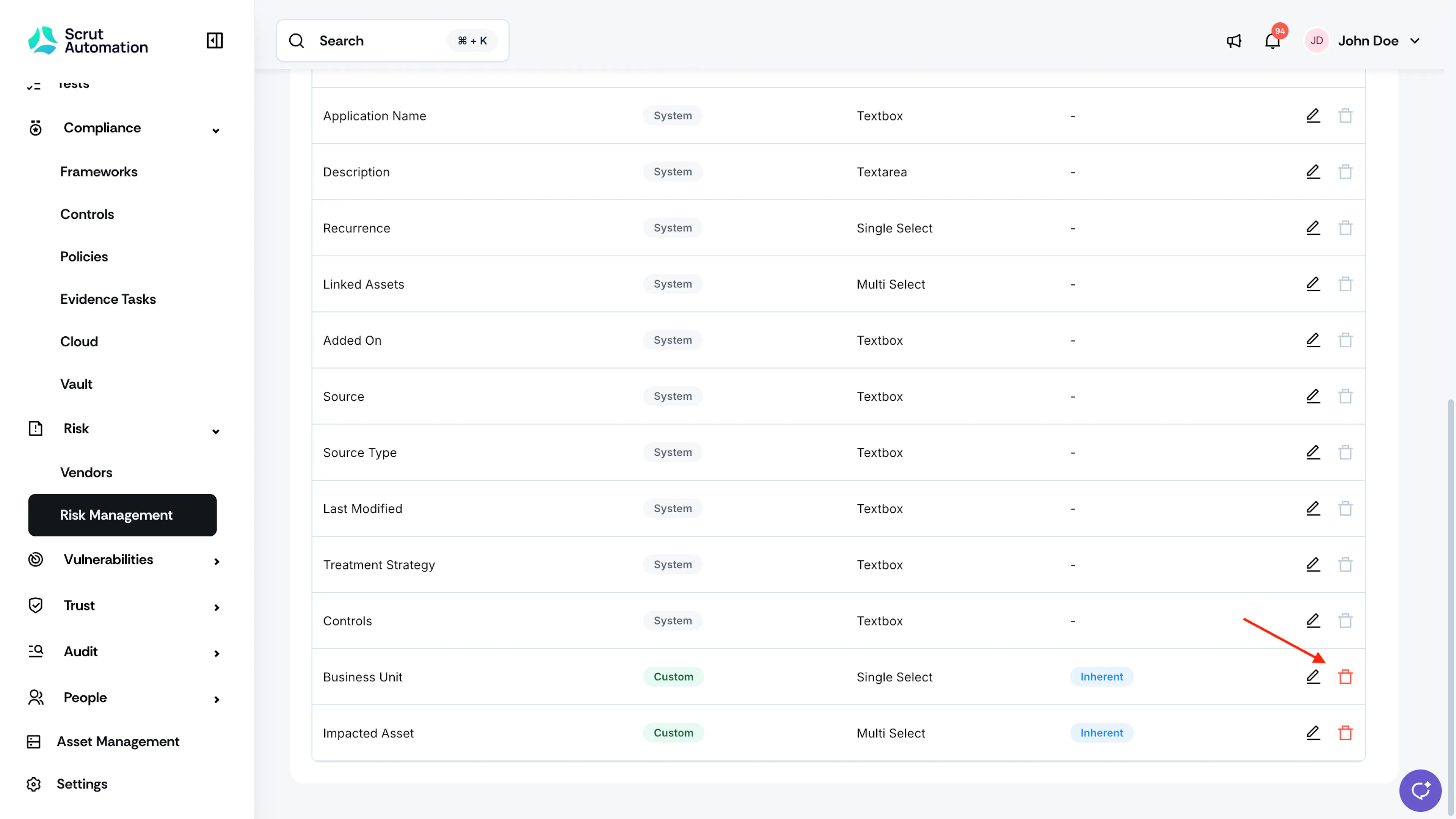
- Select the Fields tab.
- Click the delete icon next to the custom field you want to delete.
- In the confirmation window, click Delete. This action cannot be undone.
- If you delete an option from a Multi Select or Single Select custom field, the removed option no longer appears on any Open, Assessed, Treated, or Treatment in Progress risks.
Note
- All custom fields appear on the risk detail page, at the end, just before the comment section.
- Editing a custom field affects both current and future risks.
- Deleting a custom field removes it from all risks.
Reach out to support@scrut.io or contact your CSM for further assistance.