

Export Audit Center Requests
Who can use this feature
- Supported on Foundation, Growth, and Scale plans
By exporting audit requests, you can quickly share them with external auditors and other stakeholders who do not have access to Scrut. In this article, we explain how to export audit requests in two ways:
How to Export Audit Requests
1: Export Requests Specific to an Audit
-
Navigate to Audit → Audit Center via the left navigation menu.
-
Click the Audit tab and open the audit for which you want to export the requests.
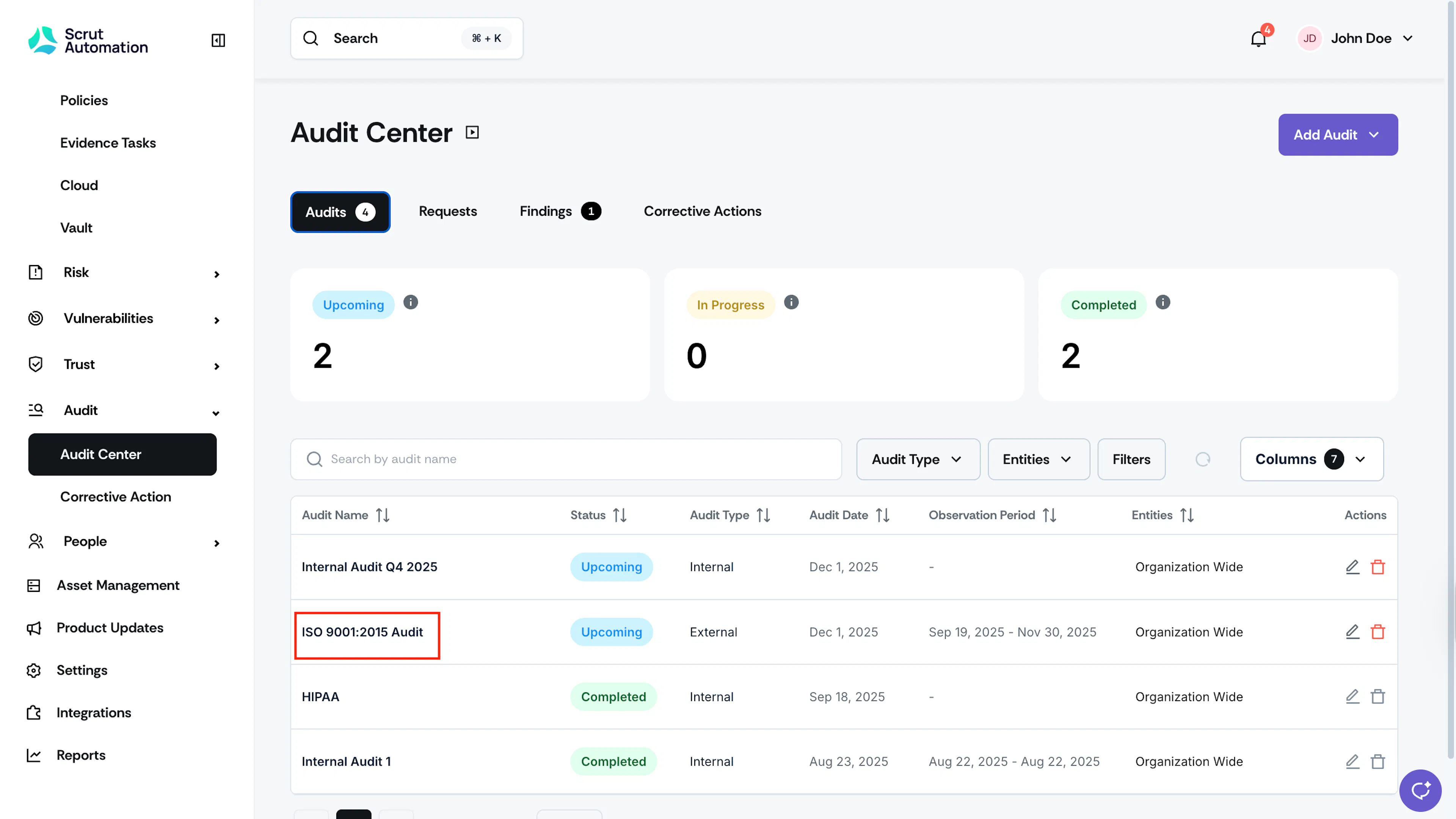
-
Scroll to the Requests tab and click the Export button.
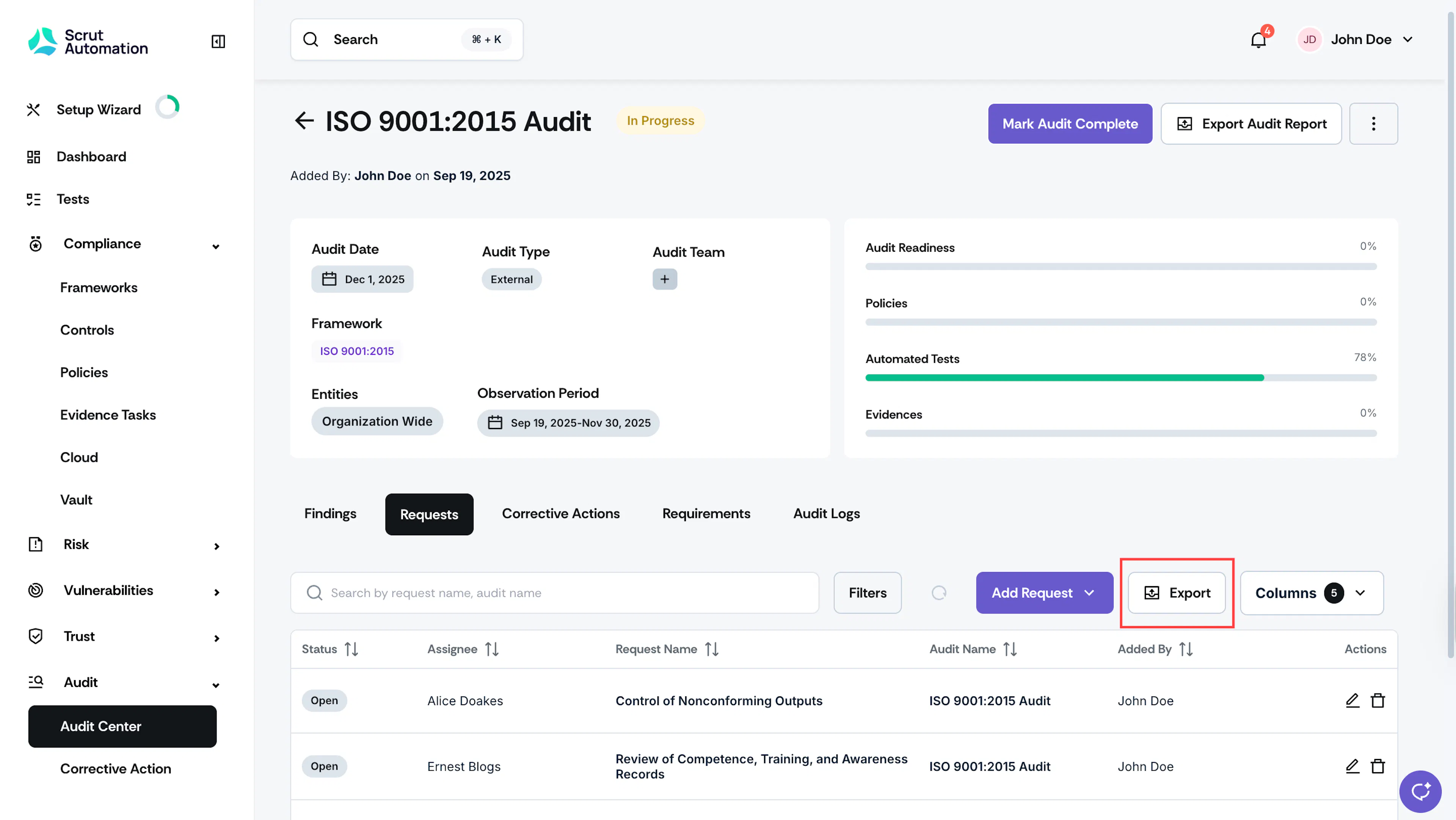
The file will be downloaded to your system in CSV format.
2: Export Requests for all Audits
If you’re looking to export requests across all audits, follow these steps:
-
Navigate to Audit → Audit Center via the left navigation menu.
-
Go to the Requests tab and click the Export button.
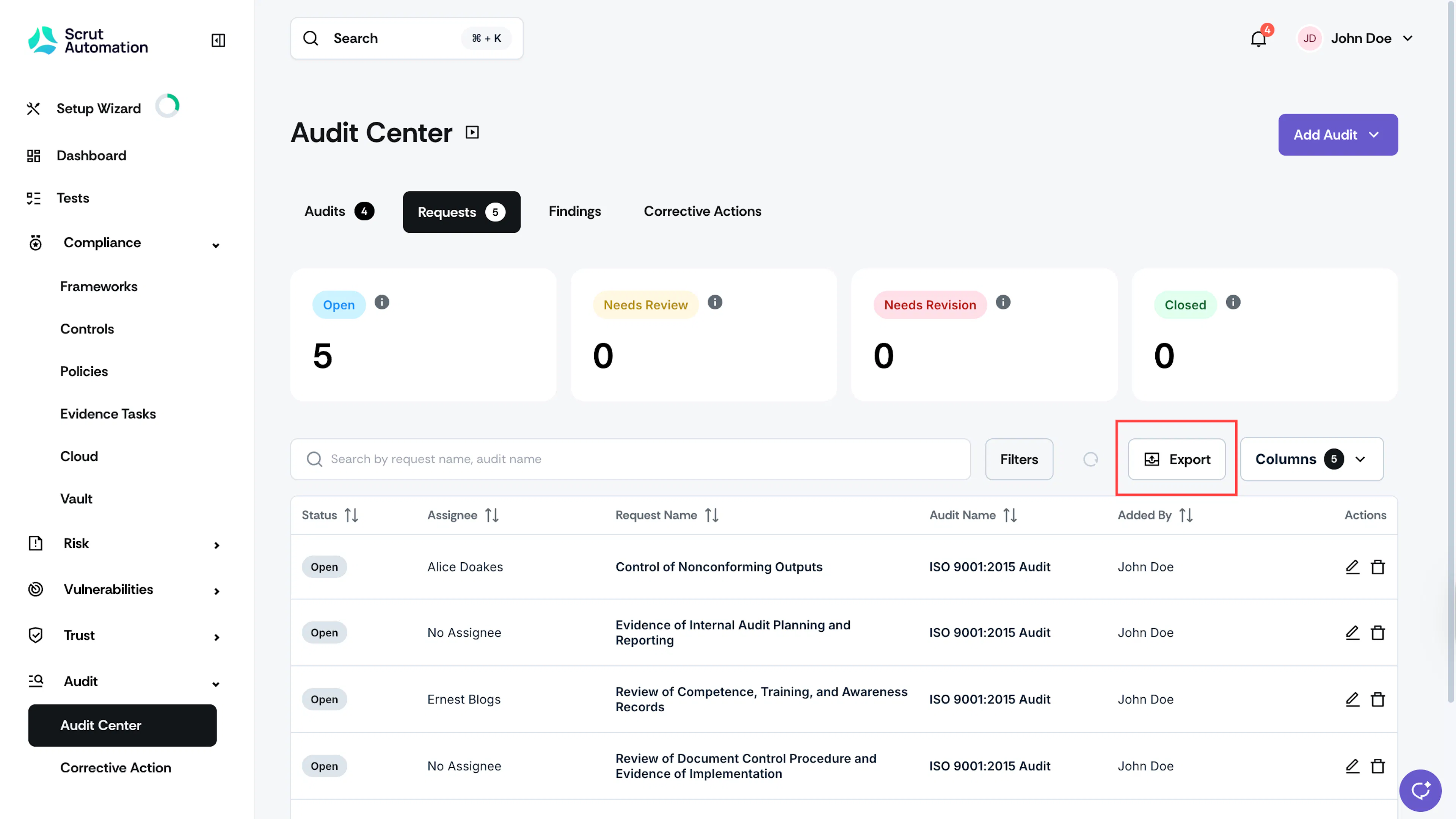
The file will be downloaded to your system in CSV format.
Was this page helpful?