

Enable AI Readability for Trust Vault Sections
Who can use this feature
- Supported on Foundation, Growth, and Scale plans
Scrut Teammates is your intelligent, AI-powered GRC assistant integrated directly within Scrut. It helps streamline your compliance workflows by leveraging AI. You can turn on AI readability to grant Scrut Teammates permission to access and read your Trust Vault.
When turned on, Scrut Teammates will read and summarize the documents and FAQs in your Trust Vault to:
- Populate the answer library: This helps in streamlining questionnaire responses with updated, organization-specific information.
- Provide compliance support: Get tailored, contextual responses to your queries.
How To Turn On AI Readability
-
Sign in to Scrut and go to Trust → Trust Vault using the left navigation panel.
-
Click the Overview tab and scroll to your desired section.
-
Turn on the AI Readability toggle for your desired section.
Note: This toggle is available for Compliance, Controls, Sub-Processors and FAQ sections.
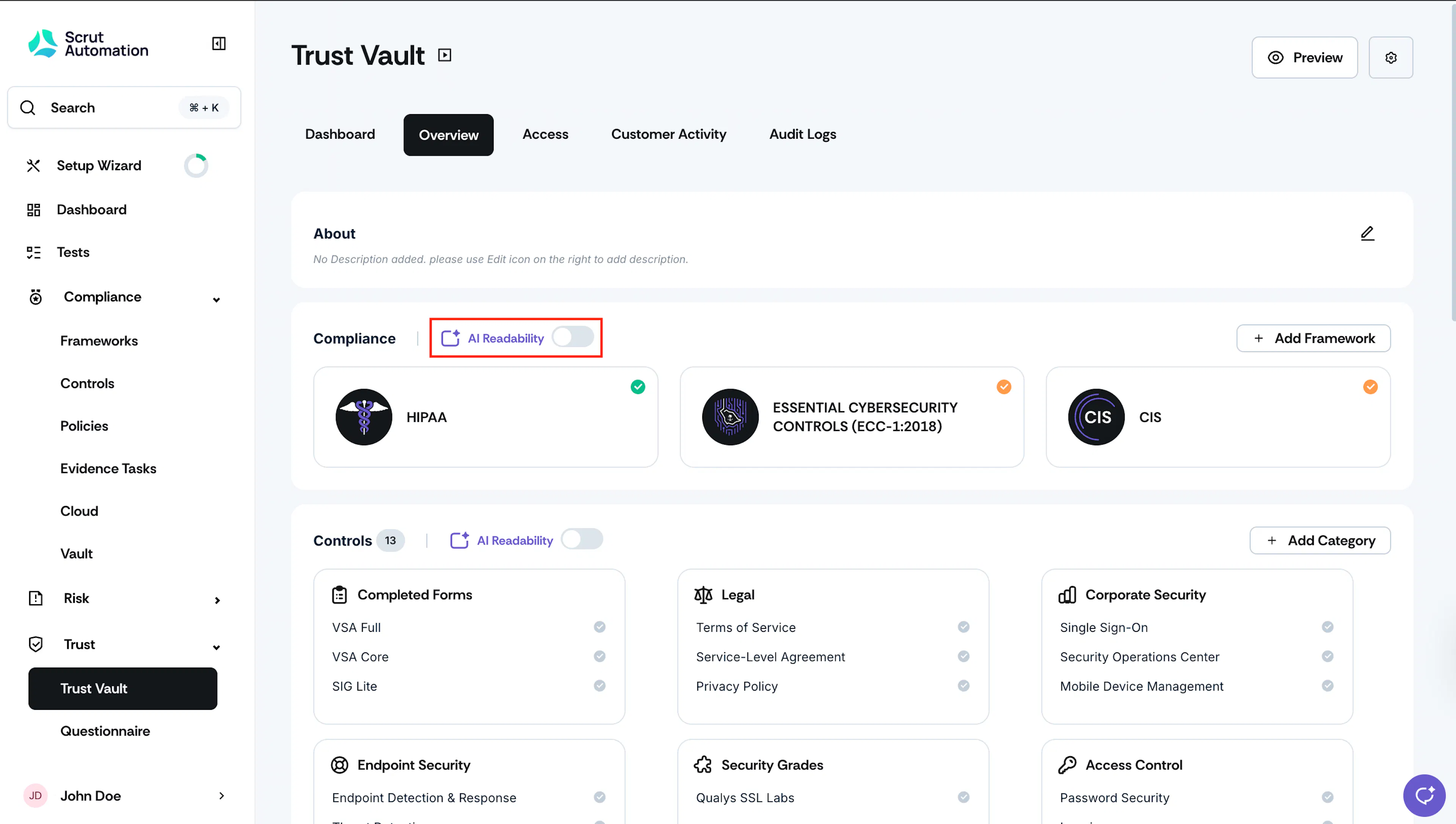
When enabled, Scrut Teammates will be able to read and summarize documents across all items within the selected section.