

Integrate Adyen
Learn how to connect your Adyen account with Scrut.
What This Integration Does in Scrut
- User Access Data: Fetches user details, roles, and permissions from Adyen for Access Reviews.
- Automated Tests: Runs automated checks that evaluate Adyen against your applicable compliance frameworks.
Prerequisites
- An active Adyen account with admin access to the Adyen Customer Area.
- Access to both your test and live Customer Areas if you intend to use this integration in a production environment.
Permissions and Access Requirements
For Adyen
The API credential you create must have the following roles assigned:
| Management API | Account read |
|---|---|
| Management API | Users read and write |
For Scrut
- Admin access to Scrut, or Contributor access with permission to the Integrations module.
Limitations
The API key generated in your test Customer Area does not work on live endpoints. You must generate a separate API key in your live Customer Area by switching to a production environment.
Data Collected
Scrut fetches the following information to populate Access Review data:
- User name: Full display name from Adyen
- User email: Primary email on the Adyen account
- User role: Roles assigned to the user in Adyen
Sync Frequency
Data syncs automatically every 24 hours. You can also manually trigger a sync from the integration settings page.
Integration Setup
Step 1: Generate Credentials in Adyen
You need three credentials from Adyen: an API key, an HMAC key, and a live URL prefix. Follow the steps below to retrieve each one.
Note: Keep your API key, HMAC key, and live URL prefix stored securely. You need all three to complete the setup in Scrut.
API Key
- Log in to your Adyen Customer Area and select your Company account.
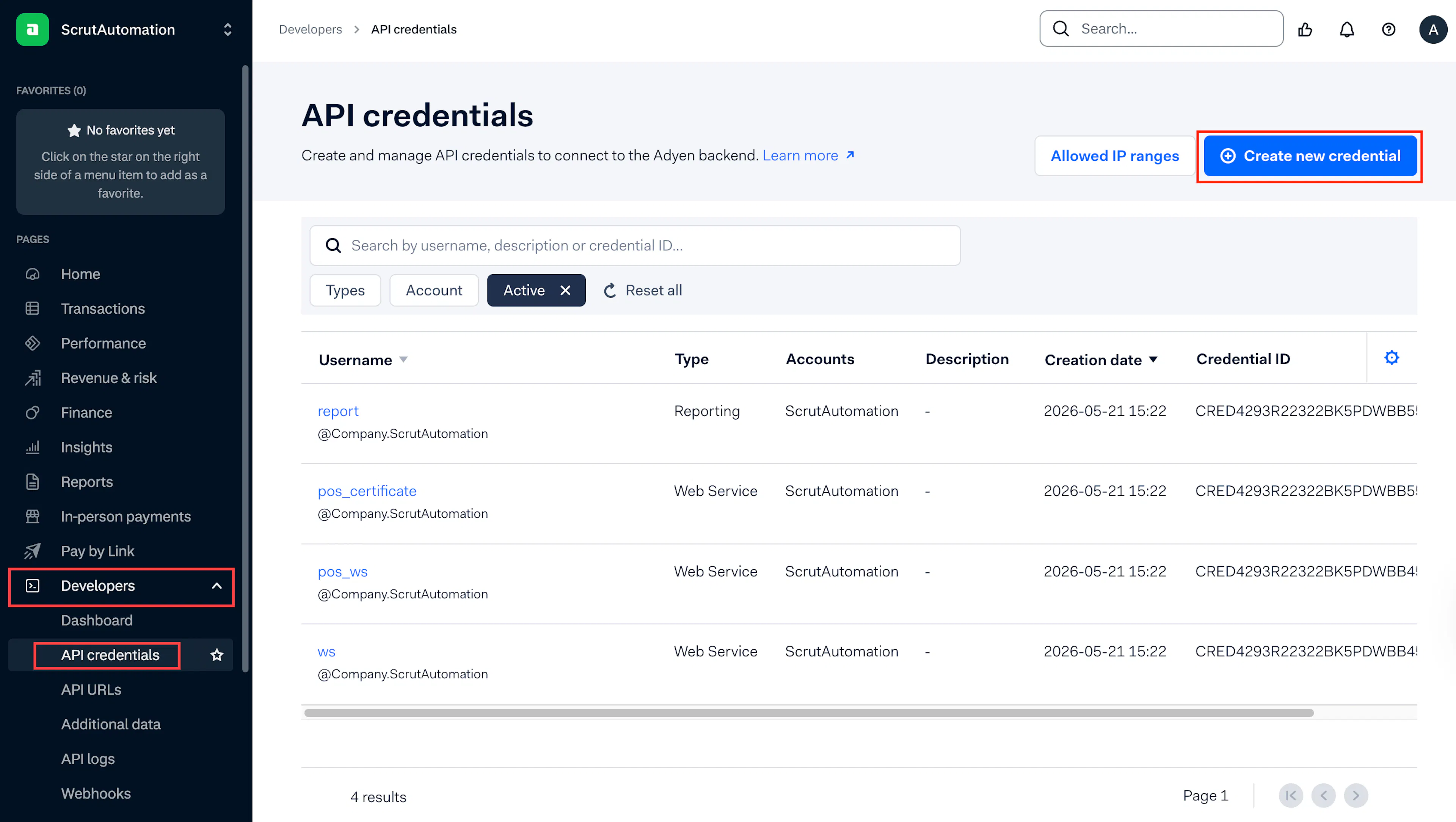
- Click Developers → API credentials on the left sidebar.
- Click Create new credential.
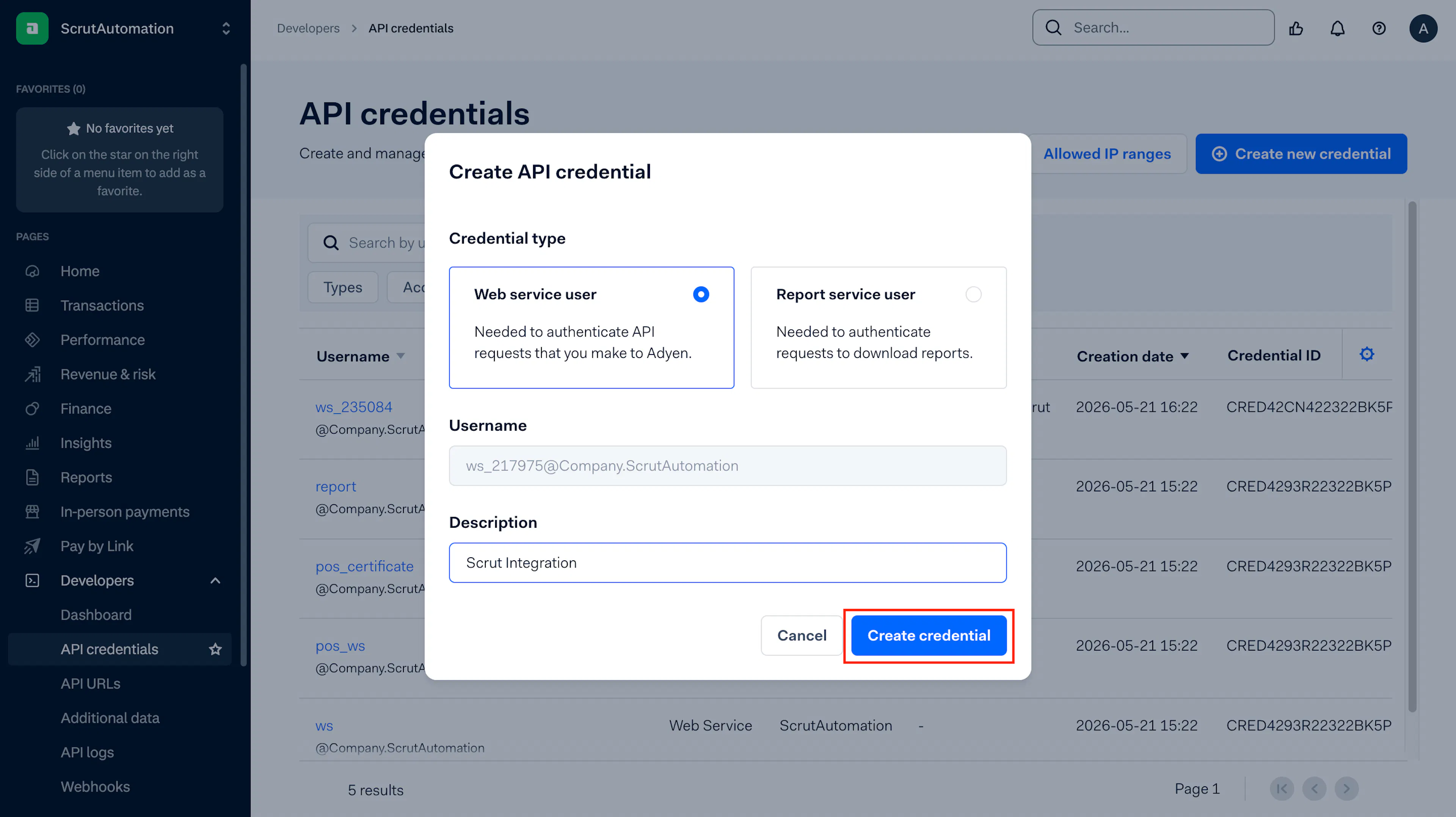
- Under Credential type, select Web service user.
- Optionally enter a description, such as Scrut Integration, and click Create credential.
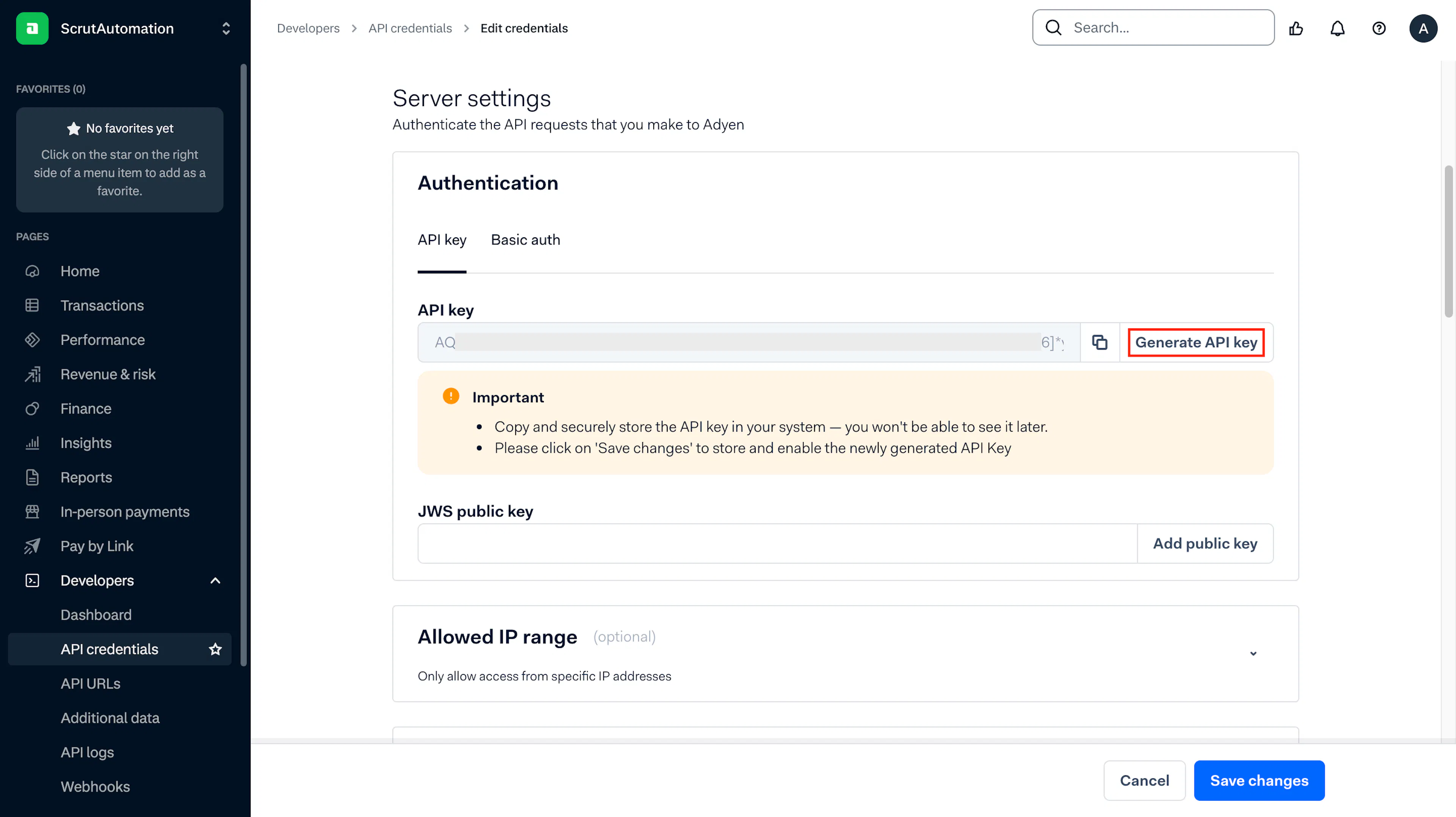
- On the Configure API credentials page, go to Server settings → Authentication → API key tab.
- Click Generate API key.
- Click the copy icon and save your API key securely. You cannot retrieve it again after leaving this page.
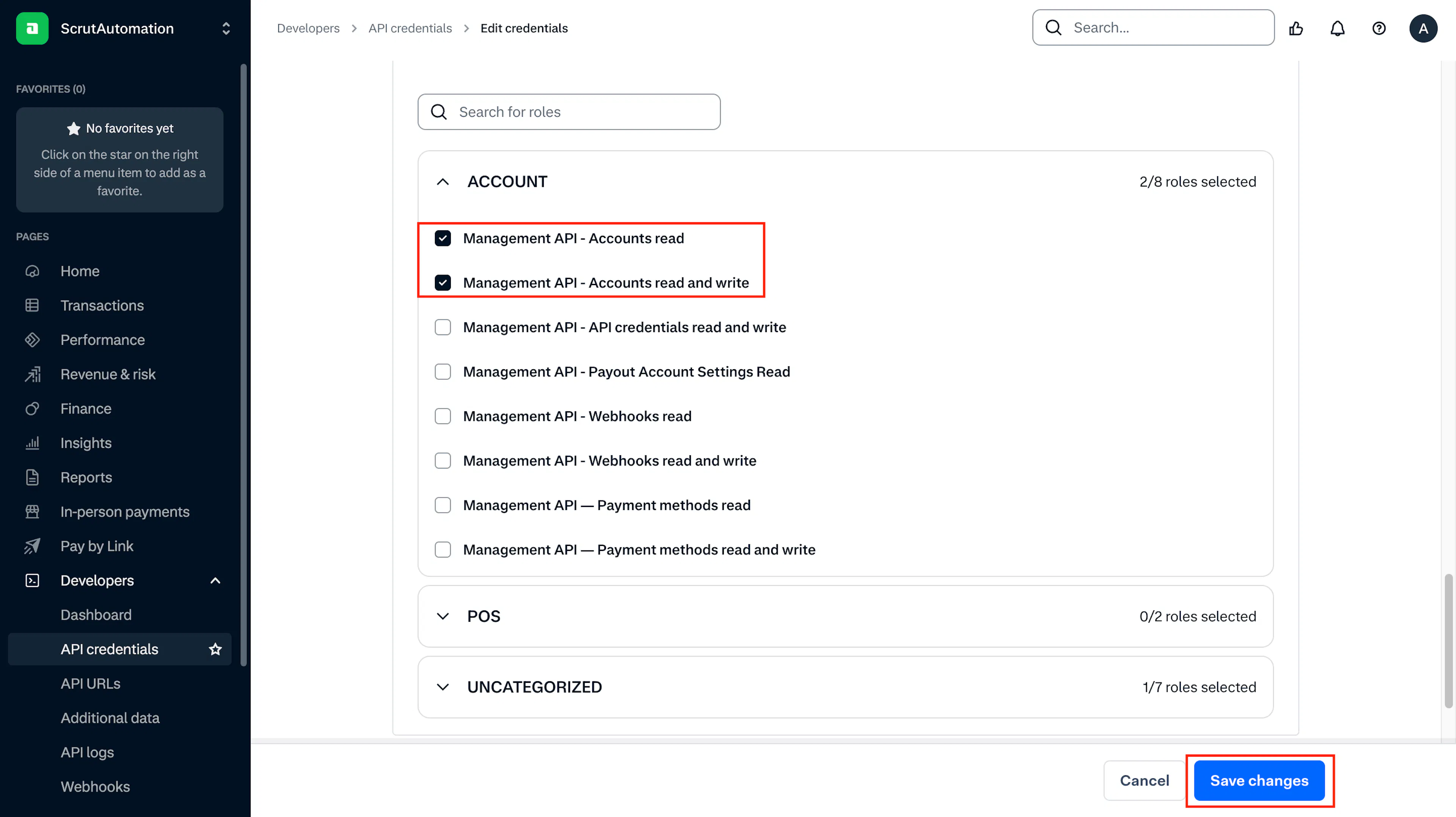
- Assign the following roles to this credential:
- Management API: Accounts read
- Management API: Accounts read and write
- Click Save changes.
HMAC Key
- Click Developers → Webhooks on the left sidebar.
- Create a new standard webhook or open an existing one.
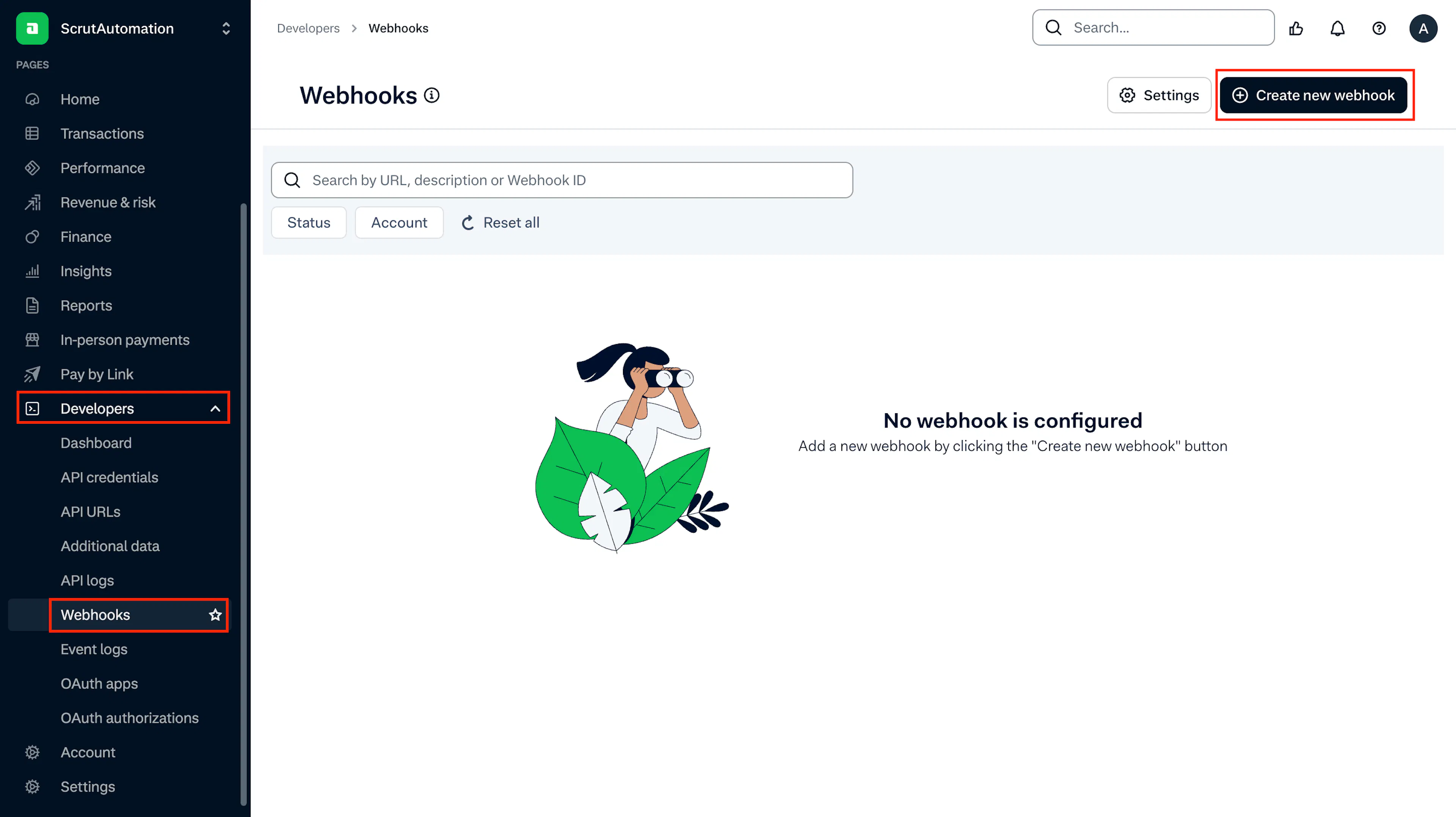
- Scroll to the Security section of the webhook.
- Click Generate HMAC key, then copy and store it securely.
Live URL Prefix
- Log in to your Adyen live Customer Area at live.adyen.com.
- Click Developers → API URLs on the left sidebar.
- Copy the prefix shown for your live endpoint. It appears in a format similar to
a1b2c3d4-yourcompany.
Step 2: Connect Adyen in Scrut
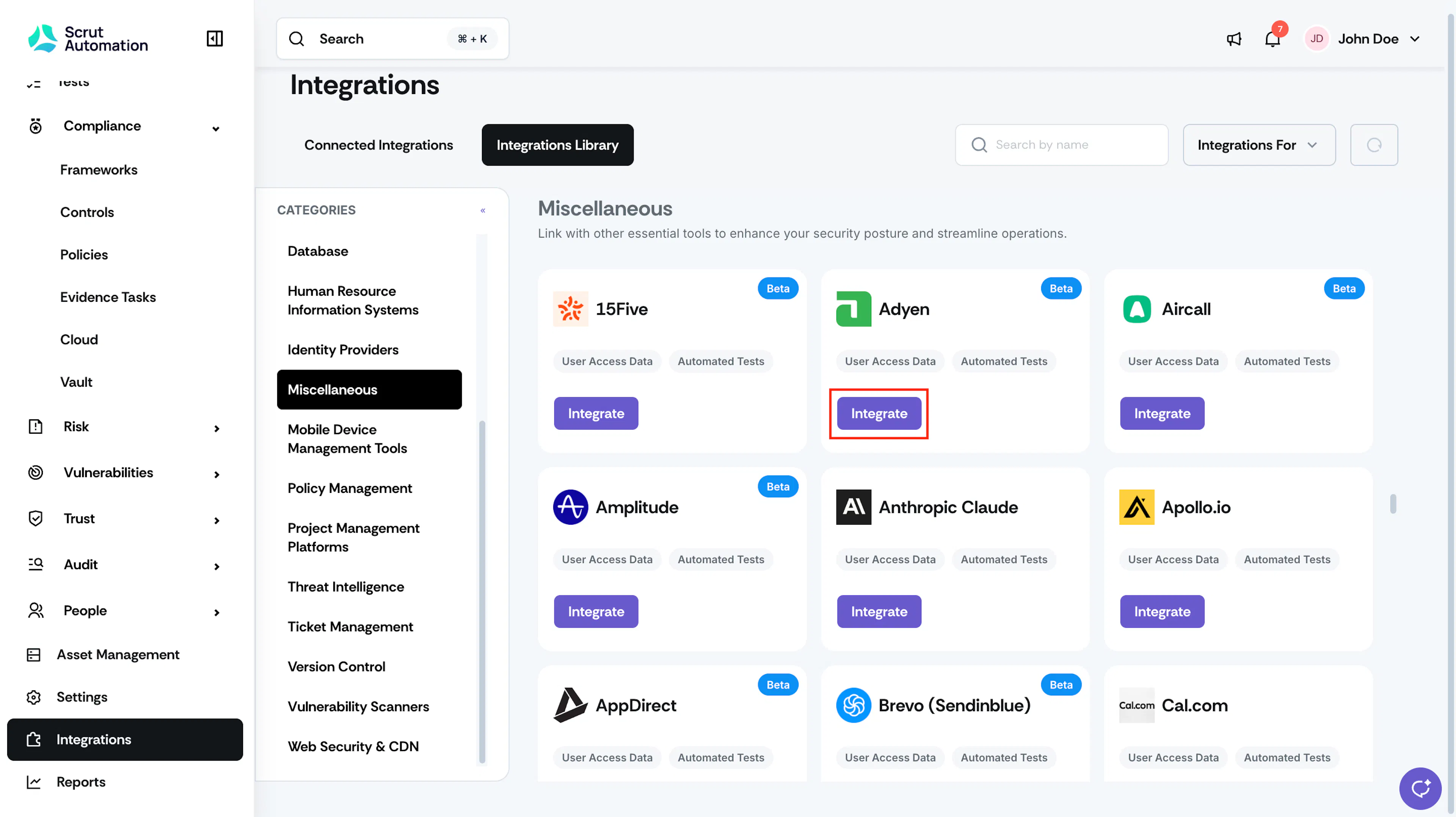
- Log in to Scrut and go to Integrations in the left navigation.
- Select the Integrations Library tab.
- In the left panel, select Miscellaneous under Categories, or search for Adyen using the search bar.
- Click Integrate on the Adyen card.
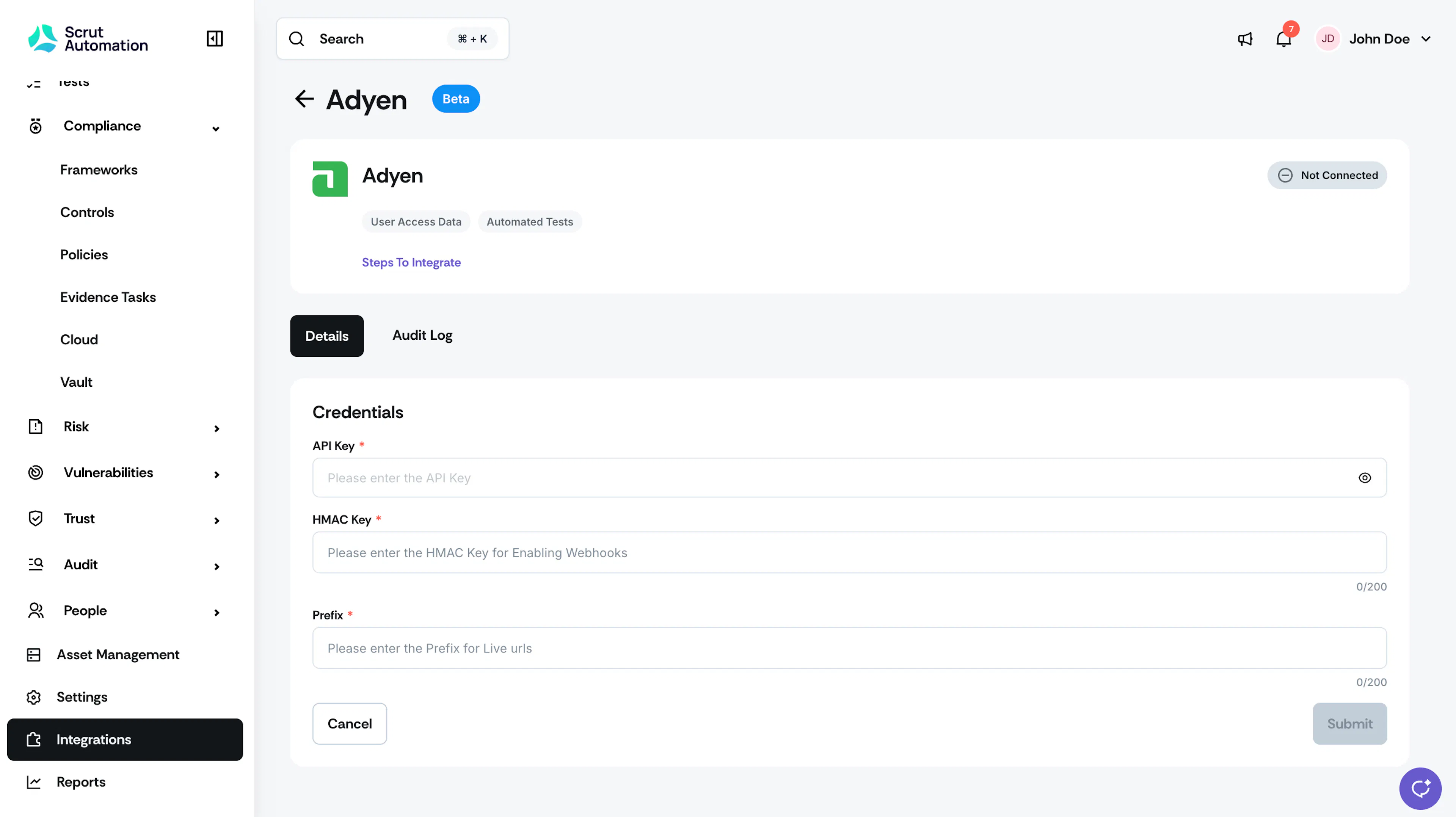
- On the Adyen integration page, enter the following:
- API Key: Paste the API key you generated in Step 1.
- HMAC Key: Paste the HMAC key from your Adyen webhook configuration.
- Prefix: Enter the live endpoint prefix for your Adyen account.
- Click Submit.
What Happens Next?
Initial data sync
After you submit your credentials, Scrut automatically initiates the first data sync. You can monitor the status of the sync by selecting the Audit Log tab on the Adyen integration page in Scrut.
Review synced data
Once the sync completes, navigate to the following locations in Scrut to verify your data:
- Navigate to People → Access Reviews module in Scrut to view the user records fetched from Adyen, including name, email address, license type, and activation status.
- Navigate to Tests → Automated Tests to view the compliance checks that Scrut runs for Adyen.
Common Errors and Troubleshooting
FAQs
Contact support@scrut.io or your CSM for further assistance.