

Add Frameworks
By default, new workspaces have no frameworks assigned. In this article, we explain how to add compliance frameworks to individual workspaces.
-
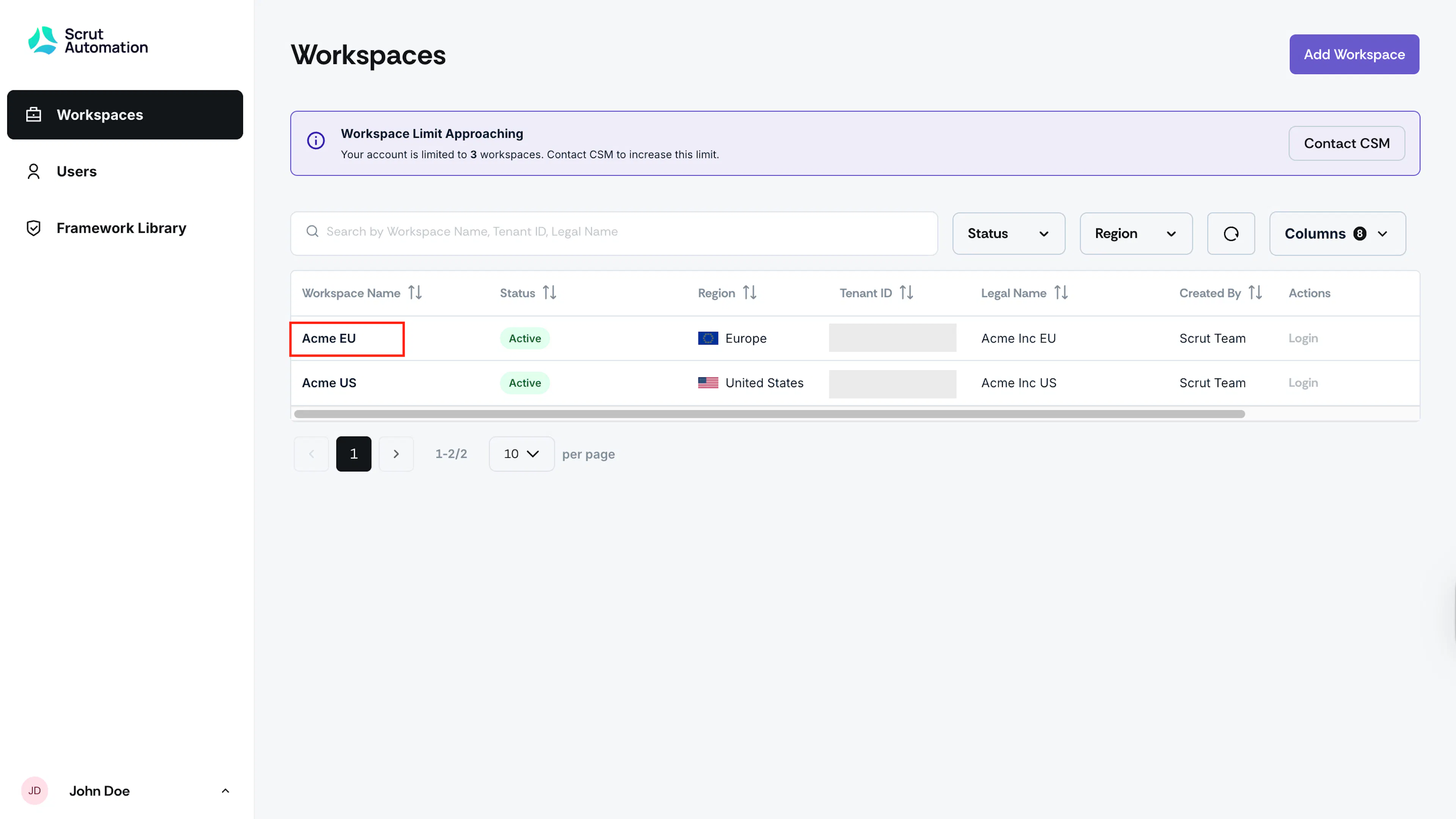
Log in to the Partner Console (console.scrut.io) and click the workspace for which you want to add a framework.
-
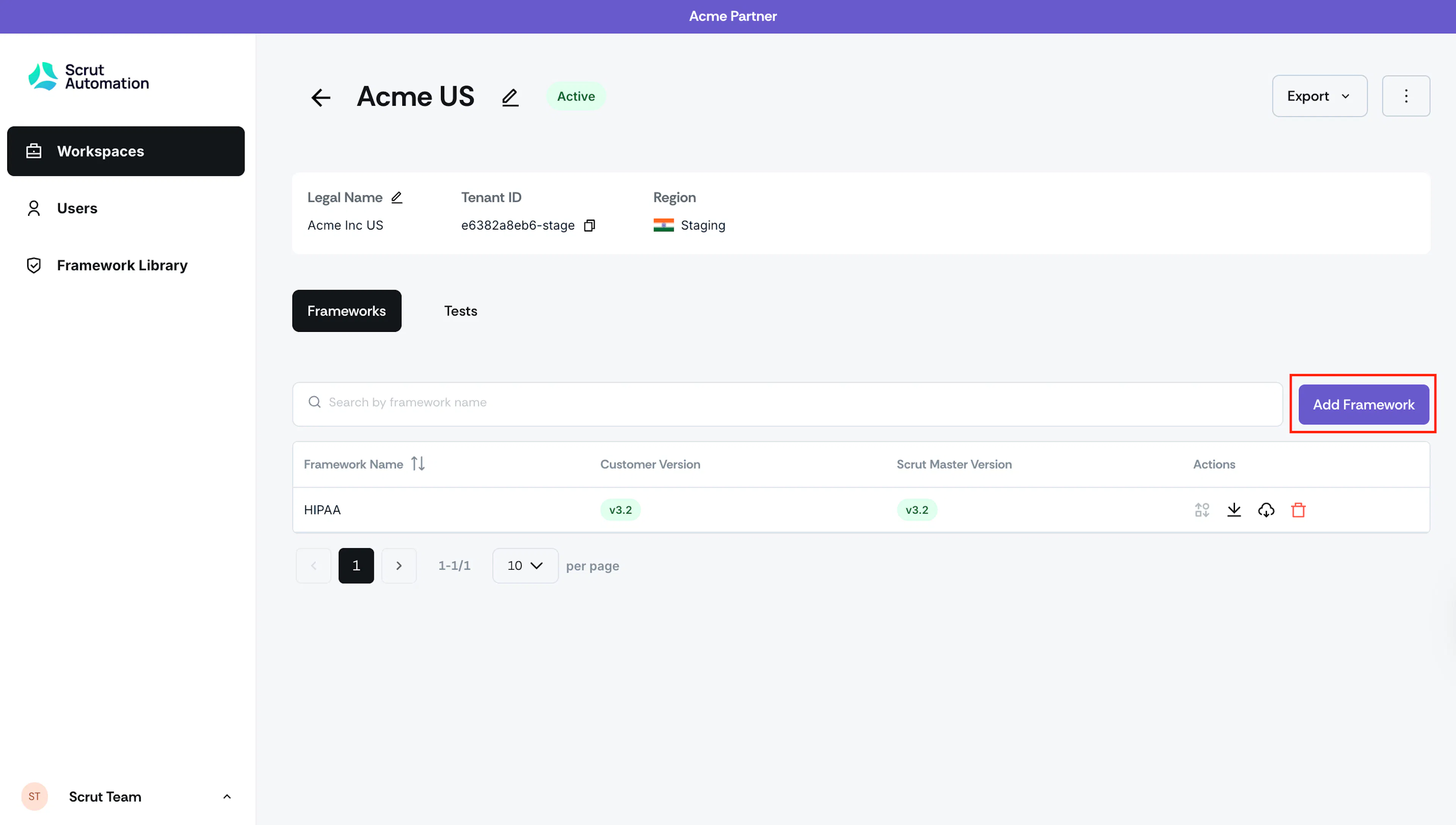
Click Add Framework.
-
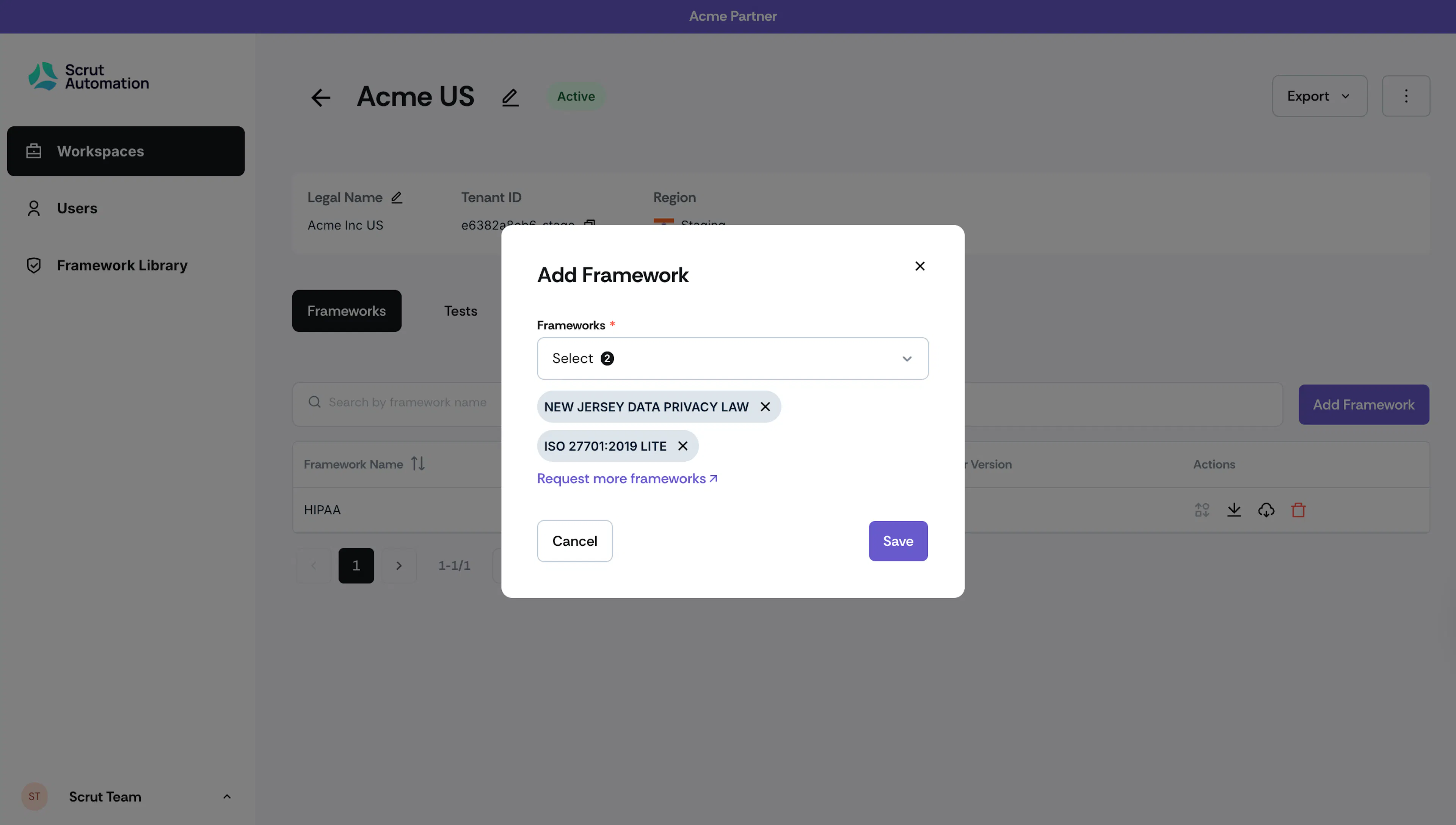
Select from the available frameworks enabled for your partner account (the frameworks available vary depending on your partner agreement).
-
Click Request more frameworks to send a request to your CSM.
Note:
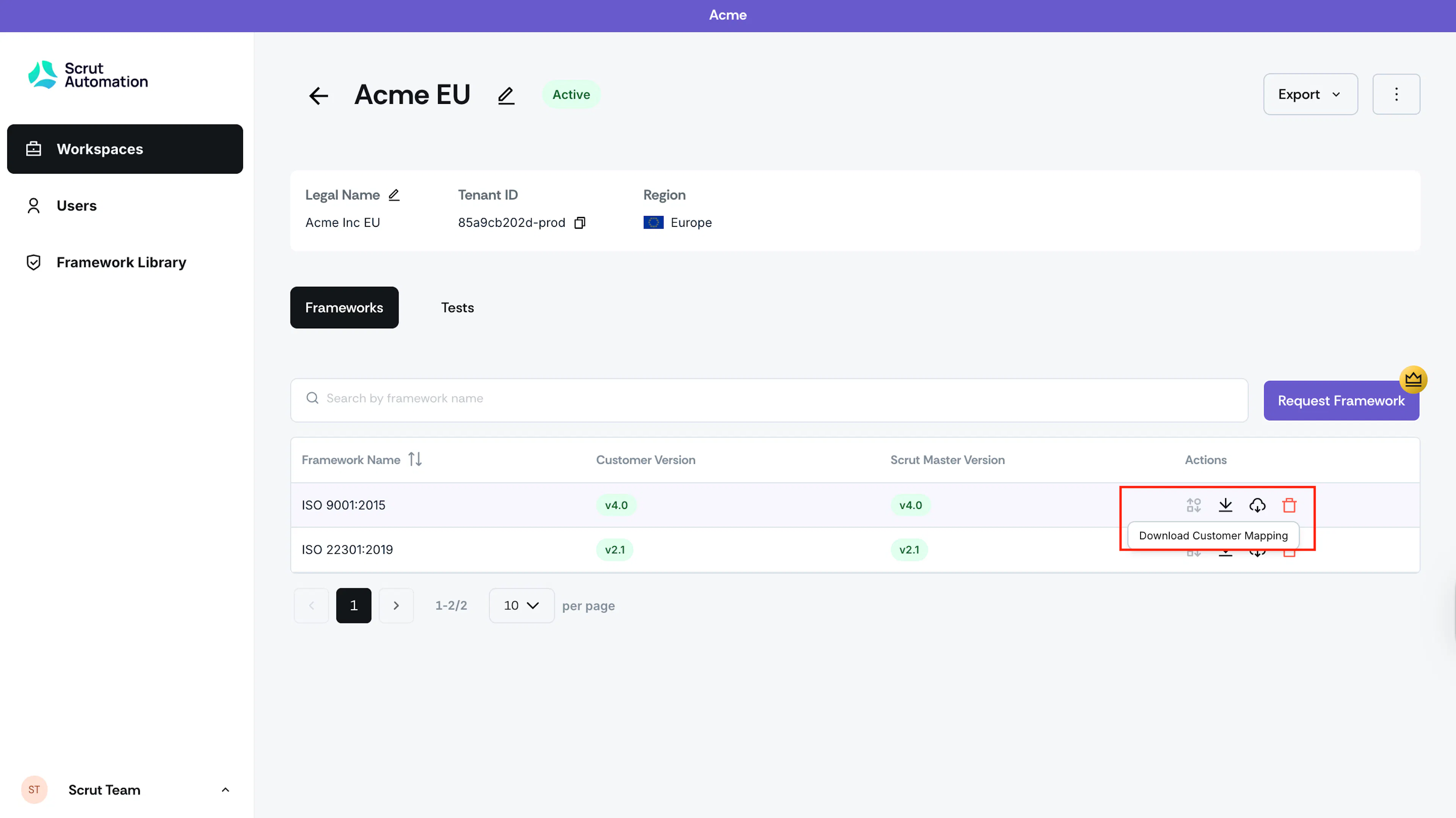
Click the icons in the Actions column of the Frameworks table to:
- Download Customer Mapping
- Download Master Mapping
- Remove a framework from your workspace
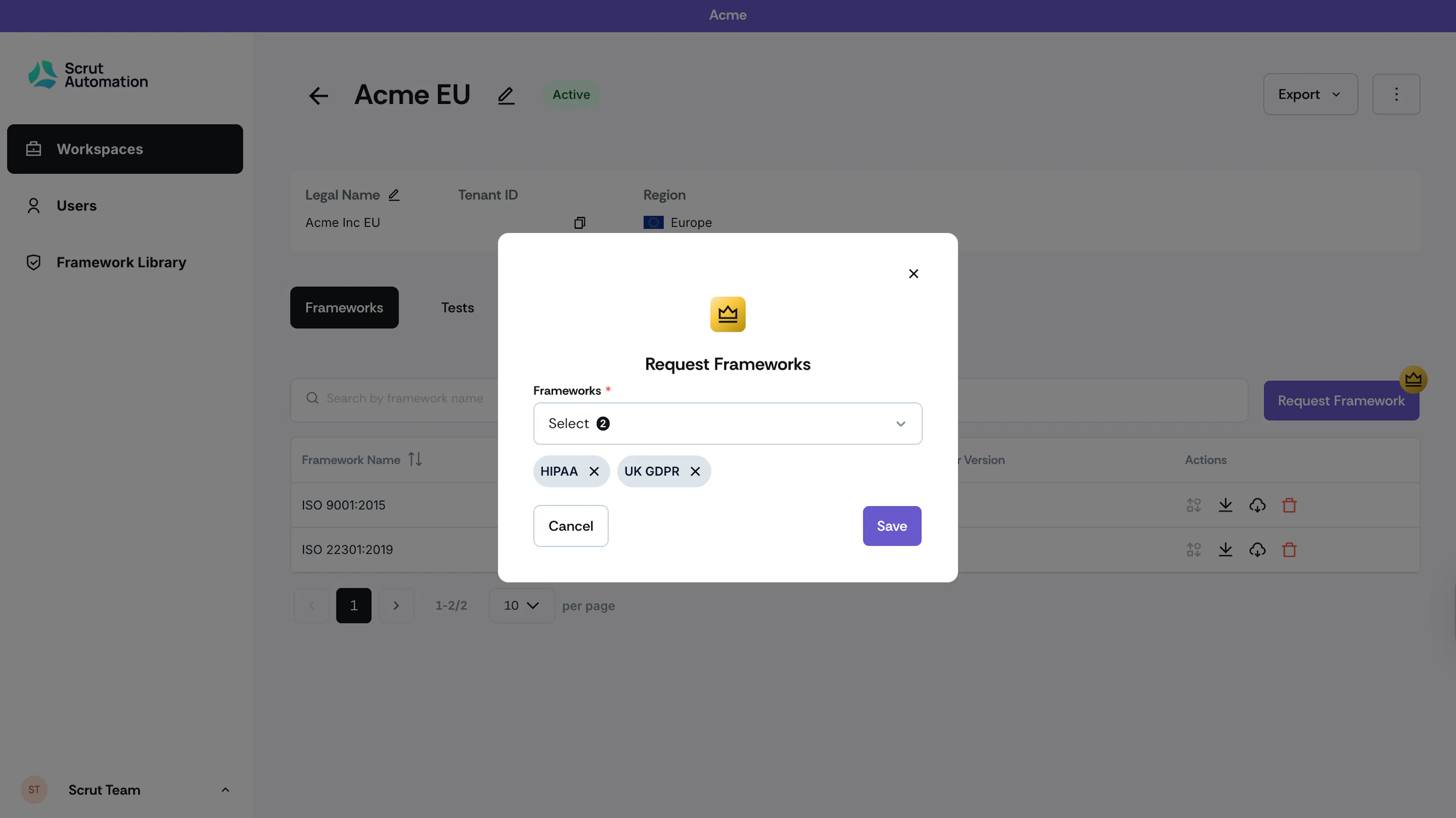
Request Additional Frameworks
If you need frameworks beyond those currently enabled (such as HIPAA, GDPR, or any of Scrut's 70+ supported frameworks):
- Click Request Framework.
- Select the frameworks you wish to request for this customer account.
- This will trigger an email to your Scrut CSM, who will follow up shortly.
Was this page helpful?