

Partner Portal: Walkthrough
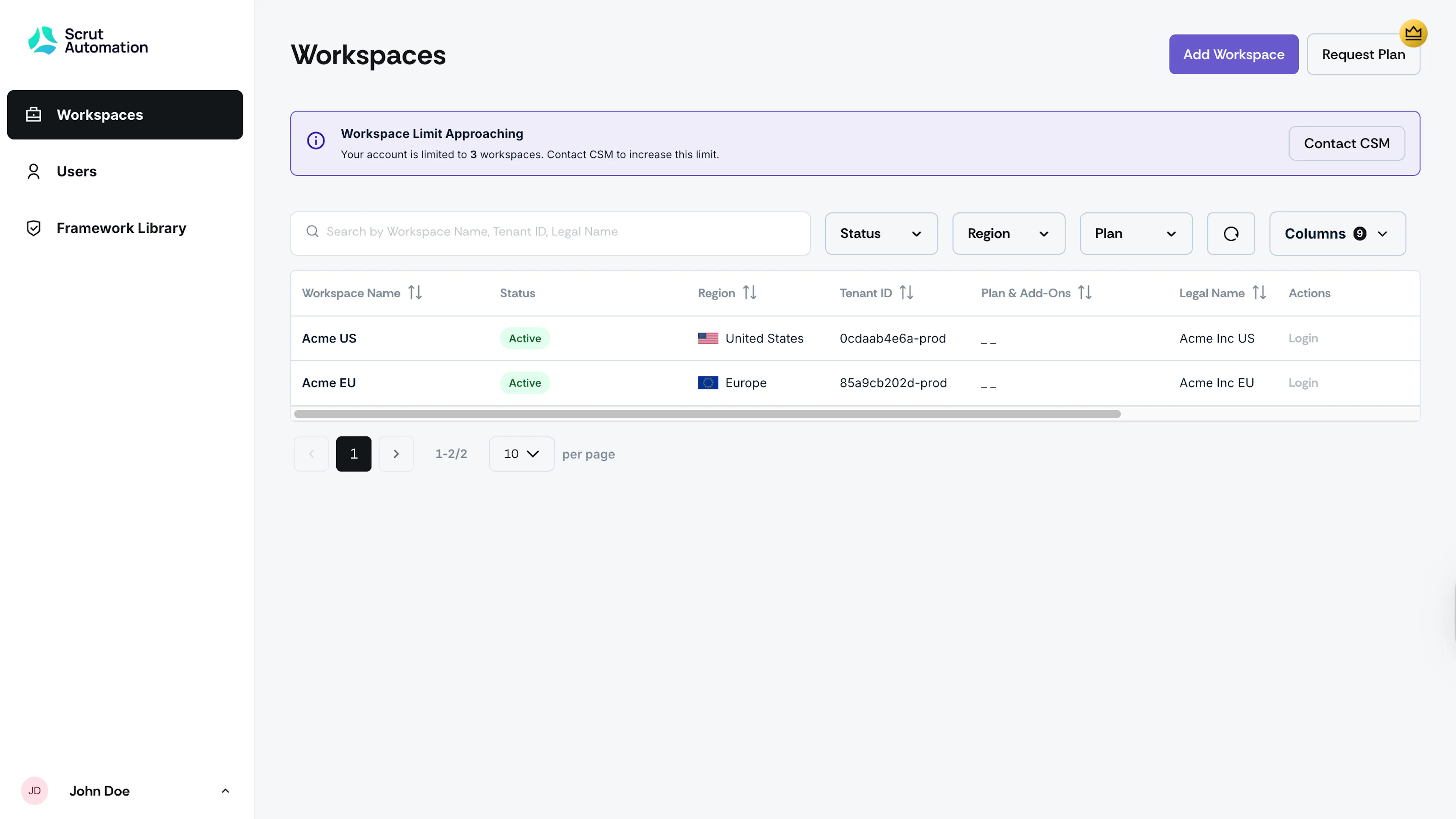
Scrut offers a dedicated portal (console.scrut.io) for partners to manage their customer accounts. The partner portal organizes customer accounts into individual workspaces, giving partners a clean and separate environment for each customer they manage.
What Is a Workspace?
In simple terms, a workspace represents one customer account. Each workspace is its own isolated environment where you manage that customer's compliance settings, frameworks, and users. When you log in to the Partner Portal, you land on the Workspaces tab, where all your customer workspaces are listed.
Think of the Partner Portal as your central control hub, with each workspace acting as a dedicated space for a specific customer. This structure ensures that settings, frameworks, and users for each customer are always kept separate from other customer accounts.
What You Can Do in a Workspace
Inside each customer workspace, you can:
- Manage that customer's compliance frameworks
- Add and manage users for that account
- Configure workspace-specific settings
- Switch directly into the customer's environment to take action on their behalf
Getting Help
Reach out to support@scrut.io or contact your CSM for further assistance.