

Log in to a Workspace
Logging Into Customer Accounts
You can easily access customer accounts directly from the Partner Portal:
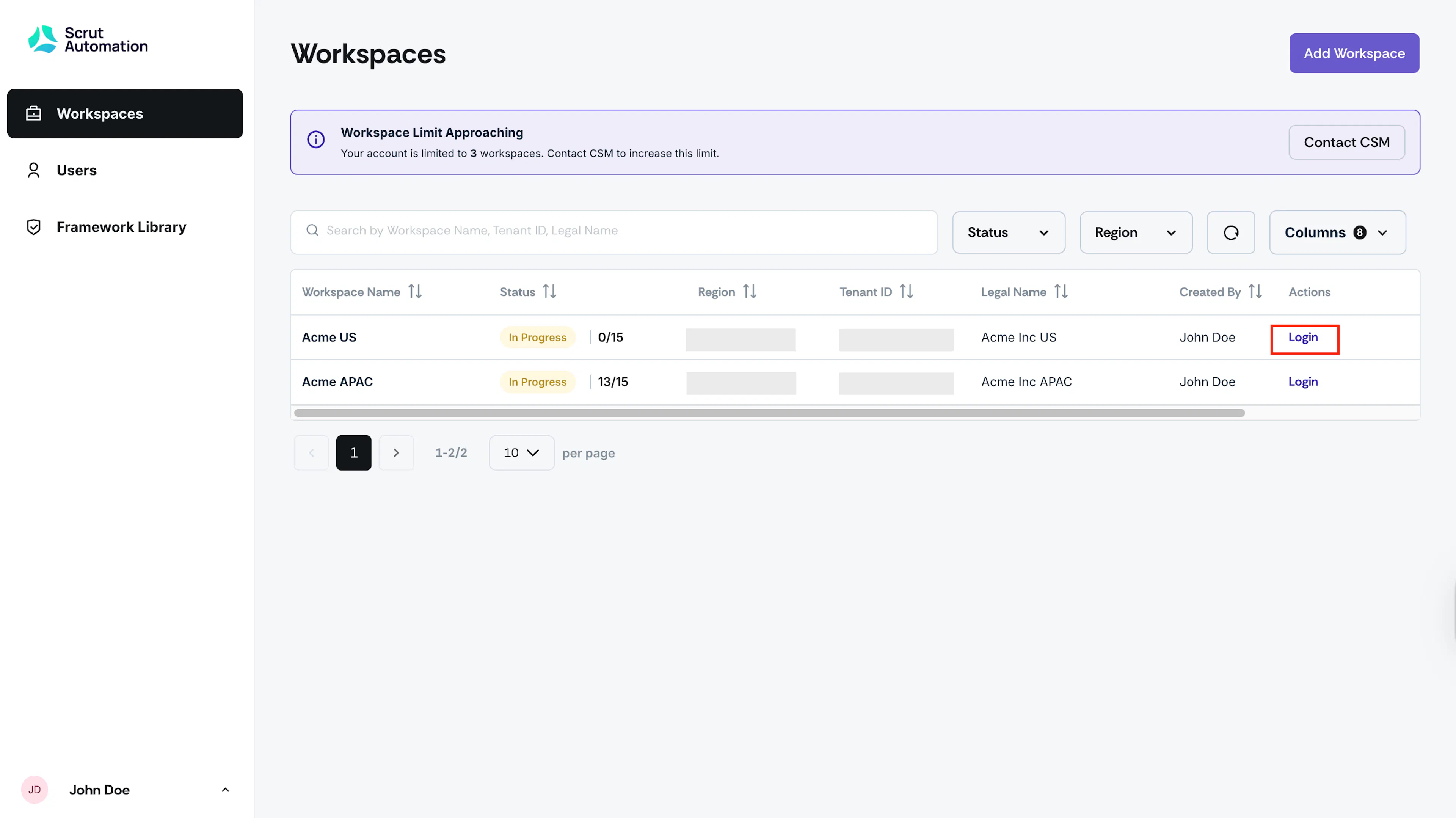
- From the Workspaces tab, find the customer workspace that you want to log into.
- Click the Login action.
- You'll be redirected to app.scrut.io, where you'll be logged into that customer's account.
Switching Between Customer Accounts
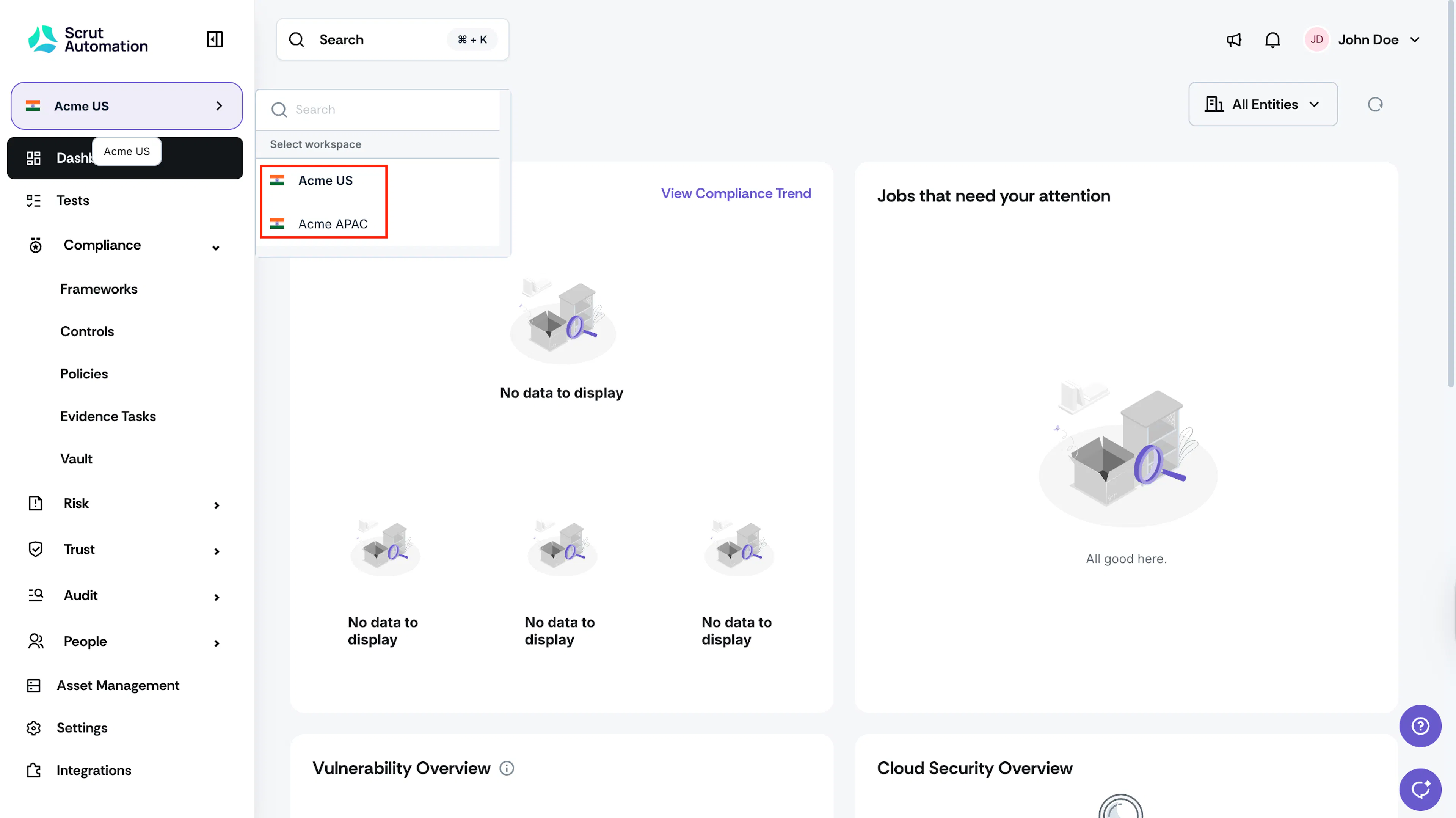
Once logged into a customer account at app.scrut.io, you can switch between different customer workspaces (that you have access to) using the workspace switcher in the interface, without needing to return to the Partner Portal.
How Users Access Their Accounts
- Users with Workspace Console Access: Can log in through console.scrut.io into their preferred workspace.
- Users without Workspace Console Access: Must log in through app.scrut.io and use the workspace switcher to navigate between their assigned customer accounts.
Was this page helpful?