

Create a Vendor Intake Form
Who can use this feature
- Included in the Scale plan
- Available in the Vendor Advanced Add-on for Foundation and Growth plans
The vendor intake form is the starting point for onboarding new vendors through the Scrut Employee Portal. Once you build and save it, employees in your organization can log in to the portal and submit vendor procurement requests by filling it out.
Pro Tip: Before You Begin
Plan the questions you want to include before building the form. See Best Practices and Sample Questions below for guidance on what to ask.
How to Create a Vendor Intake Form
-
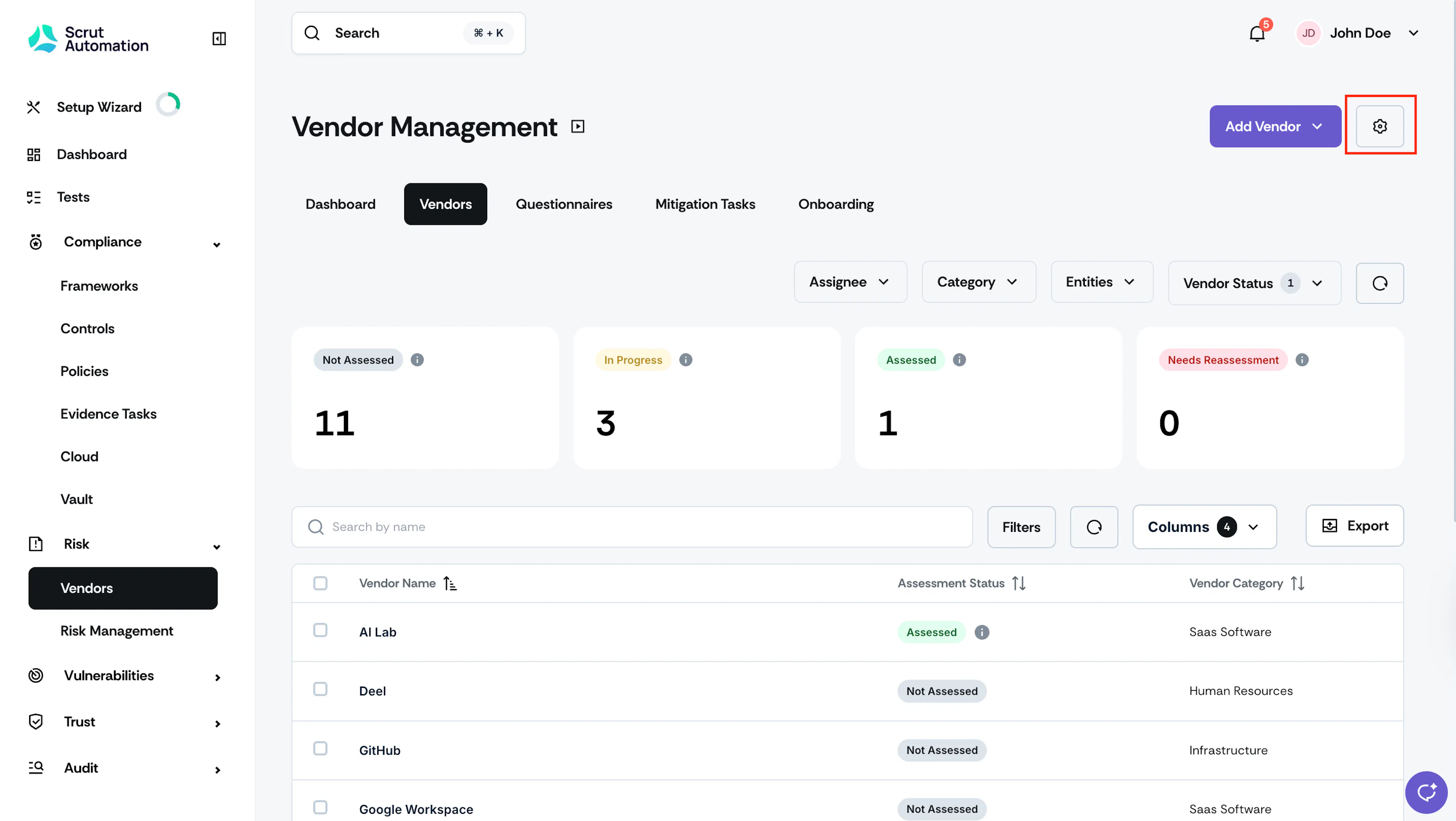
Navigate to Risk → Vendors using the left navigation panel.
-
Click the Settings icon at the top right.
-
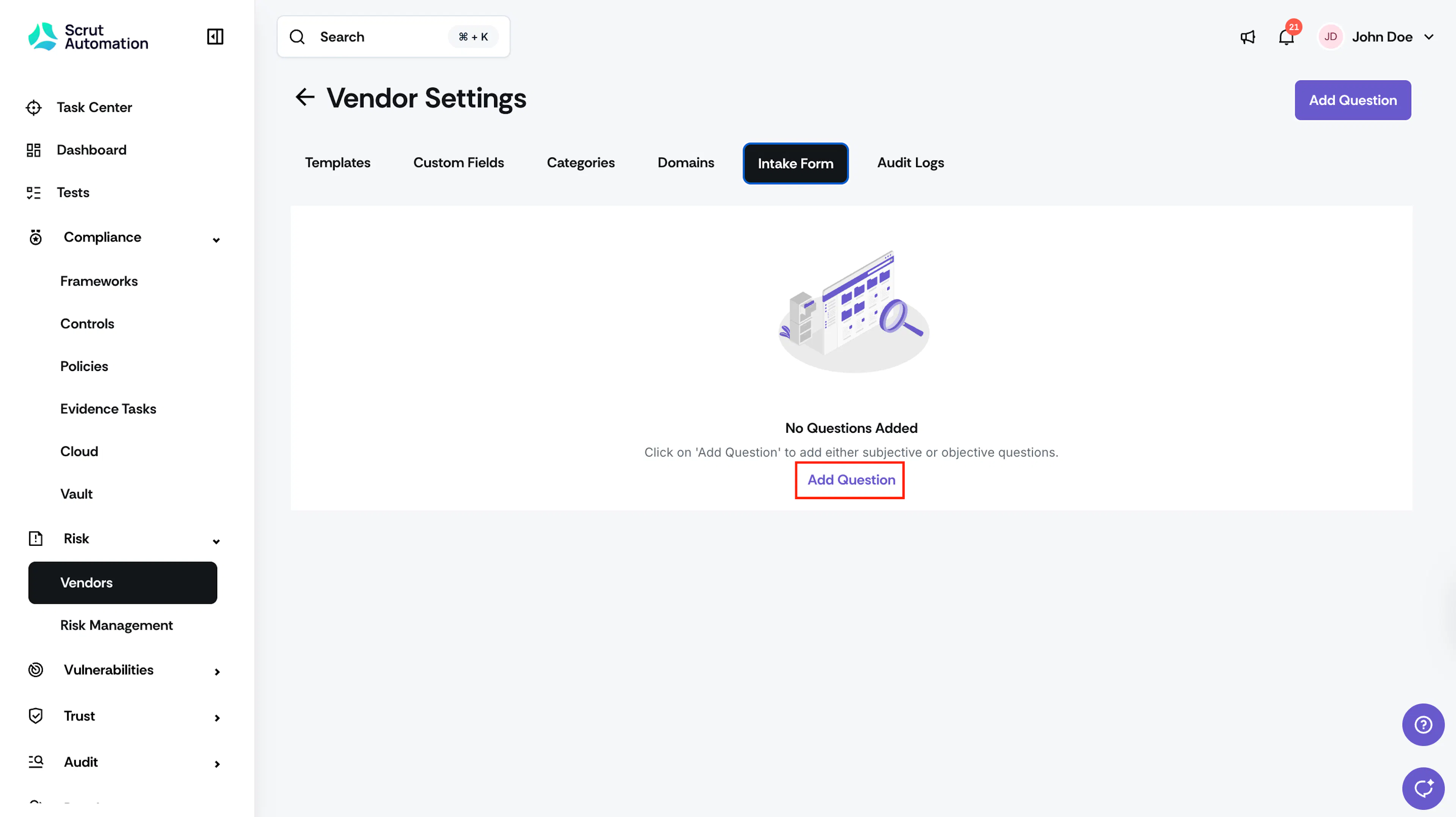
Go to the Intake Form tab and click Add Question.
-
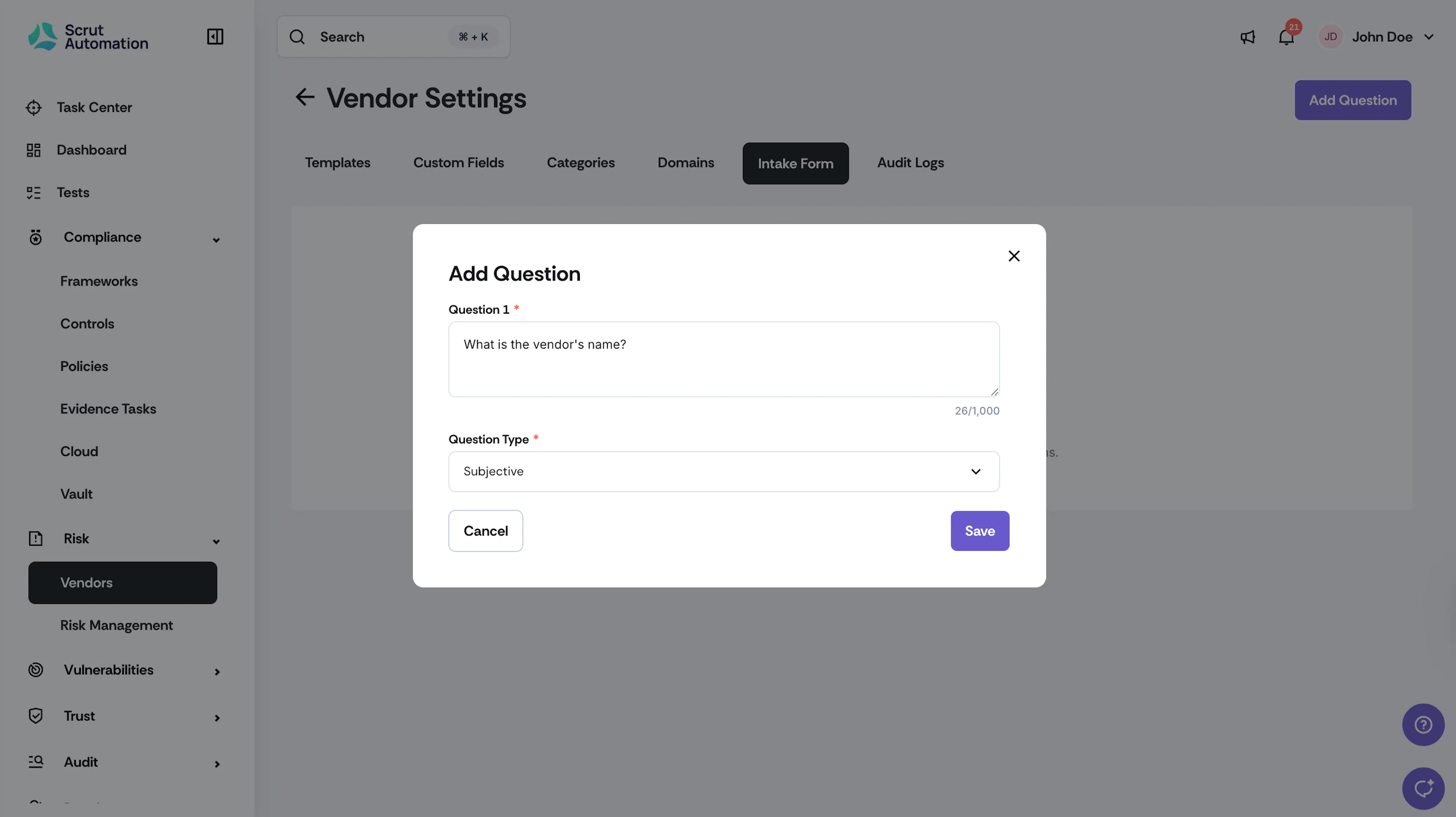
Enter your question and select a question type:
-
Subjective: an open text field for written responses.
-
Objective (Single Select): a single-choice question.
Note: You can include conditional follow-up questions for this question type, as needed.
-
Objective (Multi Select): a multiple-choice question allowing more than one selection.
-
-
Click Save.
-
Click Add Question again to add more questions to the form.
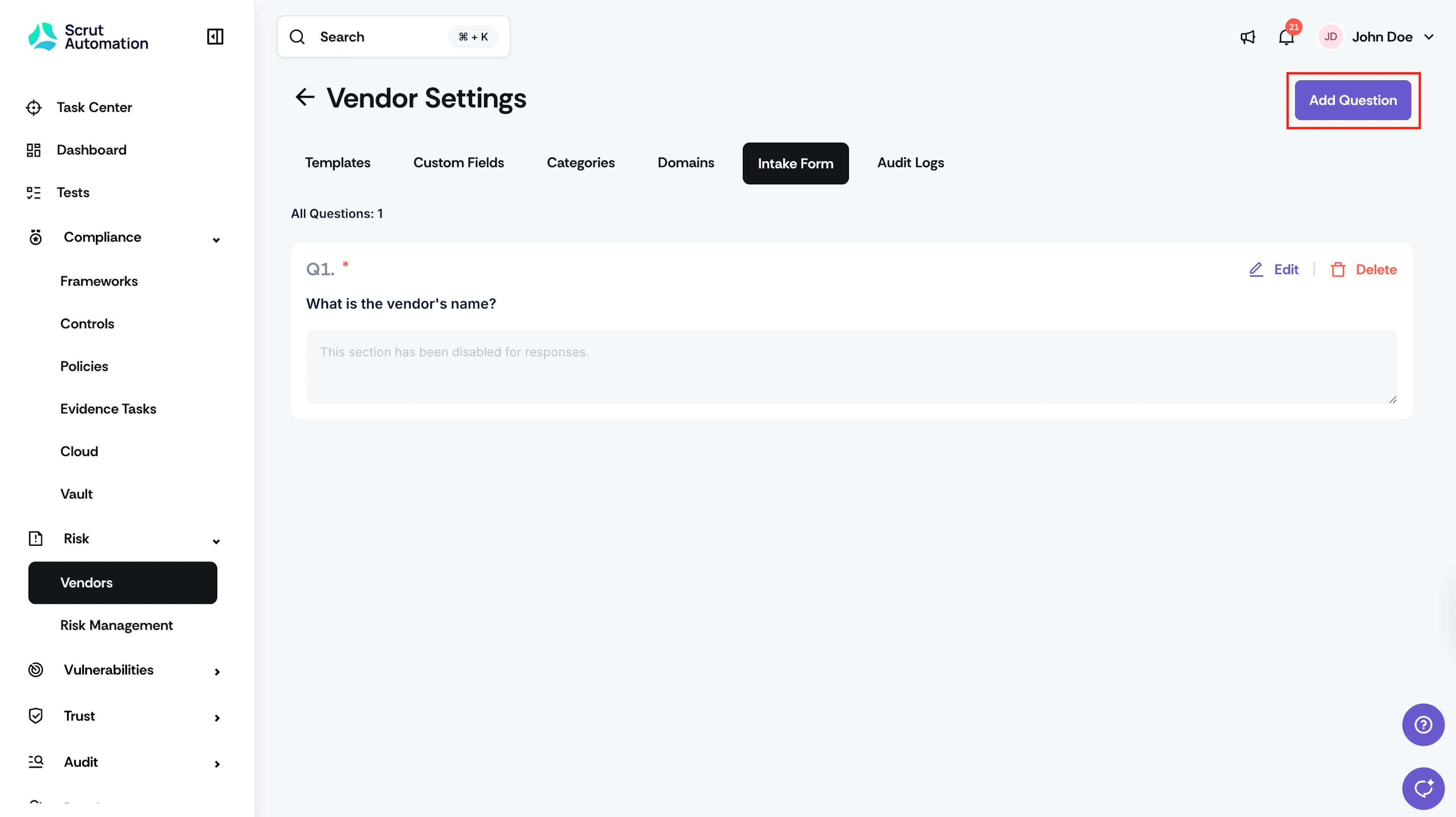
The intake form is now available in the Vendor Onboarding tab of the Scrut Employee Portal. Employees in your organization can log in to the portal and submit a new vendor request by filling out the form.
Adding Conditional Follow-Up Questions
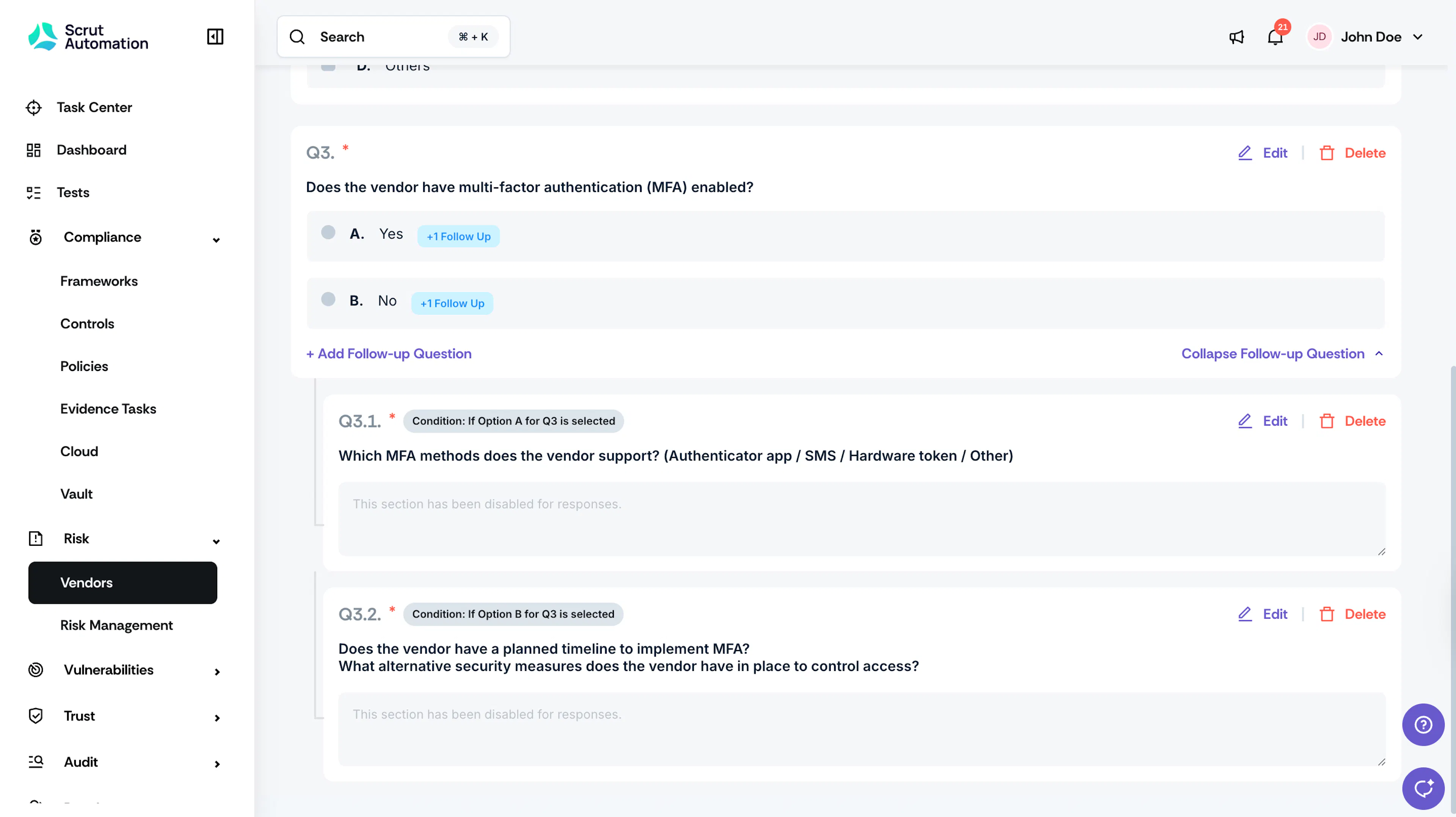
For Objective (Single Select) questions, you can add conditional follow-up questions that appear based on the answer an employee selects. Use this to collect additional context only when it's relevant, without making the form longer for everyone.
-
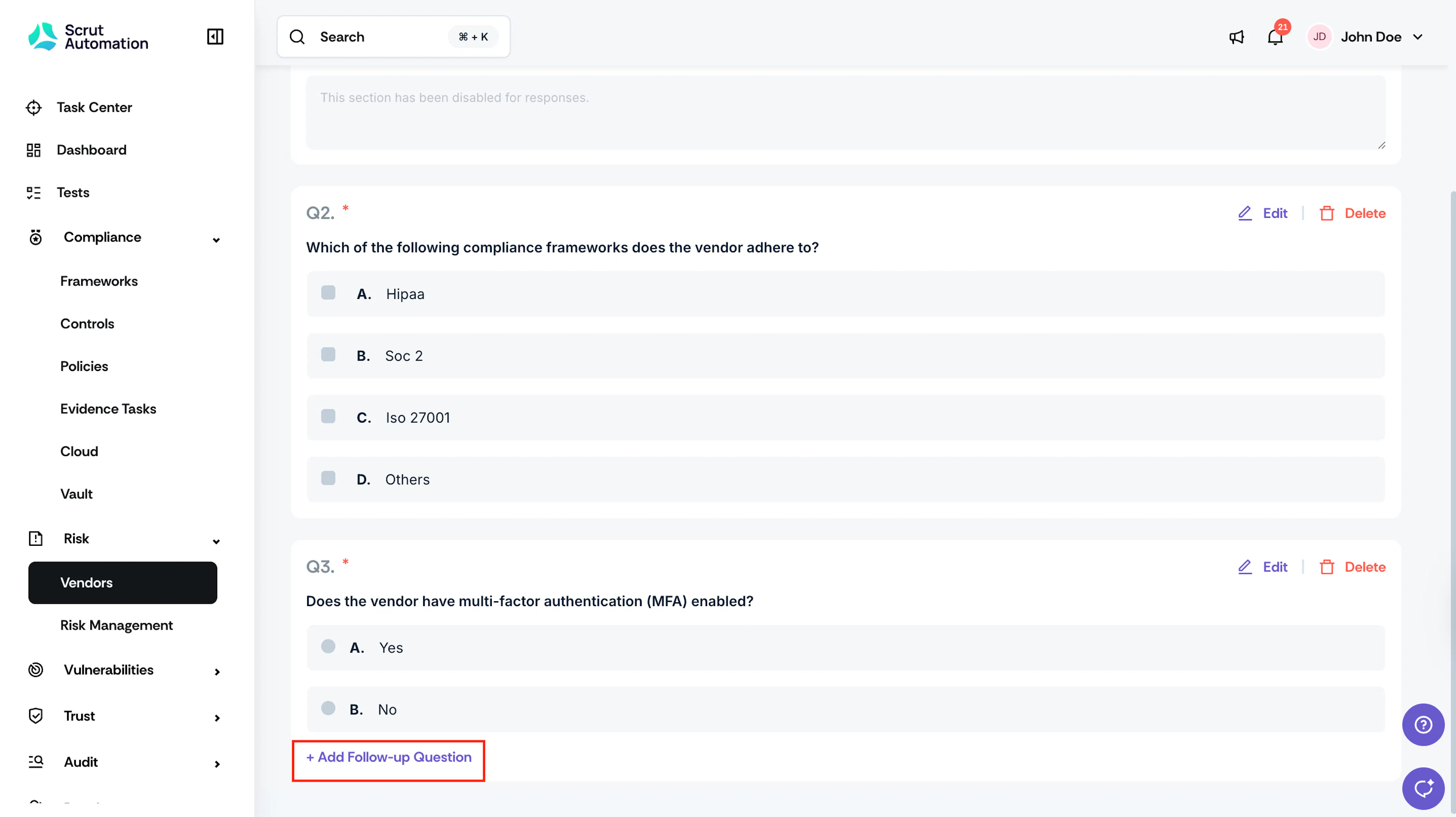
Scroll to an Objective (Single Select) question and click Add Follow-Up Question under it.
-
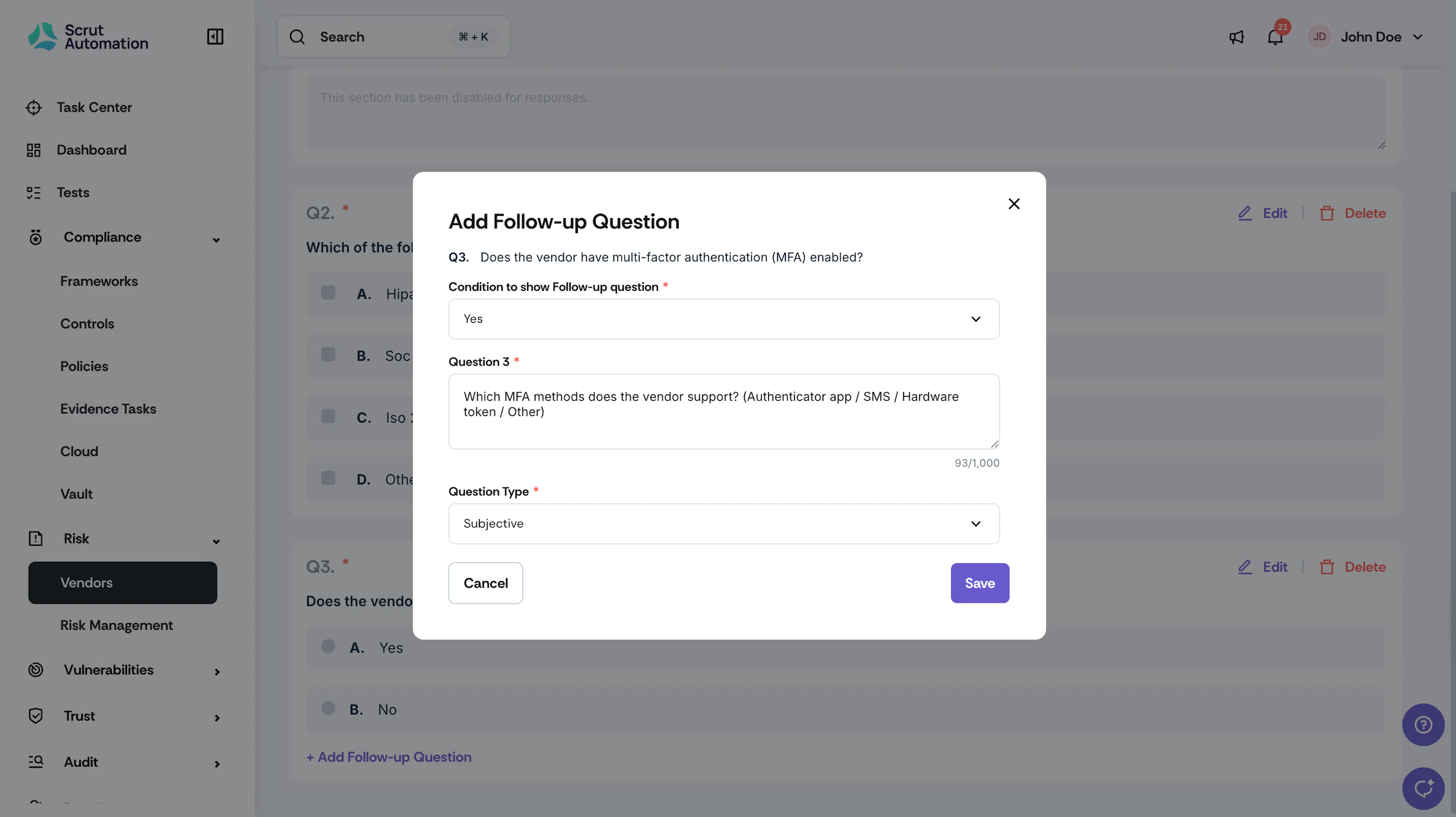
Select the condition for which to trigger the follow-up question.
-
Enter the follow-up question and select a question type.
-
Click Save.
Note: Repeat for any other answer options that require a follow-up question. Follow-up questions are only shown to employees who select the corresponding answer.
Best Practices
A well-structured intake form gives your team the information needed to assess a vendor quickly and consistently. Consider including questions across these areas:
- Basic company information: legal name, headquarters location, website, year established, and primary point of contact.
- Services and products: a description of what the vendor offers and how it will be used within your organization.
- Security posture: whether the vendor has MFA enabled, how they manage authentication, and whether they have a documented security policy.
- Compliance and certifications: the compliance frameworks they adhere to, such as SOC 2, ISO 27001, GDPR, or HIPAA, and whether they have current certifications.
- Data handling: the types of data the vendor will access or process, and where that data is stored.
- Contractual and legal: whether the vendor has signed an NDA, data processing agreement, or other relevant contracts.
- Business impact: what would happen to your operations if this vendor became unavailable, used to help flag vendors that need a Critical risk classification.
Pro Tip!
Use conditional follow-up questions to go deeper on high-risk answers without lengthening the form for everyone. For example, if an employee selects that the vendor will access personal data, trigger a follow-up asking which data types are involved.
Sample Questions
Use the following as a starting point when building your intake form. Adapt or expand them based on your organization's vendor assessment requirements.
Basic Vendor Information
- What is the vendor's legal name?
- Where is the vendor headquartered?
- What year was the vendor founded?
- What is the vendor's website?
- Who is the primary point of contact at the vendor? (Name, title, and email)
Services and Products
- What product or service are you proposing this vendor for?
- How will this vendor's product or service be used within our organization?
- Which teams or departments will use this vendor?
Security Posture
- Does the vendor have multi-factor authentication (MFA) enabled?
- How does the vendor manage user authentication?
- Does the vendor have a documented information security policy?
- When did the vendor last conduct a security audit or penetration test?
Compliance and Certifications
- Which of the following compliance frameworks does the vendor adhere to? (HIPAA / SOC 2 / ISO 27001 / GDPR / Others)
- Does the vendor hold any active compliance certifications? If yes, which ones?
- Is the vendor willing to share their most recent audit report or compliance certificate?
Data Handling
- Will this vendor access, process, or store any of our organization's data?
- What types of data will this vendor handle? (Personal data / Financial data / Health data / Other)
- Where does the vendor store data, and in which regions?
- Does the vendor have a data breach notification process in place?
Contractual and Legal
-
Has the vendor signed a Non-Disclosure Agreement (NDA) with your organization?
-
Is the vendor willing to sign a Data Processing Agreement (DPA) if required?
-
Does the vendor carry cyber liability insurance? If yes, what is the coverage amount?
-
If this vendor experienced a complete outage, what would happen to your operations?
- Complete Service Disruption: Core product or services would be fully non-functional, with no workaround.
- Significant Degradation: Major features would be unavailable or severely impaired; a workaround exists but isn't sustainable.
- Moderate Impact: Non-critical features would be affected; operations can continue with manual effort or an alternate vendor.
- Minimal Impact: Minor inconvenience only; easy to replace or operate without this vendor within days.
Note: Questions 13 and 17 work well as Objective (Multi Select). Questions 9, 11, 16, 21, and 23 work well as Objective (Single Select) with conditional follow-ups triggered on specific answers to collect supporting detail. The remaining questions are best set as Subjective.
Reach out to support@scrut.io or contact your CSM for further assistance.