

Integrate Klaviyo
Learn how to connect your Klaviyo account with Scrut.
What This Integration Does in Scrut
- User Access Data: Fetches user details, roles, and permissions from Klaviyo for Access Reviews.
- Automated Tests: Runs automated checks that evaluate Klaviyo against your applicable compliance frameworks.
Prerequisites
- An active Klaviyo account
- Owner or Admin role on the Klaviyo account
- A private API key with read-only access to the Profiles scope
Permissions and Access Requirements
For Klaviyo
- Owner or Admin role, which is required to create and manage API keys.
- The integration retrieves profile data only. It does not access campaigns, flows, lists, segments, or other Klaviyo data.
- A private API key with the following scope:
| Scope | Access Level |
|---|---|
profiles:read | Read-only |
For Scrut
- Admin access to Scrut (or Contributor with access to the Integration module)
Data Collected
User Access Data
- User name
- User email
- User profile (Unique Klaviyo profile identifier)
Sync Frequency
Data syncs automatically every 24 hours. You can also manually trigger a sync from the integration settings page.
Integration Setup
Step 1: Create a Private API Key in Klaviyo
- Log in to your Klaviyo account.
- Click your organization name in the bottom-left corner and select Settings.
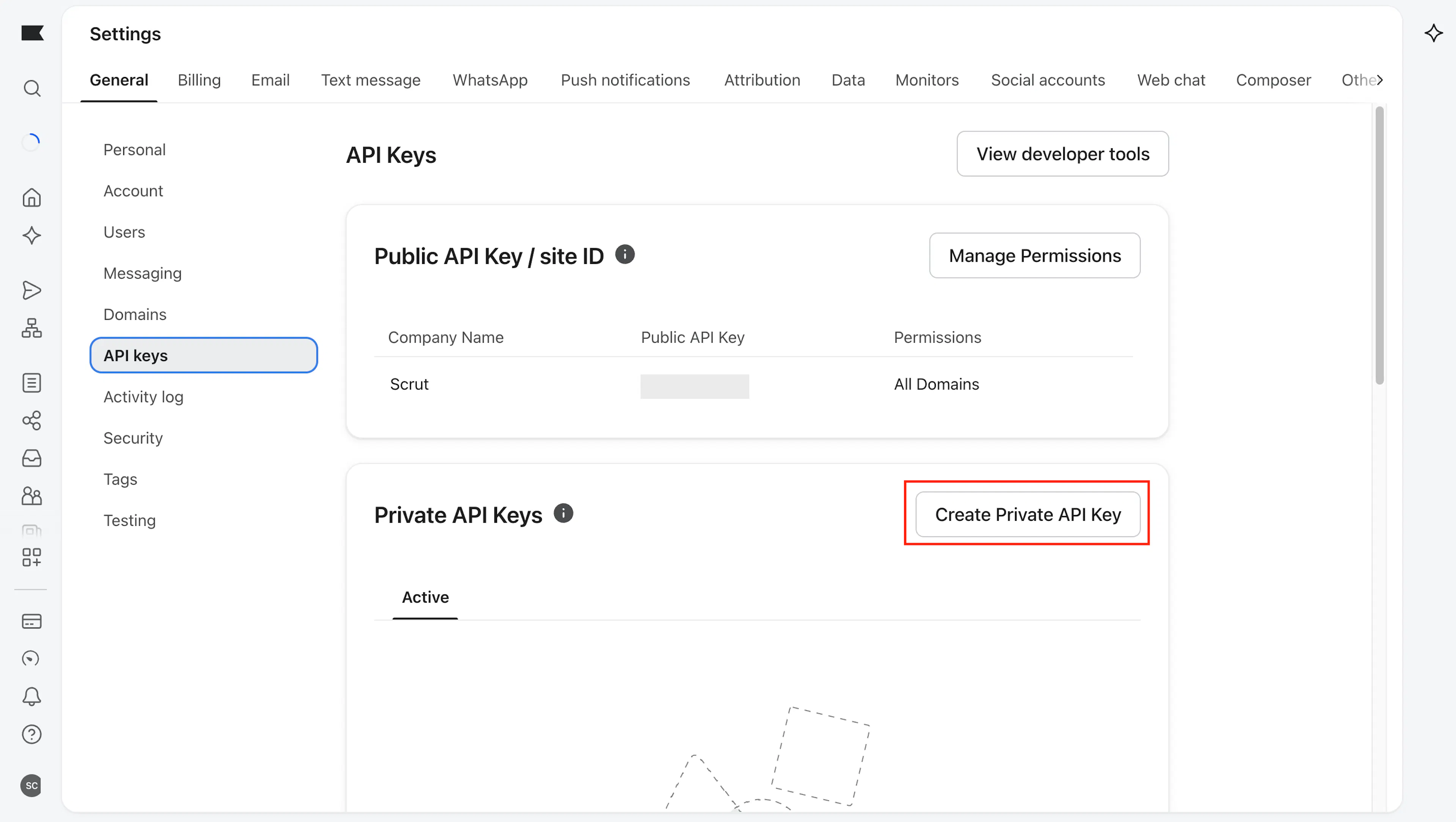
- Click the API Keys tab.
- Under Private API Keys, click Create Private API Key.
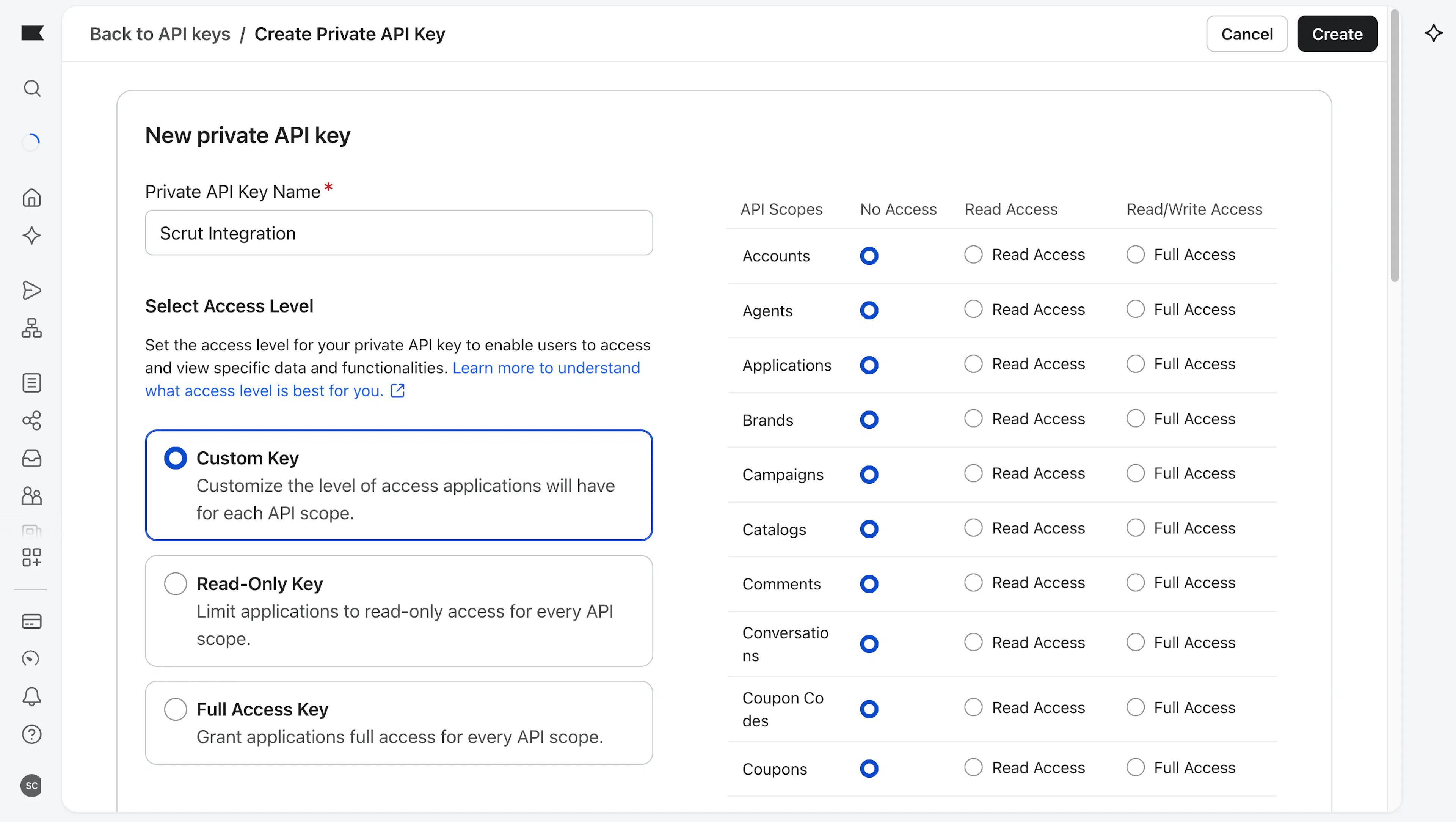
- Enter a name for the key, for example,
Scrut Integration. - Select Custom Key as the key type.
- Under Scopes, find Profiles and set the access level to Read-only.
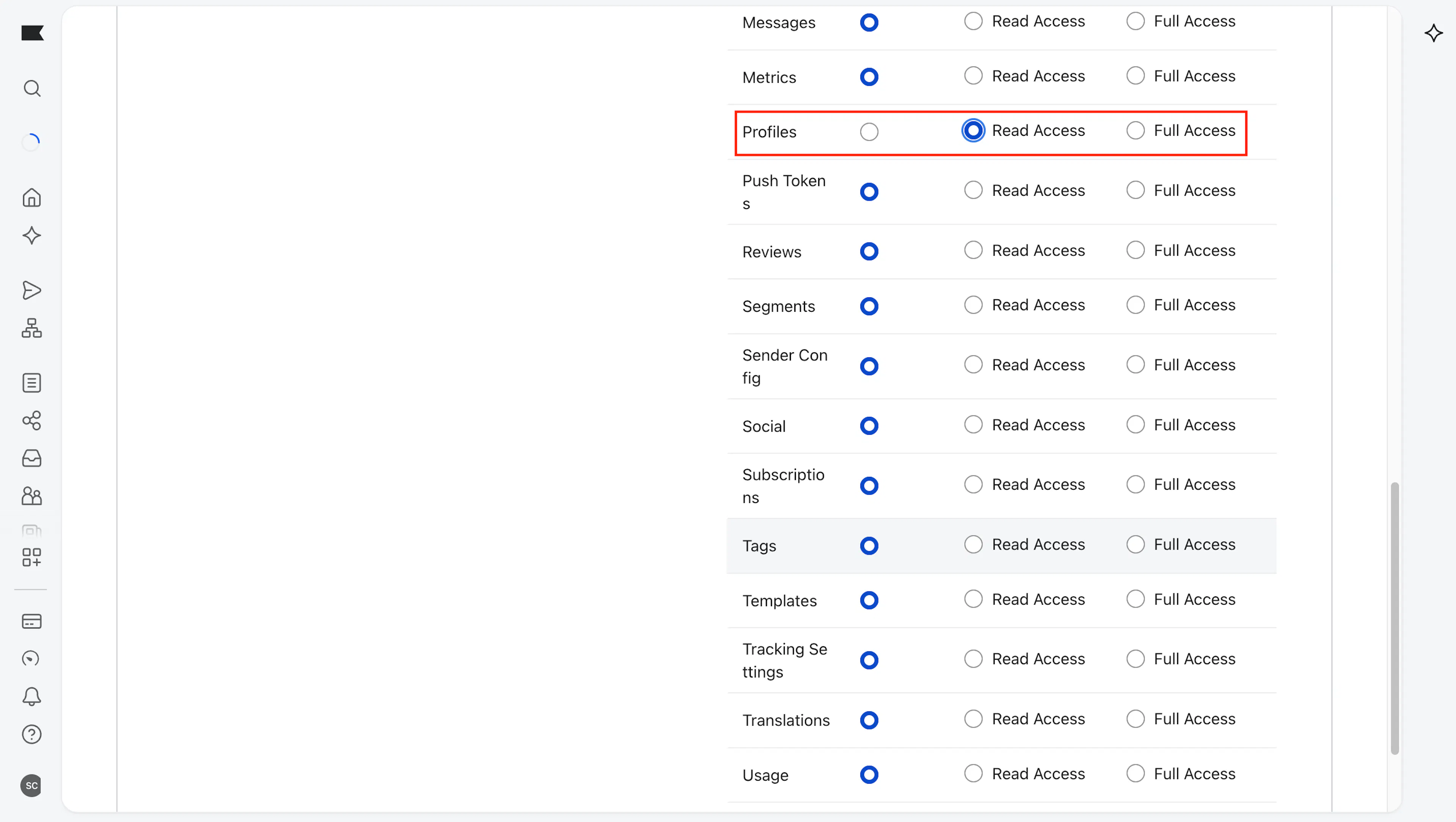
- Click Create.
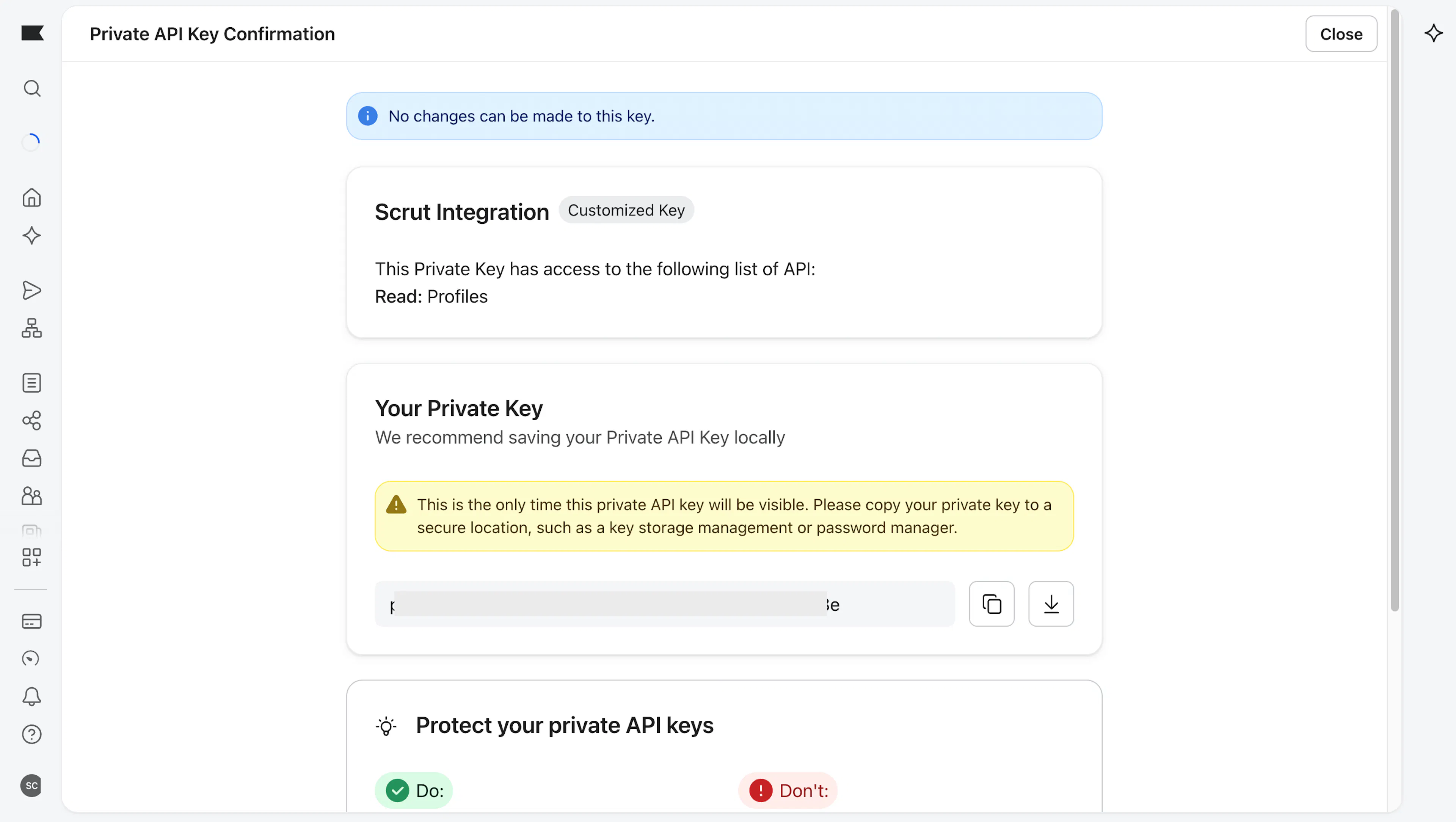
- Copy the API key and store it securely.
Note: Klaviyo shows the private API key only once. Copy it before you close the dialog. If you lose the key, delete it and create a new one.
Step 2: Connect Klaviyo in Scrut
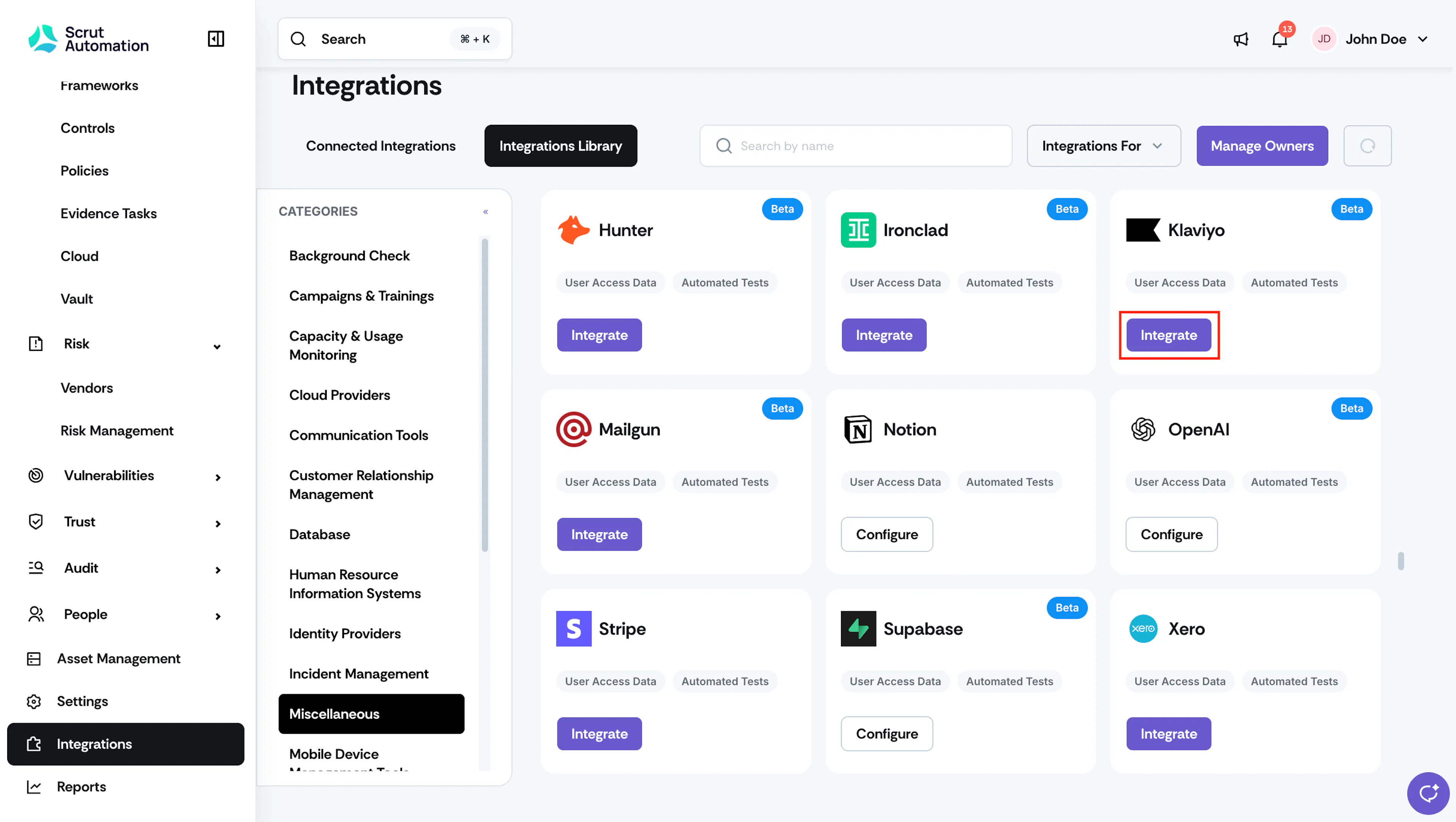
- Log in to Scrut and navigate to Integrations → Integrations Library.
- Search for Klaviyo using the Search by name field, or select Miscellaneous under Categories.
- On the Klaviyo card, click Integrate.
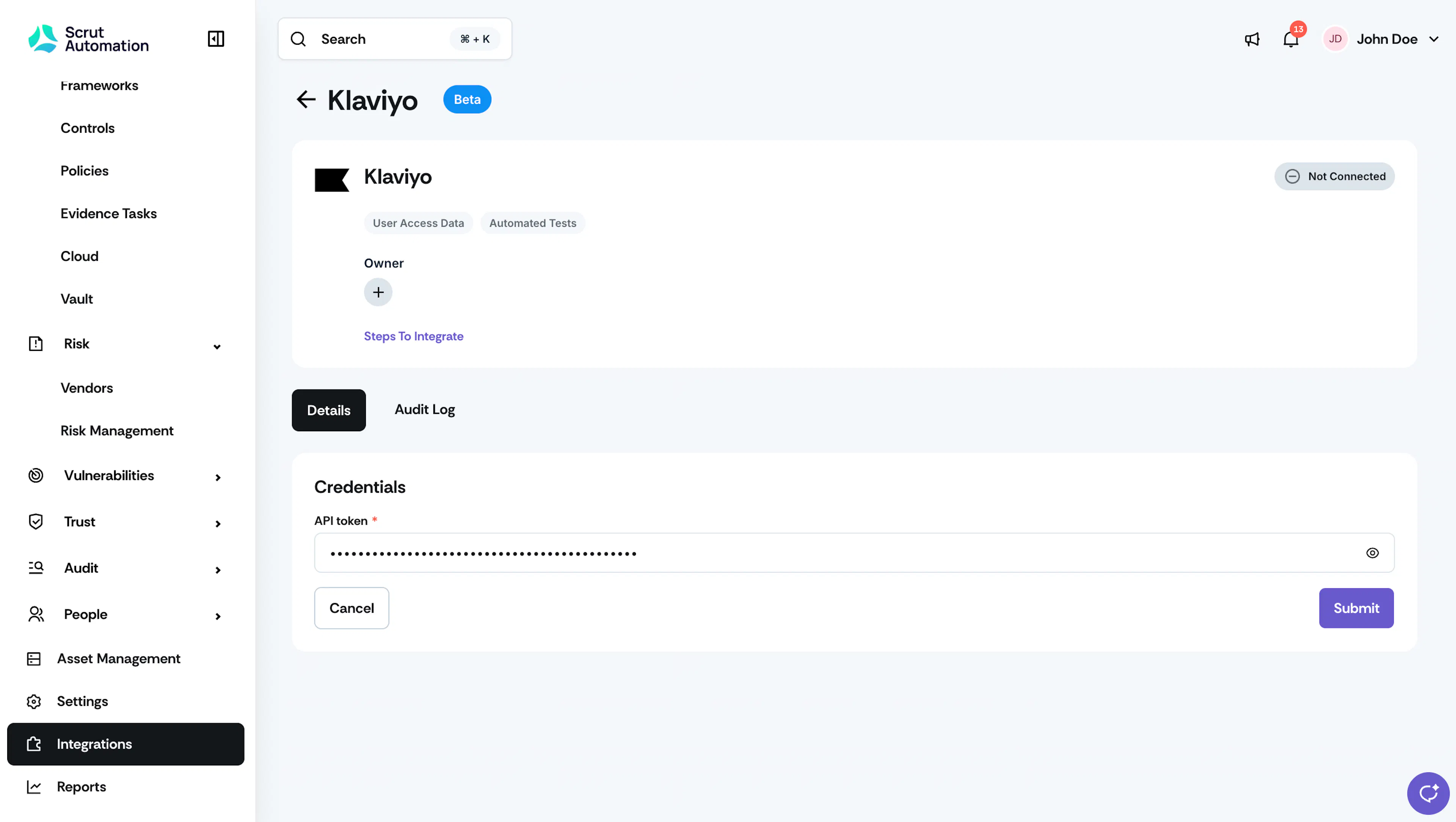
- Optional: Under Owner, click the + icon to assign an integration owner.
- On the Details tab, under Credentials, paste the API key from Step 1 into the API token field.
- Click Submit.
What Happens Next?
Initial Data Sync
The initial data sync begins automatically after you submit the API key. To monitor sync status, open the Klaviyo integration and click the Audit Log tab.
Review Synced Data
- Go to People → Access Reviews → Applications to view Klaviyo users available for access reviews.
- Go to Tests to view the automated tests for Klaviyo.
Common Errors and Troubleshooting
FAQs
Contact support@scrut.io or your CSM for further assistance.
Was this page helpful?